Musiko AI
Musiko AI là một trình tạo nhạc AI dựa trên trình duyệt, biến các lời nhắc, ý tưởng hoặc lời bài hát thành các bài hát hoàn chỉnh, với các công cụ được kết nối cho lời bài hát AI, rap, bản cover, nhạc cụ và nhạc nền.
https://musiko.ai/?utm_source=aipure
Thông tin Sản phẩm
Đã cập nhật:Sep 1, 2026
Musiko AI là gì
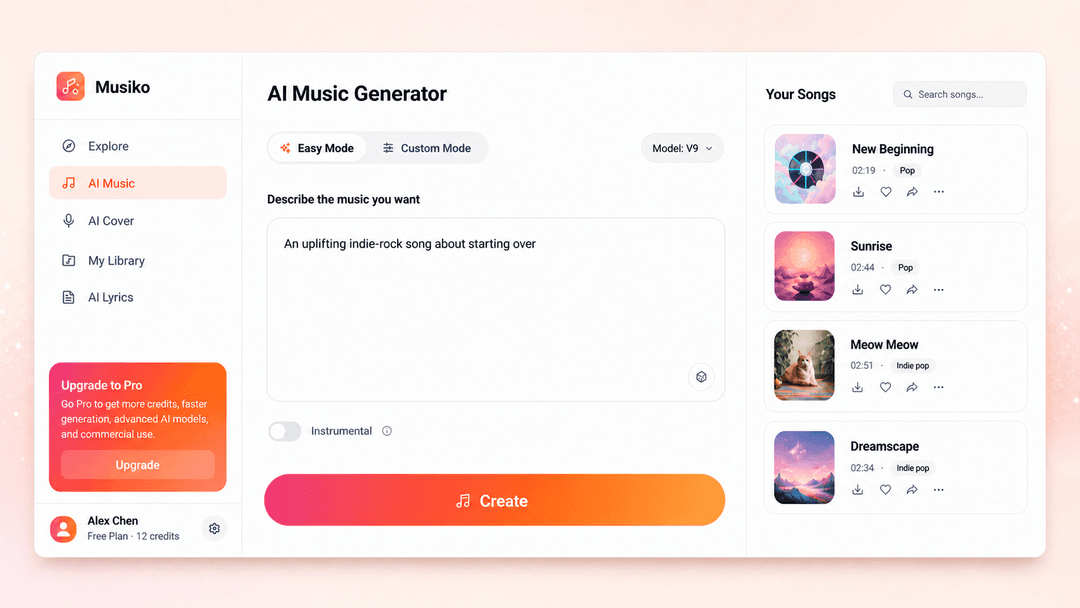
Musiko AI giúp những người sáng tạo bình thường biến một ý tưởng, lời bài hát, tâm trạng, câu chuyện hoặc bản tóm tắt nội dung thành nhạc trong trình duyệt web. Bắt đầu ở Chế độ dễ dàng khi bạn muốn hệ thống xử lý nhiều hơn các quyết định viết và âm nhạc. Chọn Chế độ tùy chỉnh khi bạn đã có lời bài hát hoặc cần kiểm soát rõ ràng hơn về phong cách và hướng giọng hát. Musiko AI cũng có các công cụ chuyên biệt cho lời bài hát, rap, bài hát tình yêu, bản cover, nhạc cụ và nhạc nền. Sản phẩm được xây dựng cho các bài hát đầu tiên, quà tặng cá nhân, bản demo sáng tác, nhạc phim của người sáng tạo, âm thanh podcast và các nguyên mẫu trò chơi hoặc video ban đầu. Kết quả được tạo ra vẫn cần một quyết định của con người: lắng nghe kỹ, giữ lại phần hoạt động và sửa đổi đầu vào khi bài hát không đạt được mục đích.
Các Tính năng Chính của Musiko AI
Musiko AI là một trình tạo nhạc AI dựa trên trình duyệt để biến các lời nhắc, lời bài hát, tâm trạng và các trường hợp sử dụng thực tế thành các bài hát hoàn chỉnh. Chế độ dễ dàng (Easy Mode) cung cấp cho người mới bắt đầu một lộ trình ngắn từ ý tưởng đến âm nhạc. Chế độ tùy chỉnh (Custom Mode) tốt hơn khi lời bài hát, thể loại, hướng giọng hát hoặc phong cách sản xuất cần kiểm soát nhiều hơn. Các công cụ được kết nối bao gồm lời bài hát AI, rap, bản cover bài hát, nhạc cụ, nhạc nền và các bài hát tình yêu, vì vậy người dùng có thể chuyển đổi giữa việc viết và tạo một bản nhạc mà không cần bắt đầu trong một chương trình phòng thu truyền thống.
Trình tạo nhạc AI: Tạo một bài hát hoàn chỉnh từ một lời nhắc bằng ngôn ngữ đơn giản hoặc lời bài hát của riêng bạn. Chế độ dễ dàng xử lý nhiều hơn về việc viết và hướng âm nhạc, trong khi Chế độ tùy chỉnh cung cấp cho bạn nhiều không gian hơn để định hình lời nói, phong cách, giọng nói và các cài đặt có sẵn khác.
Lời bài hát thành bài hát: Biến lời bài hát đã viết thành một bài hát được trình diễn với giọng hát và sản xuất nhạc cụ. Điều này hữu ích khi lời nói đã quan trọng và bạn muốn nghe xem cách diễn đạt, điệp khúc và hướng cảm xúc có phù hợp với âm nhạc hay không.
Trình tạo lời bài hát AI: Mô tả một chủ đề, câu chuyện, phong cách, tâm trạng và ngôn ngữ để có được lời bài hát có cấu trúc với các phần như câu thơ, điệp khúc và cầu nối. Chỉnh sửa kết quả trực tiếp hoặc gửi nó vào Trình tạo nhạc AI để nghe nó như một bài hát.
Trình tạo Rap AI: Tạo một bản nháp tập trung vào rap xung quanh một chủ đề, hướng vần điệu, cấu trúc câu thơ, nhịp điệu hoặc dòng chảy. Đưa ra một quan điểm và một chủ đề cụ thể; các lời nhắc tự tin chung chung có xu hướng tạo ra các thanh chung chung.
AI Cover: Chọn một giọng nói có sẵn hoặc đào tạo một mô hình giọng nói riêng từ một bản ghi đủ điều kiện, sau đó áp dụng giọng nói đó cho một bài hát đã chọn. Âm thanh nguồn sạch rất quan trọng và bạn phải có quyền sử dụng cả mẫu giọng nói và bài hát.
Trình tạo nhạc cụ và BGM AI: Tạo nhạc không có giọng hát cho video, podcast, trò chơi, buổi học, quảng cáo hoặc nội dung thương hiệu. Mô tả mục đích sử dụng, nhịp độ, tâm trạng và nhạc cụ để bản nhạc có một công việc chứ không chỉ là một nhãn thể loại.
Thư viện, tải xuống và chia sẻ: Các bản nhạc đã tạo được lưu vào Thư viện của bạn để phát lại và truy cập sau này. Sử dụng các tùy chọn tải xuống và chia sẻ được hiển thị cho công cụ và gói hiện tại của bạn, đồng thời kiểm tra chi tiết gói trước khi dựa vào một định dạng xuất cụ thể hoặc quyền thương mại.
Các Trường hợp Sử dụng của Musiko AI
Nhạc YouTube và video dạng ngắn: Mô tả tốc độ và tâm trạng của một vlog, hướng dẫn, đánh giá, video ngắn hoặc chỉnh sửa du lịch, sau đó tạo nhạc nền theo bản tóm tắt đó. Chế độ nhạc cụ giúp tường thuật rõ ràng khi giọng hát sẽ cạnh tranh với video.
Nhạc nền mạng xã hội: Tạo một số hướng âm nhạc cho TikTok, Instagram Reels hoặc YouTube Shorts thay vì sử dụng lại một âm thanh thịnh hành trên mọi bài đăng. Một lời nhắc ngắn, cụ thể về cảnh thường cung cấp cho trình tạo hướng hữu ích hơn là chỉ một tên thể loại.
Bản demo sáng tác: Dán lời bài hát chưa hoàn thành vào Chế độ tùy chỉnh và nghe chúng với giọng hát, giai điệu và cách sắp xếp. Kết quả có thể cho thấy những dòng bị lộn xộn, một đoạn hook yếu hoặc một tâm trạng không phù hợp trước khi bạn dành thời gian cho một bản thu âm cuối cùng.
Nhạc nhận diện podcast: Tạo một đoạn giới thiệu, kết thúc, chuyển tiếp hoặc nhạc nền tập yên tĩnh theo tông màu của một chương trình. Yêu cầu một mô típ mở đầu rõ ràng và để chỗ cho lời nói thay vì yêu cầu một bài hát có giọng hát đầy đủ.
Nguyên mẫu trò chơi và video: Tạo các vòng lặp môi trường, chủ đề menu, ý tưởng nhân vật hoặc nhạc cảnh trong khi dự án vẫn đang thay đổi. Các bản nháp này giúp một nhóm kiểm tra tông màu trước khi cam kết với một bản nhạc nền cuối cùng.
Bài hát cá nhân và quà tặng âm nhạc: Biến một kỷ niệm sinh nhật, câu chuyện tình yêu, câu chuyện cười tình bạn, thông điệp đám cưới hoặc ghi chú tốt nghiệp thành một bài hát. Tên, địa điểm và một chi tiết chung thực tế mang lại nhiều kết quả hơn là những từ rộng như truyền cảm hứng hoặc cảm xúc.
Bản cover giọng nói AI: Sử dụng AI Cover để áp dụng một giọng nói có sẵn hoặc một mô hình giọng nói được đào tạo cho một bài hát gốc. Chỉ tải lên âm thanh và tài liệu giọng nói mà bạn sở hữu hoặc có quyền sử dụng.
Ưu điểm
Một lời nhắc ngắn hoặc một bộ lời bài hát có thể trở thành một bài hát hoàn chỉnh mà không cần DAW, thiết lập phòng thu hoặc nền tảng sản xuất.
Musiko AI hoạt động trực tuyến trong trình duyệt web, vì vậy bạn không cần tải xuống hoặc cài đặt ứng dụng.
Chế độ dễ dàng cung cấp cho những người sáng tạo lần đầu một điểm khởi đầu đơn giản, trong khi Chế độ tùy chỉnh hỗ trợ các lựa chọn lời bài hát và phong cách có chủ ý hơn.
Các công cụ viết, bài hát, rap, cover, nhạc cụ và BGM được kết nối bao gồm một số công việc tạo nhạc phổ biến trong một sản phẩm.
Nhiều phiên bản được tạo giúp dễ dàng so sánh các đoạn hook, tâm trạng, giọng hát và cách sắp xếp trước khi chọn một hướng.
Các bài hát được lưu vào Thư viện, với các tùy chọn phát lại, tải xuống và chia sẻ có sẵn theo công cụ và gói hiện tại.
Nhược điểm
Kết quả được tạo có thể khác nhau. Một bản nhạc có thể phát âm một tên sai, nhồi nhét quá nhiều âm tiết vào một dòng hoặc mất tập trung sau một đoạn mở đầu mạnh mẽ.
Những thay đổi nhỏ trong lời nhắc có thể ảnh hưởng đến giai điệu, giọng nói và cách sắp xếp cùng nhau, vì vậy việc sửa một chi tiết có thể yêu cầu một thế hệ khác.
Đầu ra do AI tạo ra không được hứa hẹn là độc quyền hoặc hoàn toàn không giống với âm nhạc hiện có. Xem xét từng bản nhạc và kiểm tra các điều khoản gói hiện tại trước khi sử dụng thương mại.
Cách Sử dụng Musiko AI
1. Mở Musiko AI: Truy cập https://musiko.ai/ai-music trong trình duyệt của bạn. Không cần tải xuống hoặc cài đặt ứng dụng.
2. Mô tả bài hát của bạn: Nhập một ý tưởng đơn giản, tâm trạng, câu chuyện hoặc trường hợp sử dụng trong Chế độ dễ dàng. Nếu bạn đã có lời bài hát, hãy chuyển sang Chế độ tùy chỉnh và dán chúng vào đó.
3. Chọn một phong cách: Chọn thể loại, tâm trạng, hướng giọng hát hoặc tùy chọn nhạc cụ phù hợp nhất với ý tưởng của bạn. Bạn có thể giữ các lựa chọn đơn giản cho bài hát đầu tiên của mình.
4. Tạo và nghe: Tạo bài hát và nghe các bản nhạc được tạo. Nếu có điều gì đó không ổn, hãy thay đổi một phần của lời nhắc hoặc lời bài hát và thử lại.
5. Lưu hoặc tải xuống: Giữ phiên bản bạn thích trong Thư viện của mình, sau đó sử dụng tùy chọn tải xuống hoặc chia sẻ có sẵn. Kiểm tra các điều khoản gói hiện tại của bạn trước khi sử dụng một bản nhạc cho mục đích thương mại.
Câu hỏi Thường gặp về Musiko AI
Musiko AI là một trình tạo nhạc AI trực tuyến biến ý tưởng, lời nhắc hoặc lời bài hát của bạn thành các bài hát hoàn chỉnh. Nó hoạt động trực tiếp trong trình duyệt của bạn, vì vậy bạn có thể tạo nhạc mà không cần cài đặt ứng dụng hoặc học phần mềm sản xuất chuyên nghiệp.
Bài viết phổ biến

Vosko AI: Bản địa hóa và Lồng tiếng Video cho Khán giả Toàn cầu
Oct 15, 2026

Atoms: Nền tảng AI đa tác nhân biến ý tưởng thành sản phẩm sẵn sàng ra mắt
May 22, 2026

Nano Banana SBTI: Nó là gì, Cách thức hoạt động và Cách sử dụng nó vào năm 2026
Apr 15, 2026

Đánh giá Atoms — Trình tạo sản phẩm AI định nghĩa lại việc tạo nội dung số vào năm 2026
Apr 10, 2026
Công cụ AI Mới nhất Tương tự Musiko AI
MeloHunt
MeloHunt là một bộ tạo bài hát mạnh mẽ sử dụng trí tuệ nhân tạo cho phép người dùng tạo ra các bản nhạc gốc, chất lượng cao mà không cần bất kỳ chuyên môn âm nhạc nào.
ChopLab
ChopLab là một công cụ được hỗ trợ bởi AI cho phép các nhà sản xuất âm nhạc biến đổi các bài hát âm thanh thành các mẫu độc đáo và bộ trống tùy chỉnh thông qua các quy trình cắt, tách biệt và cắt tự động.
MindBound Labs
MindBound Labs là một nền tảng đổi mới tập trung vào việc thúc đẩy Trí tuệ nhân tạo siêu việt (ASI) thông qua sự tham gia của cộng đồng, kết hợp thẻ NFC, các gợi ý AI và cá nhân hóa trên nhiều lĩnh vực sáng tạo.
MusicAny
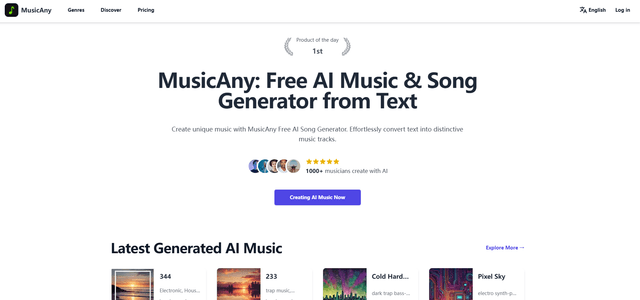
MusicAny là một trình tạo nhạc AI tiên tiến miễn phí cho phép người dùng dễ dàng tạo ra các bài hát độc đáo, không có bản quyền từ các mô tả văn bản mà không cần bất kỳ nền tảng âm nhạc nào.
Công cụ AI Phổ biến Giống Musiko AI
Jammy Chat
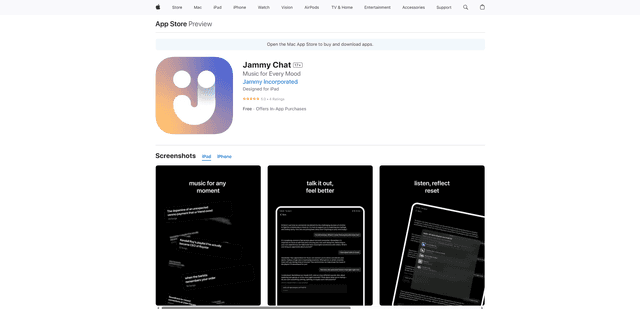
Jammy Chat là một ứng dụng sức khỏe tinh thần được truyền tải âm nhạc, cung cấp danh sách phát được cá nhân hóa và hỗ trợ cảm xúc bằng cách phân tích tâm trạng của bạn thông qua các cuộc trò chuyện do AI cung cấp.
Jammy Chat
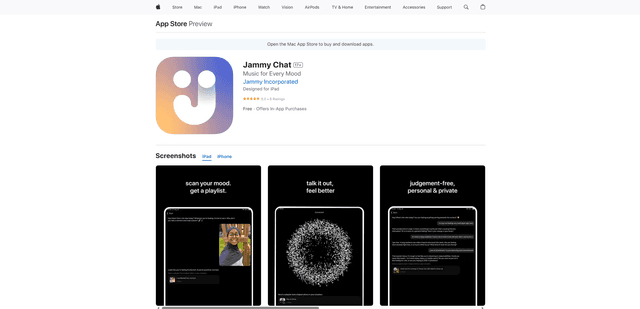
Jammy Chat là một ứng dụng sức khỏe tinh thần được hỗ trợ bởi AI, quét biểu cảm khuôn mặt của người dùng và cung cấp các danh sách phát nhạc được cá nhân hóa để giúp điều chỉnh cảm xúc và cải thiện tâm trạng.
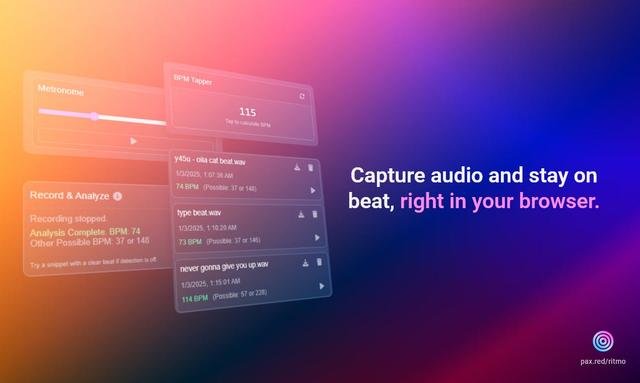
Ritmo
Ritmo là một tiện ích mở rộng công cụ âm thanh thông minh trên Chrome giúp ghi lại, phân tích và quản lý âm thanh với các tính năng như phân tích BPM, nhịp độ và chức năng metronome.
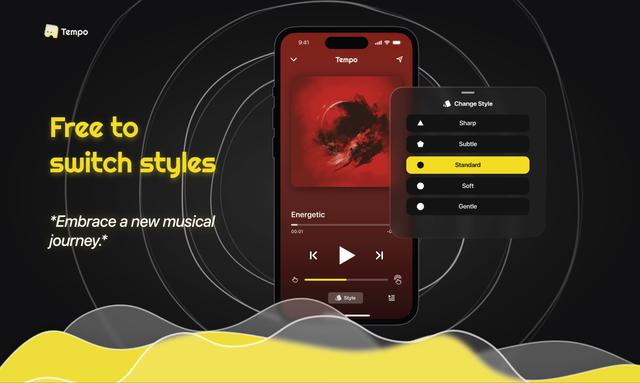
Tempo-Pulse
Tempo-Pulse là một trình phát nhạc xúc giác do AI điều khiển biến bất kỳ âm nhạc nào thành cảm giác xúc giác thông qua công nghệ xúc giác đổi mới, giúp âm nhạc trở nên có thể cảm nhận được cho mọi người, bao gồm cả những người khó nghe.