
Macro
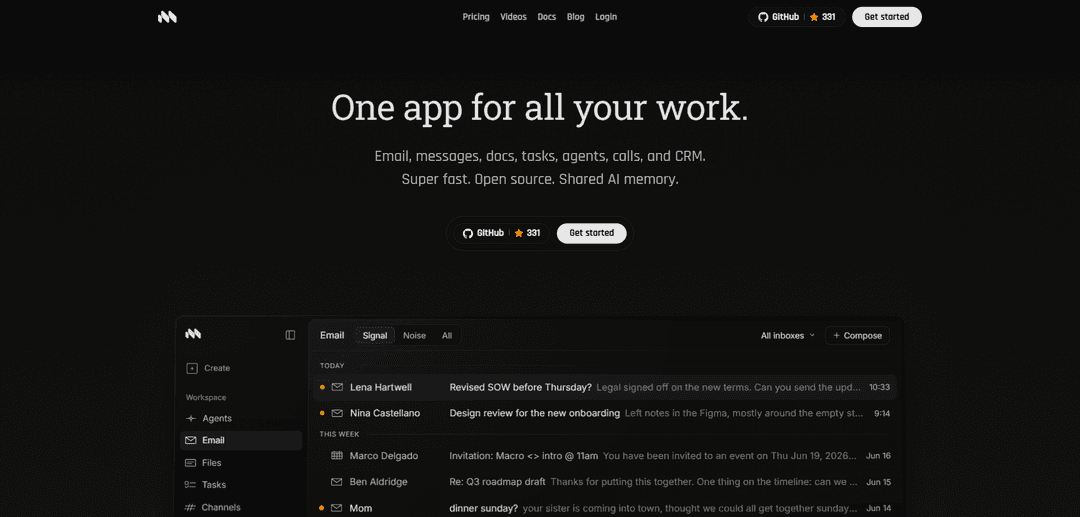
Macro는 이메일, 메시지, 문서, 작업, 통화, CRM 및 공유 AI 메모리를 엔터프라이즈급 보안을 갖춘 하나의 앱으로 통합하는 초고속 오픈 소스 키보드 우선 작업 허브입니다.
https://macro.com/?ref=producthunt&utm_source=aipure
제품 정보
업데이트됨:Jul 8, 2026
Macro 월간 트래픽 동향
Macro은(는) 지난달 387.4k회 방문을 기록했으며, 이는 43.8%의 중간 정도의 성장을(를) 보여줍니다. 저희 분석에 따르면 이러한 추세는 AI 도구 분야의 일반적인 시장 동향과 일치합니다.
과거 트래픽 보기Macro이란?
Macro는 이메일, 팀 채팅, 문서, 작업, 통화 및 CRM을 단일 인터페이스로 통합하여 일반적인 별도 도구 스택을 대체하도록 설계된 올인원 작업 공간입니다. 빠르고 키보드 우선으로 구축되었으며, 커뮤니케이션과 실행이 나란히 존재하는 '모든 것을 한 곳에' 워크플로우를 강조합니다. Macro는 또한 오픈 소스이므로 팀이 신뢰 및 배포 요구 사항에 맞게 감사, 확장 및 실행할 수 있으며, AI를 작업 공간 전체의 기본 계층으로 배치합니다.
Macro의 주요 기능
Macro는 이메일, 팀 채팅, 문서, 작업, 통화, CRM 및 AI 에이전트를 공유된 팀 수준 AI 메모리와 함께 단일의 빠른 인터페이스로 통합하는 올인원 키보드 우선 작업 앱입니다. 이 앱은 모든 것을 하나의 작업 공간에 연결하여 파편화된 생산성 스택을 대체하는 것을 목표로 하며, 즉각적인 검색 및 분류, 협업 마크다운 기본 문서, 작업 공간 개체를 참조하는 채팅 채널, 메시지에서 구축된 작업 워크플로, 엔터프라이즈 보안 옵션(모델 공급자와의 제로 데이터 보존 및 SOC 2 Type II 포함)을 제공합니다. 또한 오픈 소스이므로 감사, 확장 및 자체 호스팅/어디서든 배포가 가능합니다.
올인원 통합 작업 공간: 이메일, 메시지, 문서, 작업, 통화 및 CRM을 하나의 상호 연결된 시스템으로 결합하여 여러 도구를 대체하며, 작업 공간 전체에서 항목을 연결하고 참조할 수 있습니다.
키보드 우선, 고속 이메일 클라이언트: 바로 가기, 계정 전체의 통합 받은 편지함 보기, 대량 이메일 워크플로를 위한 빠른 검색/동기화를 통해 신속한 분류 및 탐색을 위해 설계되었습니다.
협업, 에이전트 편집 가능 문서: 실시간, 버전 관리, 마크다운 기본 문서로, 작업 공간 전체에서 공유 및 @링크할 수 있으며, 초안 작성 및 편집을 위한 AI 지원이 제공됩니다.
심층 연결을 통한 집중 팀 채팅: 채널은 작업 공간 컨텍스트에 연결됩니다. 채팅에서 이메일, 문서 및 작업을 직접 @멘션하고 공유하여 토론을 아티팩트에 고정할 수 있습니다.
대화를 중심으로 구축된 작업: 이메일 및 채팅 메시지를 에이전트와 팀원이 완료할 수 있는 추적 가능한 작업으로 전환하여 별도의 작업 도구에서 방치되는 작업을 줄입니다.
통합 팀 수준 AI 메모리 + 엔터프라이즈 보안: 야간 작업 공간 메모리는 요약 및 상태를 위한 공유 지식 계층을 구축하며, 모델 공급자와의 ZDR(학습 없음) 및 SOC 2 Type II 인증과 같은 엔터프라이즈급 제어로 지원됩니다.
Macro의 사용 사례
영업 및 고객 성공 운영: 고객 이메일, 통화 메모, 작업 및 CRM 컨텍스트를 한곳에 통합하고, 공유 AI 메모리를 사용하여 회의 전에 계정 요약을 생성하고 후속 조치가 누락되지 않도록 합니다.
제품 및 엔지니어링 실행: 채팅/이메일의 버그 보고서 및 토론을 작업으로 전환하고, 사양을 협업 문서에 보관하며, 의사 결정을 스레드에 연결하여 더 빠른 조정과 컨텍스트 전환 감소를 이룹니다.
법률 및 계약 워크플로: 이메일을 통해 계약 협상을 관리하고, 버전 관리된 문서를 저장하고, 승인 작업을 추적하며, 감사 가능한 작업 공간 기록을 유지하면서 AI 지원 초안 작성/편집을 사용합니다.
마케팅 및 시장 출시 계획: 문서에서 출시 계획을 조정하고, 채팅에서 일정을 조율하고, 토론에서 작업을 할당하며, 이해 관계자 커뮤니케이션을 중앙 집중화하여 캠페인 실행을 원활하게 합니다.
임원/운영 "단일 창": 통합된 받은 편지함 및 작업 공간에서 일상적인 작업을 수행하고, 빠른 검색 및 공유 메모리를 사용하여 도구를 뒤지지 않고도 브리핑, 상태 업데이트 및 우선 순위를 얻습니다.
장점
이메일, 채팅, 문서, 작업, 통화 및 CRM을 하나의 연결된 작업 공간으로 통합하여 도구 확산을 줄입니다.
높은 처리량의 통신에 최적화된 빠르고 키보드 우선 워크플로
오픈 소스 (감사, 확장 및 잠재적으로 어디서든 실행 가능)
강력한 엔터프라이즈 태세 (SOC 2 Type II; 모델 공급자와의 제로 데이터 보존/학습 없음)
단점
올인원 플랫폼은 기존 스택을 대체하기 위해 상당한 마이그레이션 및 변경 관리가 필요할 수 있습니다.
팀은 별도의 전문 도구에 익숙한 경우 키보드 우선의 통합 워크플로에 적응하는 데 시간이 필요할 수 있습니다.
Macro 사용 방법
1) Macro 계정을 만들고 로그인하세요.: https://macro.com/으로 이동하여 '시작하기'를 클릭한 다음 로그인하세요 (사이트는 Google/Gmail과 같은 SSO 흐름을 보여줍니다).
2) 받은 편지함 계정을 연결하세요.: 온보딩 프롬프트에 따라 하나 이상의 이메일 계정을 연결하여 Macro가 통합된 보기에서 '모든 받은 편지함'을 표시할 수 있도록 하세요.
3) 핵심 작업 공간 영역을 익히세요.: 제품에 표시된 주요 작업 공간 섹션(이메일(통합 받은 편지함), 메시지/채널(팀 채팅), 문서(공동 작업 문서), 작업(작업 추적), 통화 및 CRM/통합 메모리(팀 수준 AI 메모리))을 탐색하세요.
4) 통합 받은 편지함에서 이메일을 분류하세요.: 이메일을 열고 키보드 우선 워크플로우를 사용하여 읽지 않은 항목을 빠르게 이동하세요. 검색을 사용하여 메시지를 즉시 찾고 여러 계정에서 받은 편지함을 정리하세요.
5) 이메일을 빠르게 작성하고 보내세요.: 이메일에서 '작성'을 선택하고 메시지를 작성하세요. Macro는 빠른 전송/동기화 및 키보드 단축키를 통한 핸즈온 키보드 이메일 처리를 강조합니다.
6) AI를 사용하여 초안 작성, 편집 및 요약하세요.: Macro가 AI 지원을 제공하는 곳(예: 문서 및 작업 공간 콘텐츠)에서 AI에게 텍스트 초안 작성 또는 편집을 요청하거나 회의 전에 스레드/주제 요약을 요청하세요.
7) 공동 작업 문서를 만드세요.: 문서를 열고 새 마크다운 기본 문서를 만드세요. 실시간 공동 작업 및 버전 제어 편집을 사용하여 공유 문서를 최신 상태로 유지하세요.
8) @멘션을 사용하여 작업 공간 전체에서 작업을 연결하세요.: 문서 및 채널에서 관련 이메일, 작업 또는 문서를 @멘션하여 컨텍스트 내에서 팀에 연결되고 표시되도록 하세요.
9) 집중적인 팀 채팅을 위해 채널을 사용하세요.: 메시지/채널을 열고 적절한 채널에 업데이트를 게시하세요. 연결된 문서/작업/이메일을 참조하여 토론을 작업 공간에 연결하세요.
10) 메시지를 작업으로 전환하세요.: 채팅 메시지(또는 관련 작업 공간 항목)에서 작업을 생성하여 작업 항목이 손실되지 않도록 하세요. 소유자를 할당하고 상태를 설정(예: 시작 안 함)하고 원래 채널/스레드에 연결된 상태로 유지하세요.
11) 한 곳에서 작업을 추적하고 완료하세요.: 작업을 열어 할당된 내용을 검토하고 상태를 업데이트하며 완료된 작업을 마감하세요. 실행을 생성한 대화 및 문서에 연결된 상태로 유지하세요.
12) 팀 컨텍스트를 위해 통합 메모리/CRM을 사용하세요.: CRM/통합 메모리 영역을 열고 '누구/회사와 관련된 최신 정보는 무엇인가요?'와 같은 질문을 하여 통화 또는 후속 조치 전에 작업 공간 기반 요약을 얻으세요.
13) 작업 공간 컨텍스트를 사용하여 통화를 준비하세요.: 회의 전에 관련 이메일 스레드, 연결된 문서 및 작업을 불러오세요. AI 요약/메모리를 사용하여 결정, 미결 항목 및 다음 단계를 빠르게 새로 고치세요.
14) 작업 공간을 안전하고 규정을 준수하도록 유지하세요.: 필요에 따라 Macro의 보안 태세를 검토하세요 (사이트는 엔터프라이즈급 보안, SOC 2 Type II 및 모델 제공업체와의 제로 데이터 보존을 언급합니다). 조직의 정책에 따라 액세스 및 사용을 구성하세요.
Macro 자주 묻는 질문
매크로는 작업을 자동화하기 위해 단일 명령으로 실행되는 저장된 일련의 명령 또는 동작입니다. 실제로 버튼을 한 번 누르거나 키보드 단축키로 여러 단계를 트리거할 수 있습니다.




Macro 웹사이트 분석
Macro 트래픽 및 순위
387.4K
월간 방문자 수
#85992
전 세계 순위
#281
카테고리 순위
트래픽 트렌드: Jan 2025-Jun 2025
Macro 사용자 인사이트
00:02:30
평균 방문 시간
6.26
방문당 페이지 수
39.89%
사용자 이탈률
Macro의 상위 지역
US: 19.72%
AU: 11.87%
CA: 10.79%
GB: 9.75%
IN: 7.19%
Others: 40.67%
Macro와(과) 유사한 최신 AI 도구

MultipleWords
MultipleWords는 오디오, 비디오 및 이미지 편집을 위한 16개의 강력한 도구를 제공하는 종합 AI 플랫폼으로, 크로스 플랫폼 접근성을 제공합니다.

Athena AI
아테나 AI는 문서 분석, 퀴즈 생성, 플래시 카드 및 인터랙티브 채팅 기능을 통해 개인화된 학습 지원, 비즈니스 솔루션 및 라이프 코칭을 제공하는 다재다능한 AI 기반 플랫폼입니다.
Taidai.io
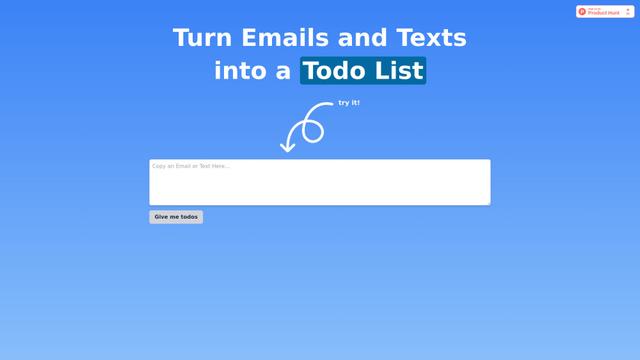
Taidai.io는 메모, 이메일 및 텍스트 콘텐츠를 자동으로 실행 가능한 할 일 목록으로 변환하는 AI 기반 도구입니다.
Repliio
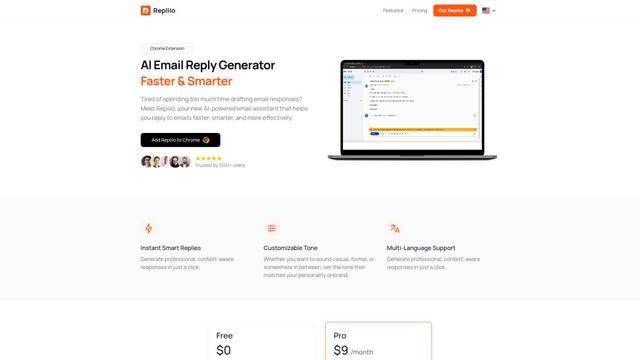
Repliio는 사용자가 전문적이고 맥락 인식 이메일 응답을 빠르게 생성할 수 있도록 돕는 AI 기반 이메일 어시스턴트 Chrome 확장 프로그램으로, 사용자 정의 가능한 톤과 다국어 지원을 제공합니다.
Macro와(과) 유사한 인기 AI 도구

Microsoft Excel: Spreadsheets
Microsoft Excel은 사용자가 강력한 기능인 수식, 차트 및 AI 기반 통찰력을 통해 데이터를 조직, 분석 및 시각화할 수 있도록 하는 업계 최고의 스프레드시트 소프트웨어입니다.

Standboy
Standboy는 AI 에이전트 활동 중에 사이드바에서 Game Boy(GB/GBC/GBA) 에뮬레이터를 자동으로 확장한 다음 자동으로 숨기고 일시 중지하는 VS Code/Cursor 확장 프로그램입니다. 다음 번에는 프레임 중간부터 다시 시작하며, 영구 ROM 라이브러리, 저장 및 표지 아트를 유지합니다.
Omniaxe
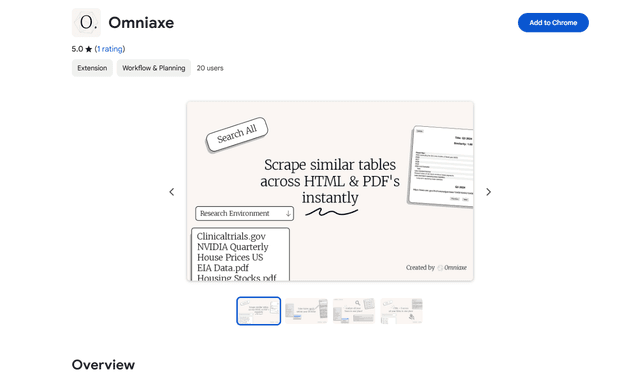
Omniaxe는 분석가, 연구원 및 학생을 위해 특별히 설계된 원활한 데이터 추출, AI 기반 분석 및 중앙 집중식 노트 작성 기능을 결합한 올인원 Chrome 확장 연구 도구입니다.

Finesse by Skippr AI
Skippr AI의 Finesse는 전문 AI 검토자를 통해 디자인, 콘텐츠 전략, 접근성 및 제품 방향에 대한 즉각적인 전문가 수준의 제품 피드백 및 비평을 제공하는 브라우저 확장 프로그램입니다.