Loova Agents
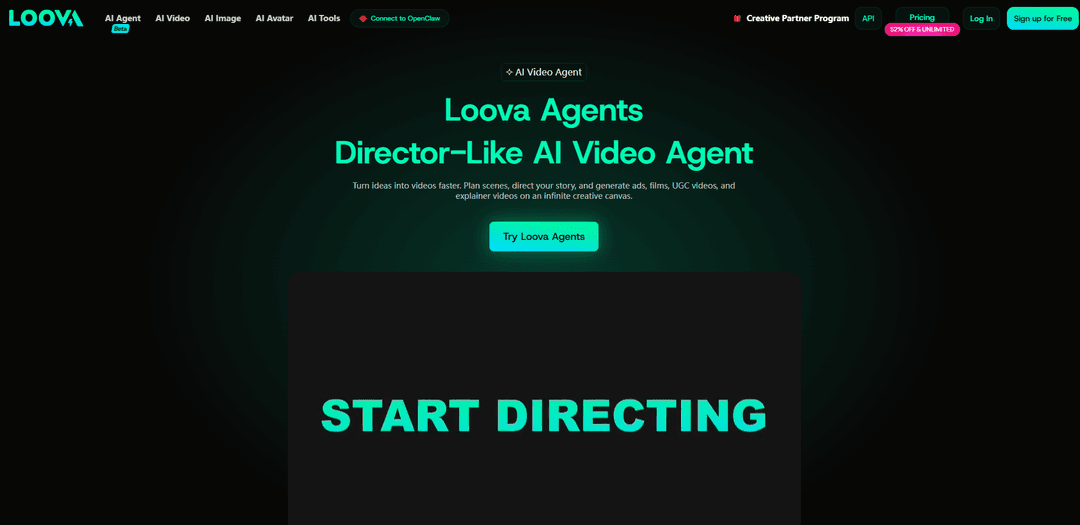
Loova Agents is a director-like AI video agent that lets you describe an idea in natural language, then plans scenes, directs the narrative, and generates cinematic videos end-to-end on an infinite canvas using multiple integrated AI video and image models.
https://loova.ai/ai-agent/intro?ref=producthunt
Product Information
Updated:May 19, 2026
What is Loova Agents
Loova Agents is Loova’s “AI Video Agent” (currently labeled as beta) built to function like a creative director for video production. Instead of juggling separate tools for storyboarding, scene building, generation, and editing, you provide a prompt describing your concept—such as a product ad, short film, UGC-style clip, explainer, or talking avatar video—and the agent helps structure and produce the result. It sits inside the broader Loova platform, which also includes text-to-video, image-to-video, reference-to-video, an AI video editor, and a large catalog of selectable video/image models and creative utilities.
Key Features of Loova Agents
Loova Agents is a director-like AI video agent that lets creators generate polished, cinematic videos by describing an idea in natural language. It plans scenes, directs story flow, and generates video content end-to-end, reducing the need for multi-tool workflows. It also provides an infinite-canvas workspace for organizing and refining storyboards, and it sits inside Loova’s broader all-in-one platform that includes text/image/video generation, editing tools, and access to multiple top AI models (e.g., Seedance, Kling, Veo, Sora) for experimenting with different styles and outputs.
Director-like planning and generation: Describe your vision in natural language and the agent analyzes the idea, structures scenes, directs pacing/story flow, and generates the video automatically.
Infinite canvas storyboard workspace: An open-ended canvas to visualize, organize, and iterate on scenes like a storyboard, enabling fast experimentation and narrative refinement.
Multi-model creative playground: Access and compare outputs across multiple integrated video/image models in one platform to match the best style, motion, and quality for each project.
Multi-input creation modes: Supports common creation workflows such as text-to-video, image-to-video, reference-to-video, and prompt-driven AI video editing.
Built-in creative tools and effects: Includes adjacent tools like talking photo, character swap, mimic motion, and other video/image editing utilities to refine or extend productions without leaving the platform.
Use Cases of Loova Agents
Product ads for e-commerce and brands: Generate promotional videos quickly by having the agent plan ad scenes, create visuals, and assemble short-form creatives optimized for social and paid campaigns.
UGC-style marketing content: Produce creator-style short videos for TikTok/Reels/Shorts with fast iteration on hooks, pacing, and visual style—without a full production workflow.
Short films and cinematic storytelling: Turn scripts or concepts into structured, multi-scene cinematic videos using director-like scene planning and storyboard-style iteration.
Talking avatar and spokesperson videos: Create talking avatar-style content for explainers, onboarding, or announcements using Loova’s avatar/talking photo capabilities alongside agent-driven video assembly.
Social media content studio for creators: Rapidly prototype scroll-stopping visuals and videos by mixing text/image inputs, reference images, and model choices to match different aesthetics and trends.
Pros
End-to-end workflow: plans, directs, and generates videos from a single natural-language brief, reducing multi-tool complexity.
Flexible creation options: supports text-to-video, image-to-video, reference-driven generation, and prompt-based editing in one place.
Model variety: integrates multiple leading video and image models to explore different styles and results without switching platforms.
Cons
Beta-stage product: capabilities and reliability may vary as the agent experience is still being rolled out and refined.
Plan/credit constraints: access to certain models and “unlimited” offers depend on subscription tier and promotions.
Quality can be model- and prompt-dependent: achieving consistent cinematic results may require iteration, references, and careful prompting.
How to Use Loova Agents
1) Open Loova Agents: Go to https://loova.ai/ai-agent and log in (or sign up). This is the dedicated “AI Video Agent” area where Loova plans, directs, and generates videos from your idea.
2) Start a new Agents project: Click into Loova Agents (often shown as “Try Loova Agents” / “Create with Loova Agents”) to begin a new creation on the agent’s canvas/workspace.
3) Describe your video idea in natural language: Type what you want to make (e.g., product ad, short film, UGC-style video, explainer). Include key details like topic, tone, style (cinematic/realistic/animated), setting, characters, and what should happen.
4) Let the agent plan and direct the video: Loova Agents acts like a director: it analyzes your prompt, plans scenes, and structures the flow/storyboard on an “infinite canvas” so you can visualize and organize the narrative.
5) Choose a generation route (Text/Image/Reference-based): Depending on what you have, pick the appropriate workflow: Text to Video (from a script/idea), Image to Video (animate a still image), or Reference to Video (use multiple reference images to guide the result).
6) Select an AI video model: Pick from Loova’s integrated models (availability depends on your plan), such as Google Veo 3.1, Sora 2, Kling (e.g., Kling 3.0 / Kling O1), Seedance (e.g., Seedance 2.0), Wan, PixVerse, Hailuo, etc., to match the look/motion you want.
7) Generate the video: Run generation so the agent produces the video based on the planned scenes and your selected workflow/model.
8) Refine by iterating on the canvas and prompts: Adjust pacing, scene order, and creative direction by editing your instructions and regenerating. The canvas approach is designed for quick experimentation and refinement.
9) Edit with Loova’s AI Video Editor (optional): If you need changes after generation, use Loova’s AI Video Editor to edit videos with prompts and references (e.g., revise shots, tweak style, adjust sequences).
10) Add supporting assets/tools (optional): Use Loova’s broader toolset if needed—e.g., Text to Image / Image to Image for assets, Talking Photo for avatar-style content, Text to Speech for voice, or other video/image tools (enhancer, background changer, object remover, etc.).
11) Export/download your final video: Once satisfied, export or download the finished video from Loova and use it for social media, ads, or other projects.
Loova Agents FAQs
Loova Agents is a director-like AI video agent that plans, directs, and generates videos from a natural-language description, helping creators produce polished videos faster without complex workflows.
Loova Agents Video
Popular Articles

Atoms: A Multi-Agent AI Platform That Transforms Ideas into Launch-Ready Products
May 22, 2026

Nano Banana SBTI: What It Is, How It Works, and How to Use It in 2026
Apr 15, 2026

Atoms Review — The AI Product Builder Redefining Digital Creation in 2026
Apr 10, 2026

Kilo Claw: How to Deploy and Use a True "Do‑It‑For‑You" AI Agent(2026 Update)
Apr 3, 2026
Latest AI Tools Similar to Loova Agents

Loud Fame
Loud Fame is an AI-powered video transformation tool that allows users to convert regular videos into anime-style animations and create AI-generated celebrity talking videos.

BizBoom.ai
BizBoom.ai is an AI-powered platform that automatically generates professional product videos from product links and images with 95% less cost.

EzVideos
EzVideos is an all-in-one video creation tool that helps users generate viral videos for social media platforms like Instagram, TikTok, and YouTube with automated editing features and built-in resources.

Illuminix
Illuminix is an AI-powered platform that empowers businesses with autonomous hyper-experts and specialized tools for automated business processes, data management, and video content creation.
Popular AI Tools Like Loova Agents

HunyuanVideo-I2V
HunyuanVideo-I2V is an open-source AI framework developed by Tencent that transforms static images into high-quality, dynamic videos with customizable motion effects and exceptional visual consistency.

Google Veo 2
Veo 2 is Google DeepMind's state-of-the-art AI video generation model that can create high-quality videos up to 4K resolution with realistic motion, extensive camera controls, and improved physics simulation from text prompts.

Vibing
Vibing is an AI-powered dating app that helps users share authentic moments through video stories and make genuine connections based on personality matching and interactive features.

Edits, an Instagram app
Edits is Instagram's free video creation app that provides creators with professional editing tools, AI features, and analytics capabilities to create high-quality videos directly from their phones.