Highlight Studio
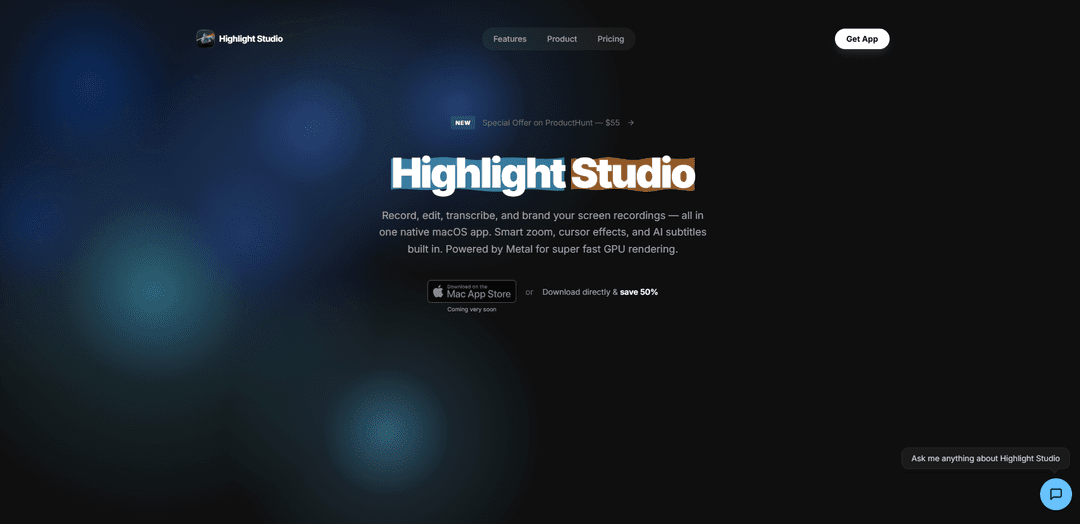
Highlight Studio is a native macOS screen recording app that combines AI-powered editing, smart zoom, multi-track timeline editing, device frames, and brand kits to help users create polished, professional screen recordings without switching between multiple tools.
https://highlightstudio.app/?ref=producthunt
Product Information
Updated:Apr 10, 2026
What is Highlight Studio
Highlight Studio is a professional screen recording and editing application built specifically for macOS using SwiftUI and Metal technology. Unlike traditional screen recorders that simply capture footage, Highlight Studio offers a complete production suite that records, edits, transcribes, and brands videos all within one unified app. The software features AI transcription supporting over 50 languages with word-level timestamps, automatic smart zoom that follows cursor movements, real device frames for iPhone and iPad recordings, customizable brand kits, and a full multi-track editor with separate tracks for video, camera, audio, voice-overs, subtitles, and annotations. Designed as a lightweight native application under 100 MB, it leverages Apple's hardware acceleration for GPU-offloaded rendering and hardware encoding, ensuring smooth performance without thermal throttling or dropped frames.
Key Features of Highlight Studio
Highlight Studio is a native macOS screen recording and editing application built with SwiftUI and Metal for GPU-accelerated performance. It combines recording, editing, and post-production in one unified app, featuring AI-powered smart zoom that automatically creates keyframes based on cursor activity, multi-track editing with separate layers for video, camera, audio, voice-overs, subtitles and annotations, AI transcription in 50+ languages with word-level timestamps, device frames for iPhone/iPad recordings, brand kit management for consistent visual identity, and facial expression detection to identify best moments. The app is lightweight at under 100MB, hardware-accelerated for efficient performance, and includes a CLI for AI agent integration with 40+ programmatic commands.
AI-Powered Smart Zoom: Automatically analyzes cursor position, click events, and mouse movement patterns during recording to generate intelligent zoom keyframes at important moments, creating cinematic focus without manual editing
Multi-Track Timeline Editor: Professional editing interface with separate tracks for video, camera overlay, audio, voice-overs, subtitles, and annotations, allowing precise control over each element with trim, split, speed regions, and timeline comments
Device Frame Recording: Direct USB capture of iPhone and iPad screens with pixel-perfect device frames featuring 27+ Apple devices with accurate bezels, Dynamic Island, and real color finishes for polished product demonstrations
Brand Kit System: One-time setup for logo, colors, fonts, and watermark positioning that automatically applies to every export, ensuring consistent brand identity across all recordings without repetitive configuration
AI Transcription & Facial Detection: Automatic transcription in 50+ languages with word-level timestamps, plus facial expression analysis that identifies best and worst moments during recording to streamline editing decisions
Metal-Powered Performance: Native SwiftUI app with GPU-accelerated rendering using Apple's Metal framework and VideoToolbox hardware encoding, keeping CPU usage under 2% during recording with no thermal throttling or dropped frames
Use Cases of Highlight Studio
Software Tutorial Creation: Developers and educators can record software demonstrations with automatic smart zoom on clicks, cursor effects, and AI transcription to create polished tutorials for YouTube, documentation sites, or online courses
Product Demo Videos: Product managers and marketers can capture iOS app demonstrations with real device frames, add brand watermarks and intros/outros, and export in platform-optimized formats for social media and landing pages
Customer Support & Training: Support teams can quickly record solution walkthroughs with cursor highlighting and annotations, then export as GIFs or videos with subtitles for knowledge bases and customer communication
Design Review & Collaboration: Design teams can record interface interactions with camera overlay commentary, use timeline comments for feedback at specific timestamps, and share polished recordings with stakeholders for asynchronous review
Content Creation for Social Media: Content creators can record screen content with face cam, leverage facial expression detection to find best moments, and export with preset configurations optimized for Twitter, Instagram, LinkedIn, or Discord
AI Agent Video Automation: Developers can integrate the CLI and skill system into AI agent workflows to programmatically record, edit, and export videos through 40+ commands over TCP socket for automated content generation
Pros
Native macOS app with Metal GPU acceleration provides exceptional performance (under 2% CPU usage) and fast 4K hardware-accelerated exports without thermal throttling
All-in-one solution combining recording, editing, transcription, and branding eliminates the need for multiple fragmented tools and external plugins
AI-powered smart zoom and facial expression detection significantly reduce manual editing time by automatically identifying important moments
Lightweight at under 100MB with no Electron bloat, downloads quickly and launches instantly with no bundled runtimes
Cons
macOS-only availability limits accessibility for Windows and Linux users who need cross-platform screen recording solutions
Free plan exports include watermarks and are limited to 720p resolution, requiring paid upgrade for professional-quality output
Advanced features like smart zoom, device frames, brand kit, and 4K export are locked behind Pro membership at $50/year
Relatively new product may have fewer community resources, tutorials, and third-party integrations compared to established competitors
How to Use Highlight Studio
1. Download and Install: Download Highlight Studio from highlightstudio.app. The app is under 100 MB and works on macOS with Apple Silicon or Intel processors. No credit card required to start with the free plan.
2. Start a New Recording: Launch Highlight Studio and start a new screen recording. You can record your screen, camera, and audio simultaneously. For iPhone/iPad recording, connect your iOS device via USB.
3. Record Your Content: During recording, Highlight Studio automatically tracks your cursor position, click events, and facial expressions (if using camera). The app runs efficiently with CPU under 2% and no fan noise.
4. Stop Recording: Stop the recording when finished. Your raw footage is now ready for editing in the multi-track editor.
5. Use AI Smart Zoom: Let the AI analyze your cursor movements and click patterns to automatically generate zoom keyframes at important moments. All zoom clips appear on the timeline and can be manually adjusted.
6. Edit on the Timeline: Use the multi-track editor to trim, split, delete, and adjust separate tracks for video, camera, audio, voice-overs, subtitles, and annotations. Add speed regions to control playback speed.
7. Add Enhancements: Apply cursor effects and styles, add annotations, blur masks, and AI-generated subtitles (50+ languages with word-level timestamps). Use built-in wallpapers, music, and shortcuts.
8. Apply Brand Kit (Pro): Set up your brand identity once with logo, colors, fonts, and watermark position. This applies automatically to every recording you export.
9. Add Device Frames (Pro): For iOS recordings, wrap your video in pixel-perfect device frames from 27+ Apple devices with accurate bezels, Dynamic Island, and real color finishes.
10. Review Smart Edit Suggestions: Check AI-detected facial expression timeline showing your best and worst moments during recording to help refine your edit.
11. Export Your Video: Choose an export preset (YouTube, Twitter/X, Instagram, LinkedIn, Discord) or custom settings. Free plan exports up to 720p with watermark. Pro unlocks 1080p, 1440p, 4K, source quality, and GIF export with custom FPS.
12. Share and Collaborate: Share your exported video or GIF. Invite collaborators to add timeline comments at specific timestamps with threaded replies.
Highlight Studio FAQs
Highlight Studio is a native macOS app built with SwiftUI and Metal — not Electron. It includes a full multi-track editor, AI-powered smart zoom, cursor effects, device frames, brand kits, and facial expression detection. Most screen recorders just capture, but Highlight Studio captures, edits, and polishes in one app.
Highlight Studio Video
Popular Articles

Atoms: A Multi-Agent AI Platform That Transforms Ideas into Launch-Ready Products
May 22, 2026

Nano Banana SBTI: What It Is, How It Works, and How to Use It in 2026
Apr 15, 2026

Atoms Review — The AI Product Builder Redefining Digital Creation in 2026
Apr 10, 2026

Kilo Claw: How to Deploy and Use a True "Do‑It‑For‑You" AI Agent(2026 Update)
Apr 3, 2026
Latest AI Tools Similar to Highlight Studio

EzVideos
EzVideos is an all-in-one video creation tool that helps users generate viral videos for social media platforms like Instagram, TikTok, and YouTube with automated editing features and built-in resources.

Blanc AI
Blanc AI is a revolutionary AI solution that enables video content translation and dubbing into 47+ languages while preserving the original voice, emotions, and lip synchronization.

Wink Mody
Wink Mody is a modified version of the Wink video editing app that offers premium features like AI-powered retouching, 4K exports, and watermark-free editing completely free of charge.

Shortmake AI
ShortMake is an AI-powered video creation platform that transforms ideas into viral-ready videos by automatically generating scripts, voiceovers, visuals, and subtitles specifically optimized for platforms like TikTok and YouTube Shorts.
Popular AI Tools Like Highlight Studio

AI Clips - New Gen
AI Clips - New Gen is an AI-powered video clipping tool that automatically generates engaging short-form content from long videos for multiple social media platforms like YouTube Shorts, TikTok, Instagram Reels and more.

Edit Mind
Edit Mind is an open-source, AI-powered video indexing and semantic search platform that enables users to analyze and search through video content using natural language queries, with features including transcription, frame analysis, face recognition, and object detection.

Dinamo Notebook
FreeAI Video Editing
Dinamo Notebook is a free, MIT-licensed, local-first browser extension for football video analysis that lets you draw tactical annotations on YouTube/Dailymotion/Twitch footage and optionally use AI (with your own OpenAI API key) for tactical insights.

MediaSeg
MediaSeg is a stable, local-first macOS utility that splits large MP4/WEBM media files into upload-ready chunks under a configurable size limit while preserving quality using ffmpeg/ffprobe and an AI-assisted, target-based sizing strategy.