Gradient Bang
Gradient Bang 是一个在线多人宇宙,玩家可以在共享世界中与其他玩家和 LLM 驱动的代理一起探索、交易、战斗和协作。
https://www.gradient-bang.com/?ref=producthunt&utm_source=aipure
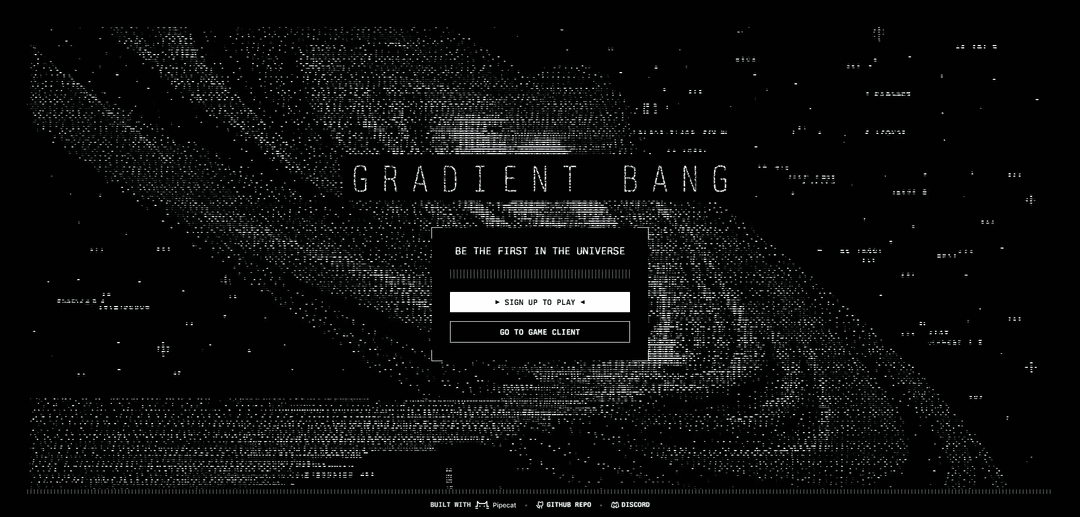
产品信息
更新于:2026年05月18日
什么是 Gradient Bang
Gradient Bang 是一个使用 Pipecat AI 构建的多人在线宇宙,其游戏玩法围绕探索、商业、战斗和协作展开。它旨在让人类和 AI 驱动的角色 (LLM) 在同一环境中共存,因此互动可以包括传统的玩家对玩家动态以及 AI 辅助或 AI 参与的体验。该项目也作为开源堆栈 (pipecat-ai/gradient-bang) 提供,供那些希望在本地运行或开发它的人使用。
Gradient Bang 的主要功能
Gradient Bang 是一个在线多人宇宙(使用 Pipecat AI 构建),玩家可以与其他玩家和 LLM 驱动的代理一起探索、交易、战斗和协作。它提供了一个基于网络的客户端,并支持在本地运行完整的堆栈以进行开发或自托管,通过 Tailscale 可选地进行远程访问,以便在不同设备上方便地玩/测试。
在线多人宇宙: 一个共享世界,许多玩家可以同时参与探索、交易和战斗活动。
内置 LLM 协作: 不仅与人类玩家,还与 LLM 进行交互和协作,从而实现 AI 辅助的游戏玩法和体验。
探索/交易/战斗游戏循环: 核心活动包括探索宇宙、交易资源/物品、战斗以及与他人组队。
Web 游戏客户端访问: 可通过专用游戏客户端 URL 玩,降低加入和体验的摩擦。
用于开发/自托管的本地堆栈: 开发人员可以在本地运行整个应用程序;该存储库包含 systemd 用户服务/目标,以管理多个组件。
支持 Tailscale 的远程访问: 支持通过使用 `tailscale serve` 和提供的服务配置,通过 Tailnet 将自托管实例暴露给其他设备。
Gradient Bang 的使用场景
AI 原生游戏设计实验: 游戏工作室或独立开发者可以原型化包含 LLM 驱动的 NPC、助手或合作玩家的多人游戏机制。
社区活动和协作角色扮演: 在线社区可以举办共享世界活动,玩家可以与彼此和 AI 代理协作,进行新兴的故事讲述。
Pipecat AI 集成的开发者沙盒: 评估 Pipecat AI 的团队可以使用 Gradient Bang 作为参考应用程序,在多人环境中测试实时 LLM 交互模式。
自托管私人多人服务器: 小团体可以在一台机器上运行堆栈,并通过远程访问(例如,通过 Tailscale)进行私人会话和测试。
LLM 代理的教育和研讨会: 讲师可以使用该环境在互动、激励的多人环境中演示人机协作概念。
优点
将多人游戏玩法与 LLM 协作相结合,实现 AI 原生体验
支持本地运行和基于 systemd 的编排,方便开发
Tailscale 选项使自托管堆栈的远程访问变得简单
缺点
自托管可能需要熟悉 Linux/systemd 才能顺利管理服务
远程暴露依赖于额外的网络工具/配置(例如,Tailscale serve)
仅从官方登录页面来看,面向公众的产品细节很少
如何使用 Gradient Bang
1) 注册以获取访问权限: 访问 https://www.gradient-bang.com/ 并点击“注册游玩”(/join 链接)。完成注册流程以获取宇宙的访问权限。
2) 打开游戏客户端: 从主页点击“进入游戏客户端”或直接导航至 https://game.gradient-bang.com/ 以在浏览器中启动客户端。
3) 登录: 使用您在注册时创建的帐户登录游戏客户端,以便保存您的进度和游戏内状态。
4) 开始在共享宇宙中游玩: 进入后,开始探索多人宇宙:旅行、交易、战斗,并与其他玩家和 LLM 驱动的代理(游戏世界围绕 AI 代理构建,包括您的飞船)协作。
5) 与 AI 代理(包括您的飞船)协作: 与您遇到的 AI 代理互动,并指挥您的飞船(也是一个 AI 代理)帮助您完成任务——这是项目概述中描述的游戏循环的核心部分。
6) (可选) 在本地运行 Gradient Bang 进行开发: 如果您想开发该项目,请首先在本地完整运行应用程序。源代码表明有四个组件需要运行,其中 Supabase 作为“游戏服务器”,使用 PostgreSQL 以及重要的 PL/pgSQL 函数。
7) (可选,Linux) 使用 systemd 管理服务: 在 Linux 上,使用提供的 systemd 单元文件(在仓库的 systemd 文件夹中)来管理组件。包含一个 gradient-bang.target 以将堆栈作为一个组启动/停止。
8) (可选) 通过 Tailscale 从另一台机器访问您的本地堆栈: 要在一台计算机上运行堆栈并从另一台计算机访问它,请使用 Tailscale。源代码提到了使用“tailscale serve”以及一些环境/配置更改,以及一个运行所需 tailscale serve 命令的 gradient-bang-tailscale.service。
9) (可选) 生成宇宙内“报纸”资产: 使用 /newspaper 入口点脚本生成复古数字报纸输出。所有输出都位于 artifacts/(已添加到 .gitignore)。示例:通过“/newspaper banner”生成一个横幅,提示语如招聘标题和 CTA,例如“#gradient-bang”。
Gradient Bang 常见问题
Gradient Bang 是一款应用/游戏体验,其基于网络的客户端可在 https://game.gradient-bang.com/ 获取,官方网站为 https://www.gradient-bang.com/。




与 Gradient Bang 类似的最新 AI 工具

Folderr
Folderr 是一个全面的 AI 平台,允许用户通过上传无限文件、集成多个语言模型并通过用户友好的界面自动化工作流来创建自定义 AI 助手。

Peache.ai
Peache.ai is an AI character chat playground that enables users to engage in flirty, witty, and daring conversations with diverse AI personalities through real-time interactions.

TalkPersona
TalkPersona 是一个由AI驱动的视频聊天机器人,通过具有自然语音和唇同步功能的虚拟说话面孔提供实时类似人类的对话。

Thaly AI
Thaly AI 是一个 AI 驱动的销售助手,通过自动化客户对话和潜在客户资格审查,帮助企业扩展销售运营并节省时间。
类似 Gradient Bang 的热门 AI 工具

GPT‑5.5 | ChatGPT Official
ChatGPT中的GPT-5.5是OpenAI最新的以工作为中心的模型,旨在理解复杂目标、有效使用工具、检查其工作,并通过更强的保障措施完成多步骤任务(编码、研究、文档、电子表格)。

DuckDuckGo AI Chat
DuckDuckGo AI Chat是一种免费、匿名的方式,可以在保护用户隐私的同时访问GPT-3.5、Claude等流行的AI聊天机器人。

Arch
Arch 是一个基于 Envoy Proxy 构建的智能第 7 层网关,提供安全处理、强大的可观察性和无缝的提示与 API 集成,用于构建快速、强大和个性化的 AI 代理。

Off-grid LLM over Radio
一个将大型语言模型(LLMs)与Meshtastic网状通信网络集成的平台,通过无线电通信实现离网AI交互和自动化任务执行。