
Goose
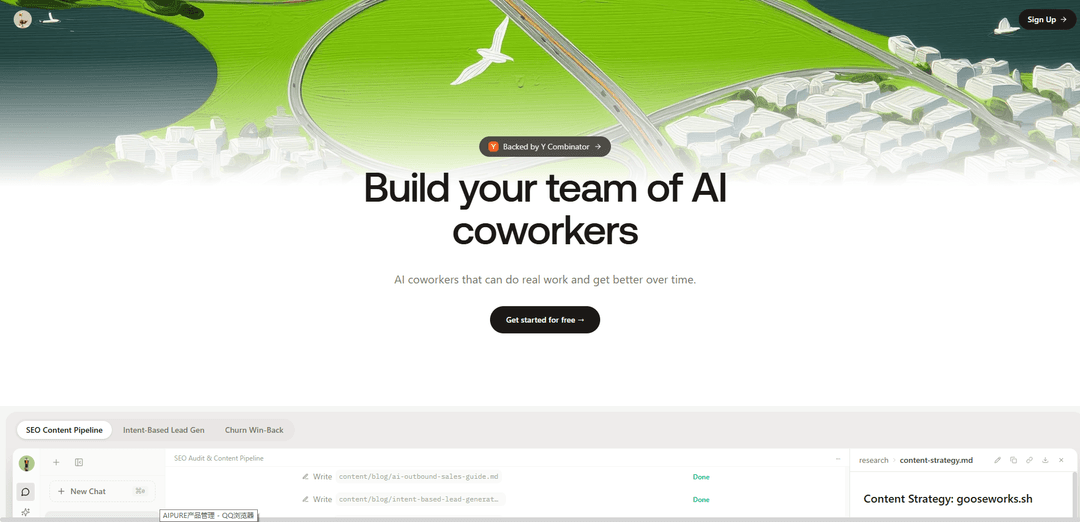
Goose is an AI coworker platform that provides autonomous agents with persistent workspaces, their own email, files, memory, and the ability to execute code, automate workflows, and handle real GTM work across your entire business.
https://www.gooseworks.ai/?utm_source=ph&utm_medium=referral&utm_campaign=launch-april&ref=producthunt
Product Information
Updated:Apr 15, 2026
What is Goose
Goose represents a new paradigm in AI assistance, moving beyond simple chatbots to function as a true AI coworker. Available in two forms—Gooseworks (a managed platform for GTM teams) and an open-source version (a CLI and desktop app for developers)—Goose operates with its own persistent workspace complete with a computer, filesystem, mailbox, skills library, and memory. Unlike traditional AI coding assistants that only offer code suggestions, Goose can autonomously execute multi-step tasks, interact with your development environment, run terminal commands, send emails, manage integrations, and collaborate with other agents. Originally developed by Block and now part of the Linux Foundation's Agentic AI Foundation (AAIF), Goose supports over 25 LLM providers and is designed to work locally on your machine while being LLM-agnostic and extensible via MCP (Model Context Protocol).
Key Features of Goose
Goose is an AI coworker platform that goes beyond traditional chatbots by providing autonomous agents with their own filesystem, mailbox, and memory. Available as both an open-source coding agent (from Block/Linux Foundation) and a commercial GTM platform (Gooseworks), Goose can execute real tasks across development workflows and go-to-market operations. It supports multiple communication channels (Slack, email, web app, SMS), integrates with various tools through MCP (Model Context Protocol), works with any LLM provider, and learns over time to improve performance. The platform enables teams to automate complex workflows from code execution to SEO management, outbound campaigns, and CRM operations.
Autonomous AI Agent with Persistent Memory: Goose functions as a true coworker with its own filesystem, mailbox, and memory system that learns and adapts over time, remembering previous tasks and improving performance with each interaction.
Multi-Channel Communication: Interact with Goose from anywhere through Slack, email, web app, iMessage, or Telegram, providing seamless integration into existing workflows without requiring a specific interface.
Open Source & LLM-Agnostic: Built on open-source foundations under the Agentic AI Foundation at Linux Foundation, Goose works with any LLM provider including OpenAI, Claude, and local models, ensuring flexibility and transparency.
MCP Integration & Extensibility: First-class support for Model Context Protocol (MCP) enables connection to tools and data sources, with 100+ pre-installed skills and the ability to create custom extensions for specific workflows.
Terminal & IDE Independence: Runs natively in the terminal or as a desktop app without being tied to a specific IDE, allowing developers to work in their preferred environment while leveraging AI automation.
Real Task Execution: Goes beyond code suggestions to autonomously execute tasks including file system operations, terminal commands, API calls, and end-to-end workflow automation from research to deployment.
Use Cases of Goose
Development Workflow Automation: Automate coding tasks including file editing, testing, debugging, and deployment. Goose can execute terminal commands, manage dependencies, and handle CI/CD pipelines autonomously.
SEO & Content Marketing: Conduct full SEO audits, research competitor content, develop content strategies, write blog posts at scale, and automatically publish to CMS platforms, reducing manual work from 10+ hours to fully automated pipelines.
Outbound Sales Campaigns: Generate high-signal lead lists, research prospects, personalize outreach, draft email sequences, and manage CRM enrichment, enabling teams to ship campaigns in minutes instead of days.
Competitive Intelligence: Monitor competitors, track brand mentions, analyze market positioning, pull marketing reports, and provide actionable insights for strategic decision-making.
Customer Data Management: Enrich CRM data, automate follow-ups, analyze product usage patterns, manage customer communications, and maintain data quality across sales and marketing tools.
AI Visibility Optimization: Check and improve brand visibility across AI search engines (ChatGPT, Perplexity, Gemini, Claude, DeepSeek), audit websites for AI readability, and implement recommendations for better AI discoverability.
Pros
Open-source foundation ensures transparency, community-driven development, and vendor-neutral governance under Linux Foundation
True autonomy with persistent memory and ability to execute real tasks across filesystem, terminal, and external APIs
Flexible integration options including multi-channel communication, LLM-agnostic architecture, and MCP support for connecting tools
Scales from individual developers to enterprise teams with both free open-source and commercial pricing tiers
Cons
Terminal-first approach may have a learning curve for non-technical users compared to GUI-focused tools
Multiple 'Goose' products (open-source coding agent vs. Gooseworks GTM platform) can cause confusion in the market
Relatively new technology with rapidly evolving features may require frequent updates and adaptation
Credit-based pricing model for commercial version may be difficult to predict costs for variable workloads
How to Use Goose
1: Choose your Goose version: Select between the open-source CLI/Desktop app (from github.com/aaif-goose/goose) for local development tasks, or Gooseworks (gooseworks.ai) for a managed AI coworker service with persistent workspace, email, and memory.
2: Install Goose: For open-source CLI, clone the repository from GitHub and install dependencies. For Gooseworks, sign up at app.gooseworks.ai and choose a pricing plan (Free, Starter, Pro, or Business).
3: Configure your LLM provider: Set up your preferred AI model by configuring API keys. Goose supports 25+ providers including OpenAI, Google Gemini, Groq, Anthropic Claude, or local models via Docker Model Runner. For CLI, update configuration files with your API credentials.
4: Set up integrations and tools: Connect Goose to your workspace tools like Slack, email, CMS, CRM, and other services. For Gooseworks, this is done through the web app's integration settings. For open-source Goose, configure MCP (Model Context Protocol) servers for extended capabilities.
5: Install skills (optional): Add pre-built skills for specific tasks. Use 'npx goose-skills install [skill-name]' for Claude skills, or browse the skills library at github.com/athina-ai/goose-skills for SEO, content creation, competitor analysis, and GTM automation capabilities.
6: Start interacting with Goose: For CLI, run commands in your terminal. For Gooseworks, communicate via web app, Slack, email, iMessage, or Telegram. Give Goose clear instructions like 'Do a full SEO audit on [domain]' or 'Research competitors and create a content strategy'.
7: Let Goose work autonomously: Goose will execute multi-step workflows including running shell commands, editing files, sending emails, conducting research, and generating outputs. It works in its own persistent workspace with filesystem and memory.
8: Review and iterate: Check Goose's work, provide feedback, and refine requests. Goose learns from interactions and improves over time by remembering your preferences, brand voice, and workflow patterns stored in its memory system.
Goose FAQs
Gooseworks provides AI coworkers called Goose agents that work like actual team members. Unlike chatbots, Goose has its own computer, filesystem, and mailbox. It works proactively, remembers what you've asked it to do, and gets better over time through learning and adaptation.
Goose Video
Popular Articles

Atoms: A Multi-Agent AI Platform That Transforms Ideas into Launch-Ready Products
May 22, 2026

Nano Banana SBTI: What It Is, How It Works, and How to Use It in 2026
Apr 15, 2026

Atoms Review — The AI Product Builder Redefining Digital Creation in 2026
Apr 10, 2026

Kilo Claw: How to Deploy and Use a True "Do‑It‑For‑You" AI Agent(2026 Update)
Apr 3, 2026
Latest AI Tools Similar to Goose

Gait
Gait is a collaboration tool that integrates AI-assisted code generation with version control, enabling teams to track, understand, and share AI-generated code context efficiently.

invoices.dev
invoices.dev is an automated invoicing platform that generates invoices directly from developers' Git commits, with integration capabilities for GitHub, Slack, Linear, and Google services.

EasyRFP
EasyRFP is an AI-powered edge computing toolkit that streamlines RFP (Request for Proposal) responses and enables real-time field phenotyping through deep learning technology.

Cart.ai
Cart.ai is an AI-powered service platform that provides comprehensive business automation solutions including coding, customer relations management, video editing, e-commerce setup, and custom AI development with 24/7 support.
Popular AI Tools Like Goose

GitHub Copilot Chat
GitHub Copilot Chat is an AI-powered coding assistant that provides natural language interactions, real-time code suggestions, and contextual support directly within supported IDEs and GitHub.com.

CopilotForXcode
CopilotForXcode is an Xcode Source Editor Extension that integrates GitHub Copilot, Codeium, and ChatGPT to provide AI-powered code suggestions, chat assistance, and prompt-to-code functionality within Xcode.

BrowserAI
BrowserAI is an open-source library that enables running local Large Language Models (LLMs) directly in web browsers with WebGPU acceleration, offering privacy-focused AI capabilities without requiring server infrastructure.

OpenAI Codex CLI
OpenAI Codex CLI is a lightweight, open-source coding agent that runs in your terminal, enabling developers to translate natural language into code execution while providing ChatGPT-level reasoning with the ability to run code, manipulate files, and iterate under version control.