
Google AI Studio 2.0
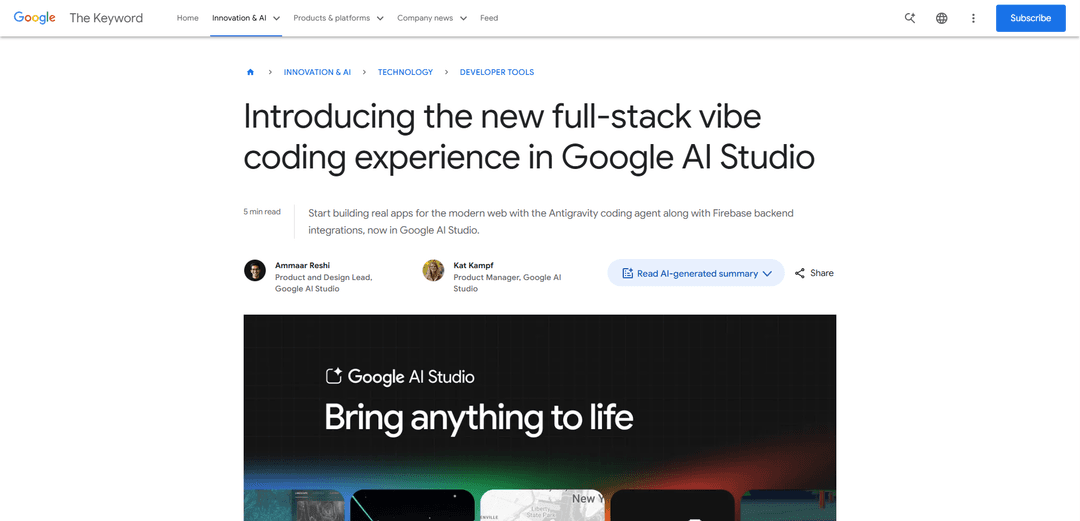
Google AI Studio 2.0 is a full-stack vibe coding platform that enables developers to transform natural language prompts into production-ready applications using the Antigravity coding agent and Firebase backend integrations.
https://blog.google/innovation-and-ai/technology/developers-tools/full-stack-vibe-coding-google-ai-studio?ref=producthunt
Product Information
Updated:Apr 8, 2026
Google AI Studio 2.0 Monthly Traffic Trends
Google AI Studio 2.0 received 8.5m visits last month, demonstrating a Slight Decline of -12.1%. Based on our analysis, this trend aligns with typical market dynamics in the AI tools sector.
View history trafficWhat is Google AI Studio 2.0
Google AI Studio 2.0 represents a major upgrade to Google's AI development platform, introducing a completely redesigned 'vibe coding' experience that simplifies the process of building full-stack applications. Released in March 2026, this new version combines the power of the Antigravity coding agent with Firebase backend services to help both experienced developers and newcomers turn their ideas into functional, production-ready applications without having to juggle multiple tools or write complex code manually. The platform serves as an all-in-one environment where users can build, test, and deploy applications through natural language interactions.
Key Features of Google AI Studio 2.0
Google AI Studio 2.0 is a comprehensive upgrade that introduces full-stack vibe coding capabilities, allowing users to transform text prompts into production-ready applications. The platform integrates the Antigravity coding agent with Firebase backend services, enabling features like real-time multiplayer experiences, secure authentication, database management, and modern web framework support. It maintains project context across sessions and provides seamless integration with external services through a new Secrets Manager.
Antigravity Coding Agent Integration: An AI-powered agent that maintains deep understanding of project structure and chat history, enabling faster iteration and precise multi-step code edits
Firebase Backend Integration: Built-in support for Cloud Firestore databases and Firebase Authentication, automatically detecting when apps need database or login functionality
Modern Web Development Support: Native support for Next.js, React, and Angular frameworks, with automatic integration of necessary libraries and tools like Framer Motion and Shadcn
Secrets Manager: Secure storage system for API credentials and sensitive information, enabling safe integration with external services and APIs
Use Cases of Google AI Studio 2.0
Multiplayer Game Development: Create real-time multiplayer games with features like leaderboards, physics engines, and 3D graphics using simple prompts
Collaborative Tools: Build real-time collaborative workspaces and shared tools that enable multiple users to interact simultaneously
Recipe Management System: Develop applications that can organize, generate, and share recipes with family and friends, incorporating Gemini AI for content generation
Location-Based Services: Create applications that integrate with Google Maps and real-time databases for location-aware features and tracking
Pros
Streamlined development process from idea to deployment
Robust backend integration with Firebase services
Cross-device progress saving and session management
Cons
May require significant patience for complex projects
Some development tasks remain too complex for AI or vibe coding
Potential dependency on Google's ecosystem
How to Use Google AI Studio 2.0
Access Google AI Studio: Head over to aistudio.google.com/apps to access the new vibe coding experience
Select Build Mode: Choose the 'Build' or 'Vibe code GenAI apps' option in the interface to start creating applications
Configure Settings: In the right-hand settings panel, select Gemini 3.0 Pro (or latest preview model) and choose your preferred framework (React, Angular, or Next.js)
Write Your Prompt: Write a natural language description of the app you want to build. Be as specific as possible about features and functionality
Wait for Generation: Wait approximately 2 minutes while the Antigravity agent generates your working demo version
Review and Preview: Check the live preview that appears on the right-hand side and review the generated code in the Code tab
Add Backend Features: If needed, approve Firebase integration for databases and authentication when the agent suggests it
Configure External Services: Add any required API credentials to the Secrets Manager in the Settings tab for external service integrations
Iterate and Refine: Enter additional prompts to modify the app, add features, or make changes. Use the arrow tool to point to specific elements and type commands for changes
Export and Deploy: Download the source code, save to GitHub, or deploy directly to make your app available to users
Google AI Studio 2.0 FAQs
It's a completely upgraded coding experience designed to turn prompts into production-ready applications, powered by the Google Antigravity coding agent and featuring Firebase backend integrations. It allows users to build functional, AI-native applications without leaving the vibe coding environment.
Google AI Studio 2.0 Video
Popular Articles

Atoms: A Multi-Agent AI Platform That Transforms Ideas into Launch-Ready Products
May 22, 2026

Nano Banana SBTI: What It Is, How It Works, and How to Use It in 2026
Apr 15, 2026

Atoms Review — The AI Product Builder Redefining Digital Creation in 2026
Apr 10, 2026

Kilo Claw: How to Deploy and Use a True "Do‑It‑For‑You" AI Agent(2026 Update)
Apr 3, 2026
Analytics of Google AI Studio 2.0 Website
Google AI Studio 2.0 Traffic & Rankings
8.5M
Monthly Visits
#8357
Global Rank
#353
Category Rank
Traffic Trends: Nov 2024-Jun 2025
Google AI Studio 2.0 User Insights
00:00:53
Avg. Visit Duration
1.93
Pages Per Visit
55.03%
User Bounce Rate
Top Regions of Google AI Studio 2.0
US: 26.94%
IN: 8.76%
GB: 5.14%
JP: 4.24%
DE: 3.01%
Others: 51.91%
Latest AI Tools Similar to Google AI Studio 2.0

Gait
Gait is a collaboration tool that integrates AI-assisted code generation with version control, enabling teams to track, understand, and share AI-generated code context efficiently.

invoices.dev
invoices.dev is an automated invoicing platform that generates invoices directly from developers' Git commits, with integration capabilities for GitHub, Slack, Linear, and Google services.

EasyRFP
EasyRFP is an AI-powered edge computing toolkit that streamlines RFP (Request for Proposal) responses and enables real-time field phenotyping through deep learning technology.

Cart.ai
Cart.ai is an AI-powered service platform that provides comprehensive business automation solutions including coding, customer relations management, video editing, e-commerce setup, and custom AI development with 24/7 support.
Popular AI Tools Like Google AI Studio 2.0

GitHub Copilot Chat
GitHub Copilot Chat is an AI-powered coding assistant that provides natural language interactions, real-time code suggestions, and contextual support directly within supported IDEs and GitHub.com.

CopilotForXcode
CopilotForXcode is an Xcode Source Editor Extension that integrates GitHub Copilot, Codeium, and ChatGPT to provide AI-powered code suggestions, chat assistance, and prompt-to-code functionality within Xcode.

BrowserAI
BrowserAI is an open-source library that enables running local Large Language Models (LLMs) directly in web browsers with WebGPU acceleration, offering privacy-focused AI capabilities without requiring server infrastructure.

OpenAI Codex CLI
OpenAI Codex CLI is a lightweight, open-source coding agent that runs in your terminal, enabling developers to translate natural language into code execution while providing ChatGPT-level reasoning with the ability to run code, manipulate files, and iterate under version control.