
Glassbrain
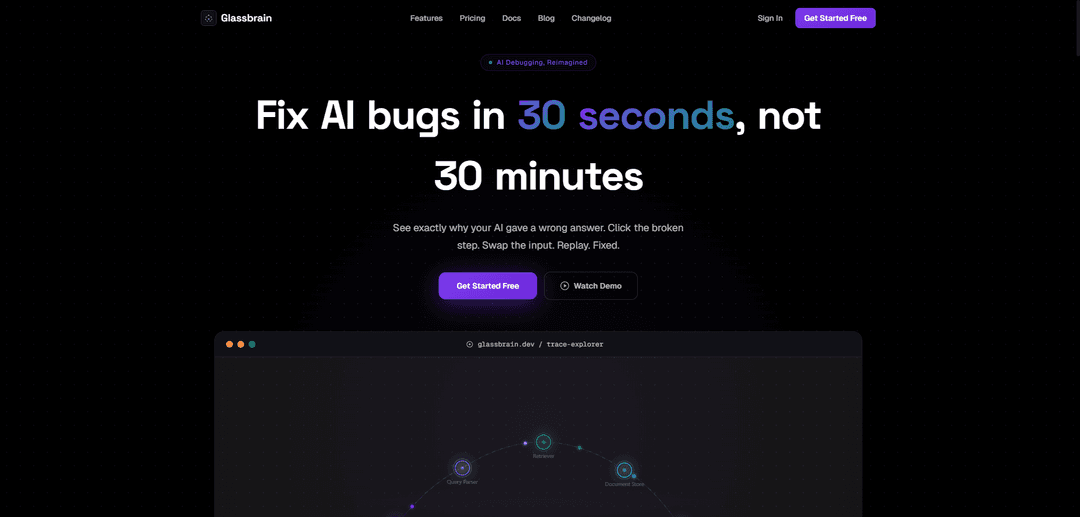
Glassbrain is an AI debugging platform that helps developers fix AI bugs in 30 seconds by providing visual trace trees, time-travel replay capabilities, and AI-powered fix suggestions.
https://glassbrain.dev/?ref=producthunt
Product Information
Updated:Apr 10, 2026
What is Glassbrain
Glassbrain is a developer tool designed to revolutionize the way teams debug and optimize AI workflows and applications. Instead of spending hours parsing through thousands of lines of trace logs to identify why an AI system gave a wrong answer, Glassbrain provides a visual, interactive debugging experience that makes finding and fixing AI bugs fast and intuitive. The platform integrates seamlessly with popular AI frameworks including OpenAI, Anthropic, LangChain, LlamaIndex, and supports custom stacks via OpenTelemetry-compatible endpoints. Whether you're debugging a support chatbot that gave incorrect information or troubleshooting complex AI agent workflows, Glassbrain transforms the debugging process from a time-consuming manual task into a streamlined visual experience.
Key Features of Glassbrain
Glassbrain is an AI debugging platform designed to help developers fix AI bugs in seconds rather than minutes. It provides visual trace trees and time-travel replay capabilities that allow users to see exactly why their AI gave a wrong answer, click on the broken step, swap the input, and replay to fix issues. The platform works with popular AI frameworks including OpenAI, Anthropic, LangChain, LlamaIndex, and supports OpenTelemetry-compatible endpoints. It eliminates the need to parse through thousands of lines of trace output by providing intuitive visual debugging tools, AI-powered fix suggestions, and before/after comparisons.
Visual Trace Tree: Provides an intuitive visual representation of AI workflow execution, allowing developers to see the entire chain of operations and identify problematic steps at a glance instead of reading through logs.
Time-Travel Replay: Enables developers to replay AI workflows from any point, swap inputs, and test fixes immediately to see how changes affect outcomes without rerunning entire processes.
AI Fix Suggestions: Automatically analyzes bugs and provides intelligent suggestions for fixes, helping developers quickly identify solutions to common AI workflow problems.
Before/After Comparisons: Allows developers to compare AI outputs before and after making changes, making it easy to validate fixes and understand the impact of modifications.
Multi-Framework Support: Works seamlessly with OpenAI, Anthropic, LangChain, LlamaIndex, and any custom stack via OpenTelemetry-compatible endpoints, providing flexibility for diverse AI development environments.
Team Collaboration Tools: Offers shareable replay links, team member management, and Slack/Discord alerts to enable collaborative debugging and keep teams informed about AI system issues.
Use Cases of Glassbrain
Customer Support Chatbot Debugging: Quickly identify and fix incorrect responses in AI-powered support chatbots, such as when a bot provides wrong information about return policies or product details, ensuring accurate customer service.
Production AI Monitoring: Monitor AI systems in production environments, detect bugs as they occur in real-time, and trace back through the execution chain to find root causes without disrupting service.
AI Model Development and Testing: Accelerate AI model development by quickly testing different inputs, comparing outputs, and iterating on prompts and configurations to optimize performance before deployment.
LLM Application Quality Assurance: Validate LLM-based applications by replaying user interactions, identifying edge cases where the AI fails, and systematically testing fixes across multiple scenarios.
CI/CD Pipeline Integration: Integrate AI debugging into continuous integration and deployment pipelines to catch AI-related bugs early in the development cycle and maintain quality standards across releases.
Multi-Step AI Workflow Optimization: Debug and optimize complex multi-step AI workflows involving multiple LLM calls, RAG systems, or agent chains by visualizing the entire execution flow and pinpointing bottlenecks or failures.
Pros
Dramatically reduces debugging time from 30 minutes to 30 seconds with visual tools
Free tier available with 1,000 traces per month, making it accessible for small projects
Works with multiple AI frameworks and supports custom stacks via OpenTelemetry
Intuitive visual interface eliminates the need to parse through thousands of lines of logs
Cons
Free tier has limited retention (24 hours) which may not be sufficient for tracking historical issues
AI fix suggestions are limited to 10 per month on the free plan
Pricing for Pro, Team, and Business tiers is listed as $0/month which appears to be placeholder or incomplete information
May require integration effort for custom AI stacks not directly supported by provided SDKs
How to Use Glassbrain
1. Sign up for Glassbrain: Visit glassbrain.dev and click 'Get Started Free' to create an account. No credit card required for the free tier which includes 1,000 traces/month.
2. Install the SDK: Integrate Glassbrain with your AI stack using their SDKs for OpenAI, Anthropic, LangChain, LlamaIndex, or via OpenTelemetry-compatible endpoint for custom stacks.
3. Instrument your AI application: Add Glassbrain tracing to your AI workflows so it can capture execution traces of your LLM calls and agent steps.
4. Identify bugs in production: When a bug occurs (e.g., your AI chatbot gives a wrong answer), Glassbrain automatically captures the trace of that interaction.
5. View the visual trace tree: Open Glassbrain's interface to see a visual representation of your AI workflow execution, showing all steps and their inputs/outputs.
6. Click on the broken step: Navigate through the trace tree and identify which specific step in your AI pipeline produced the incorrect result.
7. Use time-travel replay: Replay the execution to see exactly what happened at each step, examining inputs, outputs, and intermediate states.
8. Swap the input or modify parameters: Make changes to the problematic step - adjust prompts, swap inputs, or modify parameters to test potential fixes.
9. Use AI fix suggestions: Leverage Glassbrain's AI-powered fix suggestions to get recommendations on how to resolve the issue (10 suggestions/month on free tier, unlimited on paid plans).
10. Compare before/after: Use the before/after comparison feature to see how your changes affect the output (5 comparisons/month on free tier, unlimited on paid plans).
11. Apply the fix: Once you've verified the fix works in Glassbrain's replay environment, apply the changes to your actual codebase.
12. Monitor and iterate: Continue monitoring traces in Glassbrain to catch new issues early and optimize your AI workflows over time.
Glassbrain FAQs
Glassbrain is an AI debugging tool that helps developers fix AI bugs in 30 seconds instead of 30 minutes. It provides visual trace trees and time-travel replay functionality to see exactly why your AI gave a wrong answer, allowing you to click the broken step, swap the input, replay, and fix issues quickly.
Popular Articles

Atoms: A Multi-Agent AI Platform That Transforms Ideas into Launch-Ready Products
May 22, 2026

Nano Banana SBTI: What It Is, How It Works, and How to Use It in 2026
Apr 15, 2026

Atoms Review — The AI Product Builder Redefining Digital Creation in 2026
Apr 10, 2026

Kilo Claw: How to Deploy and Use a True "Do‑It‑For‑You" AI Agent(2026 Update)
Apr 3, 2026
Latest AI Tools Similar to Glassbrain

invoices.dev
invoices.dev is an automated invoicing platform that generates invoices directly from developers' Git commits, with integration capabilities for GitHub, Slack, Linear, and Google services.

Monyble
Monyble is a no-code AI platform that enables users to launch AI tools and projects within 60 seconds without requiring technical expertise.

Devozy.ai
Devozy.ai is an AI-powered developer self-service platform that combines Agile project management, DevSecOps, multi-cloud infrastructure management, and IT service management into a unified solution for accelerating software delivery.
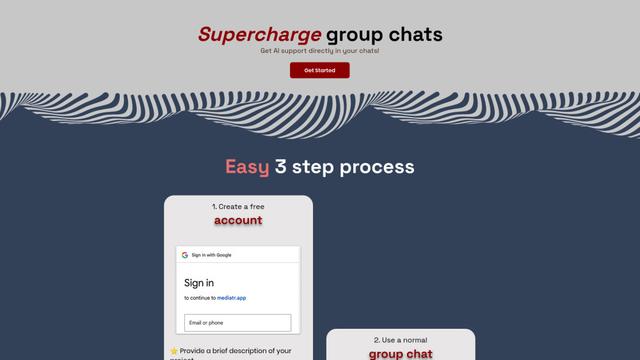
Mediatr
MediatR is a popular open-source .NET library that implements the Mediator pattern to provide simple and flexible request/response handling, command processing, and event notifications while promoting loose coupling between application components.
Popular AI Tools Like Glassbrain
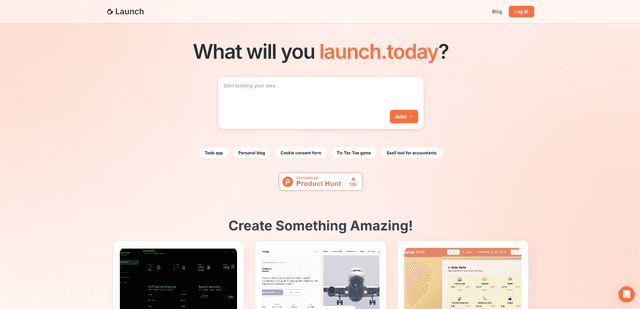
Launch
Launch is an AI-powered platform that enables users to build full-stack applications instantly while providing comprehensive tools for product launches, entrepreneurship programs, and customer acquisition.

GitHub Copilot Chat
GitHub Copilot Chat is an AI-powered coding assistant that provides natural language interactions, real-time code suggestions, and contextual support directly within supported IDEs and GitHub.com.

Rememberall
Rememberall is a secure, open-source long-term memory solution that enables AI applications and GPT models to maintain persistent memory across conversations through semantic search and vector storage capabilities.

Upsonic
Upsonic is a reliability-focused AI agent framework with dockerized server-client architecture that enables trusted agent workflows through advanced features like verification layers, triangular architecture, and Model Context Protocol (MCP) integration.