
Freu AI
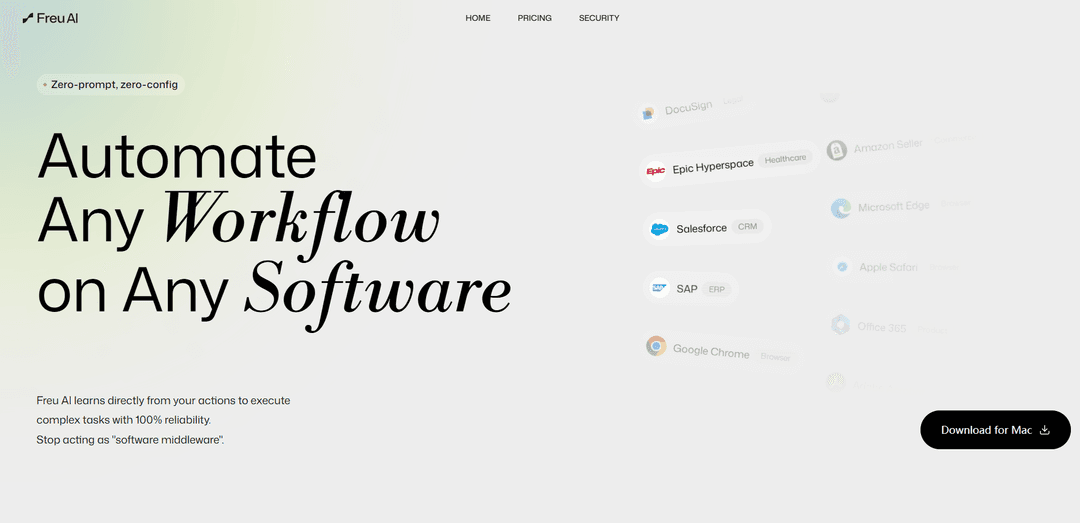
Freu AI is a zero-prompt, zero-config automation suite that learns workflows from your actions and compiles them into reliable, reusable “Skills” that keep working across UI changes on web and desktop software.
https://freu.ai/?ref=producthunt
Product Information
Updated:Jun 8, 2026
What is Freu AI
Freu AI is an automation product designed to turn real human workflows into executable digital assets—without requiring APIs, prompt engineering, or complex configuration. Positioned for enterprise use but built for simplicity, it can automate tasks across modern web apps, desktop software, and legacy systems by learning directly from how users perform work. The platform emphasizes deterministic execution and operational visibility, offering a centralized dashboard to monitor, audit, and manage automated workflows while helping teams standardize best practices and accelerate onboarding.
Key Features of Freu AI
Freu AI is a zero-prompt, zero-config automation suite that learns workflows directly from human actions and compiles them into deterministic, reusable “Skills” that can run reliably across web and desktop software (including legacy/enterprise apps) without requiring APIs. It emphasizes resilience to UI changes via constellation-based DOM targeting (for web) and a computer-vision/layout-tree compilation approach (for broader software), aiming to reduce repeated agent reasoning and token spend by offloading routine UI orchestration to compiled programs. It also provides enterprise governance via a centralized dashboard for monitoring, auditing, and ROI tracking, and supports distributing compiled skills into popular agent/dev environments (e.g., Claude Code, Codex CLI, Cursor, OpenClaw, Hermes).
Zero-prompt, zero-config skill creation: Records what a user does and turns it into an executable automation skill—no prompt engineering or complex setup required.
Deterministic execution for reliability: Compiles workflows into deterministic programs/skills to execute complex tasks with high consistency compared to ad-hoc agent browsing.
Resilient UI targeting (self-healing selectors): Uses constellation-based DOM targeting to survive class renames/page reshuffles and extends toward self-healing automation when UIs change.
Cross-software coverage (web + desktop + legacy): Designed to automate “any software,” from browsers to heavy desktop applications and legacy ERPs, using a vision/layout-tree interaction approach where APIs aren’t available.
Enterprise governance & visibility dashboard: Centralized monitoring and auditability of autonomous workflows with real-time execution status and ROI insights.
Agent/toolchain integration via skill directories: Compiled skills can be dropped into supported environments (e.g., Claude Code, Codex CLI, Cursor, OpenClaw, Hermes) to reuse automations with lower token overhead.
Use Cases of Freu AI
CRM operations automation (e.g., Salesforce/HubSpot): Record and compile repeatable tasks like lead entry, updating deal stages, generating reports, and syncing customer notes—without needing CRM APIs.
ERP & finance workflows (e.g., SAP/NetSuite/QuickBooks): Automate invoice entry, reconciliation steps, purchase order updates, and month-end checklist tasks across complex enterprise UIs.
HR & onboarding in legacy systems (e.g., Workday/ADP): Institutionalize top-performer processes into skills so new hires can execute standardized HR operations faster, reducing training time and errors.
Browser-based repetitive tasks (login + data entry): Record authentication and form-filling flows once, then reuse them to avoid repeated DOM analysis and reduce agent token usage on routine web steps.
Support & back-office tooling automation (e.g., Jira/Notion/Slack): Automate ticket triage, status updates, knowledge-base posting, and notification workflows across multiple tools with auditable execution.
Regulated or high-compliance operations: Use deterministic skills plus centralized monitoring/auditing to standardize sensitive workflows (e.g., healthcare or legal document systems) and improve traceability.
Pros
Reduces repeated agent reasoning/token use by compiling common workflows into reusable deterministic skills.
More resilient than brittle selectors/scripting due to constellation-based DOM targeting and self-healing approach to UI changes.
Works where APIs are unavailable by automating the UI directly across web and desktop/legacy enterprise apps.
Enterprise-friendly controls: centralized dashboard for monitoring, auditing, and ROI measurement.
Cons
Recording-based automations can still break on major workflow changes, edge cases, or permission/2FA variations and may require re-recording/maintenance.
UI automation may be constrained by app performance, pop-ups, CAPTCHAs, or frequent UI experiments that complicate deterministic playback.
Some capabilities appear platform-dependent (e.g., prominent Mac download) and broader OS support may vary by release.
How to Use Freu AI
1. Install Freu AI (Mac): Go to https://freu.ai/ and click “Download for Mac” to download the .dmg installer, then open it and install the app.
2. Launch Freu AI and prepare the workflow you want to automate: Open the software you want to automate (e.g., Chrome, Salesforce, SAP, Slack, Notion, Workday). Freu AI is designed to learn from your actions with “zero-prompt, zero-config,” so you don’t need to write scripts or set up APIs.
3. Record (capture) a workflow by performing it yourself: Perform the task end-to-end exactly as a top employee would (clicks, navigation, form fills, submissions). Freu AI learns directly from these actions so it can compile them into a reusable automation skill.
4. Compile the recorded workflow into a reusable Skill: Save the captured workflow as a Skill so it becomes a permanent, executable command you can run repeatedly. Freu AI’s approach is intended to produce reliable execution and reduce repeated “agent reasoning” overhead.
5. Add more commands to the same Skill (optional): If you are using the Freu CLI learning flow, re-running learning on the same skill folder adds new commands to the existing skill (each command is appended or replaced in place).
6. Run the Skill on demand (CLI example): Execute a compiled command using freu-cli run. Supported invocation styles include: (a) by skill folder + command name, (b) by SKILL.md path + command name, or (c) by direct <Command>.json path, passing any required parameters (e.g., --repository-url).
7. Follow the runtime narration to verify execution: When you run a Skill, the runtime narrates each step in domain terms (the step description) along with the underlying browser/action call, so you can audit what it’s doing as it executes.
8. Monitor and manage automations in the dashboard: Use Freu AI’s “Full Visibility Dashboard” as a centralized command center to monitor execution status, audit runs, manage autonomous workflows, and track organizational ROI.
9. Institutionalize best practices across the team: Capture workflows from your best performers and deploy them as verified Skill Objects so others can execute complex or legacy-system operations consistently.
10. Maintain resilience as UIs change: Rely on Freu AI’s resilient targeting (e.g., constellation-based DOM targeting / self-healing selectors) so Skills keep working even when UI elements change (like class renames or page reshuffles). If needed, re-record or re-learn the workflow to update the Skill.
Freu AI FAQs
Freu AI is an automation suite that learns directly from a user’s actions and compiles those workflows into reusable, executable “Skills” that can run with high reliability across software—without requiring APIs or prompt engineering.
Freu AI Video
Popular Articles

How to Create Viral Talking Baby Podcast Videos with AI: Step-by-Step Guide
Nov 2, 2026

Proferex: A Cloud-Based Ad Tracking and Campaign Optimization Platform
Nov 2, 2026

Vosko AI: Localize and Dub Videos for Global Audiences
Oct 15, 2026

Atoms: A Multi-Agent AI Platform That Transforms Ideas into Launch-Ready Products
Oct 13, 2026
Latest AI Tools Similar to Freu AI
Inbox AI
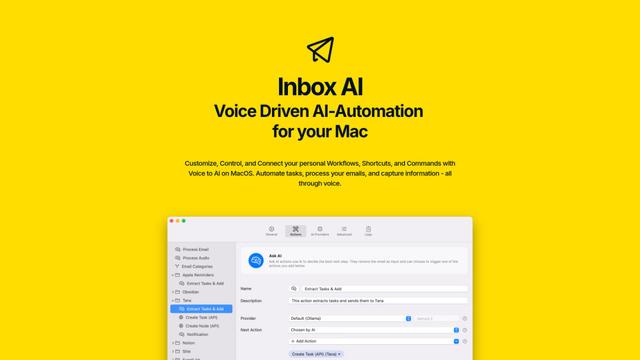
Inbox AI is a privacy-focused MacOS productivity app that combines voice-driven AI automation with email management capabilities, allowing users to create custom workflows and commands while offering both cloud-based and on-device AI options.

Cart.ai
Cart.ai is an AI-powered service platform that provides comprehensive business automation solutions including coding, customer relations management, video editing, e-commerce setup, and custom AI development with 24/7 support.

Hiyllo Work
Hiyllo Work is an all-in-one team workspace platform that combines chat, project management, calendar, email, file storage and video meetings in a single integrated environment.

MailSense
MailSense is an AI-powered email assistant that filters, summarizes, and generates replies to emails through a Telegram bot interface to help users manage their inbox more efficiently.
Popular AI Tools Like Freu AI
Magentic-UI
Magentic-UI is an open-source, human-centered web agent prototype by Microsoft Research that enables collaborative planning and execution of complex web-based tasks through transparent interaction between humans and AI agents.
Microsoft Copilot Cowork
Microsoft Copilot Cowork is an AI-powered assistant that turns user intent into actionable plans and autonomously executes multi-step tasks across Microsoft 365 apps while keeping users in control through checkpoints and approvals.
Upsonic
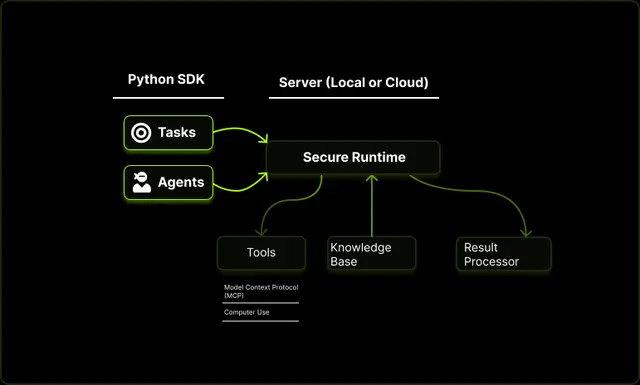
Upsonic is a reliability-focused AI agent framework with dockerized server-client architecture that enables trusted agent workflows through advanced features like verification layers, triangular architecture, and Model Context Protocol (MCP) integration.
CampEd Hire
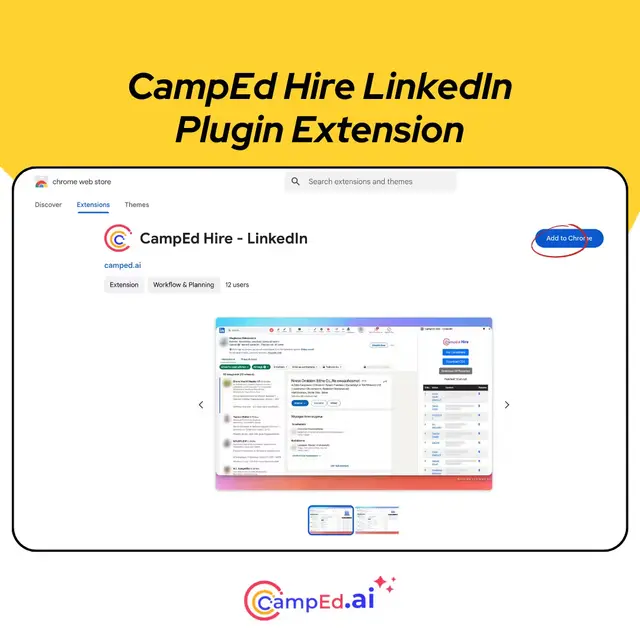
CampEd Hire is a powerful Chrome extension that streamlines recruitment by automatically collecting and organizing job applicant data from LinkedIn job posts, with features like automated data collection, CSV export, and batch resume downloads.