
folk
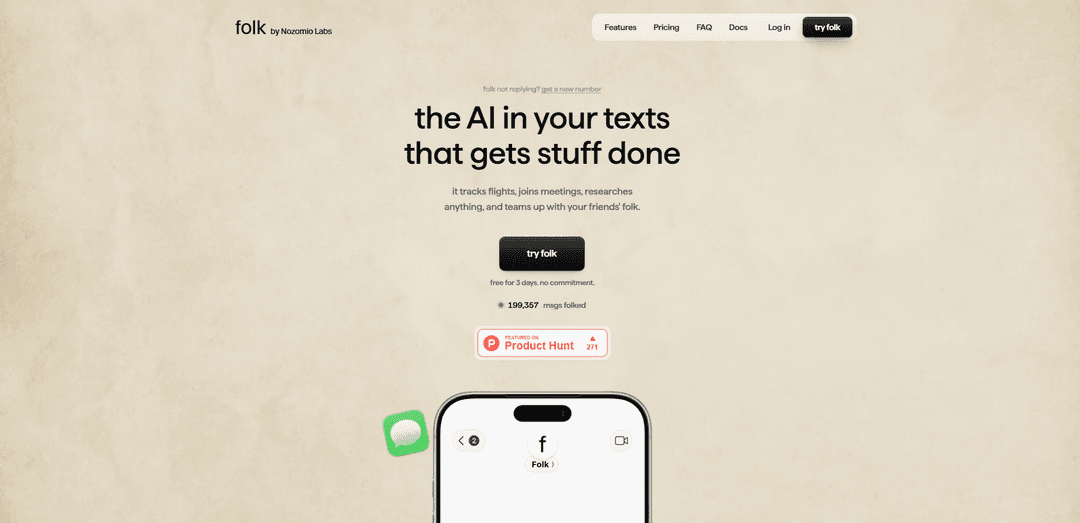
folk is a personal AI that lives in your iMessage and Telegram, with persistent memory and the ability to browse, schedule, and take real actions like booking tables and tracking flights.
https://getfolk.app/?utm_source=aipure&utm_medium=referral&utm_campaign=launch&ref=producthunt
Product Information
Updated:Jun 8, 2026
What is folk
folk is a “text-native” personal AI teammate from Nozomio Labs that you talk to like a contact in your messaging apps (iMessage and Telegram today, with more channels rolling out). It’s designed to handle real-life tasks end-to-end—like planning and booking reservations, tracking flights, researching, drafting messages, and managing reminders—while also remembering your preferences over time. folk positions itself as an always-on assistant that can connect to the apps and tools you already use, so it can move from conversation to execution without you juggling multiple services.
Key Features of folk
folk is a personal AI assistant that lives in your chats (iMessage and Telegram today, with Discord available and Signal coming soon). It can take real actions on your behalf—like booking restaurant tables, tracking flights, joining meetings, researching on the web, drafting messages, and running code—by operating on its own always-on private cloud computer. folk also maintains persistent, wiki-like memory of your conversations and preferences (with controls to browse/edit/delete), supports one-click connections to popular apps (e.g., Calendar, GitHub, Notion, and more), and can collaborate via “Crew,” where your folk and friends’ folk can coordinate tasks with explicit approvals and privacy boundaries.
Chat-native assistant: Works directly inside iMessage and Telegram (with more channels rolling out), so you can text requests and get results without opening a separate app.
Always-on private cloud computer: Runs 24/7 in its own sandboxed environment and can do most tasks you’d do on a laptop—browse the web, run code, automate workflows, and take actions like bookings and alerts.
Action-taking automation (not just answers): Handles real-world tasks end-to-end such as booking tables, tracking flights, joining meetings, and setting up monitoring/alerts that continue after you send a single message.
Persistent long-term memory: Remembers messages, tasks, and preferences over time like a private personal wiki; you can browse, edit, and delete stored memory.
App connections + extensibility: Connects to tools like GitHub, Calendar, Notion, and more, and can be extended via MCP to plug into your own APIs, databases, or internal tools.
Crew (multiplayer collaboration): Lets your folk coordinate with friends’ folk to get things done (e.g., check calendars, share docs, book tables) with explicit approvals and one-way privacy by design.
Use Cases of folk
Personal life ops (travel, errands, planning): Track flights, plan itineraries, book restaurants, and manage reminders—then receive updates automatically as things change.
Executive/operations assistant for busy professionals: Draft texts/emails, prep daily briefs, schedule meetings via connected calendars, and keep ongoing context across weeks or months.
Engineering and technical workflows: Research, write and run code, connect to GitHub, and even monitor long-running jobs or systems via automations from chat.
Team coordination with shared approvals: Use Crew to coordinate tasks across people—e.g., ask a friend’s folk to propose times, book a table, or share a document—while keeping each person’s data private.
Research and monitoring: Set up ongoing web monitoring (prices, listings, events, updates) and have folk alert you when conditions change.
Pros
Lives where you already communicate (iMessage/Telegram), reducing friction to delegate tasks.
Takes real actions via an always-on environment (monitoring, bookings, automations), not just Q&A.
Strong personalization via persistent memory with user controls (browse/edit/delete).
Extensible integrations via one-click app connections and MCP support for custom tools.
Cons
Not guaranteed refunds for charges already processed (per policy).
Crew requires explicit approvals for each request, which can slow down fully automated collaboration.
Some channels are still “coming soon” (e.g., Signal), so availability depends on platform rollout.
How to Use folk
1) Sign up and start your trial: Go to https://getfolk.app/login and create an account. folk is free for 3 days, then defaults to the Pro plan unless you cancel.
2) Get your chat entry points (iMessage + Telegram): After you subscribe, you’ll receive a phone number to text from iMessage, and you can connect the Telegram bot from your dashboard.
3) Text folk your first request: Send a message describing what you want done (e.g., track a flight, draft a message, research something, plan an event). folk can keep working after the first message and update you when something changes.
4) Connect your apps (one-click): Open your folk dashboard, find the app you want (e.g., Gmail, Calendar, Drive, and other supported apps), tap “Connect,” then sign in with your Google or Microsoft account. No API keys or developer setup needed.
5) Use built-in skills: Ask folk to use its built-in capabilities like web browsing, research, coding, reminders, and scheduling—directly from chat.
6) Let folk run “always on” tasks: Tell folk what to watch or monitor (prices, listings, flight changes, deadlines). It runs 24/7 and texts you when there’s an update.
7) Manage memory (what it remembers about you): folk keeps persistent memory of messages, tasks, and preferences. You can browse, edit, or delete stored items anytime (your private graph is only readable by you).
8) (Optional) Bring your own model/API keys: If you prefer, you can run folk using your own Anthropic, OpenAI, or OpenRouter keys. Keys stay inside your isolated sandbox and are not shared. Ask folk in chat to switch models or set keys.
9) (Optional) Connect custom tools via MCP: If you have tools that speak the Model Context Protocol (MCP), you can plug them into folk (e.g., Notion, Linear, GitHub, Postgres, or internal tools via an MCP server).
10) (Optional) Use “Crew” to collaborate with friends’ folk: Add friends who use folk, then request actions across each other’s folk (e.g., check a calendar, share a doc, book something). Every request requires explicit approval, and you only learn whether it got done—not their private data.
11) Switch plans or cancel: From your dashboard, upgrade/downgrade anytime (prorated mid-cycle) or cancel in one click to stop future charges.
folk FAQs
folk is a personal AI teammate that lives where you already chat (iMessage and Telegram today, with more channels rolling out). You can text it to research, plan, and take actions for you.
folk Video
Popular Articles

Vosko AI: Localize and Dub Videos for Global Audiences
Oct 15, 2026

Atoms: A Multi-Agent AI Platform That Transforms Ideas into Launch-Ready Products
Oct 13, 2026

Nano Banana SBTI: What It Is, How It Works, and How to Use It in 2026
Apr 15, 2026

Atoms Review — The AI Product Builder Redefining Digital Creation in 2026
Apr 10, 2026
Latest AI Tools Similar to folk

Ticknotes
Ticknotes is an AI-powered meeting assistant that automatically records, transcribes, and generates personalized meeting summaries, action items, and key insights from audio, video, and text content.

Feta
Feta is an AI-powered meeting tool that helps product and engineering teams run efficient meetings by capturing discussions, automating tasks, and providing actionable insights through smart summaries and integrations.

Aimeet
Aimeet is a comprehensive AI-powered communication platform that combines real-time translation, transcription, screen sharing, and unlimited meeting capabilities for effective virtual collaboration.

MinutesLink
MinutesLink is an advanced AI-powered note-taking assistant that automatically records, transcribes, summarizes and organizes virtual meetings while building personalized digital avatars from meeting data.
Popular AI Tools Like folk

Second Brain for AI
Second Brain for AI is a self-hosted, MCP-compatible persistent memory layer on Cloudflare that lets Claude, ChatGPT, Cursor, and other AI clients store and semantically recall shared context across sessions.

Slack
Slack is an AI-powered work platform that brings team communication, channels, files, automation, and app integrations into one conversational workspace.

24me Smart Personal Assistant
24me is an award-winning smart personal assistant app that combines calendar, to-do lists, notes, and personal accounts in one unified platform to help boost productivity and time management.

Granola for iOS
Granola for iOS is an AI-powered notepad app that helps users effortlessly capture, transcribe and summarize meeting conversations through intelligent note-taking and one-tap recording capabilities.