
FireCut AI
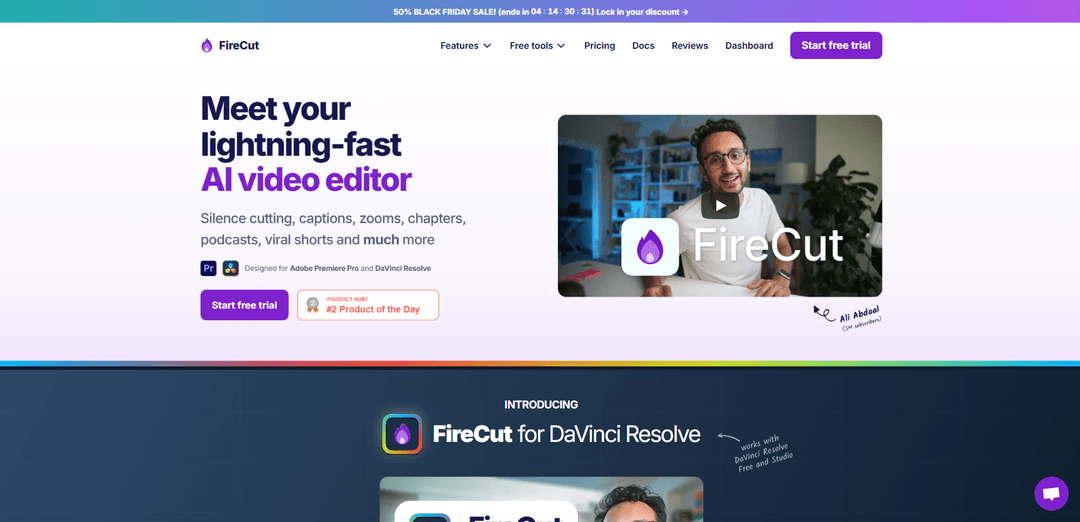
FireCut is an AI-powered video editing plugin for Adobe Premiere Pro and DaVinci Resolve that automates repetitive editing tasks like silence cutting, caption generation, zoom cuts, chapter detection and more to streamline the video editing workflow.
https://firecut.ai/?ref=producthunt
Product Information
Updated:Dec 8, 2025
What is FireCut AI
FireCut AI is a revolutionary video editing assistant designed to enhance productivity and streamline the editing process for content creators and video editors. Launched in 2023, it seamlessly integrates with major editing platforms like Adobe Premiere Pro and DaVinci Resolve as a plugin, bringing AI capabilities directly into the editing workflow. The tool was developed to address the time-consuming and repetitive aspects of video editing, allowing creators to focus more on the creative elements of their work.
Key Features of FireCut AI
FireCut AI is an advanced AI-powered video editing plugin that integrates seamlessly with Adobe Premiere Pro and DaVinci Resolve. It automates repetitive editing tasks by offering features like rapid silence removal, multi-language caption generation, automatic camera switching, zoom cuts, chapter detection, and B-roll integration. The tool is designed to significantly reduce editing time while maintaining professional quality, supporting over 50 languages for transcription and captions.
Intelligent Silence Detection & Removal: Automatically identifies and removes silent portions and dead space from footage with one click, significantly reducing video length while preserving important content
Multi-language Caption Generation: Supports transcription and caption generation in over 50 languages, with trendy caption styles that help increase viewer engagement
Smart Camera Switching: Automatically switches between camera angles based on content, particularly useful for podcast and interview editing
Automated Zoom Cuts: Creates dynamic zoom effects at optimal moments to add depth and visual interest to videos automatically
Use Cases of FireCut AI
Podcast Production: Streamlines podcast editing by automatically handling camera switches, removing silences, and generating chapters for long-form content
YouTube Content Creation: Helps YouTubers speed up their editing workflow by automating repetitive tasks and adding engaging visual elements
Multi-language Content Creation: Enables creators to easily generate content for international audiences with support for multiple languages in captions
Professional Video Production: Assists production agencies in handling large volumes of editing work by automating time-consuming tasks
Pros
Significant time savings on editing tasks
Regular updates and feature improvements
Seamless integration with major editing software
Cons
Higher monthly cost compared to some alternatives
Some features are still experimental
Requires Adobe Premiere Pro 2022+ or DaVinci Resolve
How to Use FireCut AI
Install FireCut: Download and install FireCut plugin for Adobe Premiere Pro 2022+ (Windows/Mac). After installing, restart Premiere Pro to activate FireCut.
Open FireCut in Premiere Pro: Go to Window -> Extensions -> FireCut in Adobe Premiere Pro and enter your license key from your dashboard.
Import Video Footage: Import your video footage into Adobe Premiere Pro and add it to your timeline.
Clean Up Footage: Use FireCut's silence cutting feature to automatically remove unwanted silences and clean up footage in one click.
Add Captions: Use the captions feature to automatically transcribe audio in 50+ languages and add trendy captions to your video.
Insert B-roll: Search and add relevant B-roll footage using FireCut's integrated Storyblocks library.
Create Zoom Cuts: Apply FireCut's automated zoom cuts feature to add depth and visual interest at optimal moments in your video.
Generate Chapters: Let AI detect and create chapters for your video, including automatic intro slides generation.
Review and Adjust: Review the AI-generated edits and use FireCut's 'Undo' button (not Ctrl+Z/Cmd+Z) to make any necessary adjustments.
Export Final Video: Once satisfied with the edits, export your final video through Premiere Pro's standard export function.
FireCut AI FAQs
FireCut is an AI video editor plugin for Adobe Premiere Pro and DaVinci Resolve that helps automate editing tasks. Its main features include silence cutting, automatic captions in 50+ languages, B-roll finding powered by Storyblocks, and automated zoom cuts.
FireCut AI Video
Popular Articles

Vosko AI: Localize and Dub Videos for Global Audiences
Oct 15, 2026

Atoms: A Multi-Agent AI Platform That Transforms Ideas into Launch-Ready Products
Oct 13, 2026

Nano Banana SBTI: What It Is, How It Works, and How to Use It in 2026
Apr 15, 2026

Atoms Review — The AI Product Builder Redefining Digital Creation in 2026
Apr 10, 2026
Latest AI Tools Similar to FireCut AI

EzVideos
EzVideos is an all-in-one video creation tool that helps users generate viral videos for social media platforms like Instagram, TikTok, and YouTube with automated editing features and built-in resources.

Blanc AI
Blanc AI is a revolutionary AI solution that enables video content translation and dubbing into 47+ languages while preserving the original voice, emotions, and lip synchronization.

Wink Mody
Wink Mody is a modified version of the Wink video editing app that offers premium features like AI-powered retouching, 4K exports, and watermark-free editing completely free of charge.

Shortmake AI
ShortMake is an AI-powered video creation platform that transforms ideas into viral-ready videos by automatically generating scripts, voiceovers, visuals, and subtitles specifically optimized for platforms like TikTok and YouTube Shorts.
Popular AI Tools Like FireCut AI

AI Clips - New Gen
AI Clips - New Gen is an AI-powered video clipping tool that automatically generates engaging short-form content from long videos for multiple social media platforms like YouTube Shorts, TikTok, Instagram Reels and more.

Edit Mind
Edit Mind is an open-source, AI-powered video indexing and semantic search platform that enables users to analyze and search through video content using natural language queries, with features including transcription, frame analysis, face recognition, and object detection.

Dinamo Notebook
FreeAI Video Editing
Dinamo Notebook is a free, MIT-licensed, local-first browser extension for football video analysis that lets you draw tactical annotations on YouTube/Dailymotion/Twitch footage and optionally use AI (with your own OpenAI API key) for tactical insights.

MediaSeg
MediaSeg is a stable, local-first macOS utility that splits large MP4/WEBM media files into upload-ready chunks under a configurable size limit while preserving quality using ffmpeg/ffprobe and an AI-assisted, target-based sizing strategy.