
Eodly
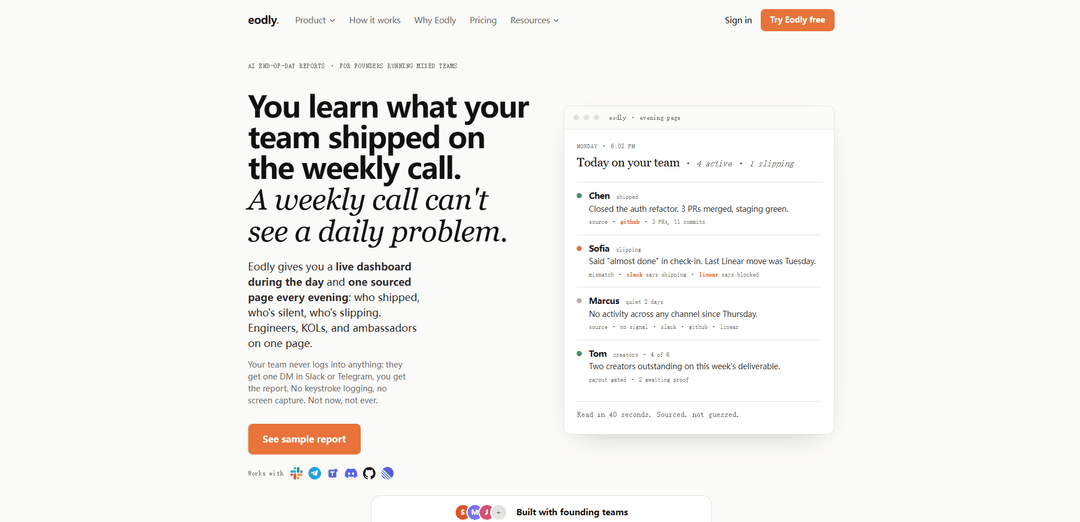
Eodly is an AI end-of-day reporting tool for founders managing mixed teams, delivering a live activity dashboard and one sourced nightly page that highlights who shipped, who’s silent, and who’s slipping—without surveillance or a new app for the team.
https://eodly.io/?ref=producthunt
Product Information
Updated:Jul 9, 2026
What is Eodly
Eodly is built for founders and team leads running mixed teams across time zones—engineers, creators, KOLs, and ambassadors—who need daily clarity on real progress, not just what they hear on weekly calls. It provides a live view of team activity during the day and then distills everything into a single, easy-to-scan end-of-day report. The product is designed to fit into existing workflows: your team doesn’t need to log into a new tool, and Eodly emphasizes “sourced, not self-reported” updates while explicitly avoiding invasive monitoring such as keystroke logging or screen capture.
Key Features of Eodly
Eodly is an AI end-of-day reporting tool for founders and team leads running mixed teams (engineers plus KOLs/ambassadors/creators). It provides a live dashboard during the day and generates one sourced page every evening that highlights who shipped, who’s silent, and who’s slipping—based on signals from the systems where work already happens (e.g., Slack/Telegram check-ins and sources of record like GitHub and Linear). The product emphasizes “sourced, not guessed” reporting and explicitly avoids surveillance tactics like keystroke logging or screen capture, while delivering updates to managers via simple DMs rather than requiring the team to adopt a new app.
One sourced end-of-day page: Generates a single evening report that summarizes who shipped, who’s quiet, and who’s slipping, with each item backed by explicit sources (e.g., GitHub PRs/commits, Linear activity).
Live activity dashboard: Shows activity forming throughout the day for founders and team leads, then distills it into the end-of-day page at a scheduled time.
Works where the team already checks in: No new tool adoption required for the team; check-ins happen in existing channels like Slack or Telegram while Eodly reads systems of record (e.g., GitHub, Linear).
Mismatch detection (slipping alerts): Flags when self-reported status (e.g., “almost done” in Slack) doesn’t match the system of record (e.g., Linear shows blocked or no movement), catching issues daily instead of on weekly calls.
Silence detection across channels: Surfaces people who have gone quiet across multiple signals (e.g., no activity in Slack/GitHub/Linear), helping leaders intervene early.
Creator/KOL deliverable verification: Tracks and verifies non-engineering deliverables (KOLs, ambassadors, creators) and can identify outstanding items and proof/payout gating needs.
Use Cases of Eodly
Remote software teams across time zones: Provides daily, sourced visibility into engineering output (PRs/commits/ticket movement) so founders don’t have to wait for weekly syncs to spot blockers or drift.
Startup teams mixing product + growth/creator programs: Unifies engineering progress with creator/KOL deliverables on one page, helping leadership manage execution across different work types without separate reporting rituals.
Agency or studio managing multiple contributors: Helps leads monitor who is shipping, who is slipping, and who is silent across multiple projects and contributors, using existing tools rather than introducing another portal.
Community-led marketing and ambassador operations: Verifies what ambassadors/KOLs actually delivered (not just what they claimed), making it easier to manage accountability and follow up on missing proof.
Founders reducing meeting load: Replaces time-consuming thread reading and status-chasing with a 40-second daily readout that’s sourced and actionable.
Pros
Sourced reporting (e.g., GitHub/Linear signals) reduces reliance on self-reported status updates.
Low friction for teams—no new app login; updates can be delivered via Slack/Telegram DMs.
Explicitly avoids invasive monitoring (no keystroke logging or screen capture).
Daily cadence helps catch slips and silence earlier than weekly calls.
Cons
Effectiveness depends on the quality and completeness of signals in connected tools (e.g., GitHub/Linear activity).
Teams using different tooling or not working in trackable systems of record may get less accurate coverage.
May not capture nuanced progress that isn’t reflected in commits/tickets/deliverable artifacts.
How to Use Eodly
1) Open Eodly: Go to https://eodly.io/ (or use the login page at https://eodly.io/login).
2) Start tracking your team: Click “Start tracking my team” (or log in via the login page) to begin setup.
3) Connect where your team checks in: Configure Eodly to receive check-ins via the chat tool your team already uses (listed on the site as Slack, Telegram, Teams, or Discord). Your team members won’t need to log into Eodly; they’ll receive one DM in the chosen chat tool.
4) Connect your systems of record: Link the tools Eodly reads for sourced activity (listed as GitHub and Linear). Eodly uses these as the “source” to trace output (e.g., PRs, commits, ticket movement).
5) (If applicable) Configure KOL/ambassador deliverables verification: If you manage KOLs/ambassadors/creators, set up the deliverables Eodly should verify so the evening page can reflect who delivered, who is outstanding, and any payout gating (as shown in the sample report).
6) Use the live dashboard during the day: During the day, monitor the live dashboard to see activity forming across connected sources and channels (who is active, quiet, or potentially slipping).
7) Set your evening report time: Choose the time you want Eodly to distill the day into “one sourced page every evening.”
8) Read the evening page summary: Each evening, review the single sourced page that highlights: who shipped (output traced to sources like GitHub/Linear), who’s slipping (self-reported status vs system-of-record mismatch), and who’s silent (no signal across channels).
9) Drill into sources when needed: When an item is flagged (e.g., “3 PRs, 11 commits” or “last Linear move was Tuesday”), use the cited source references (GitHub/Linear/Slack) to verify details and decide next actions.
10) Share and act without adding new tooling burden: Use the report to follow up in existing channels (e.g., Slack/Telegram) rather than asking the team to adopt a new app—Eodly is designed so the team only interacts via a DM check-in, while you consume the dashboard/report.
Eodly FAQs
Eodly is an AI end-of-day reporting tool for founders running mixed teams. It provides a live dashboard during the day and generates one sourced page every evening summarizing who shipped, who’s silent, and who’s slipping.
Popular Articles

Vosko AI: Localize and Dub Videos for Global Audiences
Oct 15, 2026

Atoms: A Multi-Agent AI Platform That Transforms Ideas into Launch-Ready Products
Oct 13, 2026

Nano Banana SBTI: What It Is, How It Works, and How to Use It in 2026
Apr 15, 2026

Atoms Review — The AI Product Builder Redefining Digital Creation in 2026
Apr 10, 2026
Latest AI Tools Similar to Eodly

Ticknotes
Ticknotes is an AI-powered meeting assistant that automatically records, transcribes, and generates personalized meeting summaries, action items, and key insights from audio, video, and text content.

Feta
Feta is an AI-powered meeting tool that helps product and engineering teams run efficient meetings by capturing discussions, automating tasks, and providing actionable insights through smart summaries and integrations.
Aimeet
Aimeet is a comprehensive AI-powered communication platform that combines real-time translation, transcription, screen sharing, and unlimited meeting capabilities for effective virtual collaboration.
MinutesLink
MinutesLink is an advanced AI-powered note-taking assistant that automatically records, transcribes, summarizes and organizes virtual meetings while building personalized digital avatars from meeting data.
Popular AI Tools Like Eodly
Second Brain for AI
Second Brain for AI is a self-hosted, MCP-compatible persistent memory layer on Cloudflare that lets Claude, ChatGPT, Cursor, and other AI clients store and semantically recall shared context across sessions.
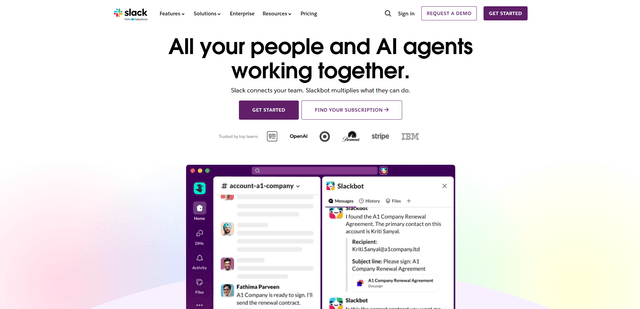
Slack
Slack is an AI-powered work platform that brings team communication, channels, files, automation, and app integrations into one conversational workspace.
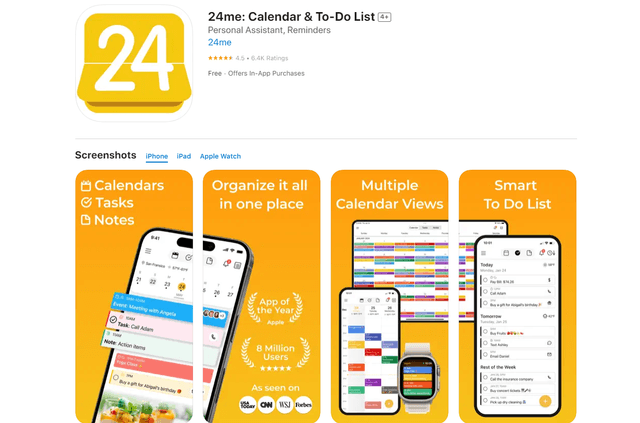
24me Smart Personal Assistant
24me is an award-winning smart personal assistant app that combines calendar, to-do lists, notes, and personal accounts in one unified platform to help boost productivity and time management.
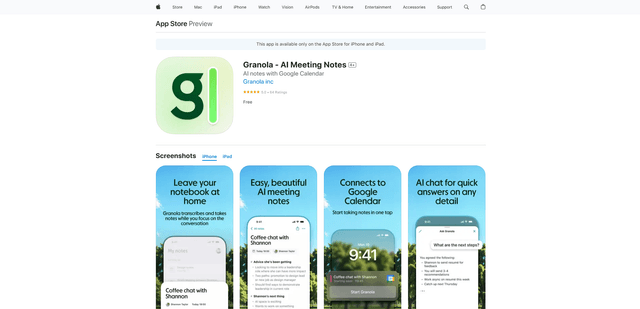
Granola for iOS
Granola for iOS is an AI-powered notepad app that helps users effortlessly capture, transcribe and summarize meeting conversations through intelligent note-taking and one-tap recording capabilities.