
Cosyra
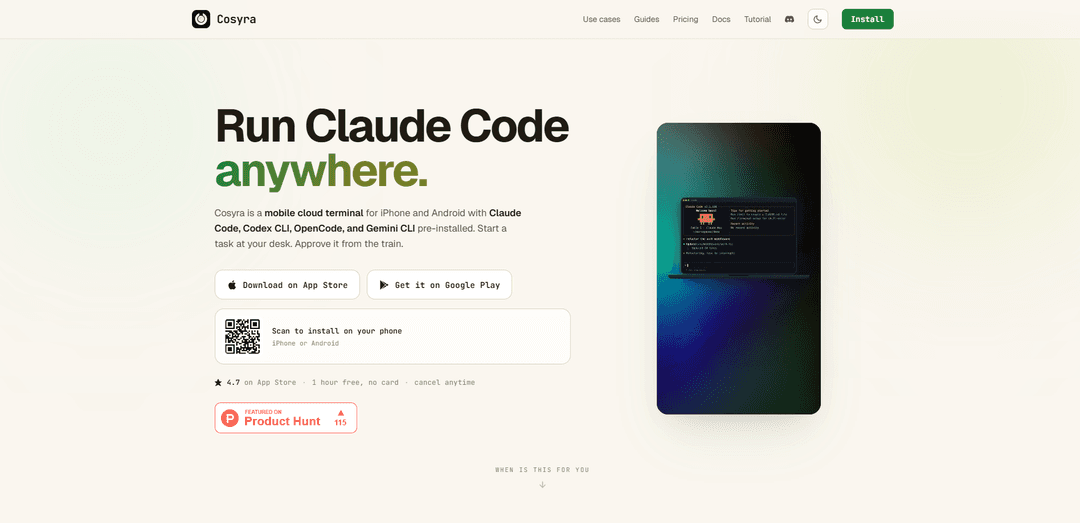
Cosyra is a mobile cloud coding terminal for iPhone and Android that gives you a persistent Ubuntu 24.04 (x86_64) container with Claude Code, Codex CLI, OpenCode, and Gemini CLI pre-installed, so agent-driven development can continue even when your laptop is asleep.
https://cosyra.com/?ref=producthunt
Product Information
Updated:Aug 8, 2026
What is Cosyra
Cosyra is a mobile-first cloud terminal designed for developers who want a real Linux workspace and AI coding agents accessible from their phone. Instead of emulating Linux on-device or SSH’ing into a server you manage, Cosyra provisions an isolated Ubuntu 24.04 container per user with 30 GB of persistent storage and common dev tools (e.g., git, Node.js, Python, tmux, vim). It’s aimed at practical “in-between” moments—on-call debugging, commuting, or working without carrying a laptop—where you can run the same CLI workflows you’d use on a desktop, including modern agent CLIs like Claude Code and Codex.
Key Features of Cosyra
Cosyra is a mobile cloud agent platform that gives you a dedicated, isolated Ubuntu 24.04 (x86_64) container you access from native iPhone and Android apps (and browser), with AI coding CLIs—Claude Code, Codex CLI, OpenCode, and Gemini CLI—pre-installed. It’s designed for real terminal-based development on a phone: persistent storage and sessions, common dev tooling (git, node/python toolchains, tmux/vim, etc.), and workflows where agents can keep running in the cloud even when your laptop is closed, while you approve actions and review diffs from your phone.
Dedicated Ubuntu 24.04 cloud container: Per-user isolated Ubuntu 24.04 x86_64 environment provisioned on first launch, with your own files, processes, shell history, and standard Linux tooling.
AI coding agents pre-installed: Claude Code, Codex CLI, OpenCode, and Gemini CLI are ready out of the box, so you can start agent-driven coding without manual setup.
Native mobile terminal built for coding: Mobile-first terminal UX with smart keyboard toolbar (ESC/TAB/CTRL/ALT/arrows/pipe), file browser, voice input, truecolor xterm support, and tab completion.
Persistent workspace + session continuity: 30 GB persistent storage; on Pro, containers hibernate after ~10 minutes idle and resume with state intact, enabling seamless switching across phone/tablet/laptop.
Runs in the cloud (not on your phone): Compute happens in the hosted container, so long-running tasks can continue while your phone sleeps and your laptop is off—your phone is the control surface.
BYOK security posture: Bring-your-own API keys (Anthropic/OpenAI/Google). Keys are stored on-device with native encryption and sent over TLS to your container; each user environment is isolated.
Use Cases of Cosyra
On-call incident response (SRE/DevOps): Tail logs, inspect stack traces, patch env vars, run scripts, and redeploy from a phone when you’re away from a laptop—optionally with Claude Code assisting diagnosis.
Commute-time engineering productivity: Use short pockets of time to refactor, run tests, and review/merge PRs; pick up the same session later on another device thanks to persistence/hibernation.
No-laptop development for travel: Clone repos, edit code, run builds, and push changes from a phone during trips or weekends without carrying or booting a laptop.
Mobile code review and git workflows: Perform git operations, inspect diffs, and manage branches from the terminal and file browser, making it practical to keep projects moving from anywhere.
Education and training labs: Provide learners a consistent Ubuntu environment with common toolchains and AI assistants pre-installed, reducing setup friction across diverse personal devices.
Pros
Zero server/VPS management: install the app and get a ready-to-use Ubuntu environment with agents pre-installed.
Works on both iOS and Android with a real x86_64 Ubuntu ABI, improving compatibility with common CLI tools.
Cloud execution enables long-running agent tasks to continue even when your laptop is closed or unavailable.
Persistent storage and (Pro) hibernation make it easy to switch devices without losing context.
Cons
Requires network connectivity since compute runs in the cloud; offline use is not the primary fit.
Bring-your-own-key means model usage costs are paid separately to Anthropic/OpenAI/Google.
Subscription cost for Pro features (e.g., hibernation/compute allowance) may be higher than DIY SSH/VPS setups for some users.
Compatibility for additional tools depends on Linux package/runtime requirements; not every workflow will fit a containerized environment.
How to Use Cosyra
1) Install Cosyra: Download Cosyra from the App Store (iPhone/iPad) or Google Play (Android). Sign in with Apple, Google, or email. You can start with 1 hour of free compute with no credit card.
2) Launch your Ubuntu container: Open the app to provision your isolated Ubuntu 24.04 x86_64 cloud container. This container is dedicated to your account (your files, processes, and shell history live in your environment).
3) Open the terminal and verify the environment: In the Cosyra terminal, confirm core tools are available (examples: git, node, python, tmux, vim). You can run quick checks like `git --version` or `node --version`.
4) Add your AI provider API key (BYOK): Use your own Anthropic, OpenAI, or Google API key so usage and billing stay with your provider account. Keys are stored on-device with platform-native encryption and sent over TLS to your container.
5) Choose an agent CLI to run: Cosyra comes with four AI coding CLIs pre-installed: Claude Code, Codex CLI, OpenCode, and Gemini CLI. Pick the one you want to use for the task.
6) Start an agent session from the terminal: Run the agent command in the terminal (for example, `claude` for Claude Code). Use it to plan changes, edit files, run tests, and review diffs from your phone.
7) Clone or open your repository: Use git inside the container to pull your code (e.g., `git clone ...`, then `cd` into the repo). Your repo and files live inside your container rather than being shared across users.
8) Work mobile-first (keyboard, file browser, voice): Use the mobile-friendly terminal UI (smart keyboard toolbar with ESC/TAB/CTRL/ALT/arrows, tab completion), the file browser for navigation, and optional voice input for commands.
9) Keep sessions alive for longer work: For long-running tasks, use terminal tools like `tmux` to keep work running across disconnects. Cosyra runs the agent in the cloud container (not on your phone or laptop), so work can continue while your laptop sleeps.
10) Close the app and resume later: Your files persist on attached storage (30 GB). On Pro, the container hibernates after ~10 minutes idle and resumes with session state intact when you reopen the app, including on a different device.
11) Install additional CLI tools if needed: You can install extra tools in the Ubuntu container as needed, but compatibility depends on the tool’s Linux package, architecture, and runtime requirements.
12) Manage usage and billing: Cosyra uses BYOK for model access (you pay Anthropic/OpenAI/Google directly for tokens). Cosyra’s subscription covers compute and the persistent container features (e.g., storage and hibernation on Pro).
Cosyra FAQs
Cosyra is a mobile cloud agent platform for iPhone and Android that provides an isolated Ubuntu 24.04 (x86_64) container with AI coding CLIs (Claude Code, Codex CLI, OpenCode, and Gemini CLI) pre-installed. You access the Linux environment from a native mobile app.
Popular Articles

How to Create Viral Talking Baby Podcast Videos with AI: Step-by-Step Guide (2025)
Nov 2, 2026

Vosko AI: Localize and Dub Videos for Global Audiences
Oct 15, 2026

Atoms: A Multi-Agent AI Platform That Transforms Ideas into Launch-Ready Products
Oct 13, 2026

Nano Banana SBTI: What It Is, How It Works, and How to Use It in 2026
Apr 15, 2026
Latest AI Tools Similar to Cosyra

Gait
Gait is a collaboration tool that integrates AI-assisted code generation with version control, enabling teams to track, understand, and share AI-generated code context efficiently.

invoices.dev
invoices.dev is an automated invoicing platform that generates invoices directly from developers' Git commits, with integration capabilities for GitHub, Slack, Linear, and Google services.

EasyRFP
EasyRFP is an AI-powered edge computing toolkit that streamlines RFP (Request for Proposal) responses and enables real-time field phenotyping through deep learning technology.

Cart.ai
Cart.ai is an AI-powered service platform that provides comprehensive business automation solutions including coding, customer relations management, video editing, e-commerce setup, and custom AI development with 24/7 support.
Popular AI Tools Like Cosyra

GitHub Copilot Chat
GitHub Copilot Chat is an AI-powered coding assistant that provides natural language interactions, real-time code suggestions, and contextual support directly within supported IDEs and GitHub.com.

CopilotForXcode
CopilotForXcode is an Xcode Source Editor Extension that integrates GitHub Copilot, Codeium, and ChatGPT to provide AI-powered code suggestions, chat assistance, and prompt-to-code functionality within Xcode.

BrowserAI
BrowserAI is an open-source library that enables running local Large Language Models (LLMs) directly in web browsers with WebGPU acceleration, offering privacy-focused AI capabilities without requiring server infrastructure.

OpenAI Codex CLI
OpenAI Codex CLI is a lightweight, open-source coding agent that runs in your terminal, enabling developers to translate natural language into code execution while providing ChatGPT-level reasoning with the ability to run code, manipulate files, and iterate under version control.