
Context Gateway
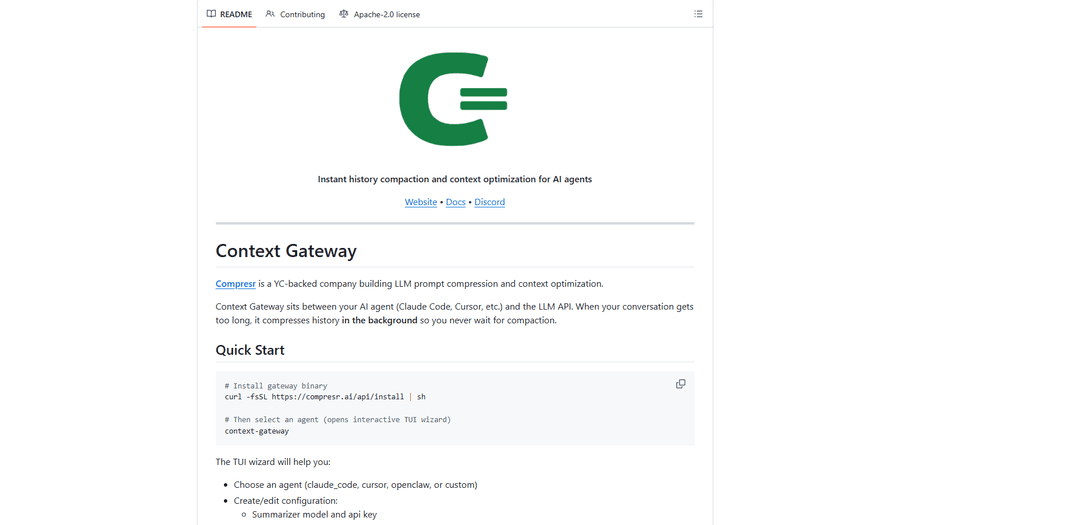
Context Gateway is an AI proxy service that provides instant history compaction and context optimization for AI agents like Claude Code and Cursor, enabling seamless management of long conversations without context limitations.
https://github.com/Compresr-ai/Context-Gateway?ref=producthunt
Product Information
Updated:Mar 9, 2026
What is Context Gateway
Context Gateway, developed by YC-backed company Compresr, is a specialized middleware that sits between AI agents (such as Claude Code, Cursor, and OpenClaw) and their respective LLM APIs. It's designed to solve the common problem of context window limitations in AI conversations by implementing intelligent compression and optimization techniques. The gateway can be easily installed through a simple curl command and configured via an interactive TUI wizard, making it accessible for developers looking to enhance their AI agent workflows.
Key Features of Context Gateway
Context Gateway is an AI proxy tool that sits between AI agents (like Claude Code, Cursor) and LLM APIs to optimize context management through intelligent compression. It provides instant history compaction in the background, preventing delays when conversations hit context limits, while offering features like spend limit controls, Slack notifications, and support for multiple agent types. The gateway uses advanced compression models to reduce token usage and improve accuracy/latency without compromising quality.
Background Context Compression: Automatically compresses conversation history in the background before hitting context limits, eliminating waiting time for compaction when needed
Multi-Agent Support: Compatible with various AI agents including Claude Code, Cursor, OpenClaw, and custom configurations through a unified interface
Token Optimization: Achieves up to 200x compression without quality loss, reducing token spend and improving response latency
Monitoring & Control: Provides spend cap settings, Slack notifications, and detailed logging of compression activities
Use Cases of Context Gateway
Development Team Collaboration: Helps development teams maintain efficient AI-assisted coding sessions by managing context across long coding conversations
Enterprise AI Integration: Enables organizations to implement centralized governance and cost control over AI agent interactions across different departments
AI Research and Development: Assists researchers in optimizing AI model interactions by providing efficient context management and detailed performance logs
Pros
Zero-latency compression through background processing
Significant cost reduction through efficient token management
Flexible integration with multiple AI agents and platforms
Cons
Requires additional infrastructure setup and maintenance
Some compression models are not open-sourced
How to Use Context Gateway
Install Context Gateway: Run the installation command in terminal: curl -fsSL https://compresr.ai/api/download_cli | sh
Launch the Interactive TUI Wizard: Run 'context-gateway' command in terminal to open the Text User Interface wizard that will guide you through setup
Select an Agent: Choose from available agents: claude_code (Claude Code IDE integration), cursor (Cursor IDE integration), openclaw (Open-source Claude Code alternative), or custom (your own configuration)
Configure Settings: Set up the configuration including: summarizer model and API key, enable/disable Slack notifications, set trigger threshold for compression (default is 75%)
Start Using the Gateway: The gateway will now run in the background and automatically compress conversation history when it approaches context limits
Monitor Activity: Check logs/history_compaction.jsonl file to view compression activities and gateway operations
Access Dashboard (Optional): Access the Context Gateway UI at http://localhost:4444/admin using default credentials ([email protected] / changeme) to monitor and manage the gateway
Context Gateway FAQs
Context Gateway is a proxy tool developed by Compresr (YC-backed company) that sits between AI agents (like Claude Code, Cursor, etc.) and LLM APIs to provide instant history compaction and context optimization. It helps compress conversation history in the background to prevent waiting when hitting context limits.
Context Gateway Video
Popular Articles

Vosko AI: Localize and Dub Videos for Global Audiences
Oct 15, 2026

Atoms: A Multi-Agent AI Platform That Transforms Ideas into Launch-Ready Products
Oct 13, 2026

Nano Banana SBTI: What It Is, How It Works, and How to Use It in 2026
Apr 15, 2026

Atoms Review — The AI Product Builder Redefining Digital Creation in 2026
Apr 10, 2026
Latest AI Tools Similar to Context Gateway

Gait
Gait is a collaboration tool that integrates AI-assisted code generation with version control, enabling teams to track, understand, and share AI-generated code context efficiently.

invoices.dev
invoices.dev is an automated invoicing platform that generates invoices directly from developers' Git commits, with integration capabilities for GitHub, Slack, Linear, and Google services.

EasyRFP
EasyRFP is an AI-powered edge computing toolkit that streamlines RFP (Request for Proposal) responses and enables real-time field phenotyping through deep learning technology.

Cart.ai
Cart.ai is an AI-powered service platform that provides comprehensive business automation solutions including coding, customer relations management, video editing, e-commerce setup, and custom AI development with 24/7 support.
Popular AI Tools Like Context Gateway

GitHub Copilot Chat
GitHub Copilot Chat is an AI-powered coding assistant that provides natural language interactions, real-time code suggestions, and contextual support directly within supported IDEs and GitHub.com.

CopilotForXcode
CopilotForXcode is an Xcode Source Editor Extension that integrates GitHub Copilot, Codeium, and ChatGPT to provide AI-powered code suggestions, chat assistance, and prompt-to-code functionality within Xcode.

BrowserAI
BrowserAI is an open-source library that enables running local Large Language Models (LLMs) directly in web browsers with WebGPU acceleration, offering privacy-focused AI capabilities without requiring server infrastructure.

OpenAI Codex CLI
OpenAI Codex CLI is a lightweight, open-source coding agent that runs in your terminal, enabling developers to translate natural language into code execution while providing ChatGPT-level reasoning with the ability to run code, manipulate files, and iterate under version control.