
ContentPilots
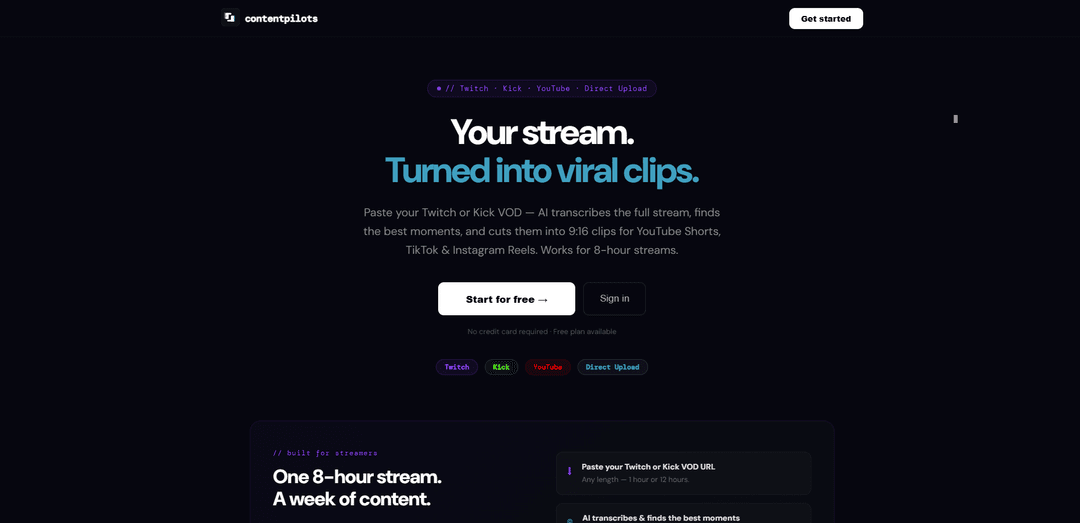
ContentPilots turns long Twitch/Kick/YouTube VODs into ready-to-post 9:16 Shorts/Reels/TikToks with AI-selected highlights, karaoke-style captions, and auto-generated metadata plus one-click scheduling.
https://contentpilots.net/?ref=producthunt
Product Information
Updated:May 15, 2026
What is ContentPilots
ContentPilots is an AI clipping and publishing tool built for streamers and creators who want to repurpose long-form streams into short-form vertical content. By pasting a Twitch or Kick VOD link (or using YouTube/direct upload), it transcribes the full video, identifies the most engaging moments, and produces multiple 9:16 clips designed for YouTube Shorts, TikTok, and Instagram Reels. It also supports a free plan with no credit card required and includes built-in scheduling across connected social platforms.
Key Features of ContentPilots
ContentPilots is an AI-powered clipping and publishing tool for long-form videos and livestream VODs. You paste a Twitch/Kick/YouTube link (or upload directly), and it transcribes the full video (even multi-hour streams), automatically finds highlight moments, and turns them into ready-to-post 9:16 vertical clips with karaoke-style word captions. It also generates platform-optimized titles/tags/descriptions and lets you schedule and publish to multiple platforms (e.g., YouTube Shorts, TikTok, Instagram Reels, and LinkedIn) from a single workflow, supported by a content calendar.
Long VOD auto-clipping (Twitch/Kick/YouTube): Processes full-length streams (including 8+ hour VODs), transcribes them, and automatically selects peak moments (reactions, big plays, funny clips) to turn into short-form highlights.
AI transcription + highlight detection: Analyzes the entire video using transcription to identify the most engaging segments, reducing manual scrubbing and clip hunting.
9:16 vertical formatting for Shorts/Reels/TikTok: Automatically outputs portrait-ready clips (pillarboxed/phone ratio) designed for short-form platforms.
Karaoke word-by-word captions: Generates animated, word-synced captions (TikTok-style) to improve retention and accessibility.
AI metadata generation: Writes titles, tags, and descriptions for each clip (noted as Claude AI-generated) and tailors metadata to platform needs.
Multi-platform scheduling + content calendar: Connects social platforms and schedules/publishes clips in one workflow, with a calendar view to plan and track posts.
Use Cases of ContentPilots
Streamers and gaming creators: Turn long Twitch/Kick streams into a week’s worth of Shorts/Reels/TikToks by automatically extracting big plays, reactions, and funny moments.
Podcast and interview repurposing: Convert long-form interviews into multiple vertical highlight clips with captions and AI-written titles/descriptions for faster distribution.
Education and coaching content: Clip key teaching moments, tips, and Q&A segments from recorded sessions into short, captioned lessons for social growth.
Product demos and SaaS marketing: Transform webinars or demo recordings into bite-sized feature clips, then schedule them across platforms to maintain a steady content cadence.
Agency/social media operations: Standardize a repeatable workflow: ingest client videos, auto-generate clips + metadata, and schedule across multiple channels from one place.
Pros
Handles very long videos/VODs (multi-hour streams), not just short uploads
End-to-end workflow: clipping, captions, metadata generation, and multi-platform scheduling
Karaoke-style captions and vertical formatting are optimized for short-form performance
Cons
Auto-selected “best moments” may still require human review to match brand/context and avoid missing key highlights
Platform connections/scheduling coverage can vary by network and may require account permissions and ongoing integration maintenance
Vertical pillarboxing/aspect handling may not fit every creator’s preferred framing style without additional editing controls
How to Use ContentPilots
1) Start a free account: Go to ContentPilots (contentpilots.net) and create an account. You can start on the free plan (no credit card required).
2) Choose your video source: From the upload/input area, pick one source: Twitch VOD, Kick VOD, YouTube video, or Direct Upload.
3) Provide the video: Paste the VOD/video URL (Twitch/Kick/YouTube) or upload a file (Direct Upload). ContentPilots supports long videos (e.g., 8+ hour streams).
4) Let AI transcribe the full video: Run the processing step so the AI transcribes the entire stream/video, which it uses to understand context and identify highlight moments.
5) Generate clips automatically: Trigger auto-clipping. The AI analyzes the transcript and selects peak moments (e.g., big plays, funny reactions) and cuts them into multiple short vertical clips.
6) Confirm vertical formatting (9:16): Ensure outputs are formatted for Shorts/Reels/TikTok. ContentPilots automatically formats clips to 9:16 portrait (including pillarboxing/black bars when needed).
7) Add/verify karaoke captions: Enable or review the word-by-word animated “karaoke” captions so each word highlights as it’s spoken (TikTok-style captions).
8) Generate titles, tags, and descriptions: Use the built-in AI metadata feature to create platform-optimized titles, tags, and descriptions for each clip.
9) Review and select the clips you want to post: Preview the generated clips, keep the best ones, and discard any you don’t want to publish.
10) Connect your social platforms: Link your accounts for publishing/scheduling (as supported): YouTube, Instagram, LinkedIn (and TikTok if available in your workspace).
11) Schedule posts in the content calendar: Open the visual content calendar, choose dates/times for each clip, and plan a week (or more) of posts from a single stream.
12) Publish across platforms in one workflow: Use the one-click scheduling/publishing flow to queue or publish your clips to Shorts/Reels/TikTok (and other connected platforms) automatically.
13) Repeat for each stream: After each new stream, paste the new VOD URL and repeat the process to continuously turn long-form streams into ongoing short-form content.
ContentPilots FAQs
ContentPilots is an AI clipping and publishing tool that turns long-form videos or livestream VODs into multiple ready-to-post vertical clips for YouTube Shorts, TikTok, and Instagram Reels.
Popular Articles

Atoms: A Multi-Agent AI Platform That Transforms Ideas into Launch-Ready Products
May 22, 2026

Nano Banana SBTI: What It Is, How It Works, and How to Use It in 2026
Apr 15, 2026

Atoms Review — The AI Product Builder Redefining Digital Creation in 2026
Apr 10, 2026

Kilo Claw: How to Deploy and Use a True "Do‑It‑For‑You" AI Agent(2026 Update)
Apr 3, 2026
Latest AI Tools Similar to ContentPilots

EzVideos
EzVideos is an all-in-one video creation tool that helps users generate viral videos for social media platforms like Instagram, TikTok, and YouTube with automated editing features and built-in resources.

Blanc AI
Blanc AI is a revolutionary AI solution that enables video content translation and dubbing into 47+ languages while preserving the original voice, emotions, and lip synchronization.

Wink Mody
Wink Mody is a modified version of the Wink video editing app that offers premium features like AI-powered retouching, 4K exports, and watermark-free editing completely free of charge.

Shortmake AI
ShortMake is an AI-powered video creation platform that transforms ideas into viral-ready videos by automatically generating scripts, voiceovers, visuals, and subtitles specifically optimized for platforms like TikTok and YouTube Shorts.
Popular AI Tools Like ContentPilots

AI Clips - New Gen
AI Clips - New Gen is an AI-powered video clipping tool that automatically generates engaging short-form content from long videos for multiple social media platforms like YouTube Shorts, TikTok, Instagram Reels and more.

Edit Mind
Edit Mind is an open-source, AI-powered video indexing and semantic search platform that enables users to analyze and search through video content using natural language queries, with features including transcription, frame analysis, face recognition, and object detection.

Dinamo Notebook
FreeAI Video Editing
Dinamo Notebook is a free, MIT-licensed, local-first browser extension for football video analysis that lets you draw tactical annotations on YouTube/Dailymotion/Twitch footage and optionally use AI (with your own OpenAI API key) for tactical insights.

MediaSeg
MediaSeg is a stable, local-first macOS utility that splits large MP4/WEBM media files into upload-ready chunks under a configurable size limit while preserving quality using ffmpeg/ffprobe and an AI-assisted, target-based sizing strategy.