
Coldtea.ai
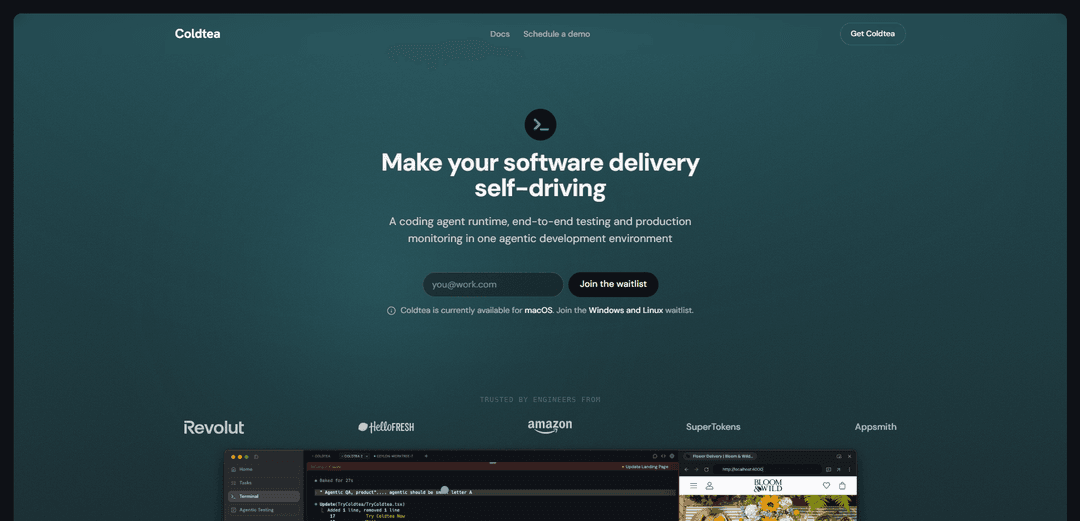
Coldtea.ai is a macOS agentic development environment that unifies a team terminal for coding agents with visual end-to-end QA and AI production monitoring to ship faster without regressions.
https://coldtea.ai/?ref=producthunt
Product Information
Updated:Aug 14, 2026
What is Coldtea.ai
Coldtea.ai positions itself as “self-driving software delivery,” bringing what typically lives in separate tools—coding, release verification, and production monitoring—into one integrated environment. It runs locally on your machine alongside your repository, focuses on the downstream risks of shipping (regressions and incidents), and adds agentic QA, monitoring, and task execution around the coding agents you already use rather than replacing them.
Key Features of Coldtea.ai
Coldtea.ai is an agentic development environment focused on the full software delivery lifecycle—bringing multi-agent terminal workflows, agentic end-to-end (visual) QA, and AI production monitoring into one place. Instead of only optimizing code-writing speed, it aims to reduce downstream risk by automatically running and coordinating coding agents with shared context, generating self-healing tests from plain-English user journeys, gating releases on test results, and monitoring production signals (logs, feedback, sessions) to investigate issues and even open pull requests for review. It runs locally alongside your repo, works with existing coding agents, and optionally supports cloud execution for background tasks.
Multi-agent terminal with shared context: Run multiple coding agents in parallel from a unified terminal experience—start, steer, and review agents individually or as a coordinated team without juggling panes or manually copying context.
Agentic visual QA & self-healing tests: Describe web/mobile user journeys in plain English and have QA agents turn them into self-healing end-to-end tests that drive the real app and catch regressions before users do (supports iOS, Android, and web).
PR preview testing & deploy gating: Automatically run the full QA suite against every pull request preview and gate deployments based on results to prevent regressions from reaching production.
AI production monitoring with plain-language diagnosis: Monitoring agents watch production across signals like error logs, customer feedback, and user sessions, then summarize what broke in plain language and investigate issues.
Automated repair workflows (PR creation): When monitoring finds problems, agents can investigate and open a pull request for your review—accelerating incident response while keeping humans in control.
Task orchestration & optional cloud execution: Sync an engineering board, assign tasks to background agents running in the cloud, run several tasks in parallel, and review progress/results from one place—without tying up your laptop.
Use Cases of Coldtea.ai
SaaS teams shipping frequently: Gate every release with automated visual QA and continuously monitor production to reduce regressions and incidents while maintaining high deployment velocity.
Mobile app release regression prevention: Automate iOS/Android journey testing from plain-English specs to catch UI/flow regressions across devices before pushing to app stores.
E-commerce & consumer apps with conversion-critical UX: Use visual QA agents to verify key journeys (browse, add-to-cart, checkout) on each PR preview and monitor production sessions/feedback to quickly detect revenue-impacting breakages.
Platform/infra teams improving incident response: Leverage production monitoring agents to triage issues across logs and user sessions, produce human-readable summaries, and open fix PRs to shorten MTTR.
Engineering orgs adopting multiple coding agents: Coordinate Claude Code/Codex/OpenCode (and others) in one terminal workflow with shared context, making multi-agent development manageable and reviewable.
Backlog execution at scale: Sync your task board and run parallel background agents to tackle small fixes, refactors, and maintenance work—then review outputs centrally.
Pros
End-to-end coverage (coding + QA + production monitoring) reduces downstream risk, not just coding time.
Works with existing coding agents (no lock-in) and keeps workflows centered on the terminal teams already use.
Runs locally next to your repo; cloud execution is optional rather than mandatory.
Automated PR preview testing and deploy gating helps prevent regressions from reaching users.
Cons
Currently available for macOS only; Windows/Linux require joining a waitlist.
Some advanced capabilities (cloud execution/background agents) may require additional setup and operational considerations.
The breadth of lifecycle features (QA, monitoring, task orchestration) may introduce a learning curve compared with single-purpose tools.
How to Use Coldtea.ai
1) Install Coldtea (macOS) and launch it: Download and install Coldtea on macOS (Windows/Linux are waitlist-only). Open the app; it runs locally on your machine next to your repo.
2) Open your repository in Coldtea: Point Coldtea at the local repo you want to work on. Coldtea is designed to sit alongside your existing workflow (it does not require switching editors).
3) Verify your terminal environment is correct: Confirm Coldtea resolved your terminal shell automatically and carried over your settings so your usual commands and tooling work immediately.
4) Connect your existing coding agents: Configure Coldtea to work with the coding agents you already use (e.g., Claude Code, Codex, OpenCode). Coldtea is not a new coding agent; it orchestrates the ones you already have.
5) Start a coding session with one agent (baseline workflow): From Coldtea’s terminal, start a single agent to plan/build changes in your repo. Keep the work reviewable and incremental so you can validate it with QA and monitoring later.
6) Run multiple coding agents as a team (parallel work): Launch additional agents in parallel inside Coldtea instead of juggling multiple terminal panes. Steer and review agents individually or as a coordinated team, with shared context so you don’t have to copy/paste between tools.
7) Use agents to plan, build, review, and improve: Have agents collaborate across the full coding loop: generate an implementation plan, make changes, run checks, and propose improvements—while you remain in control of what gets accepted.
8) Create or sync Tasks (your engineering board): Bring work into Coldtea as Tasks by syncing your engineering board. Use Tasks as the durable place where the description, implementation plan, and session logs live beyond a single agent session.
9) Assign Tasks to background agents (cloud execution optional): Assign tasks to background agents running in the cloud to run more work without tying up your laptop. Cloud execution is optional and only used when you explicitly turn it on.
10) Track multiple Tasks in parallel from one place: Run several tasks concurrently, follow their progress, and consolidate review in Coldtea rather than switching between separate dashboards and terminals.
11) Define end-to-end journeys for Agentic Testing (visual QA): Describe web and mobile user journeys in plain English. Coldtea’s QA agents convert these descriptions into self-healing end-to-end tests.
12) Run the full QA suite against PR previews: Configure your QA agents to execute the generated test suite against every pull request preview environment so regressions are caught before release.
13) Gate deployments on QA results: Use the QA outcomes as a release gate: only allow deployments to proceed when the visual QA suite passes.
14) Connect production monitoring sources: Hook Coldtea’s monitoring agents into your production signals (error logs, customer feedback, and user sessions). Coldtea supports a wide range of providers (e.g., Sentry, Datadog, Grafana, New Relic, PostHog, Vercel); if a provider is missing, request it in-app or via [email protected] (new providers typically added in ~24 hours).
15) Let monitoring agents investigate incidents and regressions: When monitoring agents detect issues in production, they investigate across the connected signals to identify likely causes and scope.
16) Review auto-generated pull requests for fixes: Monitoring agents can open a pull request for your review with proposed fixes. You review, request changes if needed, and merge when satisfied.
17) Use monitoring agents to surface and file technical debt: Enable codebase sweeps to detect debt that accumulates when agents write most of the code. Have Coldtea file the findings onto your board as actionable tasks.
18) Iterate through the full delivery loop in one environment: Repeat the cycle—coding (terminal + agents), verification (agentic testing), and production monitoring (investigate + PRs + debt filing)—so speed doesn’t come at the cost of regressions and incidents.
Coldtea.ai FAQs
Coldtea is an agentic development environment (an IDE) that brings your terminal, end-to-end testing, and production monitoring into one place for end-to-end software delivery.
Coldtea.ai Video
Popular Articles

How to Create Viral Talking Baby Podcast Videos with AI: Step-by-Step Guide
Nov 2, 2026

Proferex: A Cloud-Based Ad Tracking and Campaign Optimization Platform
Nov 2, 2026

Vosko AI: Localize and Dub Videos for Global Audiences
Oct 15, 2026

Atoms: A Multi-Agent AI Platform That Transforms Ideas into Launch-Ready Products
Oct 13, 2026
Latest AI Tools Similar to Coldtea.ai

Gait
Gait is a collaboration tool that integrates AI-assisted code generation with version control, enabling teams to track, understand, and share AI-generated code context efficiently.

invoices.dev
invoices.dev is an automated invoicing platform that generates invoices directly from developers' Git commits, with integration capabilities for GitHub, Slack, Linear, and Google services.

EasyRFP
EasyRFP is an AI-powered edge computing toolkit that streamlines RFP (Request for Proposal) responses and enables real-time field phenotyping through deep learning technology.

Cart.ai
Cart.ai is an AI-powered service platform that provides comprehensive business automation solutions including coding, customer relations management, video editing, e-commerce setup, and custom AI development with 24/7 support.
Popular AI Tools Like Coldtea.ai

GitHub Copilot Chat
GitHub Copilot Chat is an AI-powered coding assistant that provides natural language interactions, real-time code suggestions, and contextual support directly within supported IDEs and GitHub.com.

CopilotForXcode
CopilotForXcode is an Xcode Source Editor Extension that integrates GitHub Copilot, Codeium, and ChatGPT to provide AI-powered code suggestions, chat assistance, and prompt-to-code functionality within Xcode.

BrowserAI
BrowserAI is an open-source library that enables running local Large Language Models (LLMs) directly in web browsers with WebGPU acceleration, offering privacy-focused AI capabilities without requiring server infrastructure.

OpenAI Codex CLI
OpenAI Codex CLI is a lightweight, open-source coding agent that runs in your terminal, enabling developers to translate natural language into code execution while providing ChatGPT-level reasoning with the ability to run code, manipulate files, and iterate under version control.