ClawEase
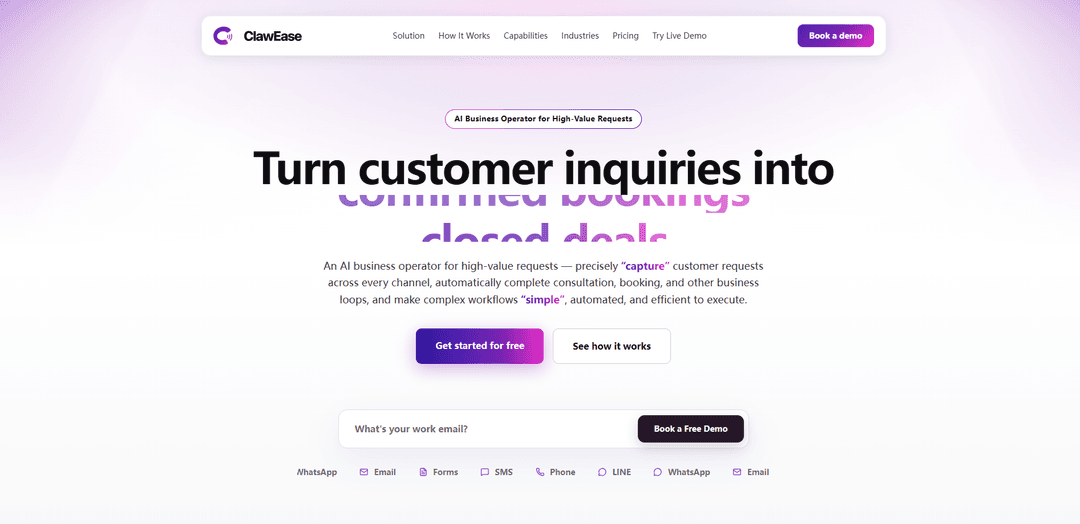
ClawEase ist ein KI-Geschäftsoperator, der hochwertige Kundenanfragen über Telefon, WhatsApp/LINE, E-Mail und Webformulare bearbeitet und dann End-to-End-Workflows wie Beratung und Buchung abschließt, indem er Ihre bestehenden Websysteme ohne API- oder Code-Änderungen bedient.
https://clawease.ai/?utm_source=aipure&ref=producthunt
Produktinformationen
Aktualisiert:Jul 8, 2026
Was ist ClawEase
ClawEase wurde für Unternehmen entwickelt, bei denen verpasste Anrufe und langsame Nachfassaktionen direkt zu Umsatzeinbußen führen – insbesondere bei buchungsintensiven, hochpreisigen Dienstleistungen wie medizinischer Ästhetik, Zahnkliniken und Haustierdienstleistungen. Anstatt als einfacher Chatbot oder IVR zu fungieren, arbeitet es wie ein ständig besetzter Rezeptionsmitarbeiter: Es versteht die Absicht des Kunden, beantwortet häufig gestellte Fragen, sammelt die erforderlichen Details und führt die Anfrage dann bis zum Abschluss (z. B. Terminplanung oder Einreichung eines Aufnahme-/Buchungsformulars) innerhalb Ihrer aktuellen Tools. Es zentralisiert verstreute eingehende Kanäle in einem einzigen KI-Hub, sodass Anfragen auch während der Stoßzeiten oder außerhalb der Geschäftszeiten konsistent und schnell bearbeitet werden können.
Hauptfunktionen von ClawEase
ClawEase ist ein „KI-Geschäftsbetreiber“ für hochwertige Kundenanfragen, der kanalübergreifend (Telefon, WhatsApp/LINE, E-Mail, Webformulare) arbeitet, um Absichten zu erfassen, Folgefragen zu stellen, strukturierte Details (z. B. Datum/Uhrzeit) zu extrahieren und dann End-to-End-Geschäftsprozesse wie Beratungen und Buchungen abzuschließen, indem er bestehende Websysteme so bedient, wie es ein menschlicher Mitarbeiter tun würde – durch Klicken auf Seiten, Ausfüllen von Formularen und Senden von Anfragen – ohne API-Integrationen oder Codeänderungen zu erfordern, während ein Dashboard mit Echtzeit-Ausführungsstatus und einer nachvollziehbaren Spur bereitgestellt wird.
End-to-End-Workflow-Ausführung (kein Chatbot): Schließt Beratungs-/Buchungsschleifen ab, indem es Personalaktionen simuliert – Navigieren auf Webseiten, Ausfüllen von Feldern und Senden von Formularen – damit Anfragen nicht bei Fragen und Antworten enden.
API-freie, web-native Automatisierung: Arbeitet mit bestehenden Websystemen ohne Neuaufbau von Integrationen oder Softwareänderungen, unter Verwendung eines leichtgewichtigen Ansatzes, der jede Webseite wie ein Mensch bedient.
Mehrkanalige 24/7-Anfrageerfassung: Vereint eingehende Anfragen von Telefon, Messaging-Apps (z. B. WhatsApp/LINE), E-Mail und Webformularen in einem stets aktiven Antwort-Hub, um verpasste Leads während der Stoßzeiten oder außerhalb der Geschäftszeiten zu reduzieren.
Kontextbewusste Absichtserkennung + dynamische Nachverfolgung: Versteht den Gesprächskontext, folgt Geschäftsregeln und stellt klärende Fragen, um fehlende Details zu sammeln, bevor fortgefahren wird.
Strukturierte Informationsgewinnung: Extrahiert und normalisiert Kernfelder (wie Uhrzeit/Datum, Dienstleistungstyp, Berechtigungsdetails), um saubere, verwertbare Datensätze für die Terminplanung und den Betrieb zu erstellen.
Transparentes Dashboard und Ausführungsverlauf: Bietet Echtzeit-Feedback, schrittweise Statusabgleichung und klare Zusammenfassungen dessen, was erfasst, ausgefüllt und übermittelt wurde, für einfache Überwachung und Prüfung.
Anwendungsfälle von ClawEase
Automatisierung des Empfangs in der medizinischen Ästhetik / im Med Spa: Bearbeitet Anfragen zu Behandlungen und Preisen, Vorbereitungsfragen und Buchungen von Beratungsgesprächen über Anrufe und Nachrichten, trägt Details in den Buchungsworkflow der Klinik ein und übermittelt Zusammenfassungen zur Nachverfolgung durch das Personal.
KI-Rezeptionist für Zahnkliniken: Verwaltet Anfragen von Neupatienten, Reinigungen/Erinnerungen, Versicherungsnachverfolgungen und Terminplanung, wandelt eingehende Gespräche in bestätigungsbereite Buchungen und Aufnahmeübersichten um.
Terminplanung und Aufnahme von Haustierdienstleistungen: Unterstützt Anfragen zu Pflege/Unterbringung/Klinik, indem Details zum Haustierprofil und bevorzugte Zeiten gesammelt, dann Buchungsschritte abgeschlossen und spezielle Anfragen an das richtige Personal weitergeleitet werden.
Verschieben/Stornieren und Daten-Backfill-Operationen: Automatisiert wiederholbare, regelbasierte Admin-Workflows wie das Verschieben, das Ausfüllen fehlender Felder durch Folgefragen und das Aktualisieren von Datensätzen über Systeme hinweg, um die Arbeitslast des Personals zu reduzieren.
Bearbeitung von Leads mit hoher Absicht während der Stoßzeiten: Reagiert sofort, wenn Teams überlastet sind, qualifiziert die Absicht und erfasst vollständige Buchungsdetails, damit hochwertige Leads aufgrund langsamer Nachverfolgung nicht verloren gehen.
Vorteile
Nicht-invasive Bereitstellung: Funktioniert mit bestehenden Webseiten ohne API-Neuaufbau oder Codeänderungen.
Schließt den Kreis: Geht über das Beantworten von Fragen hinaus, um Buchungen und Einreichungen tatsächlich abzuschließen.
Immer verfügbare Mehrkanalabdeckung reduziert verpasste Leads und langsame Nachverfolgungen.
Sichtbarkeit und Kontrolle über ein Dashboard mit Ausführungsverlauf und Zusammenfassungen.
Nachteile
Web-native Automatisierung kann empfindlich auf häufige UI-Änderungen in den Zielsystemen (Formulare/Seiten) reagieren.
Telefonbearbeitung, Terminplanung und Analysen scheinen planabhängig zu sein (Premium vs. Standard).
Am besten geeignet für regelbasierte, wiederholbare Workflows; sehr spezielle Einzelfälle können weiterhin menschliches Eingreifen erfordern.
Wie verwendet man ClawEase
1) Entscheiden Sie, was ClawEase automatisieren soll: Wählen Sie die „hochwertigen Anfragen“-Workflows aus, die Sie End-to-End bearbeiten lassen möchten (z. B. neue Beratungsbuchung, Umplanung/Stornierung, Berechtigungsprüfungen, Preisanfragen, Erfassung von Aufnahmedaten, Erinnerungen, Versand/Ticket-Routing).
2) Wählen Sie einen Plan basierend auf den benötigten Kanälen: Standard ist für Online-Anfragen (Nachrichten/E-Mail/Webformulare). Premium ergänzt Telefonanrufe, Nachfassaktionen, Terminplanungskoordination und Analysen. Beide beinhalten eine 30-tägige kostenlose Testphase und verbinden sich mit Ihrem Buchungssystem.
3) Buchen Sie eine Demo / starten Sie die Testphase: Gehen Sie auf die ClawEase-Website und nutzen Sie „Kostenlose Demo buchen“, um das Onboarding und die Einrichtung der Testphase für Ihr Unternehmen zu starten.
4) Verbinden Sie Ihre Kundeneinstiegspunkte mit ClawEase: Leiten Sie eingehende Anfragen von den von Ihnen genutzten Kanälen (Telefon, WhatsApp, LINE, E-Mail und Website-Formulare) an ClawEase weiter, damit es rund um die Uhr antworten und verstreute Anfragen in einem Hub zusammenführen kann.
5) Verbinden Sie ClawEase mit Ihrem Buchungs-/Aufzeichnungssystem: Verknüpfen Sie ClawEase mit dem Websystem, das Sie bereits für die Terminplanung/Aufzeichnungen verwenden, damit es den Kreislauf (Beratung/Buchung, Umplanungen, Aktualisierungen) schließen kann, ohne APIs neu aufbauen zu müssen.
6) Lassen Sie ClawEase Ihren Web-Workflow einmal lernen: Lassen Sie ClawEase Ihre bestehenden Webseiten wie einen Mitarbeiter „erkunden“ (navigieren, klicken, Felder ausfüllen, senden). Es merkt sich den gesamten Pfad und generiert einen automatisierten Workflow – keine API-Integration und keine Systemänderungen.
7) Definieren Sie Ihre Geschäftsregeln und erforderlichen Felder: Geben Sie an, welche Informationen gesammelt werden müssen (Dienstleistungstyp, bevorzugtes Datum/Uhrzeit, Kontaktdaten, Berechtigung/Anforderungen, Details zum Haustierprofil usw.) und welche Regeln zu befolgen sind (Öffnungszeiten, Verfügbarkeitseinschränkungen, Routing-Regeln).
8) Aktivieren Sie dynamische Nachfassfragen: Konfigurieren Sie ClawEase so, dass es klärende Fragen stellt, wenn Details fehlen, und um strukturierte Informationen (wie Uhrzeit/Datum) aus natürlichen Gesprächen zu extrahieren.
9) Aktivieren Sie die 24/7-Bearbeitung für eingehende Anfragen: Aktivieren Sie ständig aktive Antworten, damit ClawEase Stoßzeiten und Anfragen außerhalb der Geschäftszeiten bearbeiten kann, um sicherzustellen, dass Anfragen in Echtzeit beantwortet und nicht übersehen werden.
10) Führen Sie die End-to-End-Ausführung durch (No-API web-nativ): Lassen Sie ClawEase den Workflow in Ihrem bestehenden System ausführen: Details prüfen, Zeiten bestätigen, Formulare ausfüllen, Anfragen senden, Datensätze aktualisieren und Buchungen/Umplanungen abschließen, wie es ein menschlicher Bediener tun würde.
11) Nutzen Sie bei Bedarf die menschliche Übernahme: Wenn ein Fall komplex oder sensibel ist, wechseln Sie jederzeit zur menschlichen Übernahme, um den Workflow abzuschließen oder zu überschreiben.
12) Überwachen Sie die Ergebnisse im Dashboard: Verfolgen Sie Echtzeit-Ausführungsergebnisse mit dem visuellen Ausführungspfad (Erfassungen, Formularausfüllungen, Übermittlungen). Überprüfen Sie die Zusammenfassungs-Push für jede Automatisierung, damit die Ergebnisse auf einen Blick leicht überprüfbar sind.
13) Erweitern Sie auf zusätzliche wiederholbare Betriebs-Workflows: Nachdem die Kernbuchung funktioniert, erweitern Sie auf seltene, aber zeitaufwändige Aufgaben wie Daten-Backfills, systemübergreifende Versendungen, Beschwerde-/Reparatur-Routing und regelbasierte Nachfassaktionen.
14) Analysen überprüfen (Premium) und iterieren: Wenn Sie Premium nutzen, verwenden Sie Berichte/Analysen, um Ergebnisse zu sehen und Regeln, Nachfassfragen und Routing zu verbessern, damit mehr Leads mit hoher Absicht zu bestätigten Buchungen werden.
ClawEase FAQs
ClawEase ist ein KI-Geschäftsbetreiber für hochwertige Kundenanfragen, der Konsultationen, Buchungen und andere End-to-End-Geschäftsprozesse kanalübergreifend automatisch abwickeln kann.
Beliebte Artikel

Vosko AI: Videos für ein globales Publikum lokalisieren und synchronisieren
Oct 15, 2026

Atoms: Eine Multi-Agenten-KI-Plattform, die Ideen in startbereite Produkte verwandelt
May 22, 2026

Nano Banana SBTI: Was es ist, wie es funktioniert und wie man es im Jahr 2026 einsetzt
Apr 15, 2026

Atoms Review – Der KI-Produkt-Builder, der die digitale Erstellung im Jahr 2026 neu definiert
Apr 10, 2026
Neueste KI-Tools ähnlich wie ClawEase
Heartbeat
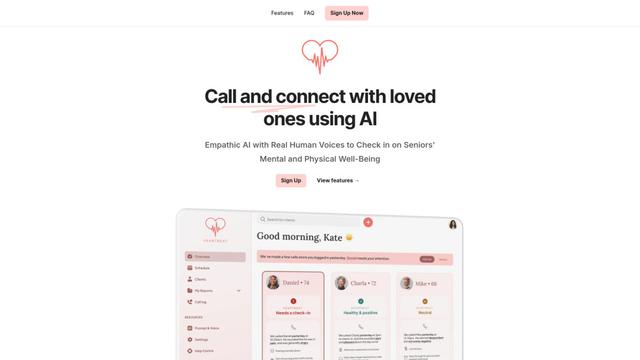
Heartbeat ist eine vielseitige Plattform, die sowohl eine Online-Community-Bau-Lösung als auch ein KI-gestütztes Wellness-Anrufsystem für Senioren und gefährdete Personen bietet, mit anpassbaren Räumen, Echtzeit-Kommunikation und Gesundheitsüberwachungsfunktionen.
Resonoon
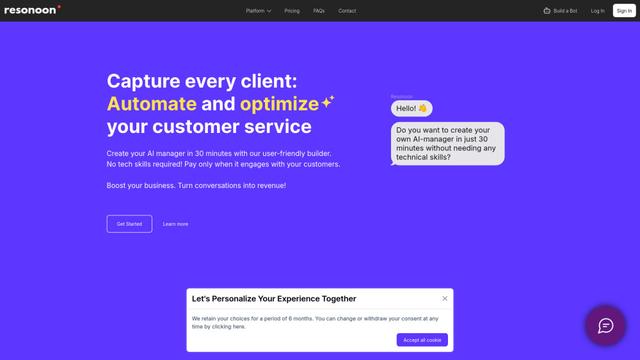
Resonoon ist eine No-Code-B2B-SaaS-Plattform, die es Unternehmen ermöglicht, KI-gestützte Sprach- und Chatbots in 30 Minuten ohne technische Fähigkeiten zu erstellen und ein Preismodell pro Gespräch anzubieten.
WhatsBoost
WhatsBoost ist eine KI-gestützte WhatsApp-Marketingplattform und offizieller Meta-Partner, die es Unternehmen ermöglicht, Kundenkommunikationen zu automatisieren, Kampagnen zu verwalten und über offene APIs mit mehreren Diensten zu integrieren.
Vapify
Vapify ist eine White-Label-Plattform, die es Agenturen ermöglicht, die Voice-AI-Lösungen von Vapi.ai unter ihrer eigenen Marke anzubieten, während sie die Kontrolle über Kundenbeziehungen aufrechterhalten und die Einnahmen maximieren.
Beliebte KI-Tools wie ClawEase
Salesforce Einstein
Salesforce Einstein ist eine integrierte Plattform für künstliche Intelligenz, die KI-Funktionen in die CRM-Produkte von Salesforce bringt und prädiktive Analytik, natürliche Sprachverarbeitung und maschinelles Lernen bietet, um Kundenerlebnisse und Geschäftsprozesse zu verbessern.
Pernell
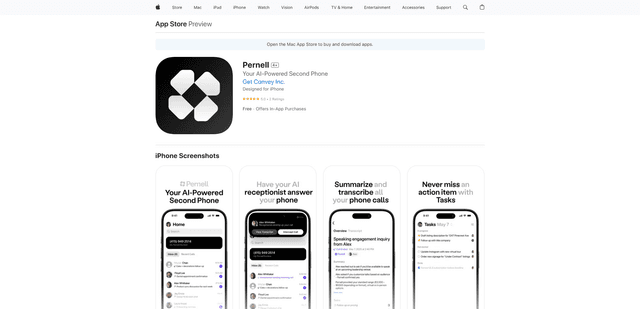
Pernell ist eine KI-gestützte Rezeptions-App, die Anrufe entgegennimmt, Zusammenfassungen und Transkripte bereitstellt und Follow-ups in Ihrem Namen verwaltet.
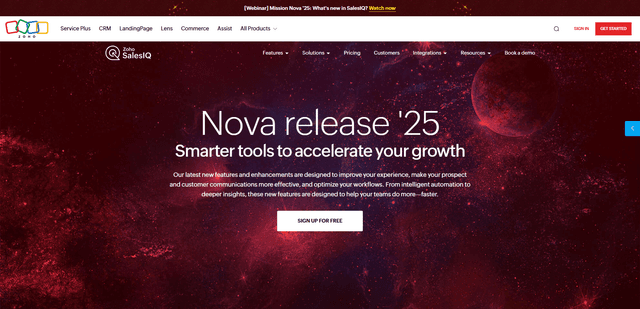
Zoho SalesIQ Nova '25
Zoho SalesIQ Nova '25 ist ein umfassendes Update mit über 25 neuen Verbesserungen in den Bereichen KI-gestützte Chatbots, GenAI-Tools, Messaging-Kanäle, Workflows und Integrationen, um Unternehmen dabei zu helfen, die Kundenbindung und das Umsatzwachstum zu beschleunigen.
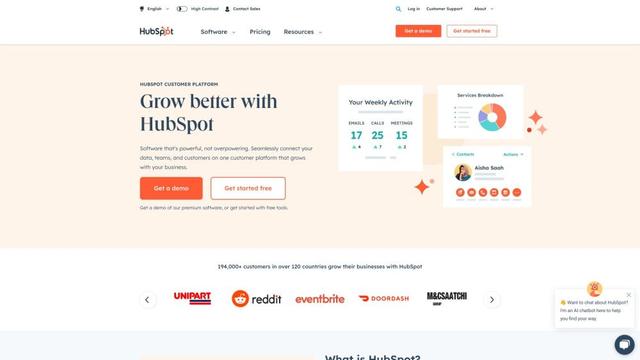
HubSpot
HubSpot ist eine All-in-One-Kundenplattform, die von KI unterstützt wird und Marketing-, Vertriebs-, Service-, Betriebs- und Website-Erstellungssoftware bereitstellt, um Unternehmen beim Wachstum zu helfen.