Claw Executive OS
Claw Executive OS is an AI-powered desktop operating system that automates file system management through intelligent agents, offering a no-code, subscription-free solution with built-in privacy and trust features.
https://claw.so/?ref=producthunt

Product Information
Updated:Jan 8, 2026
What is Claw Executive OS
Claw Executive OS is a revolutionary desktop application designed to function as your digital chief of staff, providing automated file system management through AI agents. It's a native application available for Mac and Windows (with Linux support coming soon) that brings enterprise-level automation capabilities to personal computing. Unlike traditional automation tools, Claw operates with a unique 'Trust UI' approach where all operations are simulated and previewed before execution, ensuring complete transparency and control for users.
Key Features of Claw Executive OS
Claw Executive OS is an AI-powered desktop application that automates file system operations through intelligent agents. It offers a privacy-focused approach where all data stays local, features a Trust UI for previewing operations before execution, and supports multiple AI agents working in parallel. The system is available as a one-time purchase with lifetime updates, runs natively on Mac and Windows, and allows users to bring their own API keys for various AI models.
Trust UI System: Provides simulation and preview of all file operations before execution, allowing users to approve or reject changes with confidence
Privacy-First Architecture: All data processing happens locally on the user's machine with no cloud storage or data collection
Multi-Agent Support: Ability to run multiple AI agents simultaneously in isolated sessions for handling different tasks
BYOK Integration: Supports integration with various AI models including Claude, GPT, and Gemini through user's own API keys
Use Cases of Claw Executive OS
File System Automation: Automate complex file organization and management tasks using natural language commands
Desktop Workflow Optimization: Streamline repetitive file operations and administrative tasks through AI-powered automation
Knowledge Management: Organize and manage digital assets with shared knowledge base synchronization
Pros
One-time purchase model with no recurring subscriptions
Strong focus on privacy and data security
Native desktop performance with no cloud dependence
Cons
Limited Linux support (coming soon)
Requires own API keys for some AI model integrations
Relatively new product with potential early-stage limitations
How to Use Claw Executive OS
Download and Install: Download Claw for Mac/Windows from claw.so/download or install via CLI using 'npm i -g @pixelml/claw'
Choose Plan: Start with the free tier to explore basic features, or purchase the Pro lifetime license ($29 early bird pricing) for full access
Set Up AI Provider: Configure an AI provider by either using your own API keys (BYOK) for Claude/GPT/Gemini, or use the included Ishi Intent Engine/Pixel ML OpenRouter
Review Trust UI: Before executing any file operations, review the simulation and preview in the Trust UI to approve or reject changes
Use Natural Language Commands: Control your local file system by giving natural language commands to the AI agents
Access Premium Features: Pro users can access 100+ premium skills in the Skill Marketplace and use AgenticFlow Cloud for 24/7 task delegation
Manage Multiple Agents: Run multiple AI agents in parallel for different tasks, with each session isolated from others
Monitor Privacy: All operations are performed locally - verify that data stays on your machine and no information is sent to cloud storage
Claw Executive OS FAQs
Claw is an Executive OS that automates your local file system through AI agents. It allows you to control your file system using natural language commands without requiring coding knowledge.
Claw Executive OS Video
Popular Articles

Vosko AI: Localize and Dub Videos for Global Audiences
Oct 15, 2026

Atoms: A Multi-Agent AI Platform That Transforms Ideas into Launch-Ready Products
Oct 13, 2026

Nano Banana SBTI: What It Is, How It Works, and How to Use It in 2026
Apr 15, 2026

Atoms Review — The AI Product Builder Redefining Digital Creation in 2026
Apr 10, 2026
Latest AI Tools Similar to Claw Executive OS
Sortio
Sortio is an AI-powered desktop application that enables effortless file organization through natural language commands and intelligent sorting capabilities.
elDoc
elDoc is an all-in-one integrated automated platform that combines eSignatures, Document Workflow Automation, Secure File Management, and AI Document Processing capabilities to streamline document management and processing tasks.
RemoteSpace
RemoteSpace is a secure collaboration platform that transforms any online tool into a shared workspace, allowing teams to manage multiple accounts, collaborate asynchronously, and maintain security without sharing passwords.
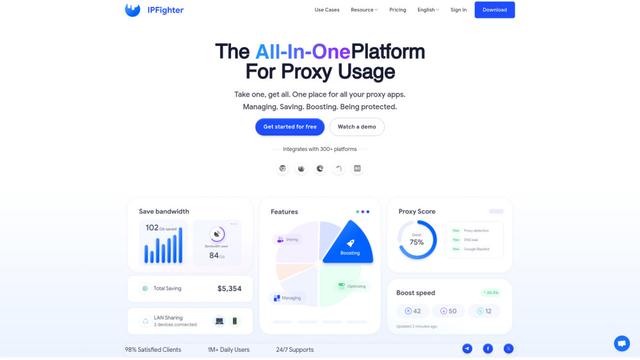
Proxy Booster
Proxy Booster is an all-in-one proxy management platform that helps users boost proxy speed, reduce proxy costs, and enhance security through AI-powered features like Smart-cache and custom proxy rules.
Popular AI Tools Like Claw Executive OS

Claude Folder Upload
A Chrome extension that enables users to upload entire folders to Claude AI while intelligently preserving directory structures and file relationships, with smart filtering capabilities for irrelevant files.
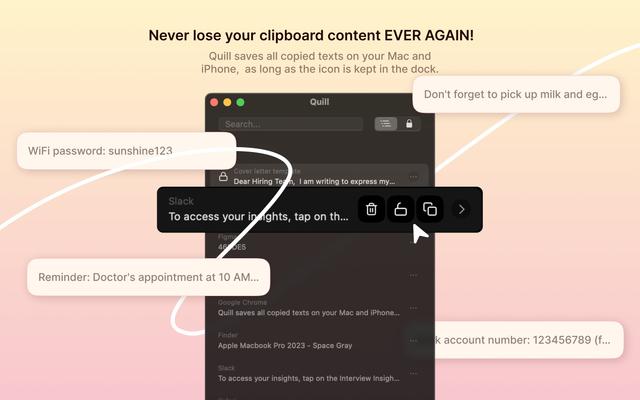
Quill
Quill is a comprehensive clipboard manager that automatically captures and organizes everything you copy across your Apple devices, featuring smart search, quick access, and seamless synchronization capabilities.
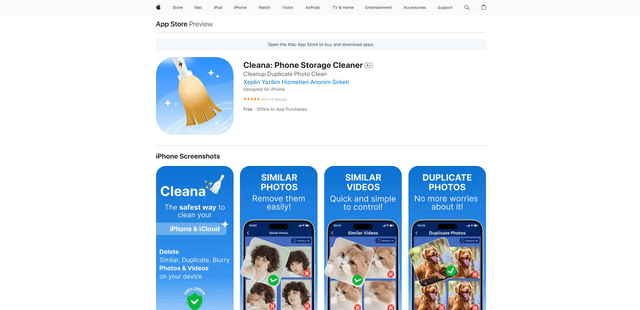
Cleana: iPhone Storage Cleaner
FreemiumAI Files Assistant
Cleana is an AI-powered iPhone storage cleaner that helps users efficiently identify and remove duplicate photos, similar videos, and unnecessary files while ensuring 100% offline data privacy.
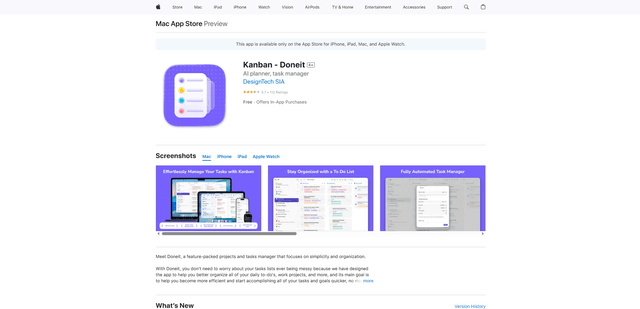
Doneit
Doneit is a feature-packed projects and tasks manager app that focuses on simplicity and organization, offering multiple views like list, grid, Kanban board and timeline to help users better organize all their daily to-do's and work projects.