
AnyFrame
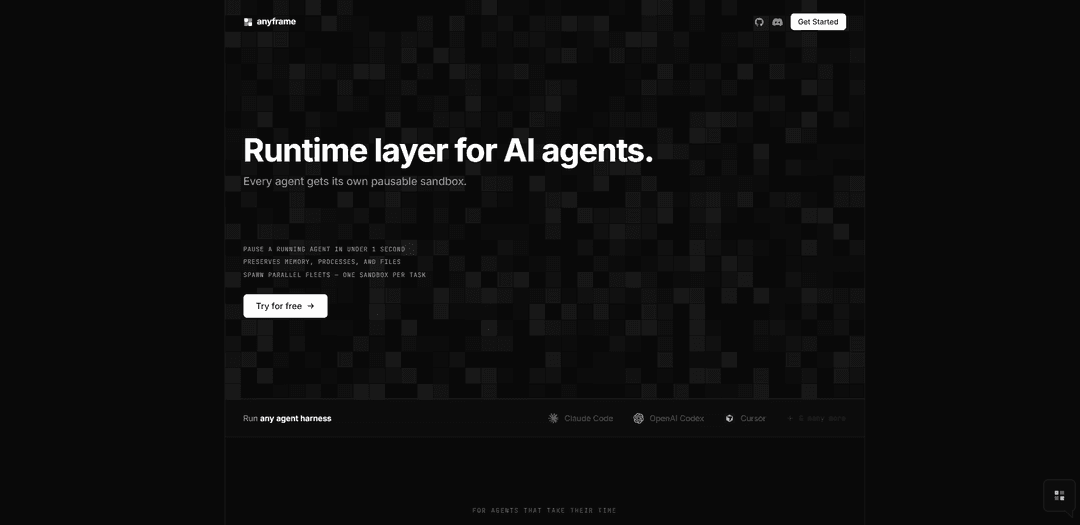
AnyFrame is a runtime layer for AI agents that gives each agent a pausable microVM sandbox, preserving memory, processes, and files so you can pause/resume in under a second and run parallel fleets of isolated tasks.
https://anyfrm.com/?ref=producthunt
Product Information
Updated:Jun 8, 2026
What is AnyFrame
AnyFrame (anyfrm.com) is an infrastructure/runtime product designed to run AI agents inside dedicated, sandboxed “frames.” Each frame behaves like a small computer environment (a microVM) that an agent can use to execute work over time—such as coding, testing, refactoring, or running long workflows—without losing state. The core idea is persistence and control: you can pause a running agent quickly and later resume it exactly where it left off, while also managing many agent sandboxes at once through a unified fleet view.
Key Features of AnyFrame
AnyFrame (anyfrm.com) is a runtime layer for AI agents that gives each agent its own pausable “frame” (a microVM sandbox) with preserved filesystem, processes, and memory. It supports pausing and resuming agents quickly via snapshotting, managing many concurrent agent sandboxes as a fleet with centralized visibility into status and resource usage, and spawning parallel frames per task via an SDK. It also integrates with common work tools (e.g., GitHub, Slack, Notion, Linear, Atlassian, Gmail, Google Drive/Calendar, Figma) to connect agents to the systems teams already use.
Pausable microVM sandboxes: Each agent runs inside its own frame (microVM) that encapsulates processes, memory, and files, enabling safe isolation per task or per agent.
Fast pause/resume via snapshotting: Pause a running agent and snapshot the full sandbox state to disk, then resume hours or days later to continue from the next instruction with state intact.
Fleet management dashboard: View running/paused/cold frames in one place with operational visibility such as CPU, memory, uptime, and the command in flight—without needing SSH or cloud consoles.
Parallel task spawning (one frame per job): An SDK-driven loop can create a fresh sandbox per incoming job, run tasks in parallel at scale, and snapshot when complete—supporting “fleaets” of agents.
Agent-harness compatibility: Designed to run popular agent harnesses/tools (examples shown include Claude Code, OpenAI Codex, and Cursor), reducing friction to adopt within existing workflows.
Tool connectors for real workflows: Integrates with common collaboration and productivity tools (e.g., GitHub, Slack, Notion, Linear, Atlassian, Gmail, Google Drive/Calendar, Figma) with per-agent toggles after authorization.
Use Cases of AnyFrame
Software engineering automation at scale: Spawn one frame per ticket/PR to run refactors, tests, and code review tasks in parallel, pausing long-running jobs and resuming later without losing state.
Customer support and operations runbooks: Run troubleshooting agents in isolated frames that preserve logs, open sessions, and intermediate artifacts; pause during handoffs and resume seamlessly across shifts.
Data/ML experimentation pipelines: Give each experiment or evaluation run its own sandboxed frame; pause expensive runs, resume later, and manage many concurrent jobs with fleet-level visibility.
Security and incident response workflows: Use isolated microVM frames to analyze suspicious artifacts or reproduce incidents safely, preserving full investigation state for later audit or continuation.
Product and design collaboration with connected tools: Enable agents to act across connected systems (e.g., GitHub + Linear + Figma + Slack), while keeping each task’s environment encapsulated and resumable.
Pros
Strong state preservation: snapshots keep memory/process/file state, enabling true pause-and-resume workflows.
Scales parallel work: one-sandbox-per-task model supports running many agents concurrently with centralized fleet visibility.
Integrates into existing stacks: connectors to common tools reduce adoption friction for teams.
Cons
Operational complexity: managing microVM-based sandboxes and fleets may introduce overhead versus simpler stateless agent execution.
Resource/cost considerations: parallel frames (even if pausable) can increase infrastructure usage depending on workload patterns.
Integration/security governance: connecting agents to tools like email, drives, and issue trackers may require careful permissioning and compliance controls.
How to Use AnyFrame
1) Pick which “AnyFrame” you mean (there are multiple unrelated products with the same name).: From the sources above, “AnyFrame” can refer to: (A) the Zsh wrapper plugin (mollifier/anyframe) for peco/percol/fzf, (B) the AI-agent runtime layer at anyfrm.com, or (C) the utility-first CSS library @anyframe/css. Follow the tutorial below that matches your use case.
2) (Zsh plugin) Install a selector tool (peco, percol, fzf, or fzf-tmux).: AnyFrame (Zsh) delegates interactive selection to one of these tools. Install at least one of: peco, percol, fzf, or fzf-tmux so AnyFrame can open a selector UI.
3) (Zsh plugin) Initialize AnyFrame functions in your Zsh session.: Autoload and run the initializer so AnyFrame can register its functions/widgets:
- autoload -Uz anyframe-init
- anyframe-init
This scans anyframe-functions/{actions,selectors,sources,widgets}, autoloads functions, and registers widgets with zle.
4) (Zsh plugin) Choose which selector backend AnyFrame should use via zstyle.: Set the selector engine explicitly:
- zstyle ":anyframe:selector:" use peco
(or percol / fzf-tmux / fzf)
Optionally set the command + flags for each selector:
- zstyle ":anyframe:selector:peco:" command 'peco --no-ignore-case'
- zstyle ":anyframe:selector:percol:" command 'percol --case-sensitive'
- zstyle ":anyframe:selector:fzf-tmux:" command 'fzf-tmux --extended'
- zstyle ":anyframe:selector:fzf:" command 'fzf --extended'
5) (Zsh plugin) Bind AnyFrame widgets to keys you want.: Map widgets to shortcuts using bindkey. Examples from the sources:
- bindkey '^xb' anyframe-widget-cdr
- bindkey '^x^b' anyframe-widget-checkout-git-branch
- bindkey '^xr' anyframe-widget-execute-history
- bindkey '^xi' anyframe-widget-put-history
- bindkey '^xg' anyframe-widget-cd-ghq-repository
- bindkey '^xk' anyframe-widget-kill
- bindkey '^xe' anyframe-widget-insert-git-branch
After binding, press the key combo to open an interactive selector and then either execute the chosen result or insert it into the command line (depending on the widget).
6) (AI-agent runtime at anyfrm.com) Understand the core concept: a “frame” is a microVM sandbox per task/agent.: Each frame preserves filesystem, processes, and memory. You can pause a running agent quickly, resume later, and manage many frames in parallel (a fleet).
7) (AI-agent runtime) Create an AnyFrame client in Python and spawn an agent per job.: Use the SDK pattern shown in the sources:
- Install: $ uv add anyframe
- In code:
import anyframe
af = anyframe.AnyFrame()
for job in incoming_jobs:
agent = af.agents.create(name="auth-fix", repo_url="acme/api")
af.sessions.create(agent_id=agent.id)
This creates a fresh sandboxed environment (frame/session) for each task so you can run many in parallel.
8) (AI-agent runtime) Pause and resume frames to preserve state.: Pause a frame to snapshot it to disk (memory, processes, open file handles). Resume hours/days later and continue from where it left off. Use the fleet view to see running/paused/cold frames and their CPU/memory/uptime and the command in flight.
9) (AI-agent runtime) Connect your tools per agent (optional).: Authorize integrations once and toggle them per agent as needed. The sources list connectors such as Linear, GitHub, Slack, Notion, Atlassian, Gmail, Figma, Google Calendar, and Google Drive.
10) (@anyframe/css) Install and import AnyCSS.: Use one of the supported formats:
- ESM: import { AnyCSS } from '@anyframe/css'
- CJS: const { AnyCSS } = require('@anyframe/css')
- IIFE/CDN: <script src="https://cdn.jsdelivr.net/npm/@anyframe/css@latest/dist/anycss.iife.js"></script> then const { AnyCSS } = __anyframe_css__
11) (@anyframe/css) Render utility classes into CSS.: Create an instance and render classes:
import { AnyCSS } from '@anyframe/css'
const css = new AnyCSS({ /* configuration */ })
console.log(css.render(['bg-red-500','flex','md:flex','[&.active]:bg-blue-500']))
This outputs CSS for the provided utility tokens, including responsive variants (e.g., md:flex) and stateful selectors (e.g., [&.active]:...).
AnyFrame FAQs
AnyFrame is a runtime layer for AI agents where each agent runs in its own pausable sandbox called a “frame.”
Popular Articles

Atoms: A Multi-Agent AI Platform That Transforms Ideas into Launch-Ready Products
May 22, 2026

Nano Banana SBTI: What It Is, How It Works, and How to Use It in 2026
Apr 15, 2026

Atoms Review — The AI Product Builder Redefining Digital Creation in 2026
Apr 10, 2026

Kilo Claw: How to Deploy and Use a True "Do‑It‑For‑You" AI Agent(2026 Update)
Apr 3, 2026
Latest AI Tools Similar to AnyFrame

invoices.dev
invoices.dev is an automated invoicing platform that generates invoices directly from developers' Git commits, with integration capabilities for GitHub, Slack, Linear, and Google services.

Monyble
Monyble is a no-code AI platform that enables users to launch AI tools and projects within 60 seconds without requiring technical expertise.

Devozy.ai
Devozy.ai is an AI-powered developer self-service platform that combines Agile project management, DevSecOps, multi-cloud infrastructure management, and IT service management into a unified solution for accelerating software delivery.
Mediatr
MediatR is a popular open-source .NET library that implements the Mediator pattern to provide simple and flexible request/response handling, command processing, and event notifications while promoting loose coupling between application components.
Popular AI Tools Like AnyFrame
Launch
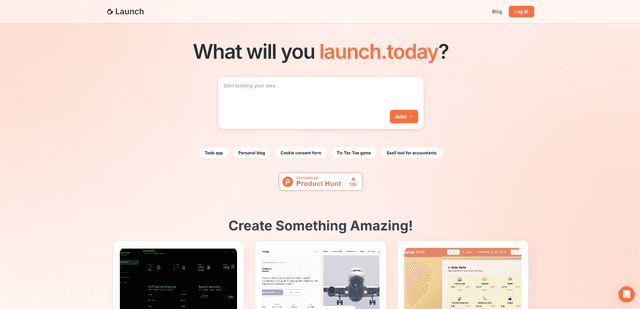
Launch is an AI-powered platform that enables users to build full-stack applications instantly while providing comprehensive tools for product launches, entrepreneurship programs, and customer acquisition.

GitHub Copilot Chat
GitHub Copilot Chat is an AI-powered coding assistant that provides natural language interactions, real-time code suggestions, and contextual support directly within supported IDEs and GitHub.com.

Rememberall
Rememberall is a secure, open-source long-term memory solution that enables AI applications and GPT models to maintain persistent memory across conversations through semantic search and vector storage capabilities.

Upsonic
Upsonic is a reliability-focused AI agent framework with dockerized server-client architecture that enables trusted agent workflows through advanced features like verification layers, triangular architecture, and Model Context Protocol (MCP) integration.