
Alexandria
Alexandria is an AI-powered knowledge management platform that helps users create, collaborate, search and share information efficiently.
https://www.alexandria-agent.com/?ref=producthunt

Product Information
Updated:Mar 8, 2026
What is Alexandria
Alexandria is an intelligent knowledge management platform that leverages artificial intelligence to transform how organizations handle documentation and knowledge sharing. Named after the ancient Library of Alexandria which aimed to be a repository of all human knowledge, this modern platform carries forward that mission by providing a comprehensive solution for managing and accessing organizational knowledge in the digital age.
Key Features of Alexandria
Alexandria appears to be a documentation and knowledge management platform that aims to reimagine how documentation is created, organized and accessed. Based on the tagline 'Knowledge Empowers', it seems focused on empowering organizations and users through better knowledge management and documentation experiences.
Documentation Reimagining: Provides a new approach to creating and managing documentation compared to traditional methods
Free Trial Option: Offers a free trial period for users to test and evaluate the platform
Web-Based Platform: Accessible through web browsers with user login functionality
Use Cases of Alexandria
Corporate Documentation: Managing internal documentation and knowledge bases for companies
Knowledge Management: Organizing and accessing shared knowledge within teams and organizations
Documentation Experience: Creating improved documentation experiences for users and readers
Pros
Modern approach to documentation
Web-based accessibility
Free trial available
Cons
Limited public information about specific features
Unclear pricing structure
How to Use Alexandria
Set up initial configuration: Configure your preferences and customize Alexandria to fit your library's needs. Set up library hardware and establish rules for how resources will be used.
Import data: Add multiple patron records and library items at once through the import functionality. Make sure to back up your database after importing.
Barcode your collection: Follow best practices to barcode your entire collection of library materials. This enables tracking and circulation of items.
Set up integrations: Configure integrations with supported services like BestMARC, SchoolDay, Google, NoveList, TeachingBooks and others as needed.
Install hardware: Set up scanners, printers and other hardware using the provided installation guides and documentation.
Train staff: Utilize training resources including how-to videos, webinars, and one-on-one training sessions to get staff up to speed.
Ongoing maintenance: Regularly back up data, archive as needed, and stay current with weekly tips and updates to use Alexandria efficiently.
Alexandria FAQs
Asking Alexandria is managed by Diony Sepulveda.
Alexandria Video
Popular Articles

Atoms: A Multi-Agent AI Platform That Transforms Ideas into Launch-Ready Products
Oct 13, 2026

Nano Banana SBTI: What It Is, How It Works, and How to Use It in 2026
Apr 15, 2026

Atoms Review — The AI Product Builder Redefining Digital Creation in 2026
Apr 10, 2026

Kilo Claw: How to Deploy and Use a True "Do‑It‑For‑You" AI Agent(2026 Update)
Apr 3, 2026
Latest AI Tools Similar to Alexandria
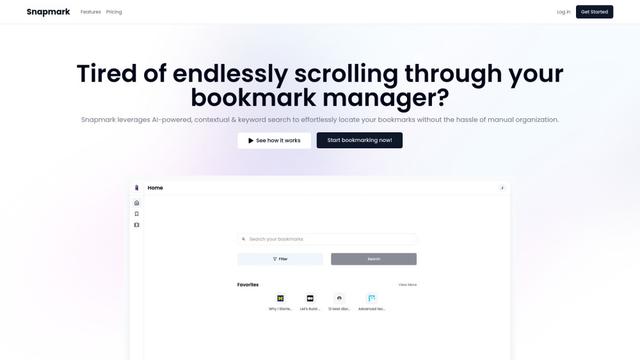
Snapmark
Snapmark is an AI-powered search engine for bookmarks that allows users to save, search, and organize websites, images, and text without manual tagging or categorization.
Uměl.cz
Uměl.cz is a Czech AI-powered search engine that provides intelligent and contextual answers to user queries.

想读 (WantRead)
想读(WantRead) is an AI-powered reading and note-taking platform that helps users easily import, read, annotate and build their personal knowledge base.

PodExtra AI
PodExtra AI is an advanced AI-powered podcast tool that transforms podcast content into digestible formats through transcripts, summaries, mind maps, outlines, highlights and takeaways.
Popular AI Tools Like Alexandria

Rememberall
Rememberall is a secure, open-source long-term memory solution that enables AI applications and GPT models to maintain persistent memory across conversations through semantic search and vector storage capabilities.

CogniMemo Extension
CogniMemo is a browser extension that adds long-term memory capabilities to AI tools like ChatGPT, Claude, Gemini, and DeepSeek by enabling context-aware conversations and knowledge management through saved notes and past chats.
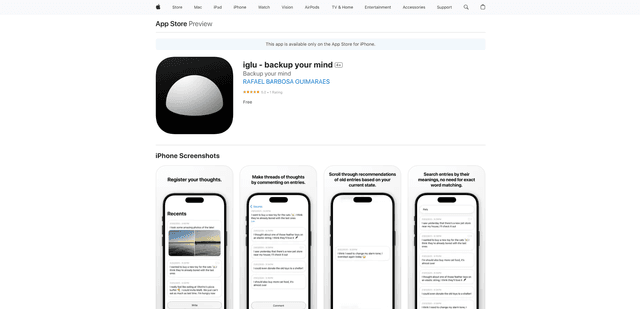
iglu
Iglu is a private, AI-powered micro-journaling app that helps users record, organize, and revisit their thoughts, memories, and ideas through text and media entries with intelligent search and recommendation features.
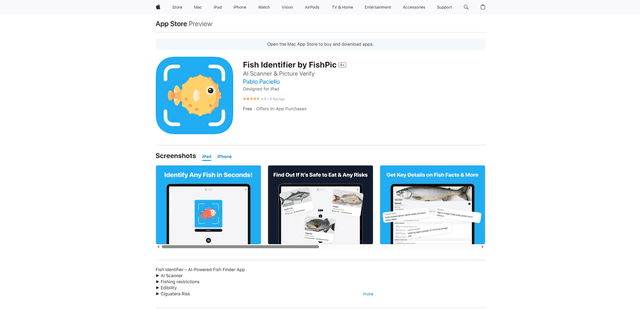
FishPic
FishPic is an AI-powered fish identification app that instantly recognizes fish species from photos while providing comprehensive information about edibility, regulations, and recipes.