
adsideō
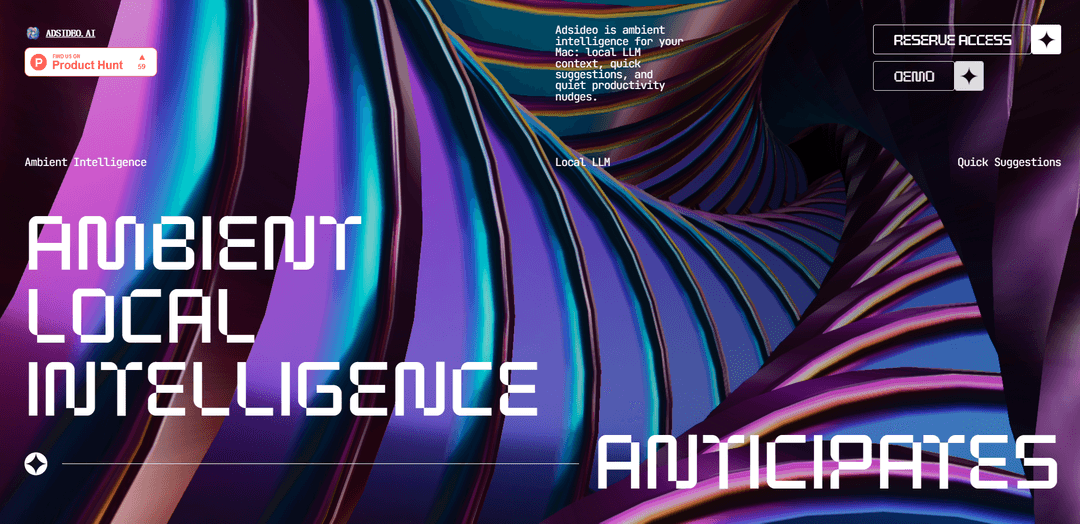
adsideō là một trợ lý thông minh môi trường ưu tiên cục bộ dành cho Mac sử dụng suy luận LLM trên thiết bị để nhận biết ngữ cảnh công việc và đưa ra các đề xuất nhanh chóng, có thể hành động mà không làm gián đoạn luồng công việc của bạn.
https://adsideo.ai/?ref=producthunt&utm_source=aipure
Thông tin Sản phẩm
Đã cập nhật:Jul 8, 2026
adsideō là gì
adsideō (còn được gọi là Adsideo) là một người bạn đồng hành “trí tuệ môi trường” chạy âm thầm trên máy Mac của bạn và giúp bạn di chuyển nhanh hơn qua các khoảnh khắc làm việc hàng ngày. Thay vì là một ứng dụng độc lập khác mà bạn phải mở và quản lý, nó được thiết kế như một lớp môi trường quan sát ngữ cảnh cục bộ có liên quan đến những gì bạn đang làm—chẳng hạn như màn hình, cuộc họp, tệp và ứng dụng—và sau đó biến ngữ cảnh đó thành các đề xuất kịp thời mà bạn có thể chấp thuận hoặc bỏ qua. Nó nhấn mạnh việc xử lý cục bộ và kiểm soát quyền riêng tư rõ ràng, định vị mình là một công cụ năng suất dành cho những người muốn được hỗ trợ mà không bị giám sát.
Các Tính năng Chính của adsideō
adsideō (Adsideo) là một công cụ đồng hành thông minh môi trường, ưu tiên cục bộ dành cho macOS, lặng lẽ quan sát ngữ cảnh công việc trên thiết bị (trên các màn hình, cuộc họp, tệp và ứng dụng) và sử dụng các LLM cục bộ nhỏ để suy luận về những gì bạn đang làm và đưa ra các đề xuất nhanh chóng, có thể hành động—như theo dõi, sửa lỗi, sắp xếp hoặc các bước tiếp theo—mà không buộc bạn phải chuyển đổi ứng dụng. Nó nhấn mạnh các biện pháp kiểm soát quyền riêng tư và tránh hành vi "phần mềm giám sát" bằng cách giữ việc thu thập và suy luận ngữ cảnh cục bộ theo mặc định, với các đề xuất mà bạn có thể chấp thuận hoặc bỏ qua ngay lập tức.
Lớp nhận thức môi trường: Thụ động nhận thấy các tín hiệu hữu ích trên các màn hình, cuộc họp, tệp và ứng dụng trong khi bạn vẫn tập trung, nhằm mục đích phát hiện "những khoảnh khắc công việc lộn xộn" khi sự giúp đỡ là kịp thời.
Suy luận LLM cục bộ: Sử dụng các mô hình nhỏ trên thiết bị để hiểu ngữ cảnh hiện tại và khớp nó với những gì đã giúp ích trước đây, cho phép đưa ra đề xuất mà không cần dựa vào trợ lý ưu tiên đám mây.
Các đề xuất nhanh chóng, theo ngữ cảnh: Đưa ra các hành động nhỏ gọn (ví dụ: theo dõi, sửa lỗi, sắp xếp, bước tiếp theo) vào thời điểm chúng có thể tiết kiệm thời gian—được thiết kế để được chấp thuận hoặc bỏ qua nhanh chóng.
Không có quy trình làm việc chuyển đổi ngữ cảnh: Đưa ra các đề xuất mà không buộc bạn phải mở một ứng dụng hoặc giao diện trò chuyện khác, giữ người dùng trong các công cụ và quy trình làm việc hiện có của họ.
Tư thế quyền riêng tư ưu tiên cục bộ: Được xây dựng với các biện pháp kiểm soát rõ ràng và lập trường "không có quy trình đào tạo bí ẩn"; được thiết kế để giúp bạn ghi nhớ và hành động trong công việc mà không biến dữ liệu của bạn thành tập dữ liệu của người khác.
Dùng thử + đăng ký truy cập sớm: Cung cấp bản dùng thử 14 ngày với mức giá niêm yết 15 USD/tháng sau khi dùng thử cho những người dùng sớm định hình bản beta riêng tư.
Các Trường hợp Sử dụng của adsideō
Theo dõi cuộc họp cho nhân viên tri thức: Sau các cuộc họp hoặc cuộc gọi, nó có thể nhắc nhở hành động tiếp theo—soạn thảo các mục theo dõi, ghi lại các mục hành động hoặc nhắc bạn gửi tệp—dựa trên những gì hiển thị trên màn hình và trong quy trình làm việc của bạn.
Phối hợp dự án trong sản phẩm/kỹ thuật: Khi xử lý nhiều phiếu, tài liệu và mã, nó có thể đề xuất bước tiếp theo (ví dụ: cập nhật tài liệu, ghi chú, tạo tác vụ) bằng cách nhận diện ngữ cảnh trên các công cụ.
Vệ sinh tác vụ bán hàng/CS: Trong khi làm việc trên email, ghi chú và tài liệu khách hàng, nó có thể thúc đẩy các hành động kịp thời như ghi lại kết quả, chuẩn bị các bước tiếp theo hoặc tổ chức các tài liệu tài khoản mà không cần rời khỏi ứng dụng hiện tại.
Quy trình làm việc vận hành và quản trị: Giúp giảm "sự lộn xộn trong công việc" bằng cách đề xuất các hành động sắp xếp/tổ chức (đặt tên, lưu và định vị các tài liệu liên quan) khi bạn di chuyển giữa các bảng tính, PDF và các công cụ nội bộ.
Các ngành công nghiệp nhạy cảm về quyền riêng tư: Các nhóm trong lĩnh vực chăm sóc sức khỏe, pháp lý hoặc tài chính có thể hưởng lợi từ việc suy luận và đề xuất ngữ cảnh trên thiết bị trong khi giảm thiểu việc tiết lộ dữ liệu công việc nhạy cảm cho các dịch vụ bên ngoài.
Ưu điểm
Thiết kế ưu tiên cục bộ và tư thế quyền riêng tư nhằm tránh thu thập dữ liệu theo kiểu giám sát.
Các đề xuất nhỏ gọn, tức thời giúp giảm chuyển đổi ngữ cảnh và giữ người dùng tập trung.
Suy luận LLM trên thiết bị có thể cải thiện khả năng phản hồi và giảm sự phụ thuộc vào kết nối đám mây.
Nhược điểm
Chỉ dành cho macOS (được định vị là "dành cho máy Mac của bạn"), hạn chế các nhóm đa nền tảng.
Khả năng phụ thuộc vào ngữ cảnh mà nó có thể thu thập đáng tin cậy từ "bề mặt" của máy Mac, có thể khác nhau tùy theo ứng dụng và quyền hạn.
Các mô hình cục bộ nhỏ có thể kém khả năng hơn các LLM đám mây lớn đối với suy luận phức tạp hoặc tạo nội dung dài.
Cách Sử dụng adsideō
1) Cài đặt Adsideo trên máy Mac của bạn: Truy cập https://adsideo.ai/ và tham gia quyền truy cập sớm. Tải xuống và cài đặt ứng dụng đồng hành trên Mac, sau đó bắt đầu dùng thử 14 ngày (được liệt kê là 15 đô la/tháng sau khi dùng thử).
2) Khởi chạy Adsideo và giữ nó chạy trong nền: Mở Adsideo một lần sau khi cài đặt. Nó được thiết kế để chạy âm thầm trên máy Mac của bạn như một “lớp môi trường”, vì vậy bạn có thể tiếp tục làm việc bình thường mà không cần chuyển sang một ứng dụng riêng biệt.
3) Xem xét và đặt các kiểm soát quyền riêng tư trước khi sử dụng nó trong công việc thực tế: Cấu hình tư thế ưu tiên cục bộ của Adsideo: xác nhận rằng ngữ cảnh công việc được ghi lại cục bộ và bạn có các kiểm soát rõ ràng về những gì nó có thể quan sát. Định vị sản phẩm nhấn mạnh “ưu tiên cục bộ theo mặc định” và “kiểm soát rõ ràng”.
4) Làm việc như bình thường trên các ứng dụng, tệp, cuộc họp và màn hình: Tiếp tục quy trình làm việc bình thường của bạn. “Nhận thức môi trường” của Adsideo nhằm mục đích nhận thấy các tín hiệu hữu ích trên các màn hình, cuộc họp, tệp và ứng dụng trong khi bạn vẫn duy trì trạng thái làm việc.
5) Cho phép Adsideo nắm bắt ngữ cảnh cục bộ từ bề mặt Mac của bạn: Khi bạn làm việc, Adsideo nắm bắt khoảnh khắc làm việc hiện tại (“ngữ cảnh công việc được nắm bắt cục bộ từ bề mặt Mac”) để nó có thể hiểu những gì bạn đang làm mà không yêu cầu sao chép/dán thủ công.
6) Cho phép suy luận LLM cục bộ diễn giải khoảnh khắc: Adsideo sử dụng các mô hình cục bộ nhỏ để suy luận về ngữ cảnh hiện tại và truy xuất ngữ cảnh trước đó có liên quan (“khớp nó với những gì đã giúp trước đây”). Đây là bước nó biến những khoảnh khắc lộn xộn thành các đề xuất có thể hành động.
7) Theo dõi các đề xuất nhỏ gọn, tức thời: Khi Adsideo phát hiện cơ hội tiết kiệm thời gian, nó sẽ đưa ra “các đề xuất nhanh” dưới dạng các hành động nhỏ gọn—nhằm xuất hiện vào thời điểm chúng hữu ích (ví dụ: một hành động theo dõi, sửa lỗi, tệp hoặc hành động tiếp theo).
8) Chấp thuận hoặc bỏ qua mỗi đề xuất: Sử dụng Adsideo như một trợ lý đồng hành: nhanh chóng chấp thuận các đề xuất bạn muốn, hoặc bỏ qua chúng và tiếp tục. Quy trình làm việc được thiết kế để tránh chuyển đổi ngữ cảnh.
9) Lặp lại những gì nó có thể thấy (thắt chặt hoặc mở rộng ngữ cảnh) để cải thiện mức độ liên quan: Nếu các đề xuất có vẻ không phù hợp, hãy điều chỉnh các kiểm soát của bạn để Adsideo chỉ quan sát các ứng dụng/tệp/ngữ cảnh quan trọng đối với khoảnh khắc làm việc của bạn. Trang web nhấn mạnh “kiểm soát rõ ràng” và thiết kế không giám sát.
10) Sử dụng bản demo để tìm hiểu mẫu tương tác dự định: Trên trang web Adsideo, xem phần demo (“Xem nó dự đoán”) để hiểu cách nó nhận thấy công việc đang diễn ra, suy luận cục bộ và đưa ra hành động hữu ích tiếp theo mà không làm bạn mất tập trung.
11) Tiếp tục sử dụng trong bản beta riêng tư và cung cấp phản hồi: Là người dùng sớm, hãy giữ Adsideo chạy trong các quy trình làm việc thực tế và chia sẻ phản hồi để định hình bản beta riêng tư và quy trình làm việc đồng hành trên Mac trước khi phát hành công khai.
Câu hỏi Thường gặp về adsideō
adsideō là một động từ tiếng Latinh (ngôi thứ hai) có nghĩa là “ngồi gần” hoặc “ngồi bên cạnh.”
Video adsideō
Bài viết phổ biến

Atoms: Nền tảng AI đa tác nhân biến ý tưởng thành sản phẩm sẵn sàng ra mắt
May 22, 2026

Nano Banana SBTI: Nó là gì, Cách thức hoạt động và Cách sử dụng nó vào năm 2026
Apr 15, 2026

Đánh giá Atoms — Trình tạo sản phẩm AI định nghĩa lại việc tạo nội dung số vào năm 2026
Apr 10, 2026

Kilo Claw: Cách Triển Khai và Sử Dụng AI Agent "Làm-Thay-Bạn" Thực Sự (Cập Nhật 2026)
Apr 3, 2026
Công cụ AI Mới nhất Tương tự adsideō

MultipleWords
MultipleWords là một nền tảng AI toàn diện cung cấp 16 công cụ mạnh mẽ cho việc tạo và thao tác nội dung trên âm thanh, video và chỉnh sửa hình ảnh với khả năng truy cập đa nền tảng.

Athena AI
Athena AI là một nền tảng đa năng được hỗ trợ bởi AI cung cấp hỗ trợ học tập cá nhân hóa, giải pháp kinh doanh và huấn luyện cuộc sống thông qua các tính năng như phân tích tài liệu, tạo bài kiểm tra, thẻ ghi nhớ và khả năng trò chuyện tương tác.

Taidai.io
Taidai.io là một công cụ được hỗ trợ bởi AI tự động chuyển đổi ghi chú, email và nội dung văn bản thành danh sách việc cần làm có thể hành động.
Repliio
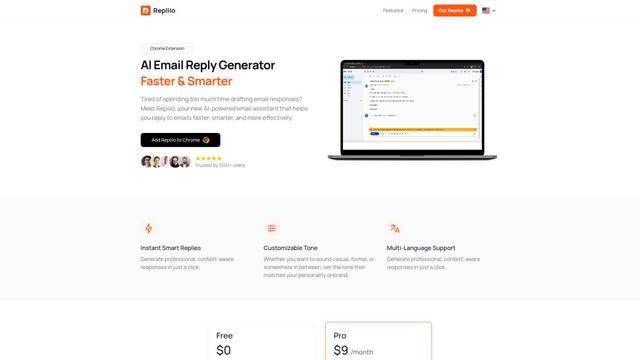
Repliio là một tiện ích mở rộng Chrome trợ lý email được hỗ trợ bởi AI giúp người dùng tạo ra các phản hồi email chuyên nghiệp, nhận thức ngữ cảnh một cách nhanh chóng với các tông giọng tùy chỉnh và hỗ trợ đa ngôn ngữ.
Công cụ AI Phổ biến Giống adsideō

Microsoft Excel: Spreadsheets
Microsoft Excel là phần mềm bảng tính hàng đầu trong ngành cho phép người dùng tổ chức, phân tích và trực quan hóa dữ liệu thông qua các tính năng mạnh mẽ như công thức, biểu đồ và các hiểu biết được hỗ trợ bởi AI.

Standboy
Standboy là một tiện ích mở rộng VS Code/Cursor tự động mở rộng trình giả lập Game Boy (GB/GBC/GBA) trong thanh bên trong quá trình hoạt động của tác nhân AI, sau đó tự động ẩn và tạm dừng—tiếp tục giữa khung hình vào lần tới—trong khi vẫn giữ một thư viện ROM, bản lưu và ảnh bìa liên tục.
Omniaxe
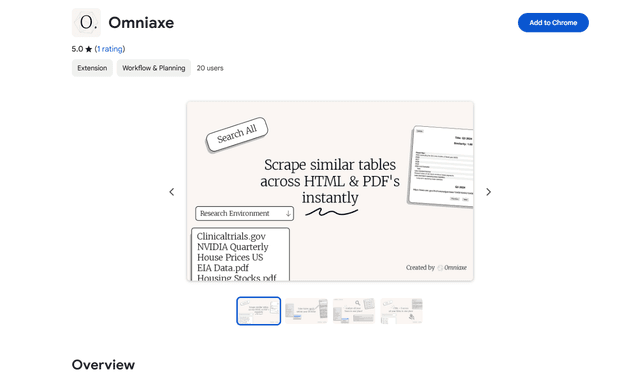
Omniaxe là một công cụ nghiên cứu tiện ích mở rộng Chrome tất cả trong một, kết hợp trích xuất dữ liệu liền mạch, phân tích dựa trên AI và khả năng ghi chú tập trung được thiết kế đặc biệt cho các nhà phân tích, nhà nghiên cứu và sinh viên.

Finesse by Skippr AI
Finesse by Skippr AI là một tiện ích mở rộng của trình duyệt cung cấp phản hồi và phê bình sản phẩm tức thì, ở cấp độ chuyên gia trên các lĩnh vực thiết kế, chiến lược nội dung, khả năng truy cập và định hướng sản phẩm thông qua các nhà đánh giá AI chuyên biệt.