
Google Workspace CLI
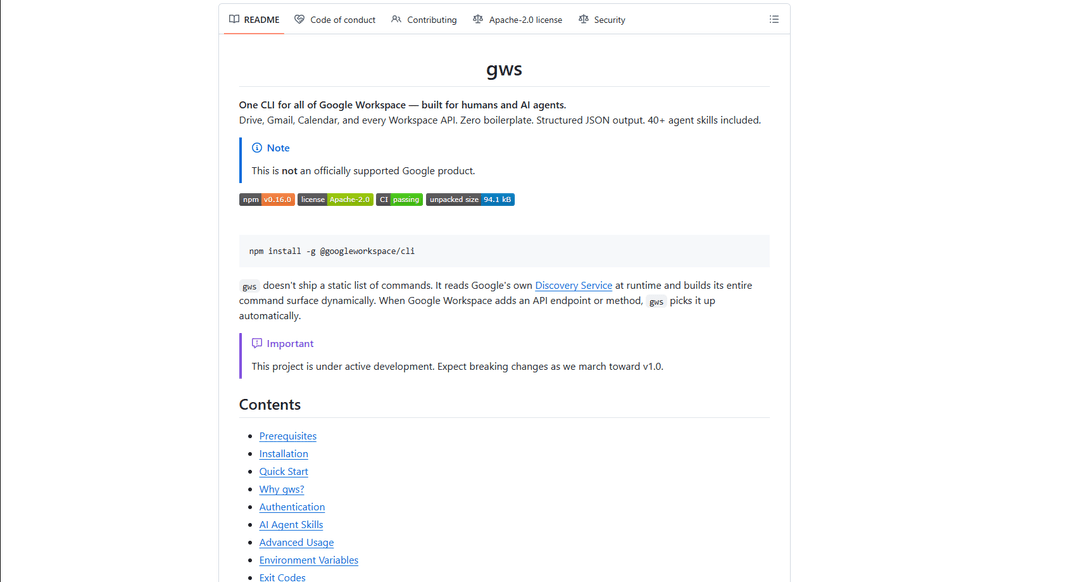
Google Workspace CLI is a unified command-line tool that provides access to all Google Workspace services (Drive, Gmail, Calendar, Sheets, Docs, Chat, Admin) through a single interface, with built-in AI agent skills and dynamic command generation.
https://github.com/googleworkspace/cli?ref=producthunt
Информация о продукте
Обновлено:16/03/2026
Что такое Google Workspace CLI
Google Workspace CLI (gws) is an open-source command-line interface that enables users to interact with all Google Workspace services directly from their terminal, eliminating the need for multiple browser tabs or custom API integrations. Built with Rust and distributed as a Node.js package, it offers a streamlined way to automate Workspace tasks through command-line operations. While not an officially supported Google product, it provides comprehensive access to Google Workspace APIs with features like OAuth authentication, structured JSON output, and built-in AI agent capabilities.
Ключевые особенности Google Workspace CLI
Google Workspace CLI (gws) is a unified command-line tool that provides seamless access to all Google Workspace services including Drive, Gmail, Calendar, Sheets, Docs, Chat, and Admin. It dynamically builds its command surface from Google's Discovery Service, offers structured JSON output for AI agent integration, includes 100+ pre-built agent skills, and supports multiple authentication workflows. The tool simplifies automation and management of Google Workspace services through a single command-line interface, making it ideal for both human users and AI agents.
Dynamic Command Generation: Automatically builds commands from Google's Discovery Service, ensuring up-to-date access to all API endpoints without manual updates
AI Agent Integration: Includes 100+ pre-built agent skills and provides structured JSON output, making it easy for AI agents to interact with Google Workspace services
Flexible Authentication: Supports multiple authentication workflows including interactive desktop, browser-assisted, headless/CI, and service account authentication
Helper Commands: Provides hand-crafted helper commands (prefixed with '+') for common workflows across different services, simplifying complex operations
Варианты использования Google Workspace CLI
Enterprise Automation: Automate routine tasks like email management, document creation, and calendar scheduling across an organization using scripts and AI agents
Development Integration: Integrate Google Workspace services into development workflows and CI/CD pipelines for automated testing and deployment
Personal Productivity: Streamline personal workflow management through command-line access to emails, calendar, and documents without switching between browser tabs
AI Assistant Development: Build AI assistants that can interact with Google Workspace services using structured JSON outputs and pre-built agent skills
Преимущества
Unified interface for all Google Workspace services
Automatic updates through Discovery Service integration
Rich support for AI agent integration with structured outputs
Недостатки
Project is still under active development with potential breaking changes
Requires technical knowledge to set up and use effectively
OAuth scope limitations for unverified apps in testing mode
Как использовать Google Workspace CLI
Install Google Workspace CLI: Run 'npm install -g @googleworkspace/cli' in your terminal to install the CLI globally
Set up authentication: Run 'gws auth setup' which will walk you through creating a Google Cloud project and enabling necessary APIs. If you don't have gcloud CLI, you'll need to set up OAuth credentials manually in Google Cloud Console.
Log in to your Google account: Run 'gws auth login' to authenticate. This will open a browser window for you to sign in to your Google account and grant permissions.
Select required API scopes: During login, choose which Google Workspace APIs you need access to (e.g., 'gws auth login -s drive,gmail,sheets' for specific services)
Test the connection: Try a simple command like 'gws drive files list --params '{"pageSize": 5}'' to verify everything is working
Learn basic commands: Use helper commands prefixed with '+' for common tasks. For example: 'gws gmail +send' to send emails, 'gws drive +upload' for file uploads, 'gws calendar +agenda' to see upcoming events
Handle pagination: Use --page-all flag to auto-paginate results, --page-limit <N> to set max pages, and --page-delay <MS> to set delay between pages
Work with Google Sheets: Always use single quotes when specifying sheet ranges, e.g. 'gws sheets spreadsheets values get --params '{"spreadsheetId": "ID", "range": "Sheet1!A1:C10"}'
Enable debug logging (optional): Set GOOGLE_WORKSPACE_CLI_LOG environment variable for debug output, e.g. 'export GOOGLE_WORKSPACE_CLI_LOG=gws=debug'
Install AI agent skills (optional): Run 'npx skills add https://github.com/googleworkspace/cli' to install all agent skills, or install specific ones like 'npx skills add https://github.com/googleworkspace/cli/tree/main/skills/gws-drive'
Часто задаваемые вопросы о Google Workspace CLI
Google Workspace CLI (gws) is a command-line tool that provides unified access to all Google Workspace services including Drive, Gmail, Calendar, Sheets, Docs, Chat, and Admin. It dynamically builds its command surface from Google's Discovery Service and includes AI agent skills. It's designed for both human users and AI agents to interact with Google Workspace services.
Видео Google Workspace CLI
Популярные статьи

Vosko AI: локализация и дубляж видео для мировой аудитории
Oct 15, 2026

Atoms: Мультиагентная ИИ-платформа, которая превращает идеи в готовые к запуску продукты
May 22, 2026

Nano Banana SBTI: Что это такое, как это работает и как это использовать в 2026 году
Apr 15, 2026

Обзор Atoms — AI Product Builder, переопределяющий цифровое творчество в 2026 году
Apr 10, 2026
Последние ИИ-инструменты, похожие на Google Workspace CLI

Gait
Gait — это инструмент для сотрудничества, который интегрирует генерацию кода с поддержкой ИИ с системой контроля версий, позволяя командам эффективно отслеживать, понимать и делиться контекстом кода, сгенерированного ИИ.

invoices.dev
invoices.dev - это автоматизированная платформа для выставления счетов, которая генерирует счета напрямую из коммитов Git разработчиков, с возможностями интеграции с GitHub, Slack, Linear и Google-услугами.

EasyRFP
EasyRFP — это ИИ-технология для вычислений на краю, которая упрощает ответы на RFP (запросы предложений) и позволяет проводить реальное время полевой фенотипизации с использованием технологий глубокого обучения.

Cart.ai
Cart.ai — это платформа на основе ИИ, предоставляющая комплексные решения для автоматизации бизнеса, включая программирование, управление отношениями с клиентами, редактирование видео, настройку электронной коммерции и разработку пользовательских решений на основе ИИ с поддержкой 24/7.
Популярные ИИ-инструменты, похожие на Google Workspace CLI

GitHub Copilot Chat
GitHub Copilot Chat — это помощник по кодированию на базе искусственного интеллекта, который обеспечивает взаимодействия на естественном языке, реальные предложения кода и контекстную поддержку непосредственно в поддерживаемых IDE и на GitHub.com.

CopilotForXcode
CopilotForXcode — это расширение редактора исходного кода Xcode, которое интегрирует GitHub Copilot, Codeium и ChatGPT для предоставления предложений по коду на основе искусственного интеллекта, чат-помощи и функциональности prompt-to-code в Xcode.

BrowserAI
BrowserAI — это библиотека с открытым исходным кодом, которая позволяет запускать локальные большие языковые модели (LLM) непосредственно в веб-браузерах с ускорением WebGPU, предлагая возможности ИИ, ориентированные на конфиденциальность, без необходимости в серверной инфраструктуре.

OpenAI Codex CLI
OpenAI Codex CLI - это легкий агент для кодирования с открытым исходным кодом, который работает в вашем терминале, позволяя разработчикам переводить естественный язык в выполнение кода, обеспечивая при этом рассуждения на уровне ChatGPT с возможностью запуска кода, манипулирования файлами и итерации под контролем версий.