zCAD
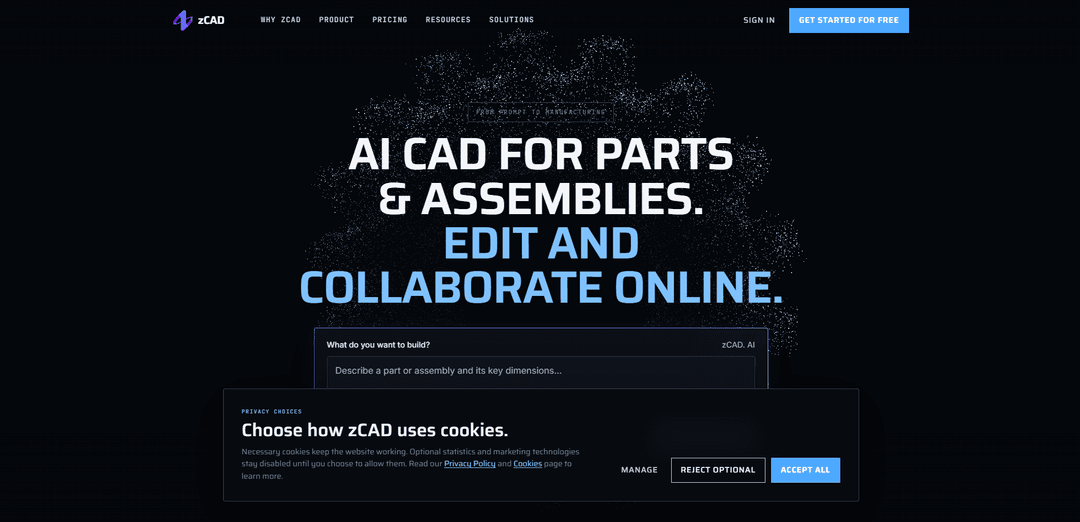
zCAD is a browser-based CAD platform that combines AI-generated, editable 3D parts and assemblies with parametric modeling, engineering drawings, and collaboration tools.
https://zcad.ai/?utm_source=aipure
Product Information
Updated:Nov 17, 2026
What is zCAD
zCAD helps mechanical engineers, product designers, hardware makers, and teams create and revise engineering models. It comprises zCAD.AI, which generates CAD from text or reference images, and zCAD.Online, a browser-based workspace for direct modeling, drawings, and collaboration. The two products share an account and model data, so users can continue refining AI-generated designs online.
Key Features of zCAD
zCAD is a browser-based CAD platform that combines AI-assisted model generation with direct parametric modeling. Users can turn text descriptions or reference images into editable parts and assemblies, then inspect and refine them in zCAD Online. The platform also supports engineering drawings, collaboration, CAD data exchange, and tools for specialized design tasks.
AI-generated CAD: Create editable B-rep parts and assemblies from text prompts, optionally using reference images.
Parametric modeling: Build and edit models using sketches, constraints, dimensions, solid features, surfaces and curves.
Assembly design: Develop multi-level assemblies with mates, interference detection, bills of materials and motion simulation.
Engineering documentation: Create drawings with dimensions, geometric tolerances, surface finishes, hole tables and balloons.
Collaboration and data exchange: Work together through online review, version history and project permissions, and exchange models using supported CAD formats.
Specialized design tools: Use tools for sheet metal, weldments, structural members, analysis and rendering, subject to plan availability.
Use Cases of zCAD
Industrial machinery: Create brackets, fixtures and assemblies around specified mounting interfaces and dimensions.
Electronics hardware: Generate enclosures or sensor mounts and adjust their dimensions to fit existing components.
Robotics: Develop and refine multi-part mechanisms, checking component relationships and potential interference.
Consumer product development: Explore initial part concepts from written briefs or reference images before refining them into detailed designs.
Team design reviews: Collaborate on shared projects, review revisions and prepare drawings for downstream work.
Pros
AI generation can speed up the creation of initial editable CAD models.
A shared browser-based workspace supports modeling, drawings and collaboration.
Supports parts, assemblies and a range of engineering workflows.
Cons
Generated models require verification of dimensions, tolerances and assembly relationships before use.
Free accounts are non-commercial and models are public.
Neutral exports may not preserve the original feature history or assembly mates.
Some advanced modules are unavailable during Beta, and plan features may change afterward.
How to Use zCAD
1. Choose a zCAD product: Visit https://zcad.ai/. Choose zCAD AI to generate a model from a description or image, or zCAD Online to model directly in a browser.
2. Create an account and review the plan: Sign up or sign in. During beta, AI Free includes 200 credits per month and a one-time 600-credit gift. Free accounts have public models and are for non-commercial use; check the pricing page for current terms.
3. Describe the design in zCAD AI: Provide a text description or reference image. Include the part’s function, dimensions, mounting interfaces and important constraints. For example, describe a sensor bracket and specify its hole spacing, height and thickness.
4. Generate and inspect the model: Generate the part or assembly, then inspect its geometry, dimensions and, for assemblies, the relationships between parts. Request changes in plain language if needed.
5. Refine the design in zCAD Online: Continue with the native model in zCAD Online using the same account. Edit dimensions and features, or add parts and assembly mates. You can also start a new design directly in the browser using sketches and modeling tools.
6. Check the engineering details: Measure the model and verify fits, clearances, tolerances, materials, loads and manufacturing requirements. For complex assemblies, check the main structure before adding and verifying details.
7. Create drawings and collaborate: Use zCAD Online to create drawings from the model and add relevant dimensions, tolerances and notes. Use project sharing, review and version history as available under your plan.
8. Export or continue editing: Export the model in a supported format such as STEP, or continue working on the native model in zCAD Online. Check your plan’s export rules. STEP generally carries solid geometry but not the original feature history or assembly constraints.
zCAD FAQs
zCAD is an AI-native CAD platform with two products: zCAD.AI generates editable CAD from descriptions or reference images, while zCAD.Online provides browser-based parametric modeling, drawings and collaboration.
Popular Articles

Proferex: A Cloud-Based Ad Tracking and Campaign Optimization Platform
Nov 4, 2026

How to Create Viral Talking Baby Podcast Videos with AI: Step-by-Step Guide
Nov 2, 2026

Vosko AI: Localize and Dub Videos for Global Audiences
Oct 15, 2026

Atoms: A Multi-Agent AI Platform That Transforms Ideas into Launch-Ready Products
Oct 13, 2026
Latest AI Tools Similar to zCAD

JustAHuman
JustAHuman is a gaming platform that rewards players for completing challenges while helping game creators process 3D assets through AI.
Sketcho
Sketcho is an AI-powered design tool that transforms sketches and ideas into high-quality professional designs through an intuitive interface.

Rendair
Rendair is an all-in-one AI-powered architectural rendering platform that offers quick, high-quality visualizations through both AI tools and professional 3D artists for architects, designers, and real estate professionals.

Triorama AI
Triorama AI is an AI-powered 3D product configurator platform that enables eCommerce businesses to offer real-time product personalization and visualization capabilities to their customers.
Popular AI Tools Like zCAD

Hunyuan3D-2.1
Hunyuan3D-2.1 is Tencent's first production-ready 3D asset generation system that combines fully open-source framework with physically-based rendering (PBR) texture synthesis to create high-fidelity 3D models from images or text descriptions.
Nova3D
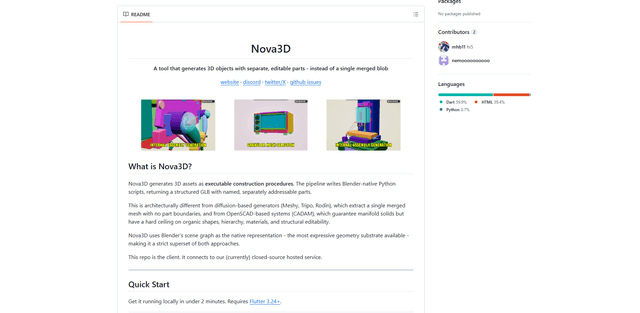
Nova3D is an AI 3D generation tool that produces structured, editable, part-aware 3D assets by generating Blender-native construction scripts and exporting a named, hierarchical GLB instead of a single merged mesh.

Modelify
Modelify is an AI-powered mobile app that transforms 2D images into high-quality 3D models seamlessly on iPhone and iPad devices.

Leonardo.ai
Leonardo.ai is a powerful AI image generator platform that enables users to create high-quality art, images, and videos through innovative tools like text-to-image generation, AI canvas editing, and 3D texture generation.