Wispro
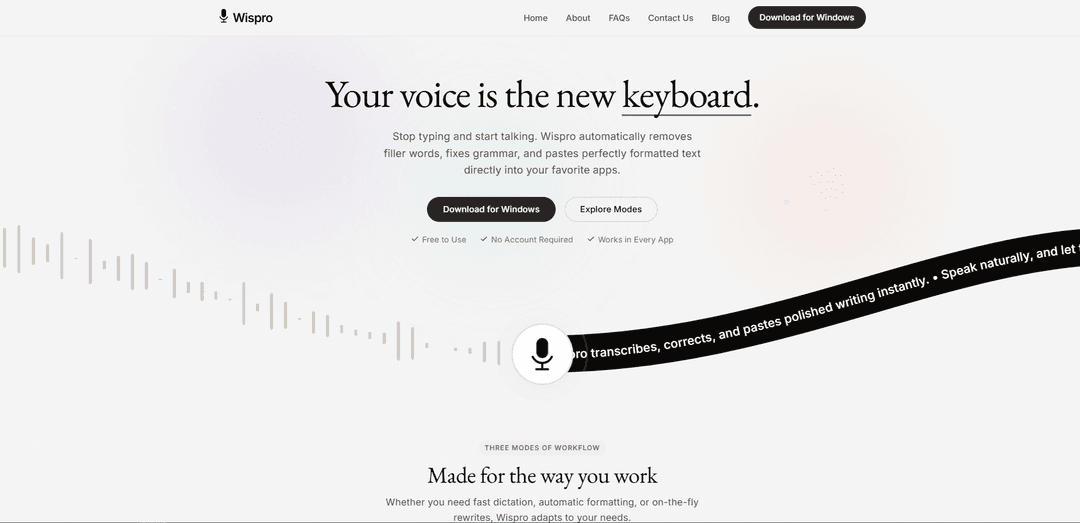
Wispro is a voice-to-text productivity tool and platform suite that lets you dictate in any app with smart cleanup, custom formatting rules, voice commands/snippets, and strong local privacy controls.
https://wisproapp.com/?ref=producthunt
Product Information
Updated:Aug 8, 2026
What is Wispro
Wispro is a software brand with products focused on helping people and operational teams work faster through mobile and desktop tools. On the productivity side, Wispro offers a native Windows dictation app that turns speech into clean, ready-to-paste writing across virtually any application, with modes for raw dictation, AI-polished text, and command-based generation. On the operations side, Wispro also provides a management platform for Internet Providers (ISPs) and TV operators in Latin America, including a technician/installer mobile app designed for field work such as handling installation or decommissioning orders, customer details, and node/NAP information.
Key Features of Wispro
Wispro is a native Windows voice-to-text tool that works across virtually any application, letting you dictate with a global hotkey and instantly paste text into the active window. It offers multiple modes—from raw, fast dictation to AI-cleaned writing and voice-driven “command” generation—plus personalization features like a dictionary for jargon and reusable voice snippets. Wispro also adapts output based on the app/context, supports 100+ languages with detection/translation, and emphasizes privacy by keeping API keys encrypted locally and sending audio over encrypted connections directly to processing endpoints.
Basic, Smart, and Command Modes: Choose between verbatim dictation (Basic), automatically polished text that removes filler words and fixes grammar (Smart), or voice instructions that generate content like emails and replies (Command).
Works in any Windows app (global hotkey + paste): Trigger Wispro from any application by holding a chosen hotkey, speak naturally, then release to paste the output directly into the currently active window.
Context-aware formatting and tone: Recognizes what application you’re typing into and adapts formatting/tone accordingly—useful when switching between chat, email, documents, or technical tools.
Personal dictionary for names and jargon: Teach Wispro acronyms, product names, and industry terminology so it consistently transcribes specialized language correctly.
Voice snippets and templates: Save frequently used text blocks and insert them anywhere with short voice commands to standardize messaging and speed up repetitive writing.
Privacy-first setup with local key control: API credentials are encrypted locally on your machine; audio is transmitted via encrypted connections to processing endpoints, with an emphasis on not storing or monitoring conversations.
Use Cases of Wispro
Customer support and ticketing responses: Draft and refine replies quickly in tools like Zendesk, using Smart Mode for polished tone and snippets for consistent macros (refund policies, troubleshooting steps).
Sales and business communication: Generate outreach emails, follow-ups, and meeting recaps using Command Mode, while keeping formatting aligned to the target app (email vs. chat).
Software development and technical writing: Dictate documentation, PR descriptions, or structured notes in editors like VS Code/Notion, applying custom formatting rules and a personal dictionary for technical terms.
Multilingual teams and translation workflows: Speak in your native language and rely on automatic detection/translation across 100+ languages to produce text suitable for global collaboration.
Students and researchers: Turn spoken ideas into organized paragraphs for essays, summaries, and study notes, using Smart Mode to clean up filler words and improve readability.
Meetings and rapid note capture: Capture thoughts quickly during calls or brainstorming sessions and paste structured notes into chat, docs, or project tools without switching contexts.
Pros
Fast cross-app workflow: global hotkey dictation that pastes into any active Windows application
Flexible output quality: raw dictation, auto-edited prose, or instruction-driven generation
Strong personalization: dictionary, snippets, and custom formatting rules for specialized writing
Privacy-oriented design: API keys encrypted locally and encrypted audio transport
Cons
Windows-first: positioned as a native Windows app, so non-Windows users may be limited until other platforms arrive
Relies on external processing endpoints: audio must be sent out (even if encrypted) for transcription/AI features
Potential product-name ambiguity: “Wispro” is also used by unrelated apps (e.g., ISP installer tools), which can confuse discovery and evaluation
How to Use Wispro
1) Confirm which “Wispro” you’re using: There are two different products referenced: (A) Wispro App for ISP technicians/installers (orders, calendar, NAP/node, contract signing) and (B) Wispro (Windows) voice-to-text app (“Your voice is the new keyboard”). The steps below focus on the Windows voice-to-text Wispro described on the official site.
2) Download and install Wispro for Windows: Go to the Wispro website and select “Download for Windows” (Microsoft Store listing). Install the native Windows app.
3) Launch Wispro and keep it running in the background: Open Wispro after installation. It’s designed to run quietly in your system tray so it can work inside any app.
4) Set your global hotkey (Trigger): Choose the hotkey you will hold to dictate in any Windows application. This is the “Trigger” step: hold your chosen hotkey in any app.
5) Choose a dictation mode (Basic / Smart / Command): Pick the mode that matches your goal: Basic Mode = fast, raw speech-to-text exactly as spoken; Smart Mode = removes filler words (e.g., “um”), fixes grammar/typos, and formats into polished text; Command Mode = speak an instruction (e.g., “draft an email to John”) and Wispro generates the text.
6) Dictate into any application (Flow): Click into any text field (email, chat, IDE, docs, etc.), hold your hotkey, and speak naturally. You can ignore hesitations and keep talking—especially in Smart Mode.
7) Release the hotkey to paste the result (Release): Let go of the hotkey to instantly paste the dictated (or polished/generated) text into the currently active window.
8) Use Smart Mode to automatically clean up speech: When you want polished writing, use Smart Mode so Wispro automatically edits out filler words, fixes grammar, and formats your thoughts into clean prose.
9) Use Command Mode for voice-driven writing tasks: Switch to Command Mode and speak a direct instruction like “write a polite decline” or “draft an email to John.” Wispro will generate the requested text and paste it into your active app.
10) Add Personal Dictionary entries for names and jargon: Teach Wispro your unique names, acronyms, and industry terms so it recognizes them correctly during dictation.
11) Create Voice Snippets for reusable templates: Save frequently used text templates and insert them anywhere using a short voice command (useful for repeated replies, signatures, or standard paragraphs).
12) Enable Context Awareness for better formatting: Use Wispro’s context awareness so it recognizes which application you’re typing into and adapts formatting/tone to match the environment.
13) Configure Custom Formatting Rules: Set rules for how output should be formatted (e.g., different styles for coding vs. professional emails vs. legal text).
14) Dictate in multiple languages: Speak in your native language—Wispro supports 90–100+ languages (as stated on the site) and can auto-detect/translate in real time during dictation.
15) Use it day-to-day across apps: Wispro is designed to work in any Windows software (email clients, coding IDEs, chat apps). Keep it running, use the hotkey, and dictate wherever you type.
Wispro FAQs
Wispro is a native Windows app for voice-to-text that lets you dictate into any application. It can output raw dictation or automatically clean up speech by removing filler words and fixing grammar, and it can also generate text from spoken instructions.
Popular Articles

How to Create Viral Talking Baby Podcast Videos with AI: Step-by-Step Guide
Nov 2, 2026

Proferex: A Cloud-Based Ad Tracking and Campaign Optimization Platform
Nov 2, 2026

Vosko AI: Localize and Dub Videos for Global Audiences
Oct 15, 2026

Atoms: A Multi-Agent AI Platform That Transforms Ideas into Launch-Ready Products
Oct 13, 2026
Latest AI Tools Similar to Wispro

Advanced Voice
Advanced Voice is ChatGPT's cutting-edge voice interaction feature that enables real-time, natural voice conversations with custom instructions, multiple voice options, and improved accents for seamless human-AI communication.
TranscriptionPlus
TranscriptionPlus is an AI-powered transcription service that offers accurate speech-to-text conversion with advanced features like speaker identification, summary generation, and multi-language support at affordable pricing tiers.

Wedding Speech Genie
Wedding Speech Genie is an AI-powered platform that crafts personalized wedding speeches in minutes by generating 3 custom versions based on your input, helping speakers deliver memorable toasts for any wedding role.
AudioScribe.io
AudioScribe.io is a revolutionary AI-powered transcription service that converts audio and video content into accurate text while offering advanced features like automated meeting recording, full-text search, and multi-language support.
Popular AI Tools Like Wispro
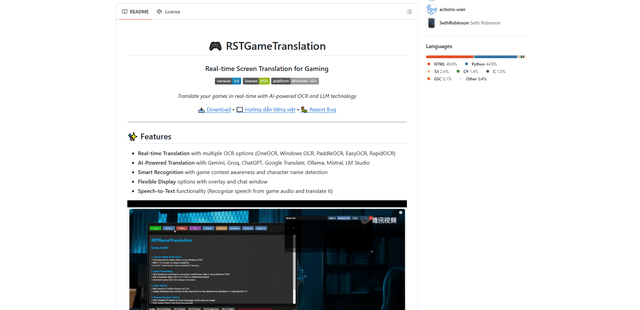
RSTGameTranslation
RSTGameTranslation is an open-source real-time game translation tool that combines OCR and AI translation technologies to automatically translate game text across multiple languages while supporting both offline and online modes.
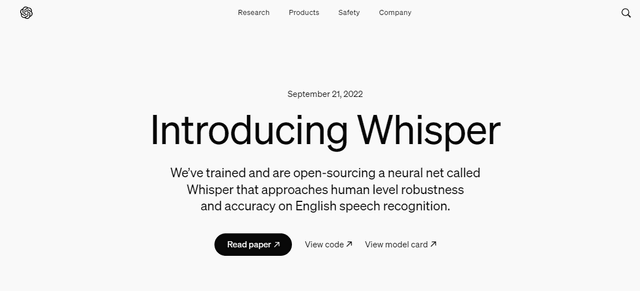
Whisper AI
Whisper is an open-source automatic speech recognition system from OpenAI that approaches human-level accuracy and robustness for transcribing and translating speech in multiple languages.
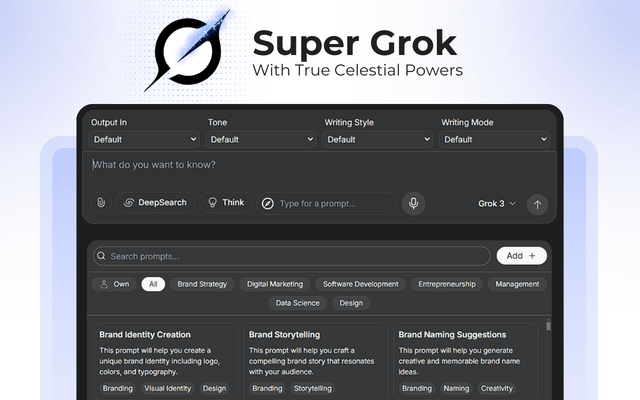
Super Grok
Super Grok is a powerful Chrome extension that enhances the Grok AI experience with custom prompts, voice input, multiple language support, and advanced chat modes for smarter AI conversations.
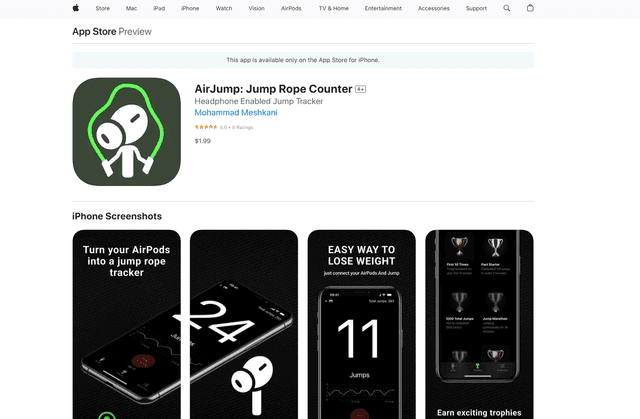
AirJump
AirJump is an innovative fitness app that uses AirPods' motion sensors to automatically track and count jump rope workouts while providing real-time statistics and achievement-based motivation.