
Whisper Snapper for Mac
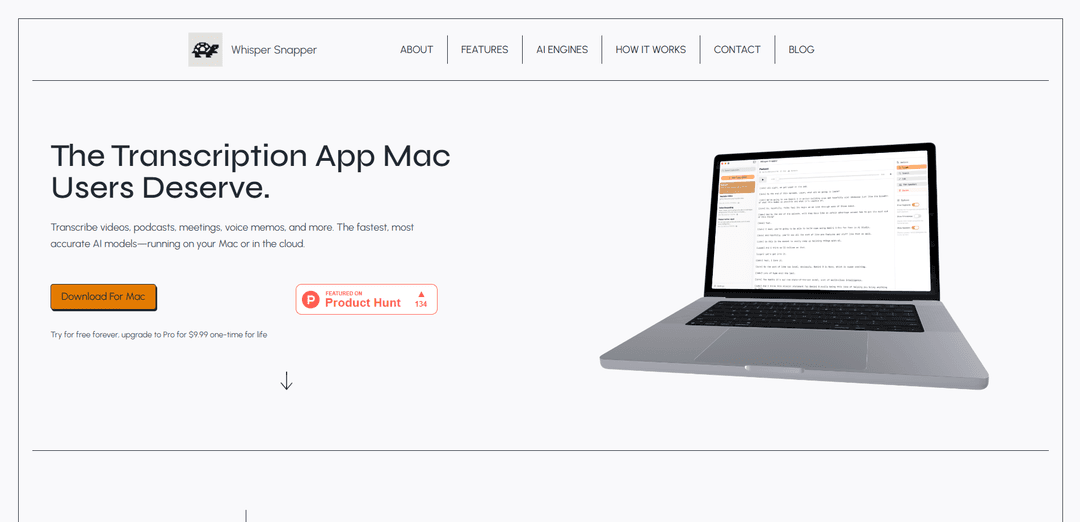
Whisper Snapper is a powerful Mac transcription app that converts audio and video files into accurate text using AI models, offering both local and cloud-based processing options with support for multiple languages and export formats.
https://whispersnapper.com/?ref=producthunt
Product Information
Updated:Jan 8, 2026
What is Whisper Snapper for Mac
Whisper Snapper is a native macOS application designed to make audio and video transcription seamless and accessible. It's built to handle various media formats including podcasts, meetings, voice memos, and videos, utilizing advanced AI technology for accurate speech-to-text conversion. The app offers both free and pro versions, with the pro version available for a one-time payment of $9.99, making it an affordable solution for professional transcription needs.
Key Features of Whisper Snapper for Mac
Whisper Snapper is a native Mac transcription app that converts audio and video files into text using advanced AI models. It offers both local and cloud-based transcription options, supporting multiple languages and file formats. The app features a drag-and-drop interface, speaker identification, timestamp integration, and various export formats, making it ideal for users who need accurate, private, and efficient transcription solutions.
Local and Cloud Processing: Users can choose between offline processing using downloaded AI models (Parakeet, WhisperKit) or cloud-based services (OpenAI Whisper, GPT-4o, Deepgram) for transcription
Multiple Export Formats: Supports exports to TXT, SRT, VTT, Markdown, CSV, and PDF formats, with options for subtitles and formatted documents
Speaker Identification: Features diarization capabilities to identify different speakers in conversations through Deepgram, GPT-4o Transcribe, and Parakeet v3
Wide Format Support: Handles various audio and video formats including MP4, MOV, M4A, MP3, and WAV, with built-in recording capabilities
Use Cases of Whisper Snapper for Mac
Legal Documentation: Lawyers and legal professionals can transcribe client interviews and meetings while maintaining confidentiality through local processing
Podcast Production: Podcast editors can quickly generate transcripts with speaker labels and export them directly to video editing software
Journalism: Journalists can transcribe interviews with accurate timestamps for easy quote finding and reference
Academic Research: Researchers can transcribe lectures, interviews, and research recordings with high accuracy for analysis and documentation
Pros
Privacy-focused with local processing options
Fast and accurate transcription
Native Mac integration with intuitive interface
One-time purchase option available
Cons
Some advanced features require Pro version
Best performance requires Apple Silicon Mac for offline models
Intel Macs work best with Cloud models only
How to Use Whisper Snapper for Mac
Download and Install: Download Whisper Snapper from the Mac App Store. The basic version is free, with a Pro version available for $9.99 as a one-time purchase.
Choose AI Engine: Decide whether to use local or cloud transcription. For offline use, download Parakeet and WhisperKit models. For cloud-based transcription, you can use OpenAI Whisper, GPT-4o, or Deepgram Cloud APIs.
Add Audio/Video File: Either drag and drop your audio/video file (supports MP4, MOV, M4A, MP3, WAV) into the app window, or use the built-in voice recorder to capture audio directly.
Start Transcription: The app will automatically begin transcribing your audio once you've added the file. Watch as your transcript appears with timestamps and speaker labels (if using diarization-capable models).
Edit Transcript: Review the generated transcript. You can edit text, search through content, and make any necessary corrections.
Export Results: Choose your preferred export format (TXT, SRT, VTT, Markdown, CSV, or PDF) and export the transcript for use in other applications or video editors.
Whisper Snapper for Mac FAQs
It has a free version that can be used forever, with a Pro upgrade available for $9.99 as a one-time payment for life.
Popular Articles

Vosko AI: Localize and Dub Videos for Global Audiences
Oct 15, 2026

Atoms: A Multi-Agent AI Platform That Transforms Ideas into Launch-Ready Products
Oct 13, 2026

Nano Banana SBTI: What It Is, How It Works, and How to Use It in 2026
Apr 15, 2026

Atoms Review — The AI Product Builder Redefining Digital Creation in 2026
Apr 10, 2026
Latest AI Tools Similar to Whisper Snapper for Mac

Ticknotes
Ticknotes is an AI-powered meeting assistant that automatically records, transcribes, and generates personalized meeting summaries, action items, and key insights from audio, video, and text content.

Feta
Feta is an AI-powered meeting tool that helps product and engineering teams run efficient meetings by capturing discussions, automating tasks, and providing actionable insights through smart summaries and integrations.
TranscriptionPlus
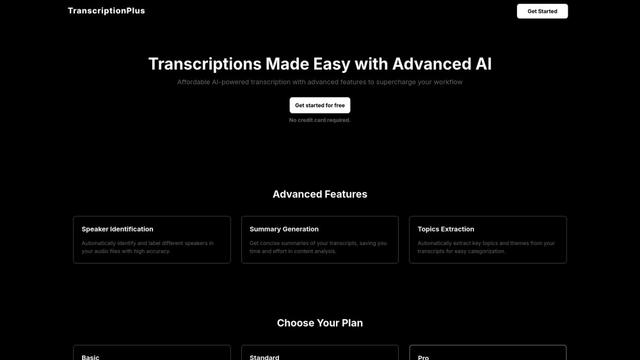
TranscriptionPlus is an AI-powered transcription service that offers accurate speech-to-text conversion with advanced features like speaker identification, summary generation, and multi-language support at affordable pricing tiers.
AudioScribe.io
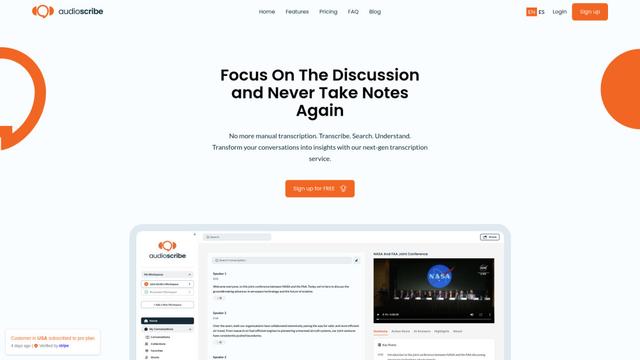
AudioScribe.io is a revolutionary AI-powered transcription service that converts audio and video content into accurate text while offering advanced features like automated meeting recording, full-text search, and multi-language support.
Popular AI Tools Like Whisper Snapper for Mac
Ghost Pepper 🌶️
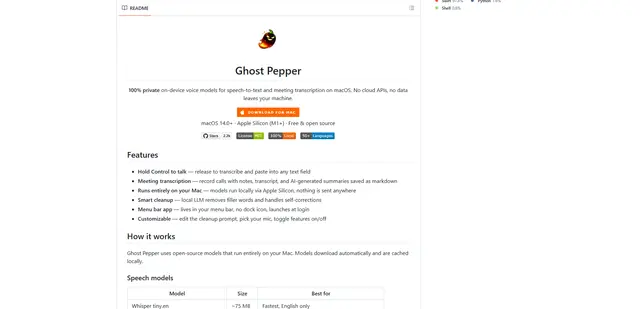
Ghost Pepper is a 100% local, privacy-focused speech-to-text and meeting transcription app for macOS that runs entirely on your Mac using open-source AI models, featuring hold-to-talk recording, intelligent text cleanup, and multi-language support without sending any data to the cloud.
Whisper AI
Whisper is an open-source automatic speech recognition system from OpenAI that approaches human-level accuracy and robustness for transcribing and translating speech in multiple languages.

Youtube to transcript
Youtube to Transcript is a Chrome extension that allows users to easily convert YouTube videos into text transcripts with features like multi-language support, AI-powered summarization, and downloadable formats.
inFin
inFin is a lightweight, user-friendly AI-powered voice notes app that offers unlimited recording, real-time transcription, and translation between Chinese and English, with offline capabilities and local storage for enhanced privacy.