
Voice Anywhere
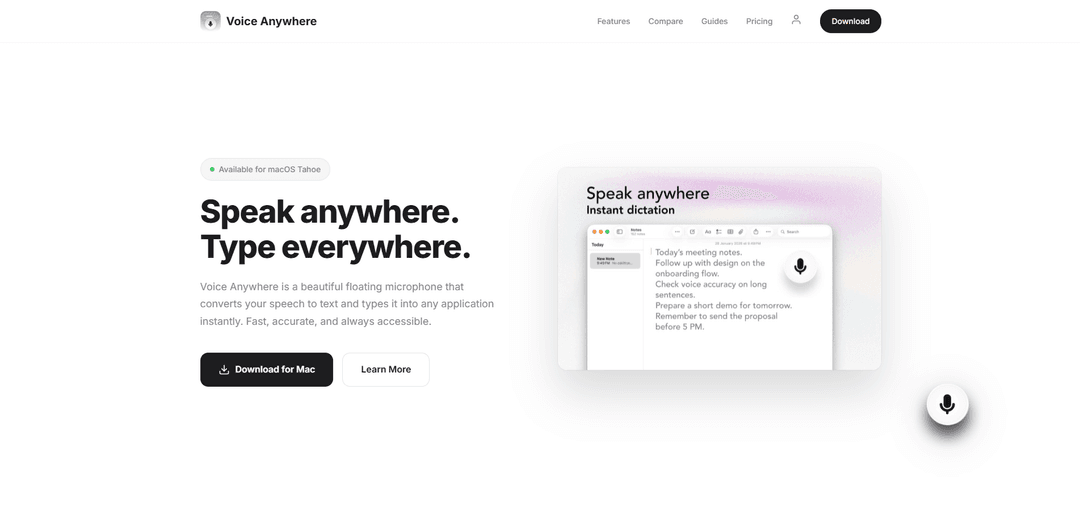
Voice Anywhere là một công cụ đọc chính tả macOS cung cấp chuyển đổi giọng nói thành văn bản tức thì với giao diện micro nổi, hỗ trợ hơn 70 ngôn ngữ và hoạt động liền mạch trên tất cả các ứng dụng.
https://www.procoders.co/voice-anywhere?ref=producthunt&utm_source=aipure
Thông tin Sản phẩm
Đã cập nhật:Feb 8, 2026
Voice Anywhere là gì
Voice Anywhere là một ứng dụng đọc chính tả hiện đại được thiết kế đặc biệt cho macOS, chuyển đổi lời nói thành văn bản trong thời gian thực. Được xây dựng bằng SwiftUI và có giao diện nút kính tuyệt đẹp luôn được ghim phía trên tất cả các cửa sổ, nó cho phép người dùng đọc chính tả văn bản vào bất kỳ ứng dụng hoặc trường văn bản nào mà không cần chuyển đổi ngữ cảnh. Ứng dụng kết hợp cả khả năng nhận dạng giọng nói Apple trên thiết bị và khả năng xử lý trên đám mây để đảm bảo hiệu suất tối ưu trong khi vẫn duy trì quyền riêng tư và bảo mật của người dùng.
Các Tính năng Chính của Voice Anywhere
Voice Anywhere là một công cụ đọc chính tả macOS cho phép người dùng chuyển đổi giọng nói thành văn bản ngay lập tức trong bất kỳ ứng dụng nào thông qua giao diện micro nổi. Nó hỗ trợ hơn 70 ngôn ngữ với khả năng nhận dạng được hỗ trợ bởi AI, cung cấp cả khả năng xử lý trên thiết bị và trên đám mây, đồng thời tích hợp liền mạch với bất kỳ trường văn bản hoặc ứng dụng nào trong khi vẫn duy trì quyền riêng tư và bảo mật của người dùng.
Đọc chính tả tức thì ở mọi nơi: Một nút kính nổi cho phép người dùng đọc chính tả văn bản ngay lập tức vào bất kỳ ứng dụng hoặc trường văn bản nào chỉ bằng một cú nhấp đơn giản
Hỗ trợ đa ngôn ngữ: Hỗ trợ hơn 70 ngôn ngữ với khả năng chuyển đổi ngôn ngữ tức thì và nhận dạng được hỗ trợ bởi AI để phiên âm chính xác
Tích hợp macOS gốc: Được xây dựng bằng SwiftUI và ngôn ngữ thiết kế Liquid Glass để tích hợp liền mạch với macOS Tahoe, mang lại trải nghiệm người dùng gốc
Xử lý tập trung vào quyền riêng tư: Cung cấp khả năng xử lý trên thiết bị thông qua nhận dạng giọng nói của Apple với các tùy chọn dự phòng đám mây được mã hóa, đảm bảo quyền riêng tư dữ liệu của người dùng
Các Trường hợp Sử dụng của Voice Anywhere
Viết chuyên nghiệp: Các nhà văn và người sáng tạo nội dung có thể nhanh chóng soạn thảo tài liệu, bài viết và tác phẩm sáng tạo thông qua đọc chính tả bằng giọng nói
Tài liệu y tế: Các chuyên gia chăm sóc sức khỏe có thể tạo và cập nhật hồ sơ bệnh nhân và tài liệu y tế một cách hiệu quả mà không cần dùng tay
Phát triển phần mềm: Các nhà phát triển có thể đọc chính tả các nhận xét mã, tài liệu và ghi chú trong khi vẫn giữ tay trên bàn phím để viết mã
Giải pháp trợ năng: Cung cấp một phương pháp nhập liệu thay thế cho người dùng bị hạn chế về thể chất hoặc những người thích nhập liệu bằng giọng nói hơn là gõ
Ưu điểm
Hoạt động liền mạch trên tất cả các ứng dụng và trường văn bản
Hỗ trợ nhiều loại ngôn ngữ với độ chính xác cao
Cung cấp cả tùy chọn xử lý trên thiết bị và trên đám mây
Nhược điểm
Chỉ giới hạn ở nền tảng macOS
Yêu cầu đăng ký để đọc chính tả không giới hạn
Một số tính năng nâng cao có thể yêu cầu xử lý trên đám mây
Cách Sử dụng Voice Anywhere
Tải xuống và cài đặt: Tải xuống tệp DMG trình cài đặt Voice Anywhere (2,2 MB) từ trang web chính thức và cài đặt nó trên máy Mac của bạn (yêu cầu macOS 13.0 trở lên)
Khởi chạy ứng dụng: Mở Voice Anywhere sau khi cài đặt - một nút micro kính nổi sẽ xuất hiện trên màn hình của bạn
Đặt vị trí con trỏ của bạn: Đặt con trỏ của bạn vào bất kỳ trường văn bản hoặc ứng dụng nào mà bạn muốn đọc chính tả văn bản
Chọn ngôn ngữ: Nhấp để chọn từ hơn 70 ngôn ngữ được hỗ trợ để đọc chính tả từ menu ngôn ngữ (nếu cần)
Bắt đầu đọc chính tả: Nhấp vào nút micro nổi và bắt đầu nói - lời nói của bạn sẽ xuất hiện ngay lập tức ở bất cứ nơi nào con trỏ của bạn được đặt
Dừng đọc chính tả: Nhấp lại vào nút micro để dừng đọc chính tả khi hoàn tất
Nâng cấp nếu cần: Bản dùng thử miễn phí cung cấp 2 phút đọc chính tả. Để sử dụng không giới hạn, hãy nâng cấp lên đăng ký Pro hàng tháng ($4,99/tháng)
Câu hỏi Thường gặp về Voice Anywhere
Voice Anywhere là một ứng dụng macOS cung cấp khả năng chuyển giọng nói thành văn bản ngay lập tức thông qua một nút micro nổi, cho phép người dùng chuyển đổi giọng nói thành văn bản trong bất kỳ ứng dụng nào.
Video Voice Anywhere
Bài viết phổ biến

Vosko AI: Bản địa hóa và Lồng tiếng Video cho Khán giả Toàn cầu
Oct 15, 2026

Atoms: Nền tảng AI đa tác nhân biến ý tưởng thành sản phẩm sẵn sàng ra mắt
May 22, 2026

Nano Banana SBTI: Nó là gì, Cách thức hoạt động và Cách sử dụng nó vào năm 2026
Apr 15, 2026

Đánh giá Atoms — Trình tạo sản phẩm AI định nghĩa lại việc tạo nội dung số vào năm 2026
Apr 10, 2026
Công cụ AI Mới nhất Tương tự Voice Anywhere
MicVoice.Ai
MicVoice.Ai là một nền tảng tạo giọng nói AI tất cả trong một biến đổi văn bản viết thành giọng nói tự nhiên, chất lượng cao với hơn 5000 giọng nói AI thực tế hỗ trợ hơn 17 ngôn ngữ.

Narrai
Narrai là một ứng dụng di động sử dụng AI giúp tạo ra giọng kể và nhạc nền ngay lập tức cho các video ngắn bằng cách tự động tạo kịch bản liên quan và cung cấp nhiều nhân vật người dẫn chuyện.

Vagent
Vagent là một giao diện giọng nói nhẹ nhàng cho phép người dùng tương tác với các đại lý AI tùy chỉnh thông qua các lệnh giọng nói, cung cấp một cách tự nhiên và trực quan để kiểm soát các quy trình tự động hóa với hỗ trợ cho hơn 60 ngôn ngữ.
F5 TTS
F5-TTS là một hệ thống chuyển văn bản thành giọng nói tiên tiến, không tự hồi tiếp, sử dụng các kỹ thuật Flow Matching và Diffusion Transformer để tạo ra giọng nói rất tự nhiên và biểu cảm với khả năng nhân giọng nói zero-shot.
Công cụ AI Phổ biến Giống Voice Anywhere
FnKey
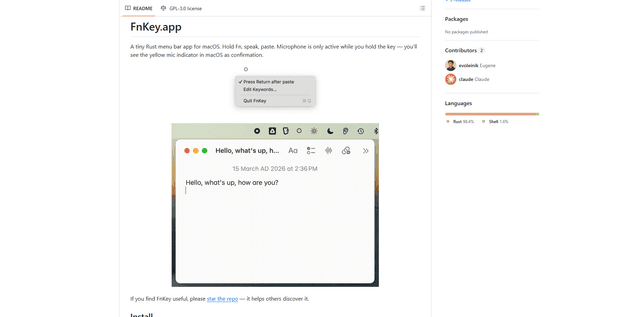
FnKey là một ứng dụng thanh menu macOS nhẹ cho phép phiên âm giọng nói thành văn bản nhanh chóng bằng cách giữ phím Fn để nói và tự động dán văn bản đã phiên âm khi thả ra.
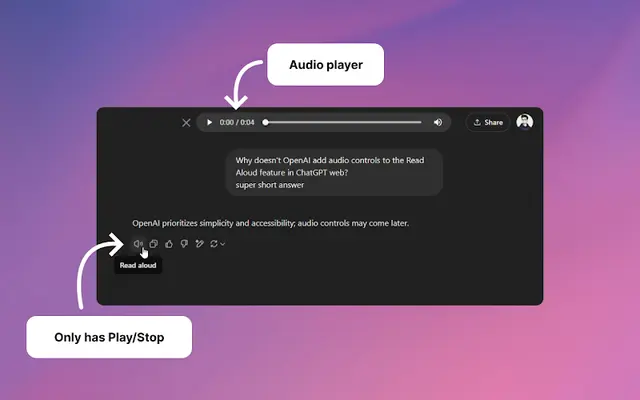
Audio player for ChatGPT
A Chrome extension that enhances ChatGPT's Read Aloud feature by adding a user-friendly audio player with basic controls like play/pause, seek bar, and duration display.
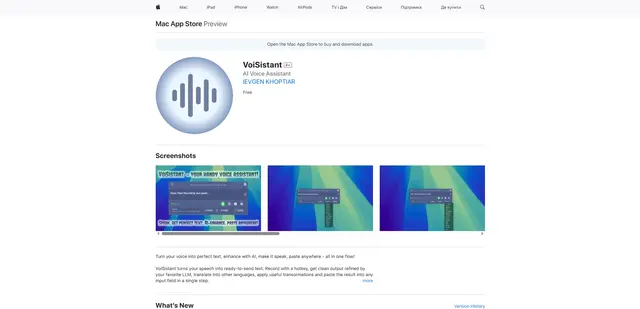
VoiSistant
VoiSistant là một ứng dụng chuyển giọng nói thành văn bản toàn diện, kết hợp khả năng nhận dạng giọng nói, cải tiến AI, dịch thuật và chuyển văn bản thành giọng nói trong một quy trình làm việc liền mạch.
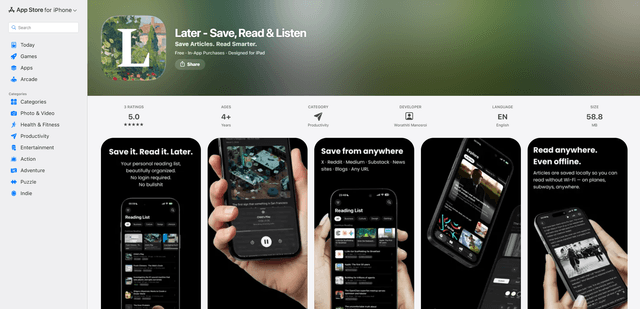
LaterAI
Later là một ứng dụng đọc sau được hỗ trợ bởi AI cho phép bạn lưu bài viết, đọc chúng trong một môi trường không gây xao nhãng và nghe chúng bằng giọng nói AI tự nhiên - đồng thời duy trì sự riêng tư hoàn toàn với quá trình xử lý trên thiết bị.