Transcribe Video AI
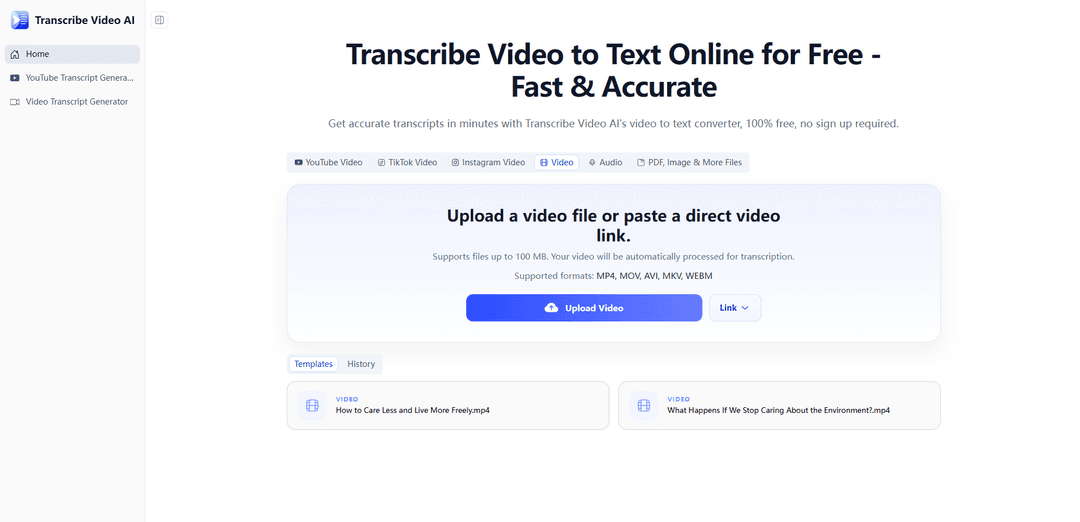
Transcribe Video AI è un convertitore video-testo gratuito e senza registrazione che trascrive video o URL in trascrizioni multilingue accurate, sottotitoli (con timestamp) e riassunti in pochi minuti con molteplici opzioni di esportazione.
https://transcribe-video.ai/?utm_source=aipure
Informazioni sul Prodotto
Aggiornato:Jun 29, 2026
Cos'è Transcribe Video AI
Transcribe Video AI è uno strumento online tutto-in-uno progettato per convertire il contenuto parlato dai video in testo chiaro e modificabile in modo rapido e semplice. Supporta caricamenti diretti e trascrizione basata su link, inclusi i formati video comuni (come MP4, MOV e AVI) e piattaforme popolari come YouTube e altre fonti di social media. Costruito per casi d'uso come lo studio, le note di riunioni Zoom e la creazione di contenuti, può trascrivere e tradurre in oltre 100 lingue ed è posizionato come una soluzione veloce e accessibile che è al 100% gratuita e non richiede registrazione.
Caratteristiche principali di Transcribe Video AI
Transcribe Video AI è uno strumento online gratuito, senza registrazione, da video a testo che può trascrivere video o link (inclusi YouTube e altre piattaforme social) in testo in oltre 100 lingue, con sottotitoli opzionali (timestamp) e riassunto. Supporta i formati video comuni (es. MP4, MOV, AVI), è progettato per elaborare rapidamente anche video lunghi (pubblicizzato fino a 1 GB) e offre molteplici modi per scaricare o riutilizzare gli output come trascrizioni, traduzioni e riassunti per lo studio, le riunioni e la creazione di contenuti.
Flusso di lavoro gratuito, senza registrazione: Funziona nel browser senza account richiesto; carica un file o incolla un URL e genera risultati in pochi minuti.
Input multi-sorgente (file + link): Supporta caricamenti video diretti e trascrizione basata su YouTube/URL, inclusi link da piattaforme social (es. TikTok/Instagram) secondo la descrizione del prodotto.
Ampio supporto di formati e lingue: Gestisce formati video comuni come MP4, MOV e AVI e può trascrivere in oltre 100 lingue per contenuti multilingue.
Trascrizione ad alta precisione + sottotitoli: Pubblicizza una precisione fino a circa il 98,6% e può generare output in stile sottotitoli con timestamp per la sottotitolazione e l'accessibilità.
Riassunto e output successivi: Oltre alle trascrizioni, può riassumere video lunghi in note strutturate e supporta la traduzione e output aggiuntivi (es. generazione di mappe mentali come descritto sul sito).
Gestione di video lunghi (fino a 1 GB): Posizionato per elaborare registrazioni lunghe in modo efficiente, inclusi grandi caricamenti (pubblicizzati fino a 1 GB) e discorsi/lezioni di lunga durata.
Casi d'uso di Transcribe Video AI
Note di riunioni e operazioni (Zoom/chiamate): Converti le riunioni registrate in trascrizioni e riassunti ricercabili per accelerare i follow-up, gli elementi d'azione e la documentazione.
Educazione e studio (lezioni/tutorial): Trascrivi le registrazioni delle lezioni per materiali di revisione, ricerca rapida di parole chiave e riassunti condensati prima degli esami.
Flussi di lavoro dei creatori (sottotitoli video di YouTube/social): Genera trascrizioni e sottotitoli con timestamp per una sottotitolazione più rapida, il riutilizzo di clip e il miglioramento dell'accessibilità.
Localizzazione multilingue: Trascrivi e traduci il parlato video in altre lingue per supportare il pubblico internazionale e la creazione di sottotitoli multilingue.
Ricerca e analisi qualitativa: Trasforma interviste, webinar e lunghi discorsi in testo per una codifica, citazione e analisi tematica più rapide.
Vantaggi
Gratuito da usare senza registrazione richiesta, riducendo l'attrito per un uso occasionale o una tantum.
Supporta sia caricamenti che URL (inclusi link YouTube/social), rendendolo flessibile per diverse fonti.
Offre più della trascrizione: aggiunge sottotitoli/timestamp e riassunto per un consumo più rapido di video lunghi.
Svantaggi
Le dichiarazioni di accuratezza (es. ~98,6%) possono variare in condizioni reali come rumore, oratori sovrapposti o forti accenti.
L'elaborazione di video grandi/lunghi dipende dalla velocità di caricamento e dal carico del server; le prestazioni possono variare nonostante le affermazioni di "minuti".
I formati di esportazione e i controlli di modifica avanzati non sono chiaramente dettagliati nelle fonti fornite, quindi la flessibilità dell'output potrebbe essere limitata rispetto agli editor di sottotitoli dedicati.
Come usare Transcribe Video AI
1. Apri Transcribe Video AI: Vai su https://transcribe-video.ai/ e naviga nell'area di lavoro dell'app (l'area di trascrizione principale del sito).
2. Scegli il tipo di input (caricamento o link): Avvia una trascrizione caricando un file video locale (i formati supportati includono MP4, MOV, AVI) o incollando un URL video (ad esempio, YouTube e altre piattaforme social supportate).
3. Aggiungi il tuo file o incolla l'URL: Se stai caricando, seleziona il tuo video dal tuo dispositivo (lo strumento supporta video lunghi fino a circa 1 GB). Se stai usando un link, incolla l'URL completo nel campo di input.
4. Avvia la trascrizione: Clicca sul pulsante trascrivi/avvia per iniziare a convertire il parlato del video in testo. Lo strumento elabora il contenuto automaticamente e di solito restituisce i risultati in pochi minuti.
5. Rivedi l'output della trascrizione: Una volta terminata l'elaborazione, leggi la trascrizione generata per verificarne l'accuratezza (lo strumento supporta oltre 100 lingue e pubblicizza una precisione fino a circa il 98,6% a seconda della qualità audio).
6. Genera sottotitoli (opzionale): Se hai bisogno di didascalie, usa l'opzione di generazione sottotitoli per creare sottotitoli con timestamp dalla trascrizione.
7. Riassumi il video (opzionale): Usa la funzione di riassunto per trasformare la trascrizione in un riassunto strutturato per lo studio, le note di riunione o il riutilizzo dei contenuti.
8. Traduci la trascrizione (opzionale): Se hai bisogno di un'altra lingua, usa l'opzione di traduzione per tradurre il testo trascritto in altre lingue.
9. Esporta/scarica nel formato preferito: Scarica la trascrizione/i sottotitoli nei formati di esportazione disponibili offerti dallo strumento (il sito evidenzia più formati di esportazione supportati).
FAQ di Transcribe Video AI
Transcribe Video AI è uno strumento "tutto in uno" gratuito per la trascrizione, la generazione di sottotitoli e la sintesi. Può trascrivere video in testo da file caricati, link di YouTube e altri URL, supportando oltre 100 lingue.
Articoli Popolari

Vosko AI: Localizza e doppia video per un pubblico globale
Oct 15, 2026

Atoms: Una Piattaforma AI Multi-Agente Che Trasforma le Idee in Prodotti Pronti al Lancio
May 22, 2026

Nano Banana SBTI: Cos'è, come funziona e come usarlo nel 2026
Apr 15, 2026

Recensione di Atoms — Il builder di prodotti AI che ridefinisce la creazione digitale nel 2026
Apr 10, 2026
Ultimi Strumenti AI Simili a Transcribe Video AI

Ticknotes
Ticknotes è un assistente per riunioni basato su IA che registra automaticamente, trascrive e genera riassunti personalizzati delle riunioni, elementi d'azione e intuizioni chiave da contenuti audio, video e testuali.

Feta
Feta è uno strumento di riunione potenziato dall'AI che aiuta i team di prodotto e ingegneria a condurre riunioni efficienti catturando discussioni, automatizzando compiti e fornendo approfondimenti azionabili attraverso sintesi intelligenti e integrazioni.
TranscriptionPlus
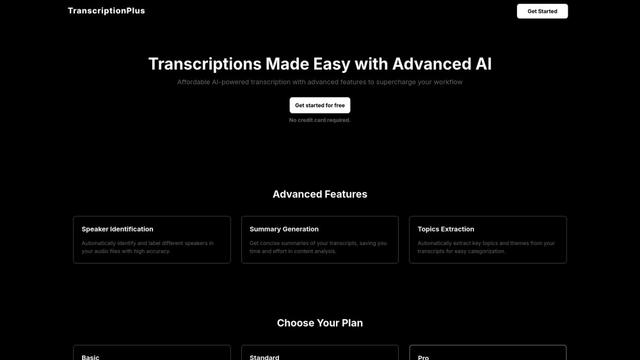
TranscriptionPlus è un servizio di trascrizione alimentato da AI che offre una conversione accurata da parlato a testo con funzionalità avanzate come l'identificazione degli oratori, la generazione di riassunti e il supporto multilingue a prezzi accessibili.
AudioScribe.io
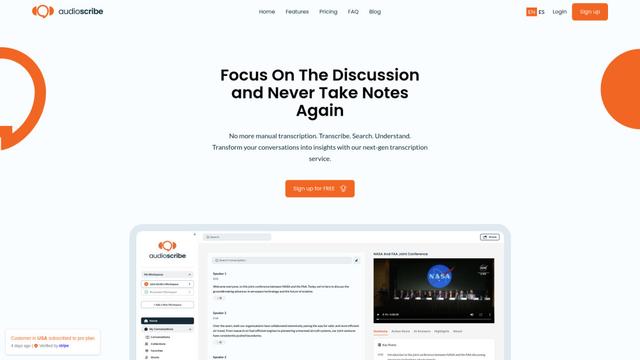
AudioScribe.io è un servizio di trascrizione rivoluzionario potenziato dall'AI che converte contenuti audio e video in testo accurato offrendo funzionalità avanzate come la registrazione automatica delle riunioni, la ricerca full-text e il supporto multilingue.
Strumenti AI Popolari Come Transcribe Video AI
Ghost Pepper 🌶️
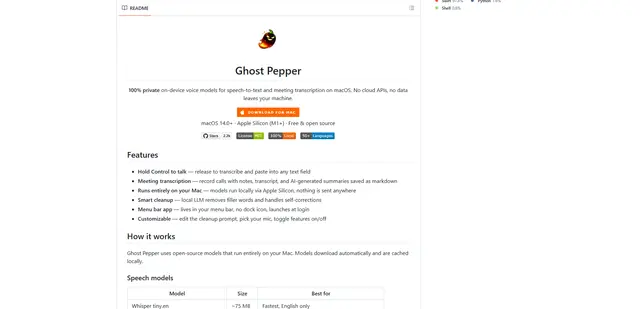
Ghost Pepper \u00e8 un'app di sintesi vocale e trascrizione di riunioni per macOS al 100% locale e incentrata sulla privacy che funziona interamente sul tuo Mac utilizzando modelli AI open source, con registrazione hold-to-talk, pulizia intelligente del testo e supporto multilingue senza inviare alcun dato al cloud.
Whisper AI
Whisper è un sistema di riconoscimento vocale automatico open-source di OpenAI che raggiunge un'accuratezza e una robustezza a livello umano per trascrivere e tradurre il parlato in più lingue.

Youtube to transcript
Youtube to Transcript è un'estensione di Chrome che consente agli utenti di convertire facilmente i video di YouTube in trascrizioni di testo con funzionalità come il supporto multilingue, il riepilogo basato sull'intelligenza artificiale e i formati scaricabili.
inFin
inFin è un'app leggera e facile da usare per note vocali alimentata da AI che offre registrazione illimitata, trascrizione in tempo reale e traduzione tra cinese e inglese, con funzionalità offline e archiviazione locale per una maggiore privacy.