
TexTab
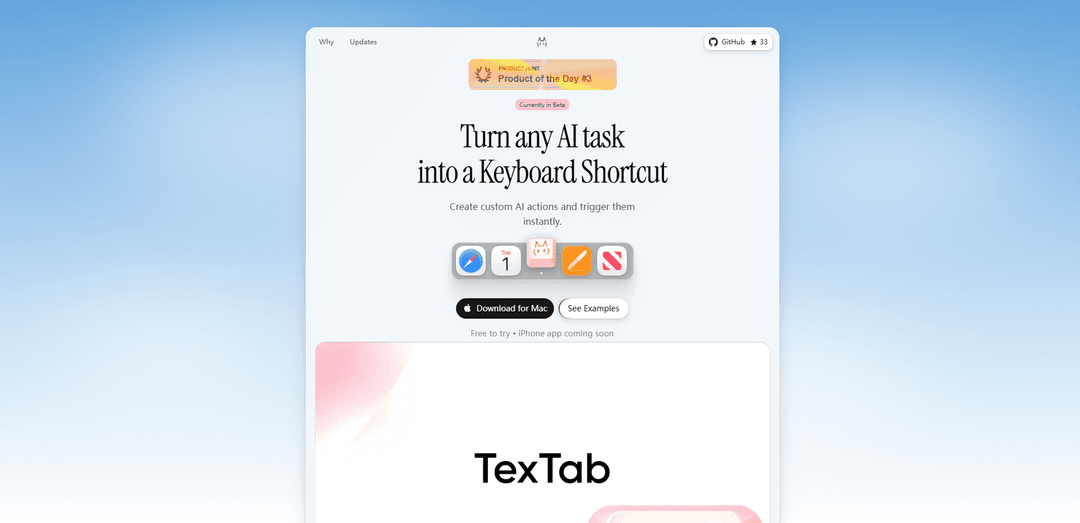
TexTab is a powerful AI-powered productivity tool for macOS that enables users to create custom keyboard shortcuts for AI actions and access them instantly from any application.
https://textab.me/?ref=producthunt
Product Information
Updated:Feb 28, 2026
What is TexTab
TexTab is a native macOS application that integrates AI capabilities directly into your workflow through customizable keyboard shortcuts. It serves as a personal productivity assistant that allows users to leverage AI for various text-based tasks while maintaining data privacy by keeping all information local on your device. The tool supports multiple AI providers including OpenAI, Anthropic, Groq, Perplexity, and OpenRouter, giving users the flexibility to choose their preferred AI model and use their own API keys.
Key Features of TexTab
TexTab appears to be a versatile software product with multiple versions: a macOS AI productivity tool featuring custom keyboard shortcuts and AI actions, an Android SMS app for tablet-phone communication, a Chrome tab management extension, and a disinfectant product line. The macOS version focuses on AI-powered text manipulation and automation, while the Android version enables SMS messaging between tablets and phones via Bluetooth connectivity.
AI-Powered Text Processing: Create custom keyboard shortcuts to trigger AI actions for text manipulation, with support for multiple AI providers including OpenAI, Anthropic, and Groq
Cross-Device SMS Communication: Connect Android tablets to phones via Bluetooth to send and receive SMS messages with contact sync capabilities
Privacy-Focused Design: Keeps data local on user devices with direct API connections to providers, avoiding intermediate servers
Plugin System: Extensible functionality through plugins including chat, QR code generation, and image conversion tools
Use Cases of TexTab
Professional Writing: Writers and editors can use AI-powered grammar correction and text rephrasing tools across any macOS application
Tablet Communication: Business professionals can manage SMS communications from their tablets while keeping their phones nearby
Research and Academic Work: Researchers can manage multiple browser tabs and create LaTeX tables efficiently for academic papers
Pros
Strong privacy focus with local data storage
Versatile functionality across different platforms
Customizable through plugins and shortcuts
Cons
Different versions seem disconnected and serve different purposes
Android version requires Bluetooth proximity
Some features require additional API keys or credits
How to Use TexTab
Download and Install: Download TexTab for macOS from textab.me and install it on your Mac computer
Set Up API Key: Connect your preferred AI provider (OpenAI, Anthropic, Groq, Perplexity, or OpenRouter) by adding your own API key
Create Custom Actions: Create AI actions by defining what you want the AI to do with selected text (e.g., fix grammar, translate, summarize)
Assign Keyboard Shortcuts: Assign unique keyboard shortcuts to each AI action you create for quick access
Select Text: In any macOS application (browser, email, document, etc.), select the text you want to process
Trigger Action: Use your assigned keyboard shortcut to trigger the AI action on your selected text
Use Pre-built Actions: Alternatively, use the ready-made actions like Fix Grammar, Rephrase, Shorten, Formalize, or Translate
Chat with AI: Use the chat feature in a popup window for direct conversations with AI when needed
Utilize Plugins: Explore additional functionality through built-in plugins like QR Code Generator, Image Converter, and Color Picker
TexTab FAQs
TexTab is a macOS application that allows users to create and use AI-powered keyboard shortcuts across any application. It also has evolved from its earlier version which was an SMS app for Android tablets.
TexTab Video
Popular Articles

Atoms: A Multi-Agent AI Platform That Transforms Ideas into Launch-Ready Products
May 22, 2026

Nano Banana SBTI: What It Is, How It Works, and How to Use It in 2026
Apr 15, 2026

Atoms Review — The AI Product Builder Redefining Digital Creation in 2026
Apr 10, 2026

Kilo Claw: How to Deploy and Use a True "Do‑It‑For‑You" AI Agent(2026 Update)
Apr 3, 2026
Latest AI Tools Similar to TexTab

MultipleWords
MultipleWords is a comprehensive AI platform offering 16 powerful tools for content creation and manipulation across audio, video, and image editing with cross-platform accessibility.

Athena AI
Athena AI is a versatile AI-powered platform offering personalized study assistance, business solutions, and life coaching through features like document analysis, quiz generation, flashcards, and interactive chat capabilities.

Taidai.io
Taidai.io is an AI-powered tool that automatically converts notes, emails, and text content into actionable todo lists.

Repliio
Repliio is an AI-powered email assistant Chrome extension that helps users generate professional, context-aware email responses quickly with customizable tones and multi-language support.
Popular AI Tools Like TexTab

Microsoft Excel: Spreadsheets
Microsoft Excel is the industry-leading spreadsheet software that allows users to organize, analyze, and visualize data through powerful features like formulas, charts, and AI-powered insights.

Standboy
Standboy is a VS Code/Cursor extension that auto-expands a Game Boy (GB/GBC/GBA) emulator in the sidebar during AI agent activity, then auto-hides and pauses—resuming mid-frame next time—while keeping a persistent ROM library, saves, and cover art.
Omniaxe
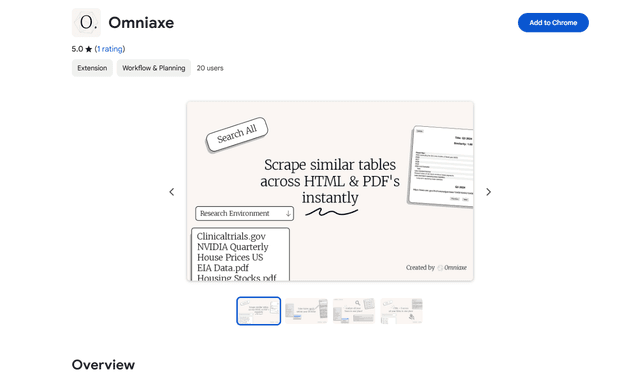
Omniaxe is an all-in-one Chrome extension research tool that combines seamless data extraction, AI-powered analysis, and centralized note-taking capabilities designed specifically for analysts, researchers and students.

Finesse by Skippr AI
Finesse by Skippr AI is a browser extension that provides instant, expert-level product feedback and critiques across design, content strategy, accessibility, and product direction through specialized AI reviewers.