
Synlets
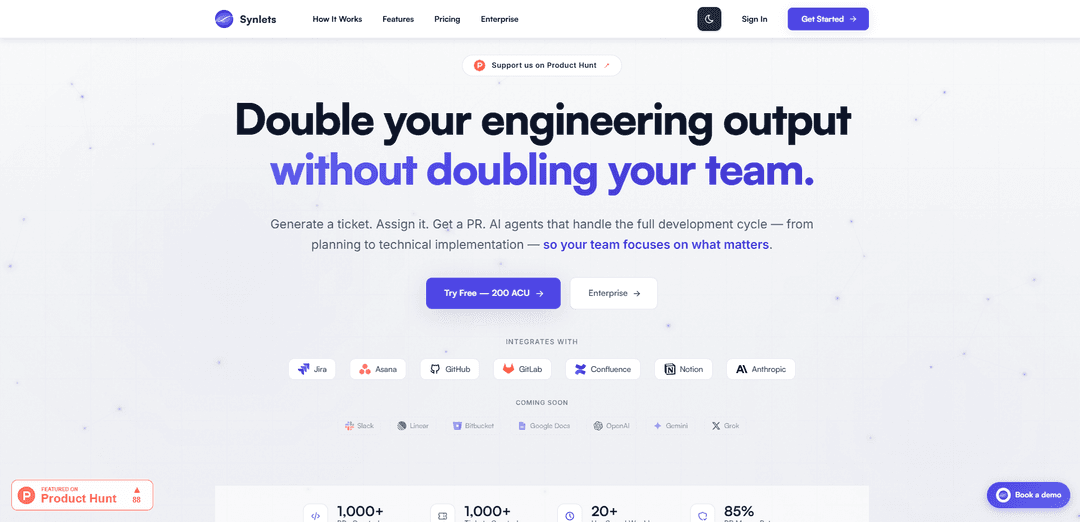
Synlets is an AI-powered autonomous software development platform that handles the full development cycle from ticket creation to code review by converting natural language tickets into working pull requests.
https://www.synlets.com/?ref=producthunt
Product Information
Updated:Mar 8, 2026
What is Synlets
Synlets is an innovative agentic coding platform that acts as an AI team member for software development teams. It integrates with popular tools like Jira, Asana, GitHub, GitLab, Confluence, and Notion to streamline the development process. The platform is designed to address common challenges in software development, such as limited engineering bandwidth, lengthy development queues, and inefficient ticket management, by providing AI agents that can autonomously handle various development tasks.
Key Features of Synlets
Synlets is an AI-powered autonomous software development platform that handles the full development cycle from ticket creation to code review. It allows teams to assign development tasks to AI agents that can generate tickets, implement code changes, create pull requests, and perform code reviews. The platform integrates with common tools like GitHub, GitLab, Jira, and Asana, working alongside human engineers to increase development velocity while maintaining code quality.
Autonomous Ticket-to-PR Pipeline: AI agents automatically convert plain language descriptions into well-defined technical tickets and implement them as working pull requests
Intelligent Code Review: Automated review system that checks code against team standards, security policies, and architectural guidelines while providing detailed feedback
Project Analytics & Insights: Real-time reporting on project progress, code quality, security posture, and team velocity with AI-powered recommendations for improvements
Multi-Tool Integration: Seamless integration with popular development tools including GitHub, GitLab, Jira, Asana, Confluence, and Notion
Use Cases of Synlets
Small Team Productivity Enhancement: Helps small development teams multiply their output without hiring additional engineers by automating routine tasks
Enterprise Development Operations: Streamlines large-scale development operations by providing automated code review, compliance checking, and progress tracking
Product Management Acceleration: Enables product managers to create and implement minor feature changes without waiting for engineering bandwidth
Pros
Reduces development bottlenecks by automating routine tasks
Provides 24/7 development capacity without additional hiring
Maintains high code quality through automated reviews and standards enforcement
Cons
Requires initial setup and integration configuration
May need human oversight for complex architectural decisions
Usage-based pricing (ACU credits) might be unpredictable for some teams
How to Use Synlets
Sign up and Create Project: Go to app.synlets.com and create a free account. Set up a new project to organize your repositories and AI agents.
Connect Repositories: Link your GitHub or GitLab repositories that you want the AI agents to work with.
Configure Ticket System: Connect your ticket management system (Jira or Asana) and map workflow statuses for automatic updates.
Set Up AI Configuration: Choose your preferred AI model (Claude Haiku 4.5 or Claude Opus) and configure agent behavior settings.
Add Knowledge Sources: Connect documentation from Confluence or Notion to provide better context for the AI agents.
Create Tickets: Create well-defined tickets in plain language describing what you need done.
Assign to AI Agents: Assign tickets directly to AI agents who will automatically pick them up and start working.
Review and Approve: Engineers review the AI-generated pull requests, provide feedback if needed, and approve changes for merging.
Monitor Progress: Track progress through the platform's analytics and generate reports on delivery, code quality, and security.
Synlets FAQs
Synlets supports Claude Haiku 4.5 for fast, cost-effective work, and Claude Opus 4.5 and 4.6 for complex reasoning and architectural decisions. Users can switch models per project at any time.
Popular Articles

Atoms: A Multi-Agent AI Platform That Transforms Ideas into Launch-Ready Products
May 22, 2026

Nano Banana SBTI: What It Is, How It Works, and How to Use It in 2026
Apr 15, 2026

Atoms Review — The AI Product Builder Redefining Digital Creation in 2026
Apr 10, 2026

Kilo Claw: How to Deploy and Use a True "Do‑It‑For‑You" AI Agent(2026 Update)
Apr 3, 2026
Latest AI Tools Similar to Synlets

Gait
Gait is a collaboration tool that integrates AI-assisted code generation with version control, enabling teams to track, understand, and share AI-generated code context efficiently.

invoices.dev
invoices.dev is an automated invoicing platform that generates invoices directly from developers' Git commits, with integration capabilities for GitHub, Slack, Linear, and Google services.

EasyRFP
EasyRFP is an AI-powered edge computing toolkit that streamlines RFP (Request for Proposal) responses and enables real-time field phenotyping through deep learning technology.

Cart.ai
Cart.ai is an AI-powered service platform that provides comprehensive business automation solutions including coding, customer relations management, video editing, e-commerce setup, and custom AI development with 24/7 support.
Popular AI Tools Like Synlets

GitHub Copilot Chat
GitHub Copilot Chat is an AI-powered coding assistant that provides natural language interactions, real-time code suggestions, and contextual support directly within supported IDEs and GitHub.com.

CopilotForXcode
CopilotForXcode is an Xcode Source Editor Extension that integrates GitHub Copilot, Codeium, and ChatGPT to provide AI-powered code suggestions, chat assistance, and prompt-to-code functionality within Xcode.

BrowserAI
BrowserAI is an open-source library that enables running local Large Language Models (LLMs) directly in web browsers with WebGPU acceleration, offering privacy-focused AI capabilities without requiring server infrastructure.

OpenAI Codex CLI
OpenAI Codex CLI is a lightweight, open-source coding agent that runs in your terminal, enabling developers to translate natural language into code execution while providing ChatGPT-level reasoning with the ability to run code, manipulate files, and iterate under version control.