
Superdesign Prompt Library
SuperDesign is the first open-source design agent that lives inside your IDE, allowing you to generate UI mockups, components, and wireframes directly from natural language prompts with local storage and version control capabilities.
https://superdesign.dev/?ref=producthunt
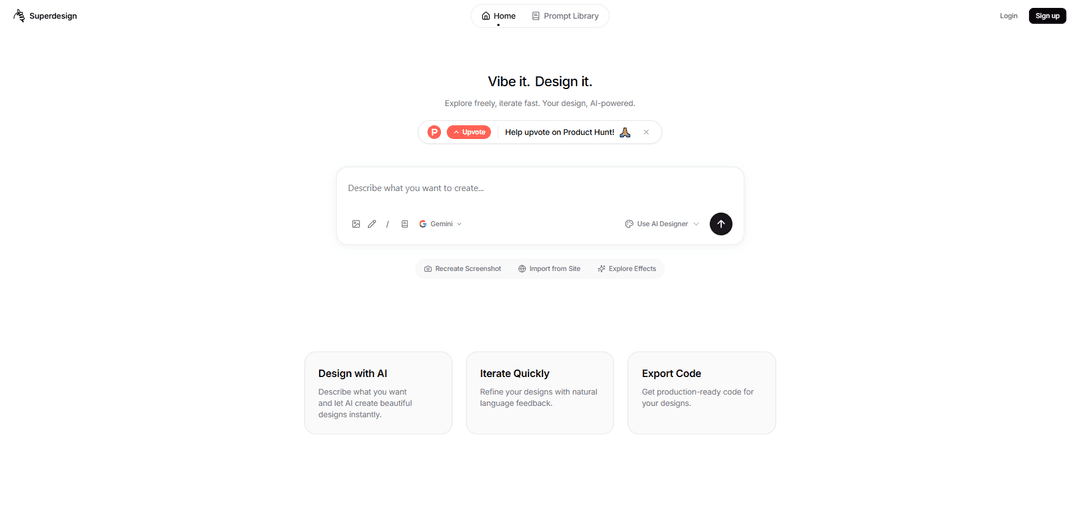
Product Information
Updated:Jan 15, 2026
What is Superdesign Prompt Library
SuperDesign Prompt Library is an innovative AI-powered design tool that integrates directly into popular IDEs like VS Code, Cursor, and Windsurf. It's designed specifically for developers who want to streamline their UI/UX design process without leaving their coding environment. Unlike other cloud-based design tools, SuperDesign operates locally, storing all prompts, outputs, and version history in a .superdesign/ folder within your project, ensuring complete privacy and control over your design assets.
Key Features of Superdesign Prompt Library
Superdesign Prompt Library is an open-source AI design assistant that integrates directly into popular IDEs like VS Code, Cursor, and Windsurf. It enables developers to generate UI mockups, wireframes, and components through natural language prompts, with the ability to create up to 10 unique design variations simultaneously. All designs are stored locally in a .superdesign folder, ensuring privacy and version control while streamlining the design-to-code workflow.
Natural Language Design Generation: Transform text prompts into professional UI designs, components, and wireframes using AI-powered interpretation
Parallel Design Generation: Create up to 10 different design variations simultaneously to explore multiple options quickly
Local Storage System: All designs are saved locally in a .superdesign folder, allowing for version control and ensuring data privacy
Four-Step Gated Workflow: Enforces a structured design process with user approval required between stages for quality control
Use Cases of Superdesign Prompt Library
Rapid Prototyping: Quickly generate multiple design concepts for client presentations or team discussions without leaving the IDE
Component Library Development: Create reusable UI components with consistent styling for large-scale applications
User Flow Visualization: Generate series of wireframes to map out and validate user journeys early in the development process
Design System Implementation: Maintain design consistency by generating components that adhere to specific style guidelines and color palettes
Pros
Seamless IDE integration eliminates context switching between design and development
Local storage ensures privacy and data security
Open-source nature allows for customization and community contributions
Multiple AI provider support offers flexibility
Cons
Requires specific IDE compatibility
Limited to UI/component design (no full brand kit generation)
Requires separate installation of dependencies
How to Use Superdesign Prompt Library
Install the Extension: Find and install 'SuperDesign' from the VS Code or Cursor extension marketplace
Initialize SuperDesign: After installation, initialize SuperDesign which will create a .superdesign/ folder in your project to store prompts, outputs and version history locally
Open SuperDesign Canvas: Use the command palette (Cmd/Ctrl + Shift + P) and search for 'superdesign: open canva' to open the design workspace
Write a Design Prompt: Enter a natural language prompt describing the UI you want to create (e.g. 'design a modern login screen with animation')
Browse Generated Designs: View up to 10 different design variations generated in parallel in the sidebar
Iterate and Refine: Fork and modify designs you like by providing additional natural language feedback and requirements
Copy to IDE: Select your preferred design and copy the prompt to your AI-enhanced IDE (Cursor/Windsurf/Claude Code) to generate the implementation code
Export and Implement: Use the exported code and prompts to implement the design in your project, with all assets saved locally in the .superdesign/ folder
Superdesign Prompt Library FAQs
Superdesign Prompt Library is a collection of design prompts that allows users to browse and manage their design templates for generating UI mockups, components, and wireframes directly from natural language prompts within their IDE.
Superdesign Prompt Library Video
Popular Articles

Vosko AI: Localize and Dub Videos for Global Audiences
Oct 15, 2026

Atoms: A Multi-Agent AI Platform That Transforms Ideas into Launch-Ready Products
Oct 13, 2026

Nano Banana SBTI: What It Is, How It Works, and How to Use It in 2026
Apr 15, 2026

Atoms Review — The AI Product Builder Redefining Digital Creation in 2026
Apr 10, 2026
Latest AI Tools Similar to Superdesign Prompt Library

Gait
Gait is a collaboration tool that integrates AI-assisted code generation with version control, enabling teams to track, understand, and share AI-generated code context efficiently.

invoices.dev
invoices.dev is an automated invoicing platform that generates invoices directly from developers' Git commits, with integration capabilities for GitHub, Slack, Linear, and Google services.

EasyRFP
EasyRFP is an AI-powered edge computing toolkit that streamlines RFP (Request for Proposal) responses and enables real-time field phenotyping through deep learning technology.

Cart.ai
Cart.ai is an AI-powered service platform that provides comprehensive business automation solutions including coding, customer relations management, video editing, e-commerce setup, and custom AI development with 24/7 support.
Popular AI Tools Like Superdesign Prompt Library

GitHub Copilot Chat
GitHub Copilot Chat is an AI-powered coding assistant that provides natural language interactions, real-time code suggestions, and contextual support directly within supported IDEs and GitHub.com.

CopilotForXcode
CopilotForXcode is an Xcode Source Editor Extension that integrates GitHub Copilot, Codeium, and ChatGPT to provide AI-powered code suggestions, chat assistance, and prompt-to-code functionality within Xcode.

BrowserAI
BrowserAI is an open-source library that enables running local Large Language Models (LLMs) directly in web browsers with WebGPU acceleration, offering privacy-focused AI capabilities without requiring server infrastructure.

OpenAI Codex CLI
OpenAI Codex CLI is a lightweight, open-source coding agent that runs in your terminal, enabling developers to translate natural language into code execution while providing ChatGPT-level reasoning with the ability to run code, manipulate files, and iterate under version control.