SpotScribe
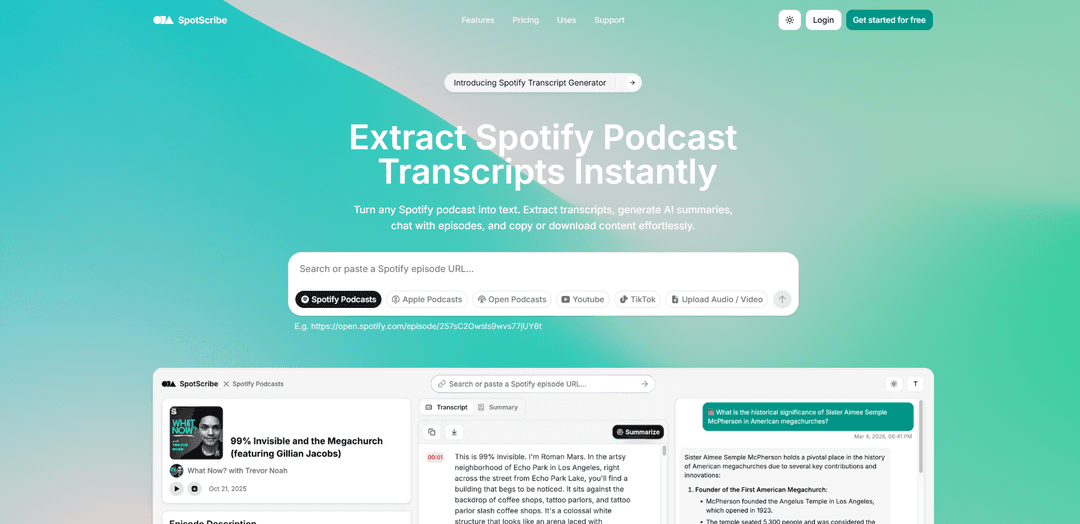
SpotScribe, herhangi bir Spotify podcast'ini metne dönüştürür. Transkriptleri çıkarın, yapay zeka özetleri oluşturun, bölümlerle sohbet edin ve içeriği zahmetsizce kopyalayın veya indirin.
https://spotscribe.io/?utm_source=aipure
Ürün Bilgisi
Güncellendi:Jul 6, 2026
SpotScribe Nedir
SpotScribe, Spotify podcast sesini net, kullanılabilir metne dönüştürmeye yardımcı olmak için oluşturulmuş web tabanlı bir transkripsiyon ve özetleme platformudur. Yazılı transkriptler oluşturarak (yaklaşık %95 doğrulukla), podcast içeriğini referans almayı, aramayı, alıntı yapmayı ve yeniden kullanmayı kolaylaştırır; özellikle Spotify'ın birçok şov için transkript sağlamadığı durumlarda. Tam transkriptlere ek olarak, SpotScribe yapay zeka tarafından oluşturulan özetler ve içeriği birden çok formatta kopyalama veya indirme araçları sunarak öğrenme, araştırma, erişilebilirlik ve içerik yeniden kullanım iş akışlarını destekler.
SpotScribe Temel Özellikleri
SpotScribe, podcast (özellikle Spotify) bölümlerini birkaç tıklamayla aranabilir metne dönüştüren yapay zeka destekli bir transkripsiyon platformudur. Tam transkriptleri çıkarabilir, yapay zeka özetleri oluşturabilir ve alıntılar, konular ve açıklamalar için bölüm içeriğini sorgulamak üzere etkileşimli bir sohbet deneyimi sunabilir. Kullanıcılar transkriptleri birden fazla formatta (örn. TXT, PDF, DOCX, SRT) kopyalayabilir veya indirebilir ve ayrıca Apple Podcasts, açık podcast bağlantıları, YouTube, TikTok veya yüklenen ses/video dosyaları gibi diğer kaynaklardan içerik transkripsiyonu yapabilir, bu da onu çalışma, araştırma, erişilebilirlik ve içerik yeniden kullanım iş akışları için faydalı kılar.
Tek tıklamayla transkript çıkarma: Bir Spotify podcast bölümü URL'sini yapıştırın ve indirme veya kurulum gerektirmeden hızlı bir şekilde tam metin transkripti oluşturmak için "Transkripsiyon Yap"a tıklayın.
Bölümlerin yapay zeka özetleri: Tekrar dinlemeye gerek kalmadan önemli noktaları ve ana konuları anlamanız için otomatik olarak kısa özetler üretir.
Bölümlerle etkileşimli sohbet: Belirli alıntıları bulmak, kavramları açıklığa kavuşturmak veya ilgili bölümleri manuel taramadan daha hızlı bulmak için podcast içeriği hakkında sorular sorun.
Kopyalama, dışa aktarma ve indirme seçenekleri: Alıntıları/segmentleri kolayca kopyalayın veya yeniden kullanım ve paylaşım için PDF, DOCX, SRT ve TXT gibi birden fazla formatta transkriptleri indirin.
Yüksek doğrulukta transkripsiyon + Hassas Mod: ~%95 transkripsiyon doğruluğu vaat eder ve daha zorlu doğruluk ihtiyaçları için Hassas Mod seçeneği içerir.
Çok kaynaklı transkripsiyon desteği: Spotify'ın ötesinde, Apple Podcasts, açık podcast kaynakları, YouTube, TikTok ve doğrudan ses/video yüklemelerini (örn. MP3, MP4, WAV, M4A, WebM) destekler.
SpotScribe Kullanım Alanları
Akademik araştırma ve alıntı: Öğrenciler ve araştırmacılar, transkriptleri arayarak ve tam pasajları çekerek podcast tartışmalarını verimli bir şekilde alıntılayabilir ve referans gösterebilir.
İçerik pazarlaması ve yeniden kullanım: Pazarlamacılar ve içerik oluşturucular, transkriptleri ve özetleri başlangıç taslağı olarak kullanarak bölümleri blog gönderilerine, bültenlere ve sosyal içeriğe dönüştürebilir.
Podcast üretim iş akışları: Podcast sunucuları, dışa aktarılan transkriptleri ve yapay zeka özetlerini kullanarak gösteri notları, önemli anlar ve tanıtım parçacıkları oluşturabilir.
Sadece sesli medya için erişilebilirlik: Okunabilir transkriptler sağlayarak podcast içeriğini sağır ve işitme güçlüğü çeken kitleler için erişilebilir hale getirmeye yardımcı olur.
Dil öğrenimi ve anlama: Öğrenciler dinlerken okuyabilir, kelime dağarcığını/deyimleri gözden geçirebilir ve kafa karıştırıcı bölümleri hızlı bir şekilde tekrar ziyaret etmek için aramayı kullanabilir.
Profesyoneller için bilgi yönetimi: Ekipler ve bireyler, uzun bölümleri aranabilir bir bilgi tabanına dönüştürebilir, sesi tekrar oynatmadan önemli noktaları almak için sohbeti kullanabilir.
Artıları
Kurulum gerektirmeyen hızlı iş akışı (URL → transkript → özet/sohbet)
Aranabilir transkriptler ve sohbet/Soru-Cevap, önemli anlar için sesi tarama süresini azaltır
Birden fazla dışa aktarma formatı (PDF/DOCX/SRT/TXT), sonraki düzenleme ve yayınlamayı destekler
Birden fazla kaynağı destekler (Spotify artı diğer podcast platformları, YouTube/TikTok ve yüklemeler)
Eksileri
Bazı bölümler, hizmetin kontrolü dışındaki teknik sınırlamalar nedeniyle kullanılamayabilir
Bölüm süresi, bölgesel reklam eklemeleri ve platform farklılıkları nedeniyle Spotify ile tam olarak eşleşmeyebilir
Freemium/kredi tabanlı kullanım limitleri, yoğun veya sık transkripsiyon için ücretli bir plan gerektirebilir
SpotScribe Nasıl Kullanılır
1) SpotScribe'ı açın: Tarayıcınızda https://spotscribe.io/ adresine gidin (uygulama yüklemeye gerek yok).
2) Kaynak türünüzü seçin: Neyi yazıya dökmek istediğinizi seçin: Spotify Podcast'leri, Apple Podcast'leri, Açık Podcast'ler, YouTube, TikTok veya Ses/Video Yükle.
3) Bölüm URL'sini kopyalayın (Spotify/Apple/YouTube/TikTok için): Spotify'da (veya seçilen platformda) belirli bölümü/videoyu açın ve paylaşım bağlantısını/URL'sini kopyalayın.
4) URL'yi SpotScribe'a yapıştırın: İşlem için bölüm/video bağlantısını SpotScribe'ın giriş alanına yapıştırın.
5) (İsteğe bağlı) Transkripsiyon modunu seçin: Mevcutsa, başlamadan önce Hızlı mod (daha hızlı) veya Hassas mod (daha doğru) arasında seçim yapın.
6) Transkripsiyonu başlatın: İçeriği otomatik olarak çıkarmak ve yazıya dökmek için “Transkripsiyon Yap”a tıklayın.
7) Transkripti okuyun ve arayın: Oluşturulduktan sonra, tam transkripti görüntüleyin ve belirli alıntıları, konuları veya bölümleri hızlıca bulmak için aramayı kullanın.
8) Yapay Zeka Özetlerini kullanın: Bölümdeki ana noktaları ve ana konuları hızlıca anlamak için yapay zeka özetini oluşturun veya inceleyin.
9) Bölümle sohbet edin (Yapay Zeka Sohbeti): Her şeyi okumadan bölüm hakkında sorular sormak, belirli bilgileri bulmak ve alıntılar çıkarmak için yerleşik yapay zeka sohbetini kullanın.
10) İhtiyacınız olan metni kopyalayın: Belirli segmentleri veya tüm transkripti doğrudan notlarınıza, belgelerinize veya CMS'nize kopyalayın.
11) Transkripti indirin/dışa aktarın: Çevrimdışı kullanım, altyazılar veya yeniden kullanım için transkripti TXT, PDF, DOCX veya SRT gibi desteklenen formatlarda indirin.
12) Bir bölüm kullanılamıyorsa, destekle iletişime geçin: Bazı bölümler teknik sınırlamalar nedeniyle kullanılamayabilir; araştırmak için SpotScribe desteğiyle sitenin destek sayfası/e-postası aracılığıyla iletişime geçin.
SpotScribe SSS
SpotScribe, podcast (ve diğer desteklenen) seslerini metne dönüştüren, transkriptler çıkaran ve ayrıca yapay zeka özetleri ile bölüm içeriği için etkileşimli bir sohbet özelliği sunan bir araçtır.
Popüler Makaleler

Yapay Zeka ile Viral Konuşan Bebek Podcast Videoları Nasıl Oluşturulur: Adım Adım Rehber
Nov 2, 2026

Proferex: Bulut Tabanlı Reklam Takip ve Kampanya Optimizasyonu Platformu
Nov 2, 2026

Vosko AI: Küresel Kitleler İçin Videoları Yerelleştirin ve Dublaj Yapın
Oct 15, 2026

Atoms: Fikirleri Lansmana Hazır Ürünlere Dönüştüren Çoklu Ajan Yapay Zeka Platformu
May 22, 2026
SpotScribe Benzer En Yeni Yapay Zeka Araçları

Ticknotes
Ticknotes, ses, video ve metin içeriğinden kişiselleştirilmiş toplantı özetleri, eylem maddeleri ve ana içgörüler oluşturan, otomatik olarak kayıt yapan, transkribe eden ve AI destekli bir toplantı asistanıdır.

Feta
Feta, tartışmaları yakalayarak, görevleri otomatikleştirerek ve akıllı özetler ve entegrasyonlar aracılığıyla eyleme geçirilebilir içgörüler sağlayarak ürün ve mühendislik ekiplerinin verimli toplantılar yapmasına yardımcı olan AI destekli bir toplantı aracıdır.
TranscriptionPlus
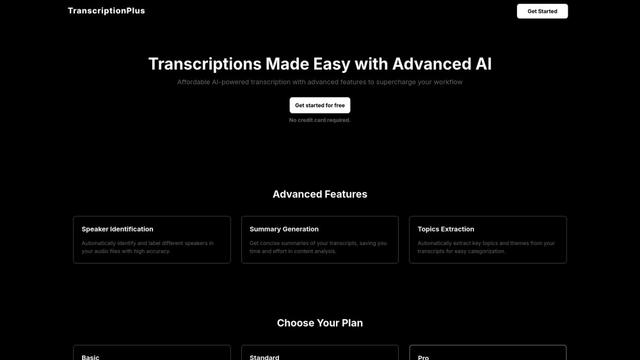
TranscriptionPlus, konuşmayı metne dönüştürme konusunda doğru sonuçlar sunan, konuşmacı tanımlama, özet oluşturma ve çok dilli destek gibi gelişmiş özellikler sunan AI destekli bir transkripsiyon hizmetidir ve uygun fiyatlandırma katmanlarıyla gelir.
AudioScribe.io
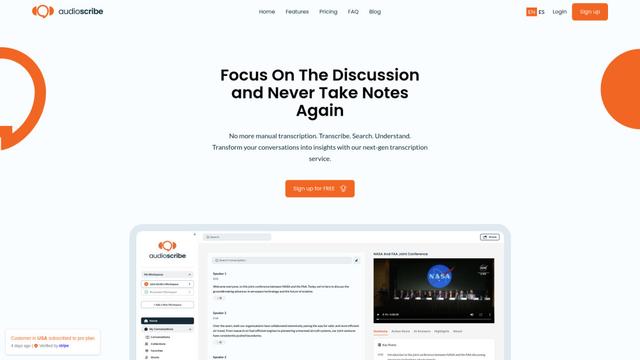
AudioScribe.io, ses ve video içeriğini doğru metne dönüştüren devrim niteliğinde bir AI destekli transkripsiyon hizmetidir ve otomatik toplantı kaydı, tam metin arama ve çok dilli destek gibi gelişmiş özellikler sunar.
SpotScribe Gibi Popüler Yapay Zeka Araçları
Ghost Pepper 🌶️
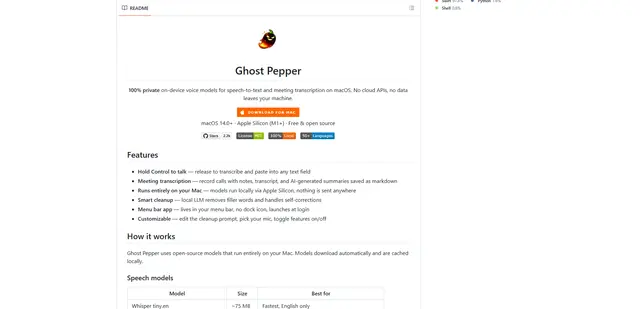
Ghost Pepper, açık kaynaklı yapay zeka modellerini kullanarak Mac'inizde tamamen çalışan, %100 yerel, gizlilik odaklı bir macOS için konuşmayı metne dönüştürme ve toplantı transkripsiyonu uygulamasıdır; bas-konuş kaydı, akıllı metin temizleme ve buluta herhangi bir veri göndermeden çoklu dil desteği içerir.
Whisper AI
Whisper, OpenAI tarafından geliştirilen açık kaynaklı bir otomatik konuşma tanıma sistemidir ve birden fazla dilde konuşmayı transkribe etme ve çevirme konusunda insan seviyesinde doğruluk ve dayanıklılık sunar.

Youtube to transcript
Youtube to Transcript, kullanıcıların YouTube videolarını çoklu dil desteği, AI destekli özetleme ve indirilebilir formatlar gibi özelliklerle kolayca metin transkriptlerine dönüştürmelerini sağlayan bir Chrome uzantısıdır.
inFin
inFin, sınırsız kayıt, gerçek zamanlı transkripsiyon ve Çince ile İngilizce arasında çeviri sunan, çevrimdışı yetenekler ve artırılmış gizlilik için yerel depolama ile hafif, kullanıcı dostu bir AI destekli ses notları uygulamasıdır.