
Slashspace AI
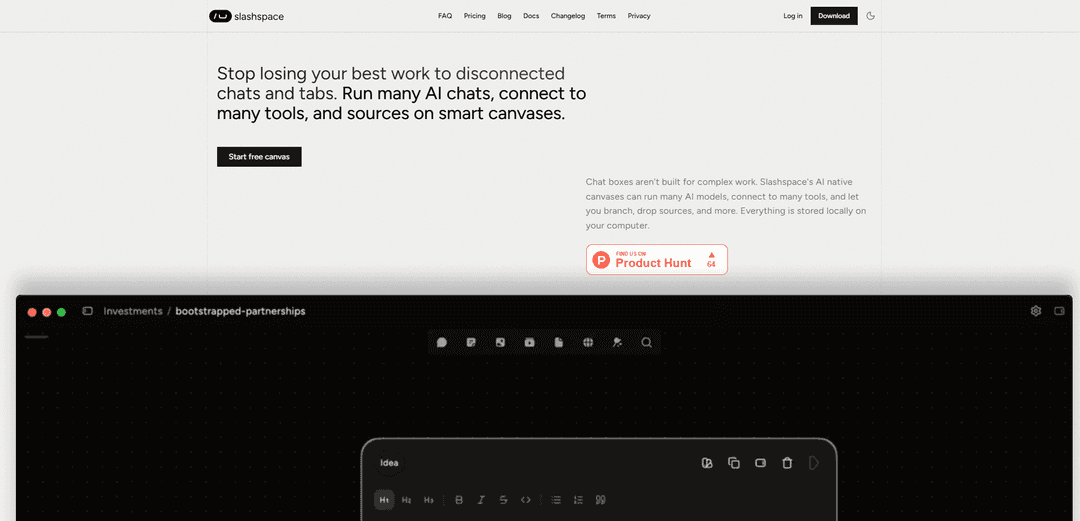
Slashspace AI is an AI-native infinite canvas that lets you run multiple model chats side-by-side, branch workflows, attach sources, and connect to tools (via MCP and integrations) while keeping everything stored locally on your device.
https://www.slashspace.ai/?ref=producthunt
Product Information
Updated:Jun 9, 2026
What is Slashspace AI
Slashspace AI (previously Rabbitholes AI) is a canvas-first workspace designed to replace scattered AI chat tabs with a single, organized surface for complex work. Instead of confining your thinking to linear chat threads, it gives you an infinite canvas where you can place multiple AI conversations, documents, and outputs in a spatial layout that matches your workflow—e.g., research in one area, drafting in another, and edits in a third. It supports major frontier models, works across Mac/Windows/Linux, and emphasizes privacy by storing your work locally on your computer.
Key Features of Slashspace AI
Slashspace AI (formerly Rabbitholes AI) is an infinite, AI-native canvas that replaces scattered chat tabs with a single visual workspace where you can run multiple AI conversations side-by-side, branch explorations, and attach or drop sources as you go. It supports frontier models, multi-step “Deep Research” agents, and integrations via MCP and 1000+ tools (email, Slack, calendar, etc.), while storing work locally on your device for privacy and offline access. It also includes image generation and optional coding-agent workflows (e.g., via Cursor) across Mac, Windows, and Linux.
Canvas-first multi-chat workspace: Organize many AI chats on a spatial canvas so research, drafting, and revisions can live together visually instead of being lost across tabs and threads.
Branching + source control for thinking: Branch conversations and selectively drop/add sources to explore alternatives without overwriting prior work, keeping complex projects coherent.
Deep Research agents: Run multi-step research workflows that synthesize findings across dozens of sources, helping you go from questions to structured answers faster.
MCP + 1000+ tool connections: Connect to Model Context Protocol servers and common tools (email, Slack, calendar, etc.) so the AI can act across your workflows from one canvas.
Local-first privacy and offline storage: Everything is stored locally on your computer, designed for privacy and the ability to work fully offline.
Frontier models + image generation + coding agents: Access the latest LLMs, generate images directly in-canvas, and optionally run coding agents by connecting a Cursor API key.
Use Cases of Slashspace AI
Academic & educational content creation: Lecturers and teachers can assemble context, generate multiple versions of learning materials, and iterate on summaries and quizzes in one workspace.
Research-heavy analysis and synthesis: Analysts, consultants, and writers can run deep research, keep sources organized, and maintain parallel threads for hypotheses and conclusions.
Product and operations workflows: Teams can connect calendars, email, and Slack to coordinate tasks and automate follow-ups while keeping planning and context on the canvas.
Software development planning and coding support: Developers can use model chats alongside code-oriented agents (via Cursor) to plan changes, iterate on solutions, and keep technical context centralized.
Creative ideation and asset iteration: Creators can brainstorm, draft, and generate/iterate images in the same canvas, keeping creative directions and variants organized.
Pros
Canvas layout reduces context loss by keeping related chats, drafts, and sources visible in one place.
Local-first storage improves privacy and enables offline work.
Strong extensibility via MCP and broad tool integrations (1000+ tools).
Supports multiple frontier models plus deep research and image generation in one workflow.
Cons
Full capabilities (all models, higher usage pools) are gated behind paid tiers.
Tool/model power may add complexity for users who prefer simple single-thread chat interfaces.
Some advanced workflows may require external keys (e.g., Cursor API key / BYOK plans) for best experience.
How to Use Slashspace AI
1. Install Slashspace on your device: Download and install Slashspace for your operating system (Mac, Windows, or Linux), then launch the app to start working in the canvas-based workspace.
2. Create or open a canvas for your work: Start a new canvas (or open an existing one) and use it as your central workspace where chats, sources, and tool outputs can live side-by-side.
3. Start your first AI chat on the canvas: Add a chat box to the canvas and begin prompting. Use separate chat boxes for different threads (e.g., research, drafting, editing) so you don’t lose context across tabs.
4. Run multiple AI chats in parallel: Create additional chat boxes on the same canvas to explore different angles or tasks simultaneously (e.g., one for brainstorming, one for summarizing, one for critique). Arrange them spatially to match your workflow.
5. Switch or use the latest models as needed: Choose the model that fits your task (the app supports access to frontier models as they launch). Use faster pools and broader model access if you’re on a paid plan.
6. Add sources directly onto the canvas: Bring your working materials into the canvas (e.g., PDFs, websites, YouTube videos, spreadsheets) so the AI can reference them while you research, synthesize, and draft.
7. Use Deep Research for multi-step synthesis: Trigger a deep research workflow to have an agent run multi-step research and synthesize across many sources, then review and iterate on the results within the canvas.
8. Connect external tools (email, Slack, calendar, etc.): Use the tool-connection feature to link Slashspace to the services you use (email, Slack, calendar, and more) so the AI can take actions from within the canvas.
9. Connect via MCP (Model Context Protocol) servers: If you have MCP servers available, connect Slashspace to them to extend capabilities and integrate additional tools or context providers into your canvases.
10. Generate and iterate on images in-canvas: Use the image generation feature to create images directly in the canvas, then iterate by refining prompts and keeping versions side-by-side for comparison.
11. Run coding agents via Cursor Agent (optional): If you use Cursor, connect your Cursor API key to enable Cursor Agent and run coding agents directly on the canvas for software tasks.
12. Keep your work local and private: Work knowing canvases and data are stored locally on your computer; use offline/private workflows when needed.
13. Choose a plan that matches your usage: Pick Free for light use, Pro/Advanced for included monthly usage and broader model access, or Lifetime if you want a one-time purchase with Bring Your Own Key and lifetime updates.
14. Scale up with credits or BYOK when needed: If you exceed included usage, use credit top-ups. If you’re a technical user, use Bring Your Own Key (available on Advanced and Lifetime) to run with your own provider keys.
Slashspace AI FAQs
Slashspace (previously Rabbitholes AI) is an AI-native, infinite canvas for deep work where you can run multiple AI conversations, connect tools and sources, and keep project context organized on a spatial canvas.
Slashspace AI Video
Popular Articles

Proferex: A Cloud-Based Ad Tracking and Campaign Optimization Platform
Nov 4, 2026

How to Create Viral Talking Baby Podcast Videos with AI: Step-by-Step Guide
Nov 2, 2026

Vosko AI: Localize and Dub Videos for Global Audiences
Oct 15, 2026

Atoms: A Multi-Agent AI Platform That Transforms Ideas into Launch-Ready Products
Oct 13, 2026
Latest AI Tools Similar to Slashspace AI
MultipleWords
MultipleWords is a comprehensive AI platform offering 16 powerful tools for content creation and manipulation across audio, video, and image editing with cross-platform accessibility.
Athena AI
Athena AI is a versatile AI-powered platform offering personalized study assistance, business solutions, and life coaching through features like document analysis, quiz generation, flashcards, and interactive chat capabilities.
Taidai.io
Taidai.io is an AI-powered tool that automatically converts notes, emails, and text content into actionable todo lists.
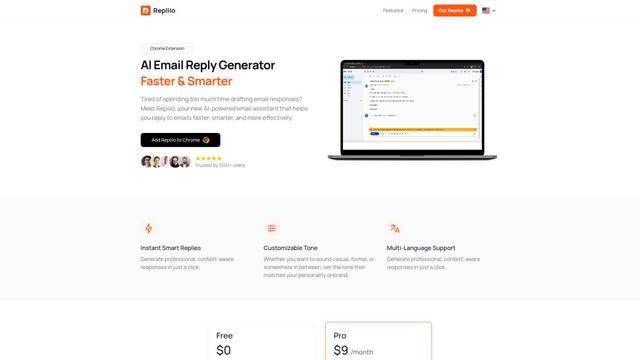
Repliio
Repliio is an AI-powered email assistant Chrome extension that helps users generate professional, context-aware email responses quickly with customizable tones and multi-language support.
Popular AI Tools Like Slashspace AI
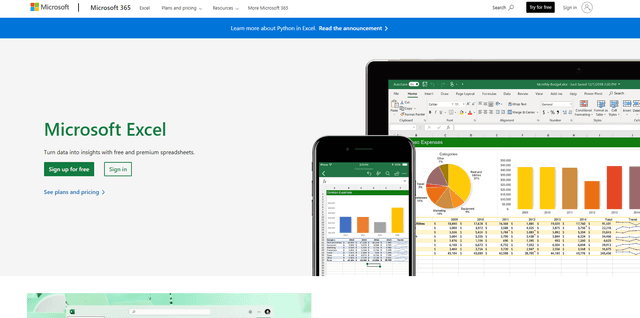
Microsoft Excel: Spreadsheets
Microsoft Excel is the industry-leading spreadsheet software that allows users to organize, analyze, and visualize data through powerful features like formulas, charts, and AI-powered insights.
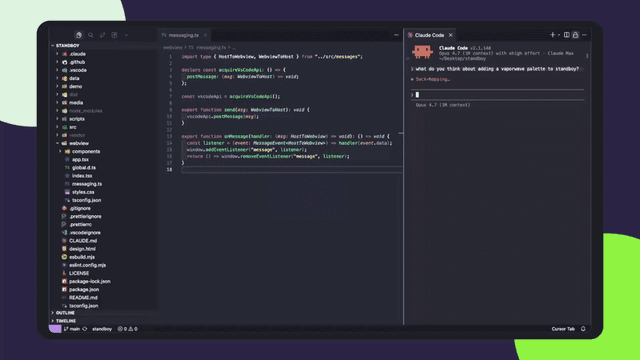
Standboy
Standboy is a VS Code/Cursor extension that auto-expands a Game Boy (GB/GBC/GBA) emulator in the sidebar during AI agent activity, then auto-hides and pauses—resuming mid-frame next time—while keeping a persistent ROM library, saves, and cover art.
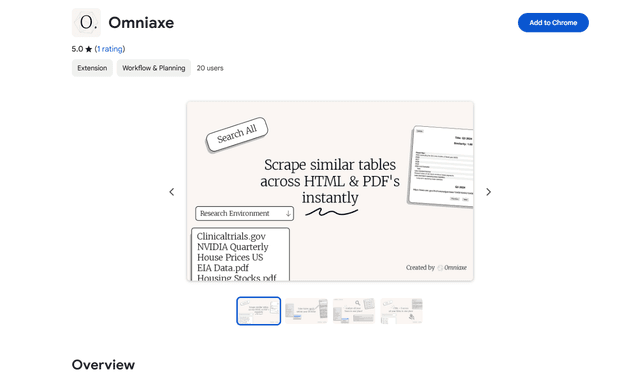
Omniaxe
Omniaxe is an all-in-one Chrome extension research tool that combines seamless data extraction, AI-powered analysis, and centralized note-taking capabilities designed specifically for analysts, researchers and students.
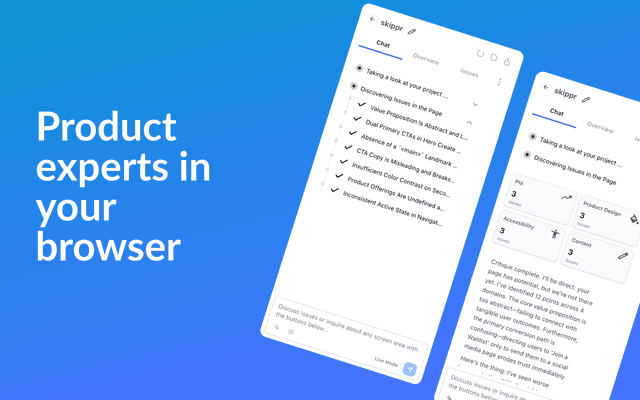
Finesse by Skippr AI
Finesse by Skippr AI is a browser extension that provides instant, expert-level product feedback and critiques across design, content strategy, accessibility, and product direction through specialized AI reviewers.