
Seer Platform
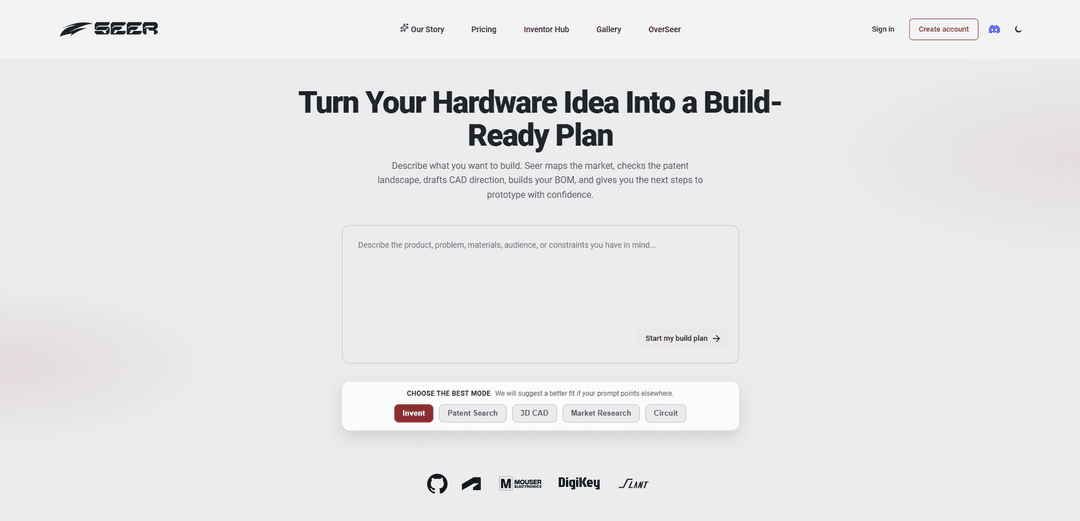
Seer Platform is an AI-powered hardware invention assistant that turns product ideas into build-ready plans with execution roadmaps, BOM/sourcing guidance, patent prior-art checks, 3D CAD direction, and market research.
https://seerplatform.dev/?ref=producthunt
Product Information
Updated:May 15, 2026
What is Seer Platform
Seer Platform helps inventors and hardware builders move from a rough concept to a prototype-ready direction. By describing what you want to build (and optionally providing sketches or reference images), Seer generates practical outputs such as a step-by-step development roadmap, component breakdowns and BOM guidance, feasibility and build-risk assessment, early CAD direction, and market and competitor insights. It’s designed to support the messy middle between “idea” and “something you can actually build and validate.”
Key Features of Seer Platform
Seer Platform is an AI-assisted hardware invention workspace that turns rough product ideas into build-ready direction. It can generate step-by-step execution roadmaps, feasibility and build-risk assessments, component breakdowns with BOM and sourcing notes, early 3D CAD direction from text or sketches, market research to validate demand and positioning, and patent/prior-art analysis to gauge novelty before investing in prototyping.
Invent-to-prototype roadmap: Transforms a hardware concept into a practical plan with milestones, suggested MVP scope, next experiments, and what to build first to reach an initial prototype.
BOM + components + sourcing signals: Generates a component breakdown with BOM-style lists, sourcing notes, and early cost signals to help estimate feasibility and procurement complexity.
Feasibility and build-risk assessment: Flags complexity drivers and likely failure points (technical, integration, and manufacturing risks) so teams can prioritize de-risking work early.
Patent search and prior-art comparison: Compares an invention against patent databases to find similar prior art, provide similarity scoring, summarize novelty, and suggest differentiation angles.
Text/sketch-to-3D CAD direction: Creates inspectable 3D model output from descriptions or reference images, supporting early dimensional thinking for parts, enclosures, and simple assemblies.
Market research and positioning analysis: Assesses demand signals, customer segments, competitor landscape, and buying triggers to pressure-test whether the idea is worth prototyping.
Use Cases of Seer Platform
Consumer gadget MVP planning: Solo inventors or startups can go from idea to a prioritized prototype plan, including enclosure CAD direction and a starter BOM for quick iteration.
IoT device concept validation: Teams can map sensors/connectivity options into a component plan, identify integration risks, and validate target customers and competitors before building.
Medical/assistive device early feasibility: Designers can explore form-factor CAD, identify technical risks and test plans, and use prior-art searches to refine the invention angle early.
Manufacturing readiness pre-check: Hardware builders can use BOM and sourcing notes to surface long-lead parts, cost drivers, and alternative components before committing to a prototype run.
IP diligence for new product lines: Product teams can run patent/prior-art comparisons to spot overlap, reduce infringement risk, and guide design differentiation before investing heavily.
Pros
End-to-end hardware invention pipeline (plan, BOM, CAD direction, market, and patent checks) in one place
Helps reduce early-stage uncertainty by highlighting feasibility issues, risks, and next experiments
Speeds up ideation-to-prototype by producing tangible artifacts (roadmap, BOM, CAD starting point)
Cons
Outputs (especially CAD and cost/sourcing signals) may require expert verification and iteration before engineering/manufacturing use
Patent/prior-art insights are helpful for direction but are not a substitute for professional legal counsel
Best results depend on the quality and specificity of the input concept, constraints, and requirements
How to Use Seer Platform
1) Create an account and sign in: Go to https://app.getseer.dev and sign up, then log in to access Seer’s modes (Invent, Patent Search, 3D CAD, Market Research).
2) Choose the mode that matches your goal: Pick one of the focused workflows: Invent (execution roadmap + BOM + feasibility), Patent Search (prior art + novelty guidance), 3D CAD (sketch/image/text-to-3D), or Market Research (demand + competitors + risks).
3) Use Invent mode to turn an idea into a build plan: Open Invent, describe your hardware concept in plain language, and submit. Review the output: step-by-step roadmap to prototype, suggested MVP scope, component breakdown/BOM with sourcing notes and cost signals, plus feasibility and build-risk assessment. Iterate by refining your description and re-running to adjust scope, parts, and risks.
4) Use Patent Search mode to check what already exists: Open Patent Search, paste a clear description of your invention (what it is, how it works, what’s unique), and run the search. Review prior-art matches, similarity scoring, claim-level themes, and differentiation notes. Update your concept to sharpen novelty and reduce overlap, then re-run as needed.
5) Use 3D CAD mode to generate early CAD from text or images: Open 3D CAD and provide one of: a hand-drawn sketch, a reference image, or a detailed text description of the part/enclosure. Generate the model, inspect the geometry, then refine by specifying dimensions, constraints, interfaces (holes, mounts, clearances), and materials intent. Export the model in an export-friendly format for iteration and handoff to engineering/manufacturing.
6) Use Market Research mode to validate demand before prototyping: Open Market Research and describe the product, target users, and the problem it solves. Review demand signals, customer segments/use cases, competitor landscape, positioning opportunities, and risk/scope scoring. Use the findings to adjust pricing assumptions, feature priorities, and go-to-market focus.
7) Iterate across modes as your concept evolves: Cycle between modes: use Market Research to refine the target customer and positioning, Patent Search to refine novelty, Invent to update the build roadmap and BOM, and 3D CAD to evolve the physical design. Each pass should incorporate what you learned from the previous outputs.
8) Share and get feedback via the community: Join the community via https://discord.gg/QbNvanUBYM to share early CAD generations, trade feedback with other builders, and learn from examples others are posting.
Seer Platform FAQs
Seer is a tool that helps turn hardware ideas into build-ready plans. You describe what you want to build, and Seer generates practical next steps such as a development roadmap, component breakdown/BOM, sourcing notes, feasibility and build-risk assessment, and guidance toward a prototype.
Popular Articles

Atoms: A Multi-Agent AI Platform That Transforms Ideas into Launch-Ready Products
May 22, 2026

Nano Banana SBTI: What It Is, How It Works, and How to Use It in 2026
Apr 15, 2026

Atoms Review — The AI Product Builder Redefining Digital Creation in 2026
Apr 10, 2026

Kilo Claw: How to Deploy and Use a True "Do‑It‑For‑You" AI Agent(2026 Update)
Apr 3, 2026
Latest AI Tools Similar to Seer Platform

Gait
Gait is a collaboration tool that integrates AI-assisted code generation with version control, enabling teams to track, understand, and share AI-generated code context efficiently.

invoices.dev
invoices.dev is an automated invoicing platform that generates invoices directly from developers' Git commits, with integration capabilities for GitHub, Slack, Linear, and Google services.

EasyRFP
EasyRFP is an AI-powered edge computing toolkit that streamlines RFP (Request for Proposal) responses and enables real-time field phenotyping through deep learning technology.

Cart.ai
Cart.ai is an AI-powered service platform that provides comprehensive business automation solutions including coding, customer relations management, video editing, e-commerce setup, and custom AI development with 24/7 support.
Popular AI Tools Like Seer Platform

GitHub Copilot Chat
GitHub Copilot Chat is an AI-powered coding assistant that provides natural language interactions, real-time code suggestions, and contextual support directly within supported IDEs and GitHub.com.

CopilotForXcode
CopilotForXcode is an Xcode Source Editor Extension that integrates GitHub Copilot, Codeium, and ChatGPT to provide AI-powered code suggestions, chat assistance, and prompt-to-code functionality within Xcode.

BrowserAI
BrowserAI is an open-source library that enables running local Large Language Models (LLMs) directly in web browsers with WebGPU acceleration, offering privacy-focused AI capabilities without requiring server infrastructure.

OpenAI Codex CLI
OpenAI Codex CLI is a lightweight, open-source coding agent that runs in your terminal, enabling developers to translate natural language into code execution while providing ChatGPT-level reasoning with the ability to run code, manipulate files, and iterate under version control.