Scripta.
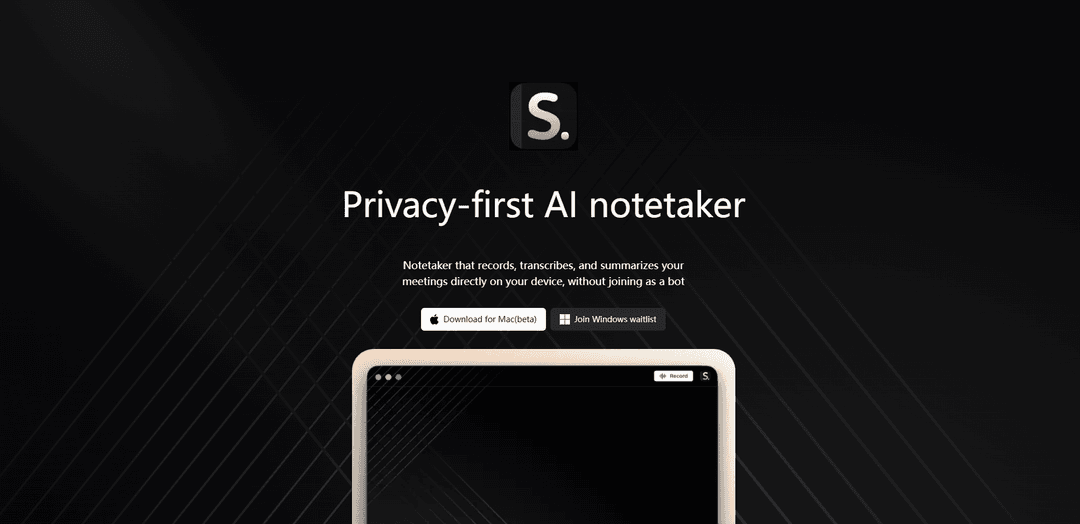
Scripta is a privacy-focused AI notetaker application that records, transcribes, and summarizes meetings directly on your device while providing powerful analytics capabilities.
https://getscripta.app/?ref=producthunt
Product Information
Updated:Feb 10, 2026
What is Scripta.
Scripta is an innovative meeting assistant tool designed with privacy as its core principle. Unlike traditional meeting tools that require bot participation, Scripta operates directly on your device, ensuring your meeting recordings and data never leave your local storage. The application combines AI capabilities with secure local processing to help users capture, analyze, and derive insights from their meetings.
Key Features of Scripta.
Scripta is a privacy-focused AI notetaking application that records, transcribes, and summarizes meetings directly on your device without requiring a bot to join. It offers secure local storage of recordings, integration with various AI models (ChatGPT, Claude, Gemini) for summarization, connectivity with popular productivity tools, and meeting analytics capabilities. The app emphasizes data privacy while providing comprehensive meeting documentation and insight generation.
Privacy-First Local Processing: All recordings and data are stored and processed directly on your device, ensuring your meeting content never leaves your secure environment
AI-Powered Summarization: One-click meeting summarization using your choice of AI models including ChatGPT, Claude, or Gemini
Tool Integration: Seamless connection with popular productivity tools like Slack, Notion, Google Drive, and Microsoft Teams for easy sharing and storage
Meeting Analytics: Smart analysis tools to identify patterns and extract insights from your conversations
Use Cases of Scripta.
Business Meetings: Capture and summarize important client meetings, team discussions, and strategic planning sessions without privacy concerns
Academic Research: Record and analyze interviews, focus groups, or lectures while maintaining participant confidentiality
Project Management: Track decisions, action items, and progress through automated meeting documentation and analytics
Remote Team Collaboration: Maintain comprehensive records of virtual meetings and ensure all team members stay aligned with AI-generated summaries
Pros
Strong privacy protection with local processing
Flexible AI model integration options
Comprehensive tool integration ecosystem
Cons
Currently in beta testing phase
May require significant device storage for local processing
Performance may vary based on device capabilities
How to Use Scripta.
Download and Install: Download the Scripta app from your device's app store (available on Apple App Store or Google Play Store) or access it through your web browser
Create Account: Set up your account by creating login credentials and completing the registration process
Record Meetings: Use Scripta to record your meetings directly on your device - the recordings stay private and never leave your device
Connect AI Service: Connect your preferred AI service (ChatGPT, Claude, or Gemini) to enable meeting summarization features
Generate Summaries: After recording, click the summarize button to generate meeting summaries using your connected AI service
Integration Setup: Connect Scripta to your preferred tools like Slack, Notion, Google Drive, or Microsoft Teams for seamless sharing and storage
Access Analytics: Use the analytics dashboard to discover patterns and insights from your recorded conversations
Manage Privacy Settings: Configure your privacy preferences to ensure your recordings and data are stored according to your requirements
Scripta. FAQs
Scripta has two different products: 1) A privacy-first AI notetaker that records, transcribes and summarizes meetings directly on your device, and 2) A prescription savings benefit app that helps users compare medication prices and find savings.
Popular Articles

Vosko AI: Localize and Dub Videos for Global Audiences
Oct 15, 2026

Atoms: A Multi-Agent AI Platform That Transforms Ideas into Launch-Ready Products
Oct 13, 2026

Nano Banana SBTI: What It Is, How It Works, and How to Use It in 2026
Apr 15, 2026

Atoms Review — The AI Product Builder Redefining Digital Creation in 2026
Apr 10, 2026
Latest AI Tools Similar to Scripta.

Ticknotes
Ticknotes is an AI-powered meeting assistant that automatically records, transcribes, and generates personalized meeting summaries, action items, and key insights from audio, video, and text content.

Feta
Feta is an AI-powered meeting tool that helps product and engineering teams run efficient meetings by capturing discussions, automating tasks, and providing actionable insights through smart summaries and integrations.

Aimeet
Aimeet is a comprehensive AI-powered communication platform that combines real-time translation, transcription, screen sharing, and unlimited meeting capabilities for effective virtual collaboration.

MinutesLink
MinutesLink is an advanced AI-powered note-taking assistant that automatically records, transcribes, summarizes and organizes virtual meetings while building personalized digital avatars from meeting data.
Popular AI Tools Like Scripta.

Second Brain for AI
Second Brain for AI is a self-hosted, MCP-compatible persistent memory layer on Cloudflare that lets Claude, ChatGPT, Cursor, and other AI clients store and semantically recall shared context across sessions.

Slack
Slack is an AI-powered work platform that brings team communication, channels, files, automation, and app integrations into one conversational workspace.

24me Smart Personal Assistant
24me is an award-winning smart personal assistant app that combines calendar, to-do lists, notes, and personal accounts in one unified platform to help boost productivity and time management.

Granola for iOS
Granola for iOS is an AI-powered notepad app that helps users effortlessly capture, transcribe and summarize meeting conversations through intelligent note-taking and one-tap recording capabilities.