
ScreenGeany AI
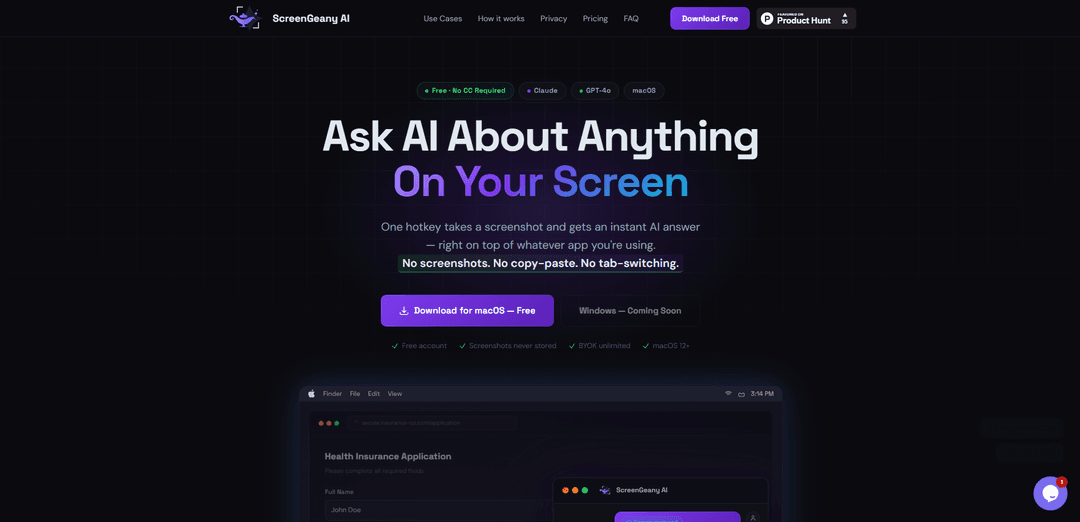
ScreenGeany AI is a macOS application that uses a single hotkey to instantly capture your screen and get AI-powered answers about anything displayed, without storing screenshots or requiring tab-switching.
https://screengeany.ai/?ref=producthunt
Product Information
Updated:Mar 15, 2026
What is ScreenGeany AI
ScreenGeany AI is an innovative desktop application that seamlessly integrates AI assistance into your workflow. It allows users to interact with AI models like Claude and GPT-4o to get instant answers about anything on their screen, whether it's explaining form fields, debugging code, analyzing charts, or translating content. The application is designed with privacy in mind, offering a free tier with 10 queries per month and a Pro plan that includes features like BYOK (Bring Your Own Key) for unlimited usage.
Key Features of ScreenGeany AI
ScreenGeany AI is a macOS application that allows users to instantly get AI-powered answers about anything on their screen with just one hotkey (⌘⇧D). It captures screenshots, processes them through AI models (Claude or GPT-4), and provides immediate responses in a floating overlay window, all without requiring users to switch tabs, copy-paste, or manually upload screenshots.
One-Click Screen Analysis: Capture and analyze any content on screen with a single hotkey press, getting instant AI responses without disrupting workflow
Privacy-First Architecture: Screenshots are processed in RAM only and transmitted via TLS 1.3 encryption, never stored on disk or logged, ensuring complete user privacy
Multi-Provider AI Support: Flexibility to choose between different AI models (Claude Haiku, Sonnet, GPT-4o) and switch providers instantly within the app
BYOK Integration: Bring Your Own Key (BYOK) option for unlimited queries using personal API keys from Anthropic or OpenAI, with secure AES-256-GCM encryption
Use Cases of ScreenGeany AI
Form Completion Assistance: Helps users understand complex form fields, requirements, and terminology while filling out applications or documents
Technical Documentation: Assists developers in debugging code errors and understanding technical documentation by providing instant explanations
Content Creation: Helps craft social media posts, email replies, and comments by providing AI-powered suggestions based on screen content
Data Analysis: Provides quick explanations and insights for charts, dashboards, and data visualizations in plain English
Pros
Seamless integration with workflow - no need to switch contexts or copy-paste
Strong privacy features with zero storage of screenshots
Flexible AI provider options with ability to use personal API keys
Cons
Currently only available for macOS (Windows version in development)
Limited queries in free tier (10 per month)
Requires internet connection for AI processing
How to Use ScreenGeany AI
Download and Install: Download ScreenGeany AI for macOS (requires macOS 12+) and create a free account - no credit card required
Grant Permissions: Grant screenshot permission when prompted during first launch to allow the app to capture your screen
Set Up Hotkey: The default hotkey is Command (⌘) + Shift (⇧) + D, but you can customize it in settings
Capture Screen: Press the hotkey (⌘⇧D) from any app to capture your screen - ScreenGeany AI will appear as a floating overlay window
Ask Question: Type your question about anything showing on your screen in the overlay window
Get AI Response: The AI (Claude or GPT-4o) will analyze your screenshot and provide an instant answer with rich markdown formatting
Follow Up: You can ask follow-up questions, copy the response, or dismiss the overlay to continue working
Switch AI Models: Use the dropdown in the app to switch between Claude Haiku/Sonnet or GPT-4o models at any time
ScreenGeany AI FAQs
No. Screenshots are captured into RAM as a base64 string, forwarded via a secure Cloudflare Worker proxy to your chosen AI provider (Anthropic or OpenAI) over HTTPS, and then discarded. They are never written to disk, never stored by the proxy, and never logged.
Popular Articles

Vosko AI: Localize and Dub Videos for Global Audiences
Oct 15, 2026

Atoms: A Multi-Agent AI Platform That Transforms Ideas into Launch-Ready Products
Oct 13, 2026

Nano Banana SBTI: What It Is, How It Works, and How to Use It in 2026
Apr 15, 2026

Atoms Review — The AI Product Builder Redefining Digital Creation in 2026
Apr 10, 2026
Latest AI Tools Similar to ScreenGeany AI

Gait
Gait is a collaboration tool that integrates AI-assisted code generation with version control, enabling teams to track, understand, and share AI-generated code context efficiently.

invoices.dev
invoices.dev is an automated invoicing platform that generates invoices directly from developers' Git commits, with integration capabilities for GitHub, Slack, Linear, and Google services.

EasyRFP
EasyRFP is an AI-powered edge computing toolkit that streamlines RFP (Request for Proposal) responses and enables real-time field phenotyping through deep learning technology.

Cart.ai
Cart.ai is an AI-powered service platform that provides comprehensive business automation solutions including coding, customer relations management, video editing, e-commerce setup, and custom AI development with 24/7 support.
Popular AI Tools Like ScreenGeany AI

GitHub Copilot Chat
GitHub Copilot Chat is an AI-powered coding assistant that provides natural language interactions, real-time code suggestions, and contextual support directly within supported IDEs and GitHub.com.

CopilotForXcode
CopilotForXcode is an Xcode Source Editor Extension that integrates GitHub Copilot, Codeium, and ChatGPT to provide AI-powered code suggestions, chat assistance, and prompt-to-code functionality within Xcode.

BrowserAI
BrowserAI is an open-source library that enables running local Large Language Models (LLMs) directly in web browsers with WebGPU acceleration, offering privacy-focused AI capabilities without requiring server infrastructure.

OpenAI Codex CLI
OpenAI Codex CLI is a lightweight, open-source coding agent that runs in your terminal, enabling developers to translate natural language into code execution while providing ChatGPT-level reasoning with the ability to run code, manipulate files, and iterate under version control.