
Repo Prompt
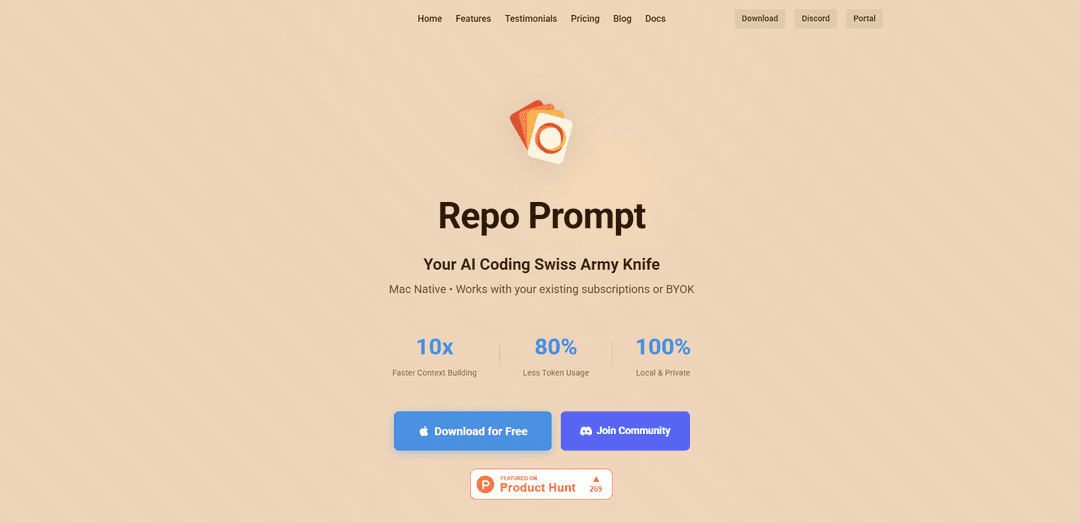
Repo Prompt là một ứng dụng macOS gốc đóng vai trò là hộp công cụ kỹ thuật ngữ cảnh, được thiết kế để hợp lý hóa việc lặp lại mã với các mô hình AI mạnh mẽ bằng cách cho phép lựa chọn tệp hiệu quả, tạo lời nhắc và sửa đổi mã tự động.
https://repoprompt.com/?ref=producthunt&utm_source=aipure
Thông tin Sản phẩm
Đã cập nhật:Jan 15, 2026
Repo Prompt là gì
Repo Prompt là một công cụ phát triển tinh vi được xây dựng đặc biệt cho macOS, giúp thu hẹp khoảng cách giữa các kho mã cục bộ và các mô hình ngôn ngữ AI. Nó hoạt động như một ứng dụng độc lập và một máy chủ MCP (Giao thức ngữ cảnh mô hình), cho phép các nhà phát triển quản lý hiệu quả cơ sở mã của họ đồng thời tận dụng các khả năng AI. Công cụ này hỗ trợ nhiều mô hình AI khác nhau bao gồm Claude, GPT và các mô hình khác, hoạt động với các đăng ký hiện có của người dùng hoặc khóa API của riêng họ trong khi vẫn duy trì hoàn toàn quyền riêng tư và hoạt động cục bộ.
Các Tính năng Chính của Repo Prompt
Repo Prompt là một hộp công cụ kỹ thuật ngữ cảnh macOS gốc giúp các nhà phát triển xây dựng các lời nhắc AI chính xác từ cơ sở mã của họ. Nó cho phép người dùng chọn các tệp và thư mục cụ thể, tự động xây dựng ngữ cảnh liên quan và quản lý các sửa đổi mã được hỗ trợ bởi AI thông qua giao diện trực quan. Công cụ này tích hợp với nhiều mô hình AI khác nhau và hỗ trợ chức năng máy chủ MCP (Giao thức Ngữ cảnh Mô hình) để đồng bộ hóa ngữ cảnh liền mạch trên các công cụ AI khác nhau.
Trình tạo ngữ cảnh trực quan: Cung cấp giao diện cây tệp trực quan để chọn và sắp xếp các tệp mã, với các đề xuất thông minh cho ngữ cảnh liên quan và theo dõi việc sử dụng mã thông báo
Tích hợp máy chủ MCP: Hoạt động như một máy chủ Giao thức Ngữ cảnh Mô hình cho phép đồng bộ hóa ngữ cảnh liên tục trên các công cụ AI khác nhau như Claude Desktop, Cursor và các trình chỉnh sửa AI khác
Chế độ Áp dụng thông minh: Cho phép người dùng xem xét và áp dụng có chọn lọc các sửa đổi mã do AI tạo ra với khả năng xem xét khác biệt trước khi ghi vào đĩa
Ủy quyền mô hình thông minh: Tự động chỉ định các tác vụ mã hóa cho các mô hình AI cụ thể dựa trên độ phức tạp của cam kết và độ dài tệp để có hiệu suất tối ưu và hiệu quả chi phí
Các Trường hợp Sử dụng của Repo Prompt
Tái cấu trúc mã quy mô lớn: Giúp các nhà phát triển lập kế hoạch và thực hiện các dự án tái cấu trúc mã phức tạp bằng cách cung cấp ngữ cảnh toàn diện và các quy trình sửa đổi được kiểm soát
Phân tích và hiểu mã: Hỗ trợ các nhà phát triển nhanh chóng hiểu các cơ sở mã mới hoặc phân tích các dự án mã nguồn mở bằng cách cung cấp ngữ cảnh liên quan cho các mô hình AI
Phát triển được hỗ trợ bởi AI: Cho phép cộng tác hiệu quả giữa các nhà phát triển và các mô hình AI để phát triển tính năng và sửa lỗi thông qua quản lý ngữ cảnh chính xác
Ưu điểm
Khả năng quản lý ngữ cảnh mạnh mẽ
Tích hợp liền mạch với nhiều mô hình và công cụ AI
Hoạt động cục bộ và riêng tư với các đăng ký AI hiện có
Nhược điểm
Chỉ khả dụng cho macOS
Giao diện phức tạp với đường cong học tập dốc
Yêu cầu đăng ký Pro cho các tính năng nâng cao
Cách Sử dụng Repo Prompt
Cài đặt Repo Prompt: Tải xuống và cài đặt Repo Prompt trên thiết bị macOS của bạn. Đây là một ứng dụng Mac gốc.
Chọn kho lưu trữ: Mở Repo Prompt và chọn một thư mục kho lưu trữ cục bộ hoặc nhập URL kho lưu trữ GitHub để phân tích
Chọn tệp: Chọn các tệp hoặc thư mục cụ thể bạn muốn đưa vào lời nhắc của mình. Ứng dụng hiển thị số lượng token cho mỗi tệp để giúp quản lý kích thước ngữ cảnh
Định cấu hình ngữ cảnh: Sử dụng tính năng Trình tạo ngữ cảnh để tự động tìm các tệp có liên quan cho tác vụ của bạn hoặc chọn tệp thủ công bằng các tùy chọn tìm kiếm và lọc
Viết lời nhắc: Nhập hướng dẫn hoặc truy vấn cụ thể của bạn vào hộp lời nhắc. Ứng dụng sẽ định dạng mọi thứ thành thẻ XML để AI hiểu rõ hơn
Chọn mô hình AI: Chọn mô hình AI ưa thích của bạn (OpenAI, Anthropic Claude, Gemini, v.v.) và kết nối bằng khóa API của riêng bạn
Tạo phản hồi: Nhấp vào \'PLAN\' để gửi lời nhắc của bạn đến mô hình AI. Để có kết quả tốt nhất, hãy sử dụng mô hình lớn nhất và có khả năng nhất hiện có
Xem lại các thay đổi: Nếu AI đề xuất các thay đổi mã, hãy sử dụng Chế độ áp dụng để xem xét các sửa đổi được đề xuất trước khi ghi chúng vào đĩa
Lưu và xuất: Lưu lời nhắc của bạn để sử dụng trong tương lai hoặc xuất chúng để chia sẻ với các thành viên trong nhóm. Ứng dụng tạo một tệp văn bản được định dạng với nội dung kho lưu trữ của bạn
Tùy chọn: Sử dụng máy chủ MCP: Bật tích hợp máy chủ MCP để sử dụng Repo Prompt làm phụ trợ cho các trình chỉnh sửa AI khác và duy trì đồng bộ hóa ngữ cảnh trên các công cụ khác nhau
Câu hỏi Thường gặp về Repo Prompt
Repo Prompt là một hộp công cụ kỹ thuật ngữ cảnh macOS gốc, giúp các nhà phát triển xây dựng các lời nhắc AI mạnh mẽ và tương tác với các trợ lý viết mã AI. Nó được thiết kế để tối ưu hóa các tương tác AI liên quan đến mã với các tính năng như xây dựng ngữ cảnh, quản lý tệp và tích hợp mô hình.
Video Repo Prompt
Bài viết phổ biến

Vosko AI: Bản địa hóa và Lồng tiếng Video cho Khán giả Toàn cầu
Oct 15, 2026

Atoms: Nền tảng AI đa tác nhân biến ý tưởng thành sản phẩm sẵn sàng ra mắt
May 22, 2026

Nano Banana SBTI: Nó là gì, Cách thức hoạt động và Cách sử dụng nó vào năm 2026
Apr 15, 2026

Đánh giá Atoms — Trình tạo sản phẩm AI định nghĩa lại việc tạo nội dung số vào năm 2026
Apr 10, 2026
Công cụ AI Mới nhất Tương tự Repo Prompt

Gait
Gait là một công cụ hợp tác tích hợp việc tạo mã hỗ trợ AI với kiểm soát phiên bản, cho phép các nhóm theo dõi, hiểu và chia sẻ bối cảnh mã do AI tạo ra một cách hiệu quả.

invoices.dev
invoices.dev là một nền tảng lập hóa đơn tự động tạo hóa đơn trực tiếp từ các cam kết Git của các nhà phát triển, với khả năng tích hợp cho các dịch vụ GitHub, Slack, Linear và Google.

EasyRFP
EasyRFP là một bộ công cụ tính toán biên được hỗ trợ bởi AI giúp đơn giản hóa các phản hồi RFP (Yêu cầu đề xuất) và cho phép phân loại hình thái thực địa theo thời gian thực thông qua công nghệ học sâu.

Cart.ai
Cart.ai là một nền tảng dịch vụ dựa trên AI cung cấp các giải pháp tự động hóa doanh nghiệp toàn diện bao gồm lập trình, quản lý quan hệ khách hàng, chỉnh sửa video, thiết lập thương mại điện tử và phát triển AI tùy chỉnh với hỗ trợ 24/7.
Công cụ AI Phổ biến Giống Repo Prompt

GitHub Copilot Chat
GitHub Copilot Chat là một trợ lý lập trình được hỗ trợ bởi AI cung cấp các tương tác bằng ngôn ngữ tự nhiên, các gợi ý mã theo thời gian thực, và hỗ trợ theo ngữ cảnh trực tiếp trong các IDE được hỗ trợ và GitHub.com.

CopilotForXcode
CopilotForXcode là một Tiện ích mở rộng Trình chỉnh sửa mã nguồn Xcode tích hợp GitHub Copilot, Codeium và ChatGPT để cung cấp các gợi ý mã được hỗ trợ bởi AI, hỗ trợ trò chuyện và chức năng từ prompt đến mã trong Xcode.

BrowserAI
BrowserAI là một thư viện mã nguồn mở cho phép chạy các Mô hình Ngôn ngữ Lớn (LLM) cục bộ trực tiếp trong trình duyệt web với khả năng tăng tốc WebGPU, cung cấp các khả năng AI tập trung vào quyền riêng tư mà không cần cơ sở hạ tầng máy chủ.

OpenAI Codex CLI
OpenAI Codex CLI là một coding agent mã nguồn mở, nhẹ, chạy trong terminal của bạn, cho phép các nhà phát triển dịch ngôn ngữ tự nhiên thành thực thi mã trong khi cung cấp khả năng suy luận ở cấp độ ChatGPT với khả năng chạy mã, thao tác tệp và lặp lại dưới sự kiểm soát phiên bản.