
Promptly
Promptly is a no-code platform that helps users build and optimize AI prompts, generative AI applications, chatbots, and workflows with seamless data integration and multi-model support.
https://trypromptlyapp.com/?ref=producthunt
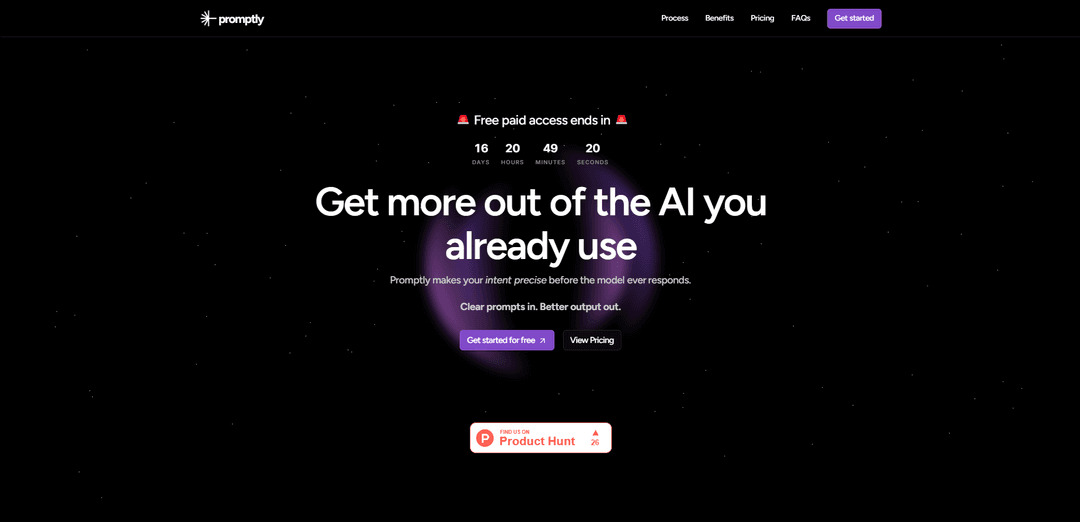
Product Information
Updated:Mar 8, 2026
What is Promptly
Promptly is a versatile AI platform designed to bridge the gap between user intent and AI model outputs. It serves as both a prompt optimization tool and a development platform for AI applications. The platform allows users to create sophisticated AI experiences by connecting multiple language models, integrating custom data sources, and deploying applications across various channels including web, Slack, and Discord. It supports major model providers like OpenAI, Cohere, Stability AI, and Hugging Face, while offering tools to handle different types of data formats including CSV, PDF, URLs, and more.
Key Features of Promptly
Promptly is a no-code AI platform that enables users to build and optimize AI applications and chatbots by connecting to various LLM models (like OpenAI, Cohere, Stability AI). It allows users to import data from multiple sources (PDFs, URLs, Google Drive, etc.), create structured prompts through guided questions, and chain multiple AI models together. The platform offers embeddable widgets, collaboration tools, and supports both text and image generation while maintaining a focus on prompt optimization and experimentation.
Data Integration & Import: Supports importing data from various sources including PDFs, URLs, Google Drive, Notion, and other file formats to provide context for AI applications
Model Integration & Chaining: Connects with multiple LLM providers and allows chaining of different AI models to create complex generative AI workflows
Structured Prompt Creation: Guides users through clarifying questions to create precise, structured prompts that deliver consistent outputs
No-Code Interface: Provides a user-friendly interface that allows both technical and non-technical users to build AI applications without coding
Use Cases of Promptly
Enterprise AI Development: Organizations can quickly develop and deploy AI-powered products and services without extensive coding resources
Content Generation: Create various types of content including text, images, and documentation using structured prompts and multiple AI models
Customer Service Automation: Build and deploy AI chatbots that can handle customer inquiries using imported company data and knowledge bases
Data Analysis and Processing: Process and analyze large volumes of data using AI models with custom workflows and chains
Pros
User-friendly interface suitable for both technical and non-technical users
Extensive integration capabilities with various data sources and AI models
Flexible deployment options including web, API, and platform integrations
Cons
Free plan has limitations on data usage and traffic volume
Learning curve for mastering all features and functionalities
Requires paid subscription for advanced features and higher usage limits
How to Use Promptly
Sign up and access: Visit trypromptlyapp.com and create an account. You can start with a free trial to access the platform.
Describe your idea: Write down your initial idea or intent for what you want to generate, even if it's not fully clear yet. You can select between text, image, or video generation.
Answer clarifying questions: The platform will ask you quick follow-up questions to better understand your requirements. These are designed to be short and easy to respond to, helping refine your intent.
Review generated structured prompt: Promptly will generate a clear, structured prompt based on your inputs. This prompt will be organized with specific sections like Subject, Style, Composition, etc.
Edit if needed: You can review and edit the generated prompt to make any necessary adjustments before using it.
Use with your preferred AI model: Copy the optimized prompt with one click and paste it into your preferred AI platform (ChatGPT, Claude, Gemini, etc.) to generate the desired output.
Save and manage prompts: You can save successful prompts for future use and access them from your prompt history. Premium users can also organize prompts into a library.
Iterate and improve: Use the platform's versioning features to experiment with different versions of your prompts and compare their performance through the logging system.
Promptly FAQs
Promptly supports various data types including CSV, TXT, PDF, DOCX, PPTX, and can import from multiple sources like Google Drive, Notion, websites, and direct uploads.
Popular Articles

Atoms: A Multi-Agent AI Platform That Transforms Ideas into Launch-Ready Products
May 22, 2026

Nano Banana SBTI: What It Is, How It Works, and How to Use It in 2026
Apr 15, 2026

Atoms Review — The AI Product Builder Redefining Digital Creation in 2026
Apr 10, 2026

Kilo Claw: How to Deploy and Use a True "Do‑It‑For‑You" AI Agent(2026 Update)
Apr 3, 2026
Latest AI Tools Similar to Promptly

Gait
Gait is a collaboration tool that integrates AI-assisted code generation with version control, enabling teams to track, understand, and share AI-generated code context efficiently.

invoices.dev
invoices.dev is an automated invoicing platform that generates invoices directly from developers' Git commits, with integration capabilities for GitHub, Slack, Linear, and Google services.

EasyRFP
EasyRFP is an AI-powered edge computing toolkit that streamlines RFP (Request for Proposal) responses and enables real-time field phenotyping through deep learning technology.

Cart.ai
Cart.ai is an AI-powered service platform that provides comprehensive business automation solutions including coding, customer relations management, video editing, e-commerce setup, and custom AI development with 24/7 support.
Popular AI Tools Like Promptly

GitHub Copilot Chat
GitHub Copilot Chat is an AI-powered coding assistant that provides natural language interactions, real-time code suggestions, and contextual support directly within supported IDEs and GitHub.com.

CopilotForXcode
CopilotForXcode is an Xcode Source Editor Extension that integrates GitHub Copilot, Codeium, and ChatGPT to provide AI-powered code suggestions, chat assistance, and prompt-to-code functionality within Xcode.

BrowserAI
BrowserAI is an open-source library that enables running local Large Language Models (LLMs) directly in web browsers with WebGPU acceleration, offering privacy-focused AI capabilities without requiring server infrastructure.

OpenAI Codex CLI
OpenAI Codex CLI is a lightweight, open-source coding agent that runs in your terminal, enabling developers to translate natural language into code execution while providing ChatGPT-level reasoning with the ability to run code, manipulate files, and iterate under version control.