
Pluto Door
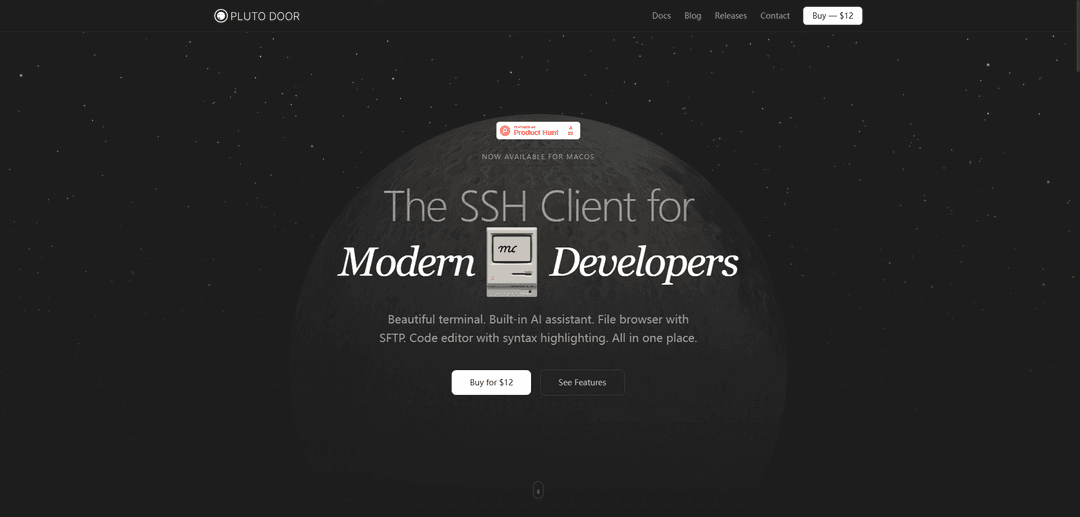
Pluto Door é um cliente SSH GUI macOS moderno que combina um belo terminal, assistente de IA integrado, navegador de arquivos SFTP e editor de código em um aplicativo seguro e local.
https://plutodoor.com/?ref=producthunt&utm_source=aipure
Informações do Produto
Atualizado:Apr 8, 2026
O que é Pluto Door
Pluto Door é um cliente SSH abrangente projetado especificamente para desenvolvedores Mac modernos. É um aplicativo de desktop independente que fornece uma interface unificada para conectar e gerenciar servidores remotos. Ao contrário dos clientes SSH tradicionais, o Pluto Door adota uma abordagem moderna, integrando ferramentas de desenvolvedor essenciais em uma única experiência simplificada, sem exigir serviços de nuvem ou registro de conta.
Principais Recursos do Pluto Door
Pluto Door é um cliente SSH GUI moderno para macOS que combina um terminal completo, assistente de IA integrado, navegador de arquivos SFTP e editor de código em um aplicativo integrado. Ele é projetado com princípios de privacidade em primeiro lugar, mantendo todos os dados locais e oferecendo um modelo de compra única, sem assinaturas.
Ambiente de Terminal Integrado: Terminal completo alimentado por xterm.js, oferecendo interface de linha de comando rápida e responsiva com design atraente
Assistente com Tecnologia de IA: Bate-papo de IA com reconhecimento de contexto que entende o ambiente do servidor e sugere comandos relevantes usando a própria chave de API OpenAI do usuário
Gerenciamento Visual de Arquivos: Navegador de arquivos habilitado para SFTP que permite upload, download, renomeação e exclusão visual de arquivos
Design com Foco na Privacidade: Todas as chaves SSH, senhas e conexões permanecem locais, com credenciais criptografadas no macOS Keychain e sem armazenamento em nuvem
Casos de Uso do Pluto Door
Gerenciamento de Servidor Remoto: Desenvolvedores podem se conectar e gerenciar servidores remotos com segurança, com ferramentas integradas em uma única interface
Fluxo de Trabalho de Desenvolvimento: Edição de código com destaque de sintaxe e gerenciamento direto de arquivos para tarefas de desenvolvimento remoto
Administração de Servidor: Administradores de sistema podem gerenciar vários servidores com sugestões de comandos assistidas por IA e gerenciamento de conexão segura
Vantagens
Compra única de US$ 12 sem assinaturas
Forte foco na privacidade com armazenamento de dados apenas local
Solução completa combinando várias ferramentas
Desvantagens
Disponível apenas para macOS
Requer a própria chave de API OpenAI para recursos de IA
Como Usar o Pluto Door
Compre o software: Compre uma licença única por US$ 12 através do sistema de pagamento Razorpay
Instale no macOS: Instale o aplicativo no seu computador Mac (etapas de instalação específicas não fornecidas na fonte)
Acesse os recursos principais: Use os recursos integrados, incluindo terminal SSH, navegador de arquivos com SFTP, editor de código com destaque de sintaxe e assistente de IA (etapas detalhadas não fornecidas na fonte)
Configure as configurações: Personalize fontes, temas, comportamento do terminal e preferências do editor através do menu de configurações (etapas de configuração específicas não fornecidas na fonte)
Configure o assistente de IA: Adicione sua própria chave de API OpenAI para usar o recurso de assistente de IA (etapas de configuração específicas não fornecidas na fonte)
Perguntas Frequentes do Pluto Door
Pluto Door é um cliente SSH GUI para macOS com um terminal integrado. É um aplicativo completo para desenvolvedores se conectarem, gerenciarem e codificarem em servidores remotos.
Vídeo do Pluto Door
Artigos Populares

Atoms: Uma Plataforma de IA Multiagente Que Transforma Ideias em Produtos Prontos para Lançamento
May 22, 2026

Nano Banana SBTI: O Que É, Como Funciona e Como Usá-lo em 2026
Apr 15, 2026

Análise do Atoms — O Construtor de Produtos de IA Redefinindo a Criação Digital em 2026
Apr 10, 2026

Kilo Claw: Como Implementar e Usar um Verdadeiro Agente de IA "Faça Você Mesmo" (Atualização de 2026)
Apr 3, 2026
Ferramentas de IA Mais Recentes Semelhantes a Pluto Door

Gait
O Gait é uma ferramenta de colaboração que integra a geração de código assistida por IA com controle de versão, permitindo que as equipes rastreiem, entendam e compartilhem o contexto do código gerado por IA de forma eficiente.

invoices.dev
invoices.dev é uma plataforma de faturamento automatizada que gera faturas diretamente dos commits do Git dos desenvolvedores, com capacidades de integração para GitHub, Slack, Linear e serviços do Google.

EasyRFP
EasyRFP é um kit de ferramentas de computação de borda alimentado por IA que agiliza as respostas a RFP (Pedido de Proposta) e possibilita fenotipagem de campo em tempo real por meio de tecnologia de aprendizado profundo.

Cart.ai
O Cart.ai é uma plataforma de serviços impulsionada por IA que fornece soluções abrangentes de automação de negócios, incluindo codificação, gerenciamento de relações com clientes, edição de vídeo, configuração de e-commerce e desenvolvimento de IA personalizado com suporte 24/7.
Ferramentas de IA Populares Como Pluto Door

GitHub Copilot Chat
O GitHub Copilot Chat é um assistente de codificação alimentado por IA que fornece interações em linguagem natural, sugestões de código em tempo real e suporte contextual diretamente dentro de IDEs suportadas e GitHub.com.

CopilotForXcode
O CopilotForXcode é uma Extensão do Editor de Código do Xcode que integra GitHub Copilot, Codeium e ChatGPT para fornecer sugestões de código impulsionadas por IA, assistência por chat e funcionalidade de prompt-para-código dentro do Xcode.

BrowserAI
BrowserAI é uma biblioteca de código aberto que permite executar Modelos de Linguagem Grandes (LLMs) locais diretamente em navegadores da web com aceleração WebGPU, oferecendo recursos de IA focados na privacidade sem exigir infraestrutura de servidor.

OpenAI Codex CLI
OpenAI Codex CLI é um agente de codificação leve e de código aberto que é executado no seu terminal, permitindo que os desenvolvedores traduzam linguagem natural em execução de código, ao mesmo tempo em que fornece raciocínio em nível de ChatGPT com a capacidade de executar código, manipular arquivos e iterar sob controle de versão.