
Pewbeam
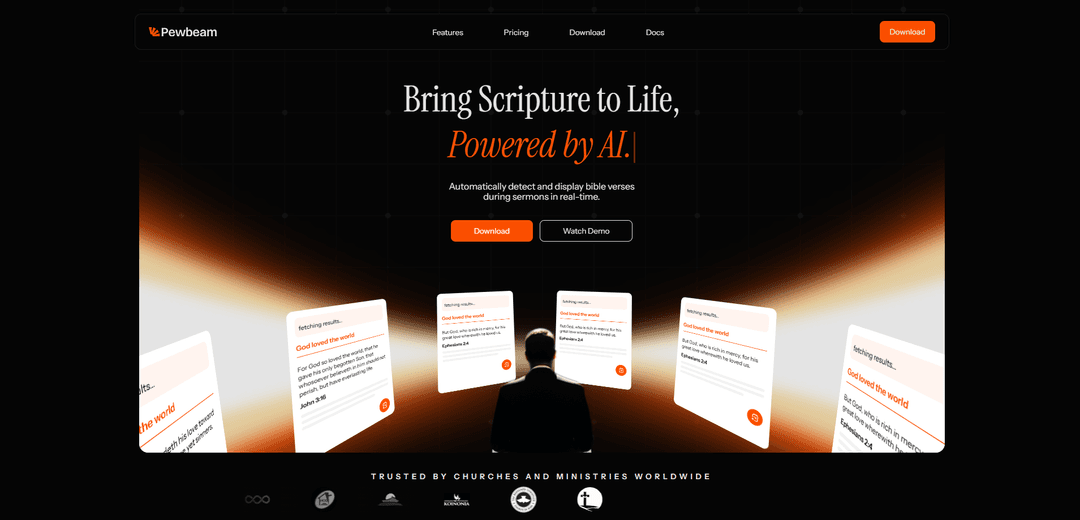
Pewbeam là một công cụ trình bày nhà thờ thông minh sử dụng AI để tự động phát hiện và hiển thị các câu Kinh thánh theo thời gian thực trong các bài giảng, loại bỏ nhu cầu điều khiển slide thủ công.
https://pewbeam.com/?ref=producthunt&utm_source=aipure
Thông tin Sản phẩm
Đã cập nhật:Apr 8, 2026
Pewbeam là gì
Được phát triển bởi nhà phát triển người Nigeria Dára Sobaloju và nhóm của ông, Pewbeam là một người bạn đồng hành sáng tạo trong mục vụ được thiết kế để nâng cao các buổi lễ nhà thờ thông qua công nghệ. Nó đóng vai trò là cầu nối giữa việc giảng đạo truyền thống và nhu cầu trình bày hiện đại, giải quyết những thách thức phổ biến trong quản lý phương tiện truyền thông của nhà thờ. Công cụ này được xây dựng để phù hợp với nhiều quy mô nhà thờ và khả năng kỹ thuật khác nhau, đặc biệt xem xét đến các môi trường có kết nối internet hạn chế và dung lượng phần cứng khác nhau.
Các Tính năng Chính của Pewbeam
Pewbeam là một công cụ trình chiếu nhà thờ được hỗ trợ bởi AI, tự động phát hiện và hiển thị các câu Kinh Thánh theo thời gian thực trong các bài giảng. Nó sử dụng nhận dạng giọng nói để lắng nghe lời của người thuyết giảng, hiểu cả trích dẫn chính xác và các tham chiếu diễn giải, đồng thời chiếu ngay lập tức đoạn Kinh Thánh tương ứng lên màn hình mà không cần bất kỳ sự can thiệp thủ công nào. Hệ thống hoạt động ngoại tuyến, có tính năng tìm kiếm Kinh Thánh ngữ nghĩa và bao gồm các chuyển tiếp đoạn thơ hoạt hình để nâng cao trải nghiệm thờ phượng.
Nhận dạng giọng nói theo thời gian thực: Tự động lắng nghe các bài giảng và hiển thị các câu Kinh Thánh được tham khảo trong vòng vài giây mà không cần bất kỳ thao tác gõ hoặc nhập thủ công nào
Chức năng ngoại tuyến: Hoạt động mà không cần kết nối internet, đảm bảo độ tin cậy và quyền riêng tư trong các buổi lễ nhà thờ
Tìm kiếm Kinh Thánh ngữ nghĩa: Sử dụng AI để hiểu ngữ cảnh và ý nghĩa, không chỉ các từ chính xác, để tìm và hiển thị đoạn Kinh Thánh chính xác ngay cả khi được diễn giải
Nhiều tùy chọn đầu ra: Hỗ trợ nhiều đầu ra hiển thị khác nhau bao gồm NDI và HDMI để tích hợp linh hoạt với các hệ thống nghe nhìn của nhà thờ
Các Trường hợp Sử dụng của Pewbeam
Các buổi lễ nhà thờ Chủ nhật: Cho phép hiển thị Kinh Thánh liền mạch trong các bài giảng trực tiếp mà không làm gián đoạn dòng chảy của người thuyết giảng
Các hoạt động của nhà thờ nhỏ: Giúp các nhà thờ có đội ngũ kỹ thuật hạn chế tự động hóa việc chiếu Kinh Thánh mà không cần người vận hành chuyên dụng
Các buổi lễ đa ngôn ngữ: Hỗ trợ hiển thị các câu Kinh Thánh chính xác trong các buổi lễ, nơi Kinh Thánh có thể được tham khảo bằng các ngôn ngữ hoặc bản dịch khác nhau
Ưu điểm
Loại bỏ việc tra cứu đoạn thơ thủ công và giảm khối lượng công việc cho các nhóm trình chiếu
Hoạt động ngoại tuyến để vận hành đáng tin cậy trong mọi môi trường
Cung cấp các tùy chọn giá linh hoạt bao gồm gói miễn phí cho các nhà thờ nhỏ hơn
Nhược điểm
Có thể yêu cầu thiết lập và cấu hình ban đầu
Các tính năng cấp cao hơn yêu cầu đăng ký trả phí
Phụ thuộc vào nhận dạng giọng nói chính xác để có chức năng phù hợp
Cách Sử dụng Pewbeam
Cài đặt Pewbeam: Tải xuống và cài đặt phần mềm Pewbeam AI trên máy tính của bạn. Ứng dụng yêu cầu Microsoft .NET Runtime trên Windows.
Thiết lập đầu vào âm thanh: Kết nối hệ thống âm thanh hoặc micrô của nhà thờ bạn để cho phép Pewbeam nghe bài giảng theo thời gian thực.
Kết nối đầu ra hiển thị: Kết nối máy tính của bạn với hệ thống trình chiếu hoặc màn hình hiển thị của nhà thờ bạn (hỗ trợ đầu ra NDI và HDMI tùy thuộc vào gói).
Bắt đầu buổi lễ: Khởi chạy Pewbeam trước khi bài giảng bắt đầu. AI sẽ tự động bắt đầu nghe khi mục sư bắt đầu nói.
Để AI hoạt động tự động: Khi mục sư giảng và tham khảo các câu Kinh thánh, Pewbeam sẽ tự động phát hiện chúng và hiển thị chúng trên màn hình trong vòng vài giây, mà không cần sự can thiệp thủ công.
Giám sát đầu ra: Đội trình chiếu có thể giám sát hệ thống trong khi tập trung vào các khía cạnh khác của buổi lễ như hình ảnh và phát trực tiếp, vì Pewbeam tự động xử lý việc trình chiếu kinh thánh.
Câu hỏi Thường gặp về Pewbeam
Pewbeam AI là một công cụ trình chiếu thông minh cho nhà thờ, lắng nghe các bài giảng trong thời gian thực và tự động chiếu các câu Kinh Thánh chính xác khi người nói đề cập đến chúng—loại bỏ nhu cầu điều khiển slide thủ công.
Video Pewbeam
Bài viết phổ biến

Atoms: Nền tảng AI đa tác nhân biến ý tưởng thành sản phẩm sẵn sàng ra mắt
May 22, 2026

Nano Banana SBTI: Nó là gì, Cách thức hoạt động và Cách sử dụng nó vào năm 2026
Apr 15, 2026

Đánh giá Atoms — Trình tạo sản phẩm AI định nghĩa lại việc tạo nội dung số vào năm 2026
Apr 10, 2026

Kilo Claw: Cách Triển Khai và Sử Dụng AI Agent "Làm-Thay-Bạn" Thực Sự (Cập Nhật 2026)
Apr 3, 2026
Công cụ AI Mới nhất Tương tự Pewbeam
PPTalker
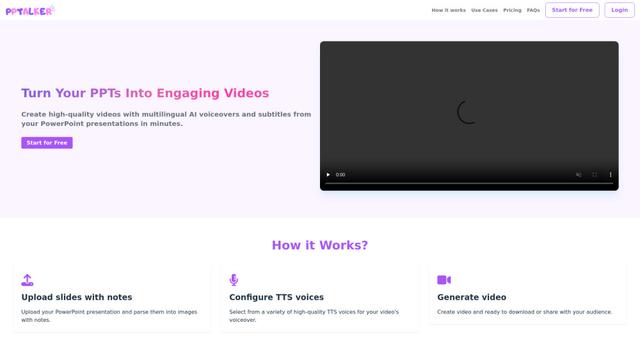
PPTalker là một công cụ chuyển đổi PowerPoint trực tuyến thành video, biến các bài thuyết trình thành video hấp dẫn với lời thuyết minh và phụ đề đa ngôn ngữ được hỗ trợ bởi AI.
Napkin
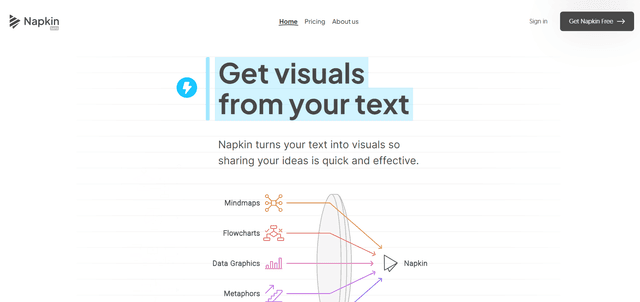
Napkin AI là một công cụ sáng tạo được hỗ trợ bởi AI tự động chuyển đổi văn bản thành đồ họa, biểu đồ và minh họa hấp dẫn để nâng cao giao tiếp và kể chuyện trong kinh doanh.
Aidocmaker.com
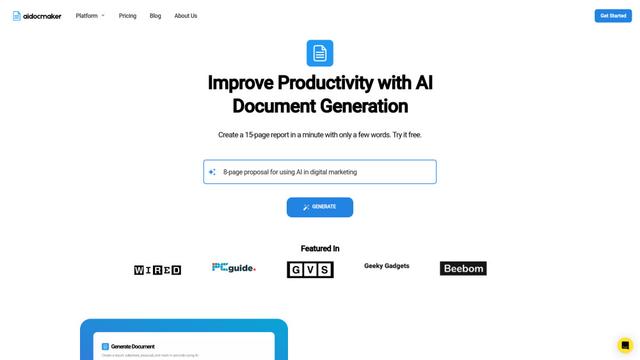
Aidocmaker.com là một nền tảng tạo tài liệu sử dụng AI cho phép người dùng dễ dàng tạo ra các tài liệu chuyên nghiệp, bài thuyết trình, bảng tính và lồng ghép giọng nói chỉ trong vài phút.

Yanbi AI
Yanbi AI là một công cụ viết miễn phí được hỗ trợ bởi AI, tạo ra nội dung chất lượng cao cho nhiều kịch bản viết chỉ với một cú nhấp chuột.
Công cụ AI Phổ biến Giống Pewbeam

MulmoCast
MulmoCast là một công cụ trình bày đa phương tiện gốc AI, tự động tạo video, podcast, slide, PDF và nội dung theo phong cách manga từ một tập lệnh duy nhất bằng cách sử dụng các công nghệ AI khác nhau.
MulmoCast Vision
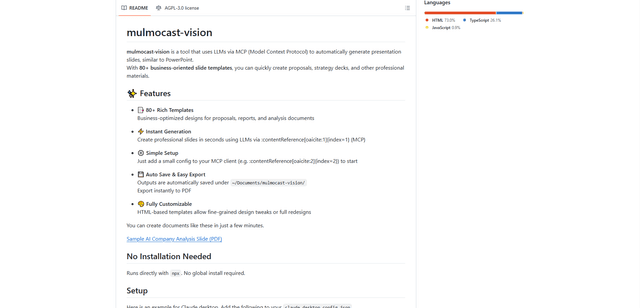
MulmoCast Vision là một công cụ hỗ trợ AI tự động tạo các slide trình bày chuyên nghiệp thông qua LLM thông qua Giao thức ngữ cảnh mô hình (MCP), có hơn 80 mẫu hướng đến kinh doanh cho các nhu cầu khác nhau của công ty.

Gamma
Free TrialAI Presentation Generator
Gamma App là một công cụ được hỗ trợ bởi AI để tạo ra các bài thuyết trình, tài liệu và trang web đẹp mà không cần kỹ năng thiết kế hay lập trình.

SLIDESGO
Slidesgo là một nền tảng trực tuyến miễn phí cung cấp các mẫu thuyết trình được thiết kế chuyên nghiệp cho Google Slides và PowerPoint với các chủ đề có thể tùy chỉnh, infographic và các công cụ hỗ trợ AI để giúp tạo ra các bài thuyết trình hấp dẫn nhanh hơn.