
Orchestria
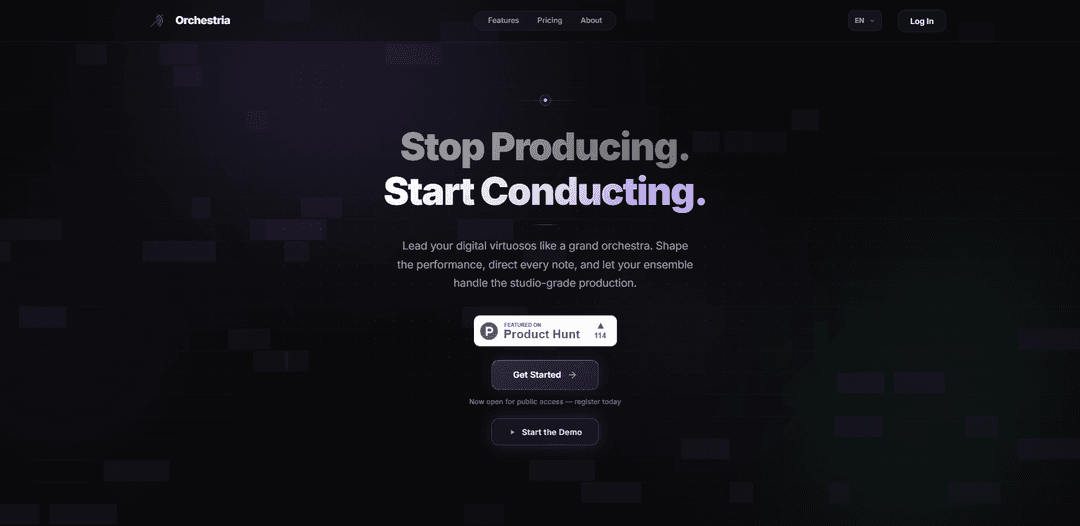
Orchestria is an AI music studio that uses multiple specialized agents to generate, arrange, mix, and master studio-quality tracks in real time with granular user control, stem separation, and developer-ready REST/WebSocket APIs.
https://orchestria.tech/?ref=producthunt
Product Information
Updated:Jun 8, 2026
What is Orchestria
Orchestria is a web-based AI music creation platform designed to help users turn high-level creative direction—such as vibe, BPM, mood, genre, and instrumentation—into a complete song structure and polished output. Positioned as an “AI orchestra,” it coordinates specialized composing and production roles (e.g., drummer, melodist, critic, mixer) to produce studio-style results quickly while keeping the user in control to tweak or override decisions. It also supports real-time processing and collaboration-style iteration, and offers developer integration via APIs for embedding the music engine into apps, games, or other platforms.
Key Features of Orchestria
Orchestria is an AI-powered music creation studio that uses multiple specialized “agents” (e.g., drummer, melodist, critic, mixer) to compose, arrange, mix, and master tracks in real time from simple direction like vibe, BPM, and mood. It emphasizes granular user control (tweak/override AI decisions), studio-quality output with stem separation, and a mastering pipeline, while also offering developer-friendly integration through REST and WebSocket APIs for streaming and real-time workflows.
Multi-agent music creation: Specialized AI agents collaborate (drums, melody, critique, mixing, etc.) to turn prompts into complete song structures and finished tracks.
Real-time generation and iteration: Real-time processing and “watch the agents think” style feedback enable fast creative iteration with minimal waiting.
Stem separation and granular control: Provides separated stems and genre-aware arrangement/mixing so creators can shape instrumentation and balance with finer control.
Mixing and mastering pipeline: Includes genre-aware mixing plus a mastering stage aimed at studio-quality output suitable for publishing and content production.
Studio mode and MIDI export (higher tiers): Advanced plans add a DAW-like workflow (piano roll + mixer) and MIDI export to continue production in external DAWs.
Developer APIs (REST + WebSocket): APIs enable embedding Orchestria’s music engine into apps/games and support WebSocket streaming for interactive, real-time experiences.
Use Cases of Orchestria
Music producers and beatmakers: Rapidly generate track ideas (BPM/mood/genre), refine parts with agentic control, export stems/MIDI, and finish in a DAW.
Content creation for social and streaming: Create custom background music and short cues quickly (e.g., intros, reels, trailers) with consistent style and fast iteration.
Film, TV, and game scoring prototypes: Generate draft cues and variations in real time, then deliver stems for editors or continue orchestration and polishing externally.
Game and app integration: Use REST/WebSocket APIs to power adaptive or interactive music systems that react to gameplay states or user actions.
Marketing and brand sound design: Develop on-brand music themes and variations for campaigns, product videos, and experiential activations with controllable mood/tempo.
Pros
Real-time, multi-agent workflow can speed up composition, arrangement, and polish compared to manual production.
Strong control options (stems, agentic editing; plus MIDI export on higher tiers) fit into existing creator workflows.
Developer APIs (REST/WebSocket) make it practical to embed music generation into products and interactive experiences.
Cons
Free tier is restrictive (e.g., limited songs/month, no downloads, no commercial rights, limited control).
Some key production features are paywalled (e.g., studio mode, MIDI export, higher quotas).
Output quality and ownership/commercial terms may depend on final ToS and model limitations, requiring due diligence for professional releases.
How to Use Orchestria
1) Create an account and sign in: Go to https://orchestria.tech/ and click “Get Started” to register. Once logged in, you’ll be able to start a new music generation session.
2) Start a new song session: Open the creation interface and begin a new session (the product positions this as real-time, agent-driven composition).
3) Define your musical brief (vibe, BPM, mood): Provide the core prompt the platform asks for: the vibe, BPM (tempo), and mood. Optionally add genre and references (e.g., “Trap/Hip-Hop, deep warm low-end groove”).
4) Choose instrumentation/creative direction (optional): If available in your plan/workflow, specify instrumentation and arrangement preferences (e.g., heavier drums, sparse melodies, brighter synths). Orchestria is described as letting you shape genre, mood, tempo, and instrumentation.
5) Generate the track structure: Run generation to have the agent team produce a full song structure (intro/verse/chorus/etc.) and an initial draft of the track in real time.
6) Iterate by directing the agents: Refine the result by giving targeted instructions (e.g., “make the kick punchier,” “simplify the melody,” “add a breakdown,” “increase energy in the chorus”). The platform emphasizes that you can direct, tweak, and override AI decisions.
7) Use stem separation and arrangement controls (as available): Adjust parts using stem-level control (e.g., drums, bass, melody, FX). The site highlights stem separation and intelligent arrangement as key capabilities.
8) Mix and master (genre-aware pipeline): Apply Orchestria’s genre-aware mixing/mastering pipeline to polish the track. Iterate if needed (e.g., “warmer low end,” “more air on the hats,” “tighter compression”).
9) Preview and collaborate in real time: Listen back and make rapid changes with instant feedback. The product messaging emphasizes real-time processing and real-time collaboration/visibility into agent work.
10) Export/download (plan-dependent): If your plan supports it, download WAV stems/track and/or export MIDI for use in a DAW. Note: the site indicates some tiers may restrict downloads, cloud saves, studio mode, and MIDI export.
11) Confirm usage rights (plan-dependent): Check your subscription tier for commercial rights. The site indicates higher tiers include full commercial rights, while the base tier may not.
12) Developer integration via API (optional): If you’re building an app/game, use Orchestria’s REST and WebSocket APIs to generate/stream music. The site advertises comprehensive REST & WebSocket APIs and WebSocket streaming for real-time integration.
Orchestria FAQs
Orchestria is an AI music studio where specialized agents (e.g., drummer, melodist, critic, mixer) work together to turn your ideas into finished tracks in real time.
Orchestria Video
Popular Articles

Proferex: A Cloud-Based Ad Tracking and Campaign Optimization Platform
Nov 4, 2026

How to Create Viral Talking Baby Podcast Videos with AI: Step-by-Step Guide
Nov 2, 2026

Vosko AI: Localize and Dub Videos for Global Audiences
Oct 15, 2026

Atoms: A Multi-Agent AI Platform That Transforms Ideas into Launch-Ready Products
Oct 13, 2026
Latest AI Tools Similar to Orchestria
MeloHunt
MeloHunt is a powerful AI-powered song generator that enables users to create original, high-quality music tracks without requiring any musical expertise.
ChopLab
ChopLab is an AI-powered tool that enables music producers to transform audio tracks into unique samples and custom drum packs through automated splitting, isolation, and chopping processes.
MindBound Labs
MindBound Labs is an innovative platform focused on accelerating Artificial Super Intelligence (ASI) through community engagement, combining NFC cards, AI prompts, and personalization across multiple creative domains.
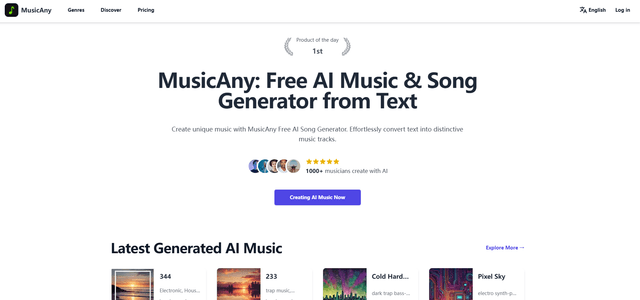
MusicAny
MusicAny is a cutting-edge free AI music generator that enables users to effortlessly create unique, royalty-free songs from text descriptions without any musical background.
Popular AI Tools Like Orchestria
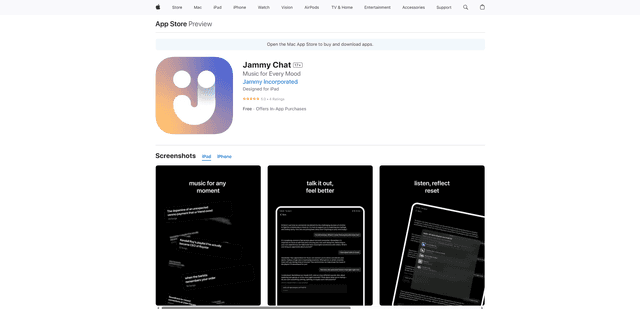
Jammy Chat
Jammy Chat is a music-infused mental health app that provides personalized playlists and emotional support by analyzing your mood through AI-powered conversations.
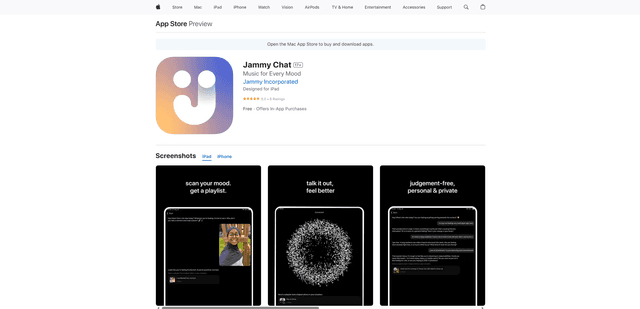
Jammy Chat
Jammy Chat is an AI-powered mental health app that scans users' facial expressions and provides personalized music playlists to help regulate emotions and improve mood.
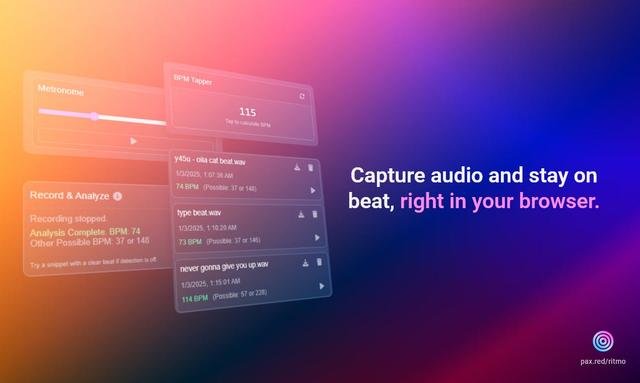
Ritmo
Ritmo is a smart audio toolkit Chrome extension that helps capture, analyze, and manage audio with features like BPM analysis, tap tempo, and metronome functionality.
Tempo-Pulse
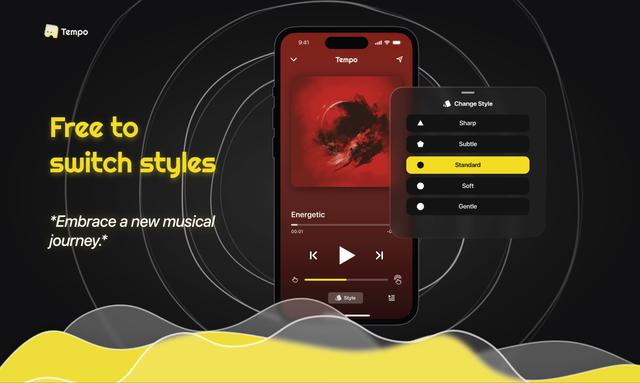
Tempo-Pulse is an AI-driven haptic music player that transforms any music into tactile sensations through innovative haptic technology, making music feelable for everyone including those who are hard of hearing.