
OpenWorker
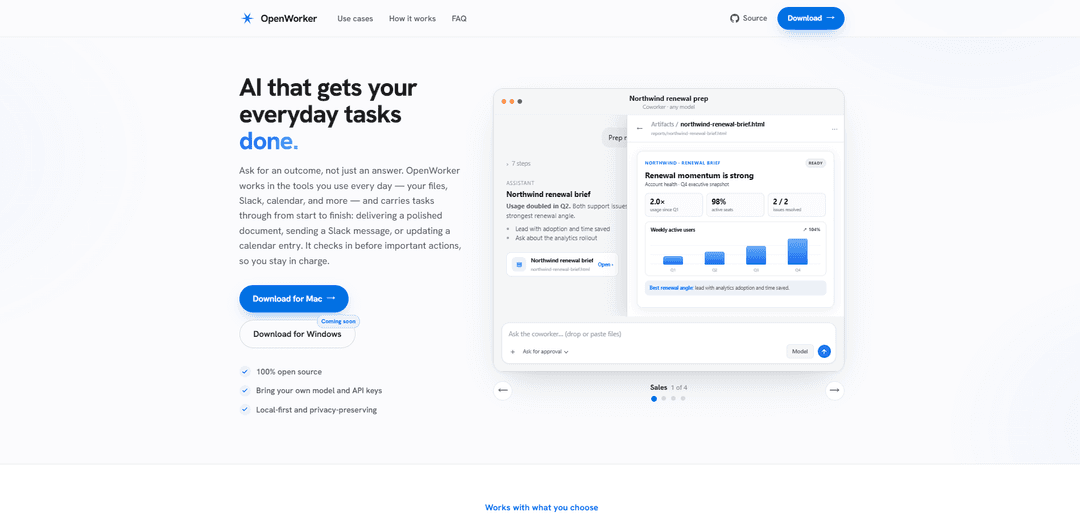
OpenWorker is a free, open-source, local-first desktop AI agent that uses your chosen model and connects to everyday tools (files, Slack, email, calendar, etc.) to produce finished deliverables—while checking in before any consequential action.
https://openworker.com/?ref=producthunt
Product Information
Updated:Aug 8, 2026
What is OpenWorker
OpenWorker is an open-source “AI coworker” that runs on your computer and turns outcome-oriented requests into completed work products, not just chat responses. Instead of only answering questions, it can draft polished documents, prepare meeting briefs, triage alerts, propose calendar fixes, and queue up messages for Slack or email. It’s designed to be model-independent (bring your own API keys or run fully local via Ollama) and privacy-preserving, keeping the agent loop, conversations, and connector tokens on your machine with no OpenWorker inference service.
Key Features of OpenWorker
OpenWorker is a local-first, open-source desktop AI agent that focuses on delivering finished outcomes (documents, reports, Slack replies, calendar updates) rather than just chat. It runs on your machine, connects to the tools where your work already happens (files, Slack, email, calendar, CRM, and more), and uses the model you choose via your own API keys or fully local inference (e.g., Ollama). OpenWorker keeps you in control with check-ins before consequential actions, stores keys/tokens locally, and avoids model lock-in by supporting multiple providers and open-weight/local options.
Outcome-first task execution: You ask for a deliverable (brief, report, follow-up email, calendar fix), and OpenWorker carries the task through end-to-end—gathering context from connected tools and returning a finished file or ready-to-send message.
Local-first privacy and storage: Conversations, files, API keys, and connector tokens live on your device in a local secret store; there’s no OpenWorker inference service, and model calls go directly from your machine to the provider you configure.
Bring-your-own model (no lock-in): Use cloud models via your own keys (e.g., OpenAI, Anthropic, Google), open-weight models via supported providers, or run fully local models with Ollama; switch models per task as needed.
Tool integrations where work happens: Connect everyday tools such as Slack, email, calendar, files, and CRM via one-click or manual connections; OpenWorker can also work with compatible MCP servers to extend capabilities.
Human-in-the-loop check-ins and permissions: Before taking important actions (posting to Slack, sending email, moving meetings, running commands), OpenWorker prompts for approval; permission modes and risk-aware tool calls help prevent unintended side effects.
Ready-made coworker workflows: Out-of-the-box setups for common roles (Sales, Executive Assistant, Marketing, Ops On-call) provide preconfigured tools, working style, and check-ins to speed up adoption.
Use Cases of OpenWorker
Sales renewal and account prep: Automatically assemble renewal briefs, summarize account activity, and draft follow-up emails in your voice by pulling context from CRM, email, calendar, and files—then hold for approval before sending.
Incident triage for engineering/on-call: When alerted in Slack, OpenWorker can gather context (threads, runbooks, recent changes), draft an incident timeline and response, and prepare an update to post—pending your approval.
Executive assistant for scheduling and inbox: Untangle overloaded calendars, propose reschedules, draft attendee notes, and triage email responses by referencing your calendar and messages while keeping you in control of final sends/changes.
Marketing reporting and weekly updates: Compile performance summaries and Monday reports by pulling numbers and notes from connected tools, producing a polished document or Slack-ready update for review.
Product planning and sprint prioritization: Synthesize feedback from docs, notes, Slack, and tickets into prioritized themes and a sprint plan, delivered as a shareable brief or file.
Pros
Open-source and local-first design improves transparency and data control compared with fully hosted agents.
Model-agnostic approach (BYO keys, open-weight, or fully local via Ollama) avoids vendor lock-in and supports different cost/privacy needs.
Human approval checkpoints reduce risk for actions like sending messages, updating calendars, or executing commands.
Cons
Initial setup can be more hands-on than hosted solutions (API keys, tool permissions, and connector configuration).
Capabilities depend on the connected tools and on using tool-calling-capable models; unsupported models/providers may stall complex agent workflows.
Some one-click integrations may require the optional cloud/OAuth brokering flow due to vendor sign-in restrictions.
How to Use OpenWorker
1) Download and install OpenWorker (desktop app): Go to https://openworker.com and download the desktop app for your OS (macOS is supported; Windows support is planned). Install and launch the app.
2) Decide whether to sign in (optional): You can use OpenWorker fully signed out. A free OpenWorker account mainly helps with one-click OAuth connections for certain tools (e.g., Slack) where vendor sign-in flows require it.
3) Choose a model provider (cloud, open-weight, or fully local): In OpenWorker, pick the model route you want: (a) Cloud models via your own API key (OpenAI, Anthropic, Google), (b) open-weight models via supported providers (e.g., Kimi/GLM/DeepSeek through providers like Together AI or Fireworks), or (c) fully local inference via Ollama (no API key required).
4) Add your model API key (if using a cloud/open-weight provider): Paste your provider API key into OpenWorker. Keys are stored on your device in the app’s local secret store and are sent only to the model provider you selected (OpenWorker does not run an inference backend).
5) (Optional) Set up Ollama for fully local models: Install and run Ollama on your machine, then select Ollama as the model provider inside OpenWorker. When using Ollama, model execution can stay entirely on your machine.
6) Connect your everyday tools (Slack, email, calendar, files, CRM, etc.): OpenWorker supports 25+ integrations (examples mentioned include Slack, GitHub, Jira, Notion, Linear, HubSpot, Outlook, monday.com, Gmail, Google Calendar) plus local tools like terminal and local files. Connect tools via one-click OAuth (if available) or by manually pasting credentials/tokens/API keys.
7) Verify where tokens and data live (privacy check): Connector tokens and model keys live on your device in the local secret store. The only cloud piece described is an optional OAuth handshake broker for connectors; tokens are handed to your machine and are not stored in the cloud.
8) Start a task by asking for an outcome (not just an answer): In the OpenWorker chat, request a deliverable such as: a renewal brief, incident timeline, sprint priorities memo, or calendar cleanup. OpenWorker will carry out multi-step work across your connected tools and return a finished artifact (e.g., a document/file) or a ready-to-send action.
9) Review the produced deliverable in the built-in viewer: OpenWorker saves outputs to a scratch folder by default (or a folder you specify). Use the built-in viewer to preview documents, spreadsheets, images, and PDFs without leaving the app.
10) Approve consequential actions before they happen: When OpenWorker is about to do something consequential—sending an email, posting to Slack, updating calendar entries, running shell commands, or writing files outside granted folders—it will present a check-in/approval prompt. Approve to proceed or decline to stop.
11) Use OpenWorker from Slack (if connected): In Slack, mention @OpenWorker in a channel. A session opens on your desktop, OpenWorker performs the work using your connected tools, and then posts the result back as a thread reply (with approvals required for external actions like posting messages).
12) Switch models per task (or mid-conversation) when needed: If a task benefits from a different model (cost, speed, privacy, or quality), switch providers/models per task—even mid-conversation—between cloud, open-weight, and local (Ollama) options.
13) Add MCP servers (Model Context Protocol) for extra capabilities: OpenWorker supports MCP. Add servers in Manage → Integrations using the same mcpServers JSON format as Claude Desktop and Cursor (stdio or HTTP). Configure per-tool approval controls so you stay in charge of what tools can do.
14) Run recurring work with scheduled automations (optional): Ask OpenWorker to schedule recurring tasks (e.g., weekly reports). Scheduled automations run while the app is running; enable “Launch at login” in settings if you want them to keep running in the background.
15) Revoke access when you’re done (security hygiene): Disconnect integrations inside OpenWorker or revoke permissions at the provider (e.g., Google permissions page for Gmail/Calendar/Drive). Because OpenWorker is local-first, most sensitive data remains on your device, and you control which providers and connectors are used.
OpenWorker FAQs
OpenWorker is an open-source, local-first desktop AI coworker that works with your everyday tools (e.g., files, Slack, email, calendar) to deliver finished outcomes—like a polished document, a drafted Slack reply, or an updated calendar entry—rather than just chat.
Popular Articles

Proferex: A Cloud-Based Ad Tracking and Campaign Optimization Platform
Nov 4, 2026

How to Create Viral Talking Baby Podcast Videos with AI: Step-by-Step Guide
Nov 2, 2026

Vosko AI: Localize and Dub Videos for Global Audiences
Oct 15, 2026

Atoms: A Multi-Agent AI Platform That Transforms Ideas into Launch-Ready Products
Oct 13, 2026
Latest AI Tools Similar to OpenWorker
MultipleWords
MultipleWords is a comprehensive AI platform offering 16 powerful tools for content creation and manipulation across audio, video, and image editing with cross-platform accessibility.
Athena AI
Athena AI is a versatile AI-powered platform offering personalized study assistance, business solutions, and life coaching through features like document analysis, quiz generation, flashcards, and interactive chat capabilities.
Taidai.io
Taidai.io is an AI-powered tool that automatically converts notes, emails, and text content into actionable todo lists.
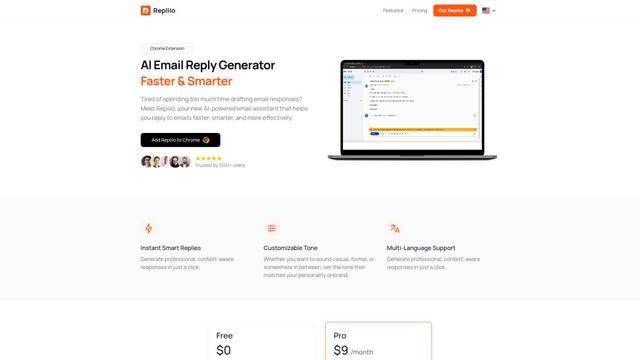
Repliio
Repliio is an AI-powered email assistant Chrome extension that helps users generate professional, context-aware email responses quickly with customizable tones and multi-language support.
Popular AI Tools Like OpenWorker
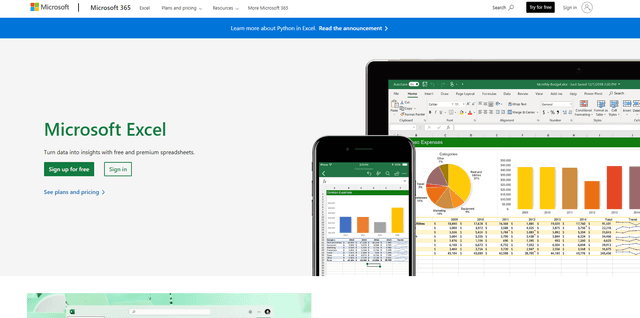
Microsoft Excel: Spreadsheets
Microsoft Excel is the industry-leading spreadsheet software that allows users to organize, analyze, and visualize data through powerful features like formulas, charts, and AI-powered insights.
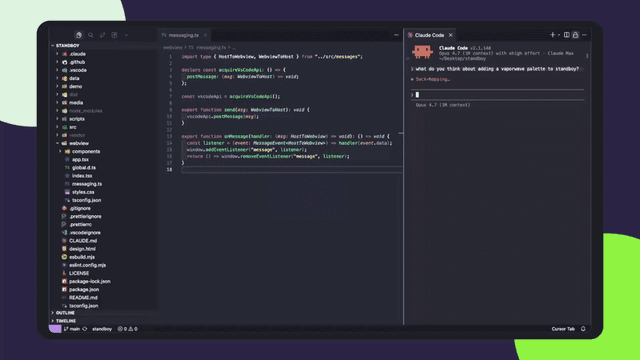
Standboy
Standboy is a VS Code/Cursor extension that auto-expands a Game Boy (GB/GBC/GBA) emulator in the sidebar during AI agent activity, then auto-hides and pauses—resuming mid-frame next time—while keeping a persistent ROM library, saves, and cover art.
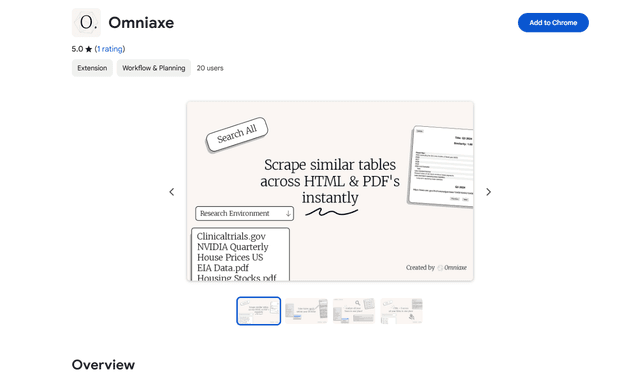
Omniaxe
Omniaxe is an all-in-one Chrome extension research tool that combines seamless data extraction, AI-powered analysis, and centralized note-taking capabilities designed specifically for analysts, researchers and students.
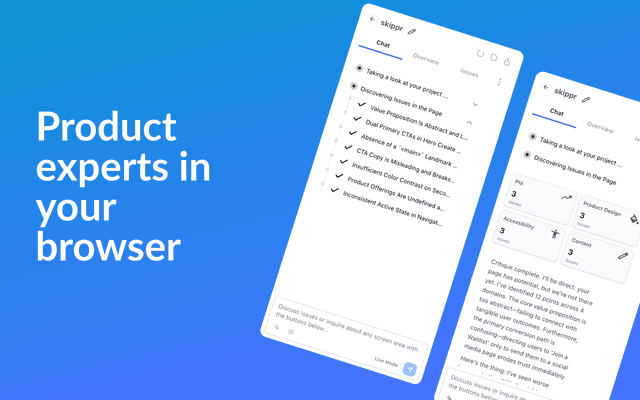
Finesse by Skippr AI
Finesse by Skippr AI is a browser extension that provides instant, expert-level product feedback and critiques across design, content strategy, accessibility, and product direction through specialized AI reviewers.