
OpenOwl
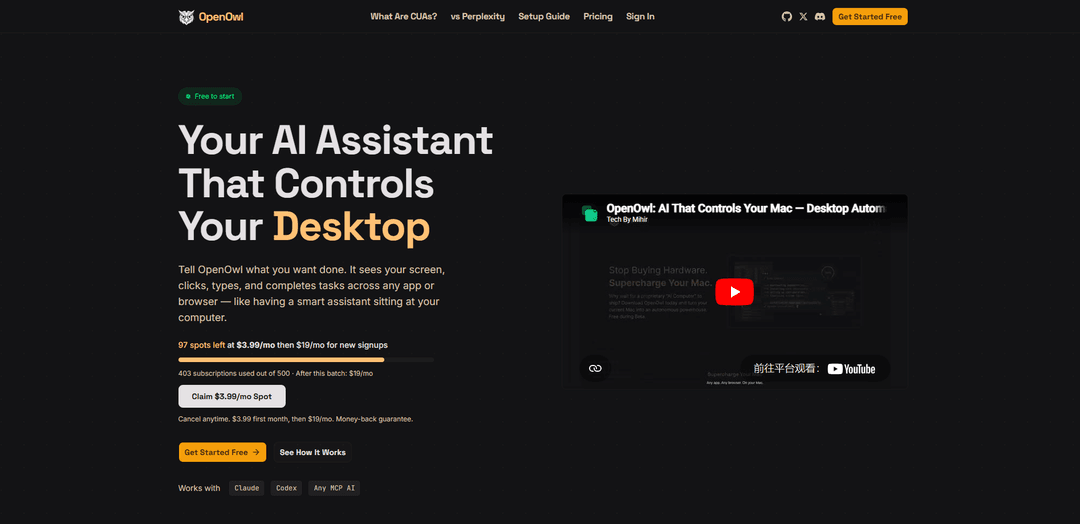
OpenOwl is a local-first AI desktop automation tool that enables AI assistants like Claude, Codex, and any MCP-compatible AI to see your screen, click, type, and automate tasks across any desktop application or browser.
https://openowl.dev/?ref=producthunt
Product Information
Updated:Apr 10, 2026
What is OpenOwl
OpenOwl is a computer-using agent (CUA) built on the Model Context Protocol (MCP) that transforms AI assistants into powerful desktop automation tools. It allows users to describe tasks in plain language and watch as the AI executes them by interacting with applications, navigating browsers, and completing multi-step workflows autonomously. With a privacy-first architecture, OpenOwl runs entirely on your local machine—every screenshot, keystroke, and action stays private with no cloud processing or data transmission. Installation is simple via npm, and it integrates seamlessly with popular AI assistants including Claude, Codex, and other MCP-compatible platforms. The tool is designed for users who want AI-powered automation without coding expertise, offering a free tier with 50 tool calls per day and paid plans for heavier usage.
Key Features of OpenOwl
OpenOwl is a computer-using agent (CUA) that enables AI assistants to see, control, and automate tasks on your desktop or browser. Built on the open Model Context Protocol (MCP), it works with Claude, Codex, and any MCP-compatible AI assistant. The tool operates 100% locally on your machine, ensuring complete data privacy with no cloud processing. Users can automate complex workflows across any application using plain language commands, while OpenOwl handles screen reading, clicking, typing, and navigation autonomously. It offers a free tier with 50 tool calls per day and paid plans for higher usage, making AI-powered desktop automation accessible without requiring coding skills or dedicated hardware.
100% Local & Private Operation: All automation runs entirely on your local machine with zero cloud processing. Screenshots, keystrokes, and files never leave your computer, ensuring complete data privacy and security.
Universal AI Compatibility: Built on the open Model Context Protocol (MCP) standard, OpenOwl works seamlessly with Claude, Codex, Gemini, and any MCP-compatible AI assistant, avoiding vendor lock-in.
Full Desktop Automation: Provides AI assistants with complete screen visibility and control capabilities including clicking, typing, navigating windows, and interacting with any desktop application or browser.
Natural Language Control: Users simply describe tasks in plain language without coding or scripting. OpenOwl interprets instructions and executes multi-step workflows autonomously.
One-Command Installation: Quick setup with a single npm command (npm i -g openowl) on existing Mac or PC hardware, eliminating the need for dedicated devices or complex configuration.
Flexible Pricing Tiers: Offers a free tier with 50 tool calls per day, Pro plan at $19/mo with 1,000 calls, and Max plan at $49/mo with unlimited calls, accommodating various usage needs.
Use Cases of OpenOwl
Influencer & UGC Creator Outreach: Marketing and content teams can automate finding influencers or UGC creators on social platforms like Instagram and LinkedIn, extract profile information, and manage outreach campaigns by navigating desktop social tools and saving data to spreadsheets.
Lead Generation & Sales Prospecting: Sales teams can automate LinkedIn navigation to identify qualified leads, extract contact information, draft personalized outreach emails in desktop mail clients, and update CRM systems without manual data entry.
Investor Discovery & Fundraising: Founders can scan platforms like Crunchbase and LinkedIn to discover relevant investors, pull contact details, research investment portfolios, and draft personalized outreach messages for fundraising campaigns.
Competitive Intelligence & Market Research: Analysts and researchers can automate monitoring competitor pricing, collect sentiment data from multiple sources, scrape information from legacy dashboards without APIs, and aggregate findings into modern reporting tools.
Multi-Platform Product Launches: Growth teams can execute go-to-market strategies by simultaneously launching and posting across multiple platforms like Reddit, Product Hunt, and IndieHackers, managing cross-platform presence efficiently.
Repetitive Task Automation: General productivity users can automate time-consuming tasks like data entry, CRM updates, form filling, and multi-app workflows that would otherwise require hours of manual work.
Pros
Complete data privacy with 100% local processing and no cloud transmission of sensitive information
Works with any MCP-compatible AI assistant, providing flexibility and avoiding vendor lock-in
Free tier available with no credit card required, making it accessible for individuals and small teams
Simple setup requiring only existing hardware and one command installation, no dedicated devices needed
Cons
Requires technical setup using npm and command-line installation, which may be challenging for non-technical users
Limited to 50 tool calls per day on the free tier, which may be insufficient for heavy automation needs
Relatively new product with potential stability and compatibility issues across different applications
Relies on screen reading and visual recognition which may be less reliable than API-based integrations
How to Use OpenOwl
1. Install OpenOwl: Open your terminal and run the command 'npm i -g openowl' to install OpenOwl globally on your machine. This requires Node.js and npm to be installed on your computer.
2. Connect to Your AI Assistant: Connect OpenOwl to your preferred MCP-compatible AI assistant. For Claude, run 'claude mcp add owl -- owl' to add OpenOwl as an MCP server. OpenOwl works with Claude, Codex, or any MCP-compatible AI assistant.
3. Describe Your Task in Plain Language: Tell your AI assistant what you want to automate using natural language. For example, say 'Find 50 leads on LinkedIn and save them to a spreadsheet' or 'Update all prices in Shopify by 10%'. No coding or scripting is required.
4. Let OpenOwl Execute the Task: OpenOwl will see your screen, open the necessary applications, click buttons, fill forms, and navigate pages automatically. It handles each step of the task just like a human would.
5. Review the Results: Once the task is complete, OpenOwl will provide a summary of what was accomplished, including time taken and any files created. All actions are performed locally on your machine with no data sent to the cloud.
6. Upgrade if Needed (Optional): The free plan includes 50 tool calls per day. If you need more automation capacity, upgrade to Pro ($19/mo for 1,000 calls/day) or Max ($49/mo for unlimited calls) through the pricing page.
OpenOwl FAQs
OpenOwl is a computer-using agent that gives AI assistants the power to see your screen, click, type, and automate any desktop or browser task. It's an MCP server that works with Claude, Codex, and any MCP-compatible AI assistant, running locally on your Mac or PC.
OpenOwl Video
Popular Articles

Atoms: A Multi-Agent AI Platform That Transforms Ideas into Launch-Ready Products
May 22, 2026

Nano Banana SBTI: What It Is, How It Works, and How to Use It in 2026
Apr 15, 2026

Atoms Review — The AI Product Builder Redefining Digital Creation in 2026
Apr 10, 2026

Kilo Claw: How to Deploy and Use a True "Do‑It‑For‑You" AI Agent(2026 Update)
Apr 3, 2026
Latest AI Tools Similar to OpenOwl

Gait
Gait is a collaboration tool that integrates AI-assisted code generation with version control, enabling teams to track, understand, and share AI-generated code context efficiently.

invoices.dev
invoices.dev is an automated invoicing platform that generates invoices directly from developers' Git commits, with integration capabilities for GitHub, Slack, Linear, and Google services.

EasyRFP
EasyRFP is an AI-powered edge computing toolkit that streamlines RFP (Request for Proposal) responses and enables real-time field phenotyping through deep learning technology.

Cart.ai
Cart.ai is an AI-powered service platform that provides comprehensive business automation solutions including coding, customer relations management, video editing, e-commerce setup, and custom AI development with 24/7 support.
Popular AI Tools Like OpenOwl

GitHub Copilot Chat
GitHub Copilot Chat is an AI-powered coding assistant that provides natural language interactions, real-time code suggestions, and contextual support directly within supported IDEs and GitHub.com.

CopilotForXcode
CopilotForXcode is an Xcode Source Editor Extension that integrates GitHub Copilot, Codeium, and ChatGPT to provide AI-powered code suggestions, chat assistance, and prompt-to-code functionality within Xcode.

BrowserAI
BrowserAI is an open-source library that enables running local Large Language Models (LLMs) directly in web browsers with WebGPU acceleration, offering privacy-focused AI capabilities without requiring server infrastructure.

OpenAI Codex CLI
OpenAI Codex CLI is a lightweight, open-source coding agent that runs in your terminal, enabling developers to translate natural language into code execution while providing ChatGPT-level reasoning with the ability to run code, manipulate files, and iterate under version control.