
Openbase
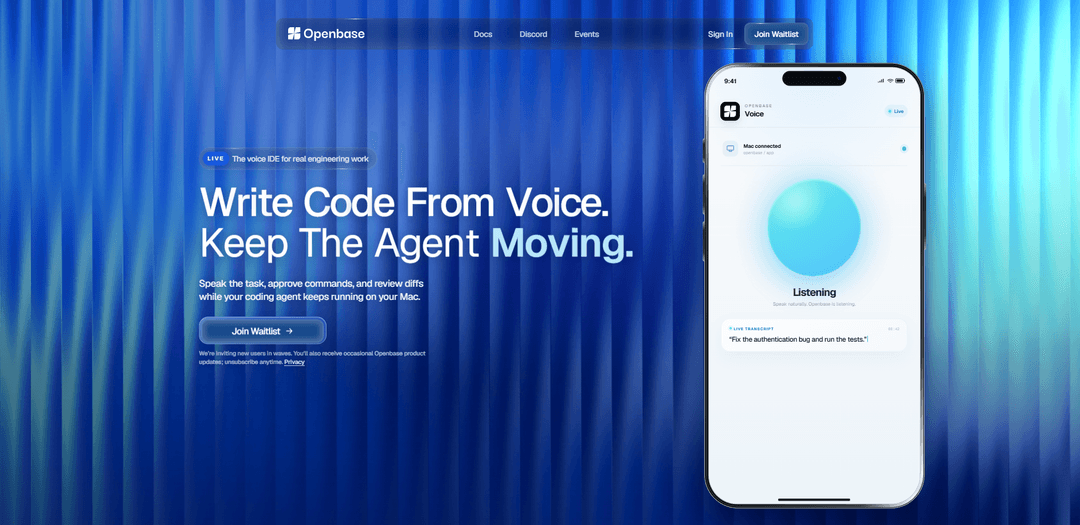
Openbase is a voice-first IDE and workspace that lets developers start and manage AI coding sessions, approve sensitive commands, and review diffs and reports before deploying to cloud sandboxes or production.
https://openbase.cloud/?ref=producthunt
Product Information
Updated:Aug 8, 2026
What is Openbase
Openbase (Openbase Cloud) is a voice-driven coding workspace designed for serious engineering work, enabling developers to run AI-assisted coding sessions (e.g., with Codex or Claude Code) and keep them moving even when away from their desk. Through a web console at https://app.openbase.cloud and supporting tooling (including an open workspace repository), it focuses on turning spoken intent into reviewed, auditable code changes. The product positions itself as a central “voice control hub” that connects to common developer tools and workflows, so teams can coordinate coding, review, and deployment from one focused dashboard.
Key Features of Openbase
Openbase is a voice-first “Voice IDE” that lets you run and supervise AI coding agents through live calls from your phone, including dispatching tasks into the right workspace, pausing for approvals on sensitive commands, and reviewing outputs like reports, tests, and diffs before changes land. It works across multiple coding-agent providers (e.g., Codex, Claude Code, Gemini CLI, Cursor) and syncs work back to your local machine for a smooth handoff when you return to your desk. Openbase is open source (AGPL-3.0) and available in an open beta with a hosted cloud dashboard as well as a web console experience.
Voice-controlled coding sessions: Start and steer AI coding sessions by speaking naturally, keeping work moving without needing a screen—useful when you’re away from your desk.
Live coding calls with supervision: Maintain a live “coding call” where you can give next-step instructions, monitor progress, and keep an agent unblocked in real time.
Command approvals for sensitive actions: Risky operations (e.g., database resets or destructive commands) can be automatically paused for explicit approval before execution.
Diff and artifact review workflow: Review generated artifacts—code diffs, reports, and test results—so you can validate changes before they’re merged or applied.
Multi-provider and toolchain compatibility: Designed to work across popular agent/providers and developer tools (e.g., GitHub, VS Code, Warp), acting as a voice control hub for your stack.
Sync back to your local machine: Work performed remotely by agents syncs back to your computer, reducing friction when transitioning from mobile supervision to hands-on development.
Use Cases of Openbase
On-the-go engineering management: Tech leads can dispatch tasks, approve commands, and review diffs while commuting or walking, keeping delivery moving without opening a laptop.
Incident response and hotfix supervision: During production issues, a responder can guide an agent to implement mitigations, run checks, and gate risky commands with approvals.
Async agent teams for startups: Small teams can run multiple AI agents asynchronously while maintaining lightweight oversight via voice, enabling faster iteration with limited headcount.
Enterprise change-control workflows: Organizations with stricter governance can use approval gates and diff review to align AI-generated changes with compliance and operational policies.
Remote collaboration for distributed teams: Team members in different time zones can hand off work through synced workspaces and reviewable artifacts, reducing context loss between shifts.
Pros
Voice-first supervision enables coding oversight without being at a desk, improving responsiveness and throughput.
Approval gating and diff review add safety and control when agents attempt sensitive operations.
Multi-provider support and local sync reduce lock-in and improve handoff back to normal development workflows.
Open-source (AGPL-3.0) option can appeal to teams that want transparency or self-hosting flexibility.
Cons
Voice-driven workflows may be less efficient in noisy environments or for users who prefer keyboard-first control.
Approval steps can slow down fully autonomous execution, especially for frequent sensitive commands.
AGPL-3.0 licensing may be restrictive for some commercial use cases depending on deployment and modification patterns.
How to Use Openbase
1) Create or access your Openbase workspace: Go to https://app.openbase.cloud and sign in. Openbase maps your email domain to a workspace (supports Google Workspace or Microsoft Entra ID) so you can manage projects and agents in one place.
2) Read the docs to understand the workflow (Dispatch → Approve → Review): Open https://docs.openbase.cloud/ to familiarize yourself with the core loop: start a live coding call, dispatch work into the correct workspace/repo, approve sensitive commands, then review the resulting report/tests/diff before changes land.
3) Install the Openbase desktop app (recommended for easiest local runtime setup): Install and open the Openbase desktop app on your computer. The desktop app activates the bundled CLI/runtime automatically, which is required to run coding sessions against your local repositories.
4) (Alternative) Do a manual local setup if you prefer: If you want to run the same setup by hand, follow the product’s “Manual Setup for the Desktop App” guidance (referenced on the Openbase site/docs). This typically includes installing the runtime/CLI, logging in, and starting required local services.
5) (For source development) Clone the Openbase coder workspace repo and run setup: If you’re developing from source, clone the workspace repository and run its setup script: `git clone https://github.com/openbase-community/openbase-coder-workspace && cd openbase-coder-workspace && ./scripts/setup`.
6) Connect Openbase to the repository/workspace you want to work on: Ensure the local runtime has access to the repo you want agents to modify. Openbase sessions operate against your repositories and sync changes back to your machine so you can continue later at your desk.
7) Start a live coding call from your phone (voice-first control): From your phone, start a live coding call and speak your intent (feature request, bug fix, refactor). Openbase routes the task into the right workspace so an agent (e.g., Codex/Claude Code) can begin work.
8) Dispatch the task clearly (what to change, where, and acceptance criteria): Describe the goal, relevant files/modules, constraints, and how you’ll verify success (tests, expected behavior). This becomes the agent’s execution plan for the coding session.
9) Approve sensitive actions before they run: When the agent requests a sensitive command (e.g., database reset, deploy, destructive operations), Openbase pauses and asks for approval. Review the exact command (example shown on the site: `$ supabase db reset --linked`) and approve or deny.
10) Review the produced artifacts (report, tests, and diff): After the agent completes work, Openbase provides a review package: a summary report, test results, and a code diff (e.g., file-level changes like `auth/login.ts +4 −2`). Inspect what changed and confirm it matches your intent.
11) Request revisions if needed (iterate by voice): If anything is off—logic, style, missing tests—tell the agent what to adjust. Continue iterating until the diff and test results meet your acceptance criteria.
12) Land the change (commit/PR) and sync back to your machine: Once satisfied, instruct the agent to finalize: commit changes and/or open a PR. Openbase syncs the work back to your local environment so you can pick up seamlessly in your editor (e.g., VS Code) later.
Openbase FAQs
Openbase is “the voice IDE for serious engineering work,” designed to let you start Codex or Claude Code sessions by voice and keep them moving from your phone.
Openbase Video
Popular Articles

Proferex: A Cloud-Based Ad Tracking and Campaign Optimization Platform
Nov 4, 2026

How to Create Viral Talking Baby Podcast Videos with AI: Step-by-Step Guide
Nov 2, 2026

Vosko AI: Localize and Dub Videos for Global Audiences
Oct 15, 2026

Atoms: A Multi-Agent AI Platform That Transforms Ideas into Launch-Ready Products
Oct 13, 2026
Latest AI Tools Similar to Openbase

Gait
Gait is a collaboration tool that integrates AI-assisted code generation with version control, enabling teams to track, understand, and share AI-generated code context efficiently.

invoices.dev
invoices.dev is an automated invoicing platform that generates invoices directly from developers' Git commits, with integration capabilities for GitHub, Slack, Linear, and Google services.

EasyRFP
EasyRFP is an AI-powered edge computing toolkit that streamlines RFP (Request for Proposal) responses and enables real-time field phenotyping through deep learning technology.

Cart.ai
Cart.ai is an AI-powered service platform that provides comprehensive business automation solutions including coding, customer relations management, video editing, e-commerce setup, and custom AI development with 24/7 support.
Popular AI Tools Like Openbase

GitHub Copilot Chat
GitHub Copilot Chat is an AI-powered coding assistant that provides natural language interactions, real-time code suggestions, and contextual support directly within supported IDEs and GitHub.com.

CopilotForXcode
CopilotForXcode is an Xcode Source Editor Extension that integrates GitHub Copilot, Codeium, and ChatGPT to provide AI-powered code suggestions, chat assistance, and prompt-to-code functionality within Xcode.

BrowserAI
BrowserAI is an open-source library that enables running local Large Language Models (LLMs) directly in web browsers with WebGPU acceleration, offering privacy-focused AI capabilities without requiring server infrastructure.

OpenAI Codex CLI
OpenAI Codex CLI is a lightweight, open-source coding agent that runs in your terminal, enabling developers to translate natural language into code execution while providing ChatGPT-level reasoning with the ability to run code, manipulate files, and iterate under version control.