Notion Agents iOS app
Notion Agents is an iPhone-only companion app that lets you chat with AI agents to search across your Notion workspace and connected tools, capture ideas via text/voice/photos, and take quick actions like creating pages or drafting updates—using models like GPT, Claude, or Gemini.
https://apps.apple.com/us/app/notion-agents/id6759811964?ref=producthunt
Product Information
Updated:Jul 9, 2026
What is Notion Agents iOS app
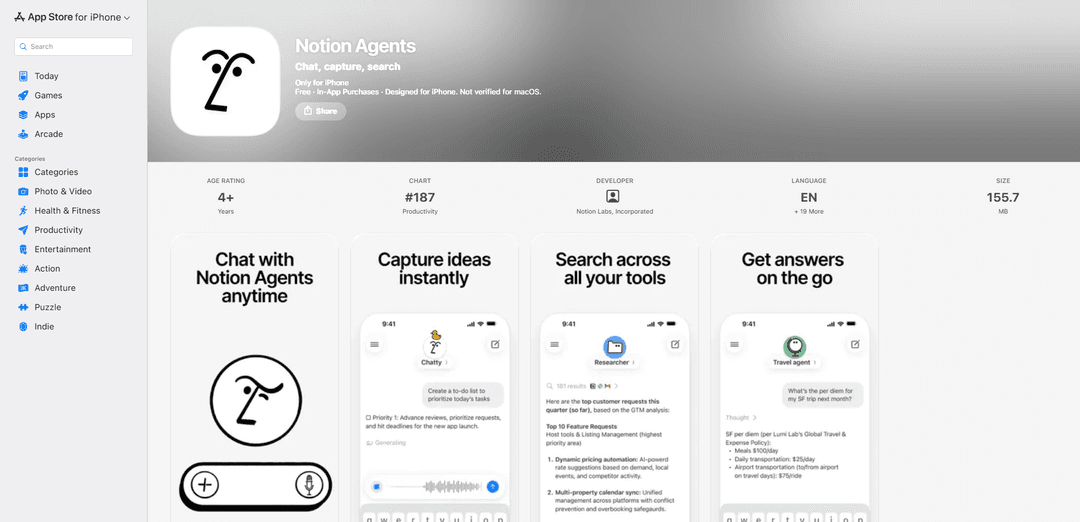
Notion Agents is a dedicated iOS (iPhone) app from Notion Labs focused on “chat, capture, search.” Instead of being a full Notion editor, it’s built for interacting with Notion AI Agents on the go—asking questions, finding information across your docs/databases/projects and connected apps, and quickly turning requests into tangible updates inside your workspace. The app is free with in-app purchases, requires a Notion account, supports all Notion plan types, and is designed for iPhone (it may run on iPad/Mac but is listed as iPhone-only).
Key Features of Notion Agents iOS app
Notion Agents is a dedicated iPhone app for chatting with Notion’s AI agents to quickly search, capture, and act on your work from anywhere. It connects to your Notion workspace and (optionally) your connected tools so answers and actions are grounded in your real docs, databases, and projects. You can capture inputs as text, voice notes, or photos and let agents organize them, while also taking quick actions like creating pages, drafting updates, and running team Custom Agent workflows. The app supports multiple leading AI models (Claude, GPT, Gemini) and works across all Notion plan types, but is designed primarily for iPhone (with iOS 26+ requirement).
Chat-first agent hub: A simple chat interface to ask questions and request actions (e.g., create pages, draft updates, search knowledge) without navigating the full Notion app.
Unified search across workspace + connected tools: Pulls answers from Notion docs, databases, and projects, and can search across connected tools to surface relevant information on the go.
Capture via text, voice, or photo: Quickly capture ideas with typed notes, voice recordings, or photos (e.g., sketches) and have agents help route/organize them into the right place.
Custom Agents on mobile: Chat with your team’s shared Custom Agents to triage tasks, get answers, or run workflows from anywhere—useful for repeatable team processes.
Actionable automation inside Notion: Agents can perform Notion-native work like creating docs, updating databases, and executing multi-step workflows directly in your workspace.
No model lock-in: Supports choosing among leading AI models including Anthropic Claude, OpenAI GPT, and Google Gemini, depending on your preferences and needs.
Use Cases of Notion Agents iOS app
Product & engineering: on-call and incident follow-ups: Ask an agent to summarize recent changes, pull context from project docs, and draft an incident update page or post-mortem outline while away from your desk.
Sales & customer success: meeting and account capture: Record a voice note after a customer call and have an agent organize it into the right account page, draft follow-up actions, and update a pipeline database.
Marketing: campaign execution on the go: Use chat to generate draft updates, assemble launch checklists, and create or update campaign pages and timelines directly from your phone.
Operations & HR: workflow triage and task routing: Use a shared Custom Agent to intake requests, categorize them, and create structured tasks/pages in the correct databases for faster processing.
Education & personal productivity: mobile knowledge capture: Snap photos of whiteboards/notes or record quick ideas and let agents file them into study/project systems, then query your materials later via chat.
Field work (consulting, construction, events): photo-to-documentation: Capture site photos and observations, then have an agent compile a structured status update page with next steps and links to relevant project docs.
Pros
Designed for fast mobile capture and action (text/voice/photo) without needing the full desktop workflow
Grounded in your Notion workspace and can leverage connected tools for more relevant answers
Supports team Custom Agents, enabling shared workflows and consistent automation while mobile
Model choice flexibility (Claude/GPT/Gemini) reduces dependence on a single provider
Cons
iOS 26+ requirement limits compatibility with older devices and OS versions
Designed for iPhone first; iPad/Mac support is not the primary target experience
Privacy/accessibility details are not fully verified by Apple and accessibility features are not yet specified on the App Store listing
How to Use Notion Agents iOS app
1) Install Notion Agents on your iPhone: Open the App Store and search for “Notion Agents” by Notion Labs, Incorporated. Tap Get to install. Note: the listing indicates it’s “Only for iPhone” and requires iOS 26.0 or later.
2) Sign in (or create) your Notion account: Launch the Notion Agents app and sign in with your Notion account. The App Store listing notes that Notion Agents requires a Notion account and supports all plan types.
3) Start a chat to ask questions and get answers from your work: Use the app’s chat to ask questions. The app is designed to “chat, capture, search,” and can return answers from your Notion docs, databases, and projects, plus your connected tools (as available in your setup).
4) Search across Notion and connected tools from the same chat: In the chat, ask the agent to find information across your workspace and connected tools (e.g., “Search our Notion docs and projects for the latest launch plan”). The listing emphasizes searching across connected tools from a simple chat.
5) Capture ideas instantly with text: Type quick thoughts into the chat as they occur. The app is positioned for on-the-go capture, and agents can help organize what you capture into the right place in your Notion workspace.
6) Capture ideas with voice notes: Record a voice note in the app when typing isn’t convenient. The App Store listing states you can capture ideas with voice, and the app privacy section indicates audio data may be handled for app functionality.
7) Capture ideas with photos: Take or attach a photo (e.g., a whiteboard or napkin sketch) and send it in chat. The listing says you can capture with photos and have agents organize them; the app privacy section indicates photos/videos may be handled for app functionality.
8) Ask the agent to take quick actions in Notion: Use chat commands to perform actions like creating pages, drafting updates, or organizing captured items. The listing explicitly mentions “creating pages” and “drafting updates” as quick actions.
9) Create a new database via chat (example workflow): Ask the agent to build a database for you. Example prompt from the sources: “Create a marketing campaign database with tasks for 3 blog posts, 15 social posts, and 2 emails for our upcoming fall launches. Include columns for owner, due date, and status. Add timeline and board views.”
10) Use Custom Agents while you’re mobile: If your team has shared Custom Agents, open chat and select or address them to get answers, triage tasks, or run workflows from anywhere. The listing highlights “Custom Agents on the go.”
11) Choose your AI model (no model lock-in): When available in the app, select among supported AI models. The listing notes “No model lock-in” and mentions options including Claude, GPT, and Gemini.
12) Use the app for multi-step work inside Notion: Ask the agent to complete multi-step tasks (e.g., search for information, then create or update pages/databases based on what it finds). The sources describe agents as able to create docs, build databases, search, and execute multi-step workflows.
Notion Agents iOS app FAQs
Notion Agents is an iPhone app from Notion Labs that lets you chat with Notion Agents to search, capture, and take actions using information from your Notion workspace and connected tools. You can ask questions, create pages, draft updates, and search across connected tools from a simple chat.
Popular Articles

Vosko AI: Localize and Dub Videos for Global Audiences
Oct 15, 2026

Atoms: A Multi-Agent AI Platform That Transforms Ideas into Launch-Ready Products
Oct 13, 2026

Nano Banana SBTI: What It Is, How It Works, and How to Use It in 2026
Apr 15, 2026

Atoms Review — The AI Product Builder Redefining Digital Creation in 2026
Apr 10, 2026
Latest AI Tools Similar to Notion Agents iOS app

Ticknotes
Ticknotes is an AI-powered meeting assistant that automatically records, transcribes, and generates personalized meeting summaries, action items, and key insights from audio, video, and text content.

Feta
Feta is an AI-powered meeting tool that helps product and engineering teams run efficient meetings by capturing discussions, automating tasks, and providing actionable insights through smart summaries and integrations.
Aimeet
Aimeet is a comprehensive AI-powered communication platform that combines real-time translation, transcription, screen sharing, and unlimited meeting capabilities for effective virtual collaboration.
MinutesLink
MinutesLink is an advanced AI-powered note-taking assistant that automatically records, transcribes, summarizes and organizes virtual meetings while building personalized digital avatars from meeting data.
Popular AI Tools Like Notion Agents iOS app
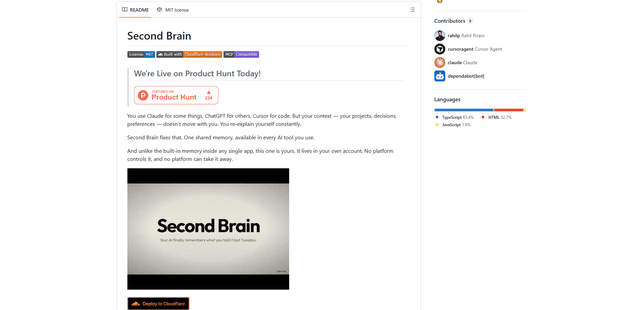
Second Brain for AI
Second Brain for AI is a self-hosted, MCP-compatible persistent memory layer on Cloudflare that lets Claude, ChatGPT, Cursor, and other AI clients store and semantically recall shared context across sessions.
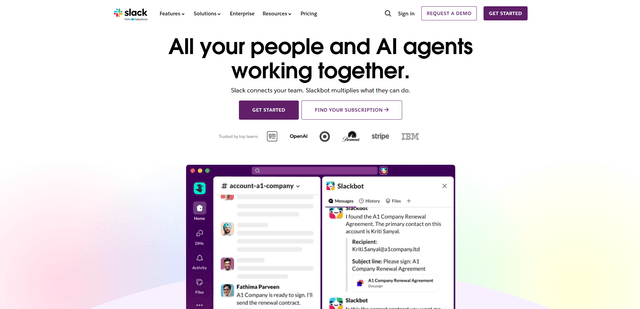
Slack
Slack is an AI-powered work platform that brings team communication, channels, files, automation, and app integrations into one conversational workspace.
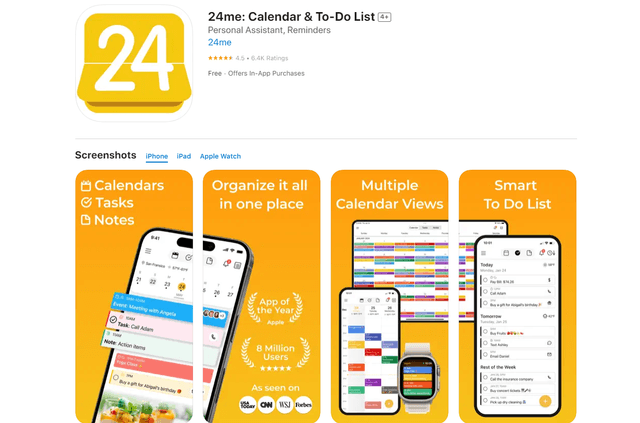
24me Smart Personal Assistant
24me is an award-winning smart personal assistant app that combines calendar, to-do lists, notes, and personal accounts in one unified platform to help boost productivity and time management.
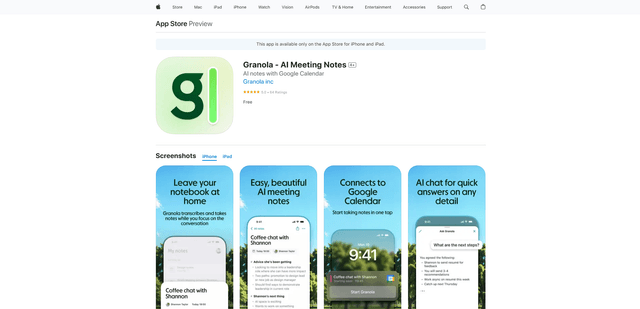
Granola for iOS
Granola for iOS is an AI-powered notepad app that helps users effortlessly capture, transcribe and summarize meeting conversations through intelligent note-taking and one-tap recording capabilities.