MusicAura AI
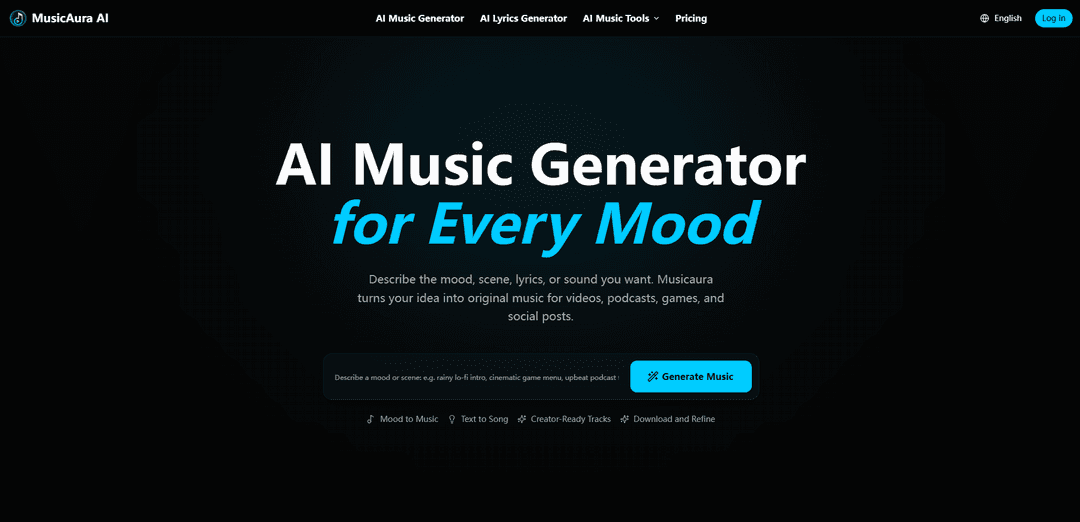
MusicAura AI (Musicaura) is a creator-focused, browser-based AI music workspace that generates original tracks from text prompts, moods, scenes, or lyrics and also includes tools like an AI lyrics generator, vocal separation, and stem splitting for end-to-end audio workflows.
https://musicaura.ai/?utm_source=aipure
Product Information
Updated:Jul 2, 2026
What is MusicAura AI
MusicAura AI is an advanced AI-powered music generation platform that allows anyone to create professional-quality music in seconds. Whether you're a content creator, marketer, game developer, or beginner with no music background, MusicAura makes music creation simple, fast, and accessible.With just a text prompt or idea, the AI can generate complete tracks across multiple styles and moods, including lo-fi, cinematic, pop, ambient, electronic, and more. The generated music is royalty-free and can be used for YouTube videos, TikTok content, podcasts, advertisements, and commercial projects.
Key Features of MusicAura AI
MusicAura AI (Musicaura) is a creator-focused, browser-based AI music workspace that turns text prompts, moods, scenes, and lyrics into original tracks you can preview, refine, save, and download for projects like videos, podcasts, games, and social posts. Beyond generation, it bundles practical audio tools—AI lyrics drafting, vocal removal, and stem splitting—so creators can move from idea to editable layers without leaving the platform, with plan-based downloads and commercial licensing on paid tiers.
Text/Mood-to-Music generation: Create original songs, instrumentals, or background tracks from a short prompt describing mood, scene, genre, tempo, instruments, or lyrics, then iterate by adjusting the prompt and settings.
Preview, refine, and download workflow: Generate and listen to results in-browser, compare directions, save to a workspace, and download available formats based on your plan for use in creator workflows.
AI Lyrics Generator: Draft editable lyrics from a title or prompt with controls for mood, style, structure, and language, then revise and optionally use the lyrics as input for song generation.
AI Vocal Remover (vocal/instrumental separation): Upload audio to separate vocals from instrumentals for karaoke, remix drafts, cleaner music beds, or vocal study, with stem previewing emphasized due to variable separation quality.
AI Stem Splitter (multi-stem separation): Split a mixed track into practical stems—commonly vocals, drums, bass, and other instruments—so you can remix, sample, practice, or edit with more control than a simple vocal remover.
Creator utility tools (tempo/MIDI/metadata): Includes creator-friendly helpers like BPM/tempo tools and MIDI-related utilities to support editing, arranging, and integrating ideas into broader production workflows.
Use Cases of MusicAura AI
Video and social content soundtracks: Generate mood-matched background music for YouTube videos, Shorts/Reels/TikToks, ads, and promos; refine quickly to fit pacing, energy, and scene tone.
Podcast intros, beds, and transitions: Create consistent theme music and segment stingers tailored to a show’s vibe, and download tracks for editing into episode timelines.
Game and interactive media ambience: Produce cinematic menus, ambient loops, or scene-based cues (e.g., “rainy lo-fi,” “tense stealth”) to support gameplay moments and environments.
Remix and DJ prep: Use vocal removal and stem splitting to build mashup drafts, practice blends, or remix sketches from audio you have rights to use, previewing stems before download.
Music education and practice: Separate vocals/instrumentals to study phrasing and arrangement, or extract stems for teaching demonstrations and practice materials.
Songwriting and ideation: Start from a title or story prompt to draft lyrics, then turn the lyric concept into a full track for demos, creative exploration, or alternate hooks.
Pros
All-in-one creator workflow: generation + lyrics + vocal removal + stem splitting in a single browser workspace.
Fast iteration: preview and refine outputs by adjusting prompts, moods, scenes, and style direction.
Useful for multiple creator formats (video, podcast, games, social) with plan-based downloads and commercial licensing on paid tiers.
Cons
AI vocal/stem separation quality varies by source mix; dense arrangements and heavy processing can cause artifacts.
Free plan is limited (e.g., low monthly song/generation counts and personal-use-only licensing).
Output control depends on prompt guidance; may require multiple iterations to match a precise creative brief.
How to Use MusicAura AI
1. Open Musicaura in your browser: Go to https://musicaura.ai/ and choose the workflow you need (AI Music Generator, AI Lyrics Generator, AI Vocal Remover, or AI Stem Splitter).
2. Start with the AI Music Generator (text-to-music): Open the AI Music Generator and prepare a short prompt describing what you want to hear (mood, scene, genre, instruments, tempo/BPM, and/or lyrics).
3. Describe the atmosphere you want: In the prompt field, enter details like the mood (e.g., dreamy, tense), the scene/use case (e.g., podcast intro, game menu, rainy lo-fi loop), genre (e.g., pop, EDM, hip-hop, ambient, cinematic, acoustic), instruments, and optional tempo/BPM.
4. Generate the track: Run the generation. Musicaura will turn your prompt into an original track with melody, rhythm, and arrangement.
5. Preview and compare results: Listen to the generated music in the workspace. Use the preview-first flow to judge whether it matches your project’s feeling before committing to downloads or further edits.
6. Refine by adjusting your prompt: If you need a different direction, modify the prompt (change mood, energy, genre, instruments, or tempo) and generate again until it starts closer to the atmosphere you need.
7. Save the track to your workspace: When you like a result, save it so you can return to it, compare versions, or continue editing/remixing later.
8. Download the track for your project: Download the music for use in videos, podcasts, games, ads, or social posts according to your plan’s license terms (free plan is personal use only; paid plans include a commercial license).
9. (Optional) Generate lyrics first, then turn them into music: Open the AI Lyrics Generator, enter a title/prompt plus mood, style, structure, and language. Review and edit the draft, save it to history, then send/turn the lyric idea into music generation when ready.
10. (Optional) Remove vocals from a song: Open AI Vocal Remover, upload a clear source file you have rights to use, run separation, then preview the vocal and instrumental outputs. Download the stems you need (useful for karaoke, remix drafts, or lowering vocals under narration).
11. (Optional) Split stems for deeper control: Open AI Stem Splitter, upload a mixed track you have rights to process, then split into practical layers (commonly vocals, drums, bass, and other instruments). Preview each stem (quality varies by mix) and download the usable stems for remixing/editing.
12. (Optional) Use tempo/BPM tools to match your project: Use the BPM tapping tool (press Space/click/tap along) to estimate tempo from a reference track, then copy that BPM into your AI music prompt or project timeline to better match pacing and energy.
13. (Optional) Convert audio to MIDI for editing: Use the Audio-to-MIDI converter to turn clear melody-focused recordings (voice, piano, guitar, simple loops) into editable MIDI notes. Download/open the MIDI in your DAW and correct timing/notes as needed.
14. Choose a plan if you need more generations/downloads or commercial use: Start with free credits for testing ideas. Upgrade when you need more music generations, more downloads, concurrent tasks, and commercial license coverage for published work.
MusicAura AI FAQs
Musicaura is an AI-powered music generator and creator-focused audio toolkit that turns text prompts, moods, scenes, or lyrics into original music for projects like videos, podcasts, games, ads, and social posts.
Popular Articles

Atoms: A Multi-Agent AI Platform That Transforms Ideas into Launch-Ready Products
May 22, 2026

Nano Banana SBTI: What It Is, How It Works, and How to Use It in 2026
Apr 15, 2026

Atoms Review — The AI Product Builder Redefining Digital Creation in 2026
Apr 10, 2026

Kilo Claw: How to Deploy and Use a True "Do‑It‑For‑You" AI Agent(2026 Update)
Apr 3, 2026
Latest AI Tools Similar to MusicAura AI
MeloHunt
MeloHunt is a powerful AI-powered song generator that enables users to create original, high-quality music tracks without requiring any musical expertise.
ChopLab
ChopLab is an AI-powered tool that enables music producers to transform audio tracks into unique samples and custom drum packs through automated splitting, isolation, and chopping processes.
MindBound Labs
MindBound Labs is an innovative platform focused on accelerating Artificial Super Intelligence (ASI) through community engagement, combining NFC cards, AI prompts, and personalization across multiple creative domains.
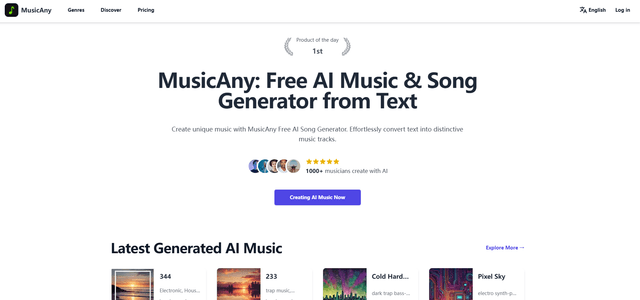
MusicAny
MusicAny is a cutting-edge free AI music generator that enables users to effortlessly create unique, royalty-free songs from text descriptions without any musical background.
Popular AI Tools Like MusicAura AI
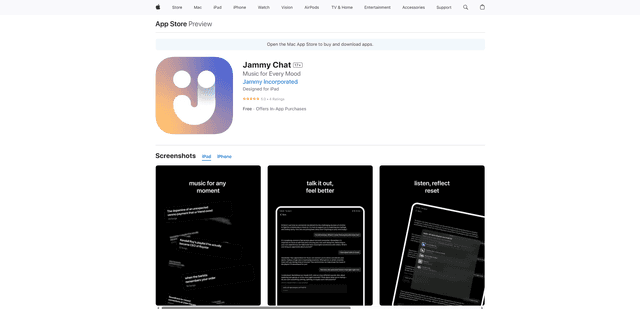
Jammy Chat
Jammy Chat is a music-infused mental health app that provides personalized playlists and emotional support by analyzing your mood through AI-powered conversations.
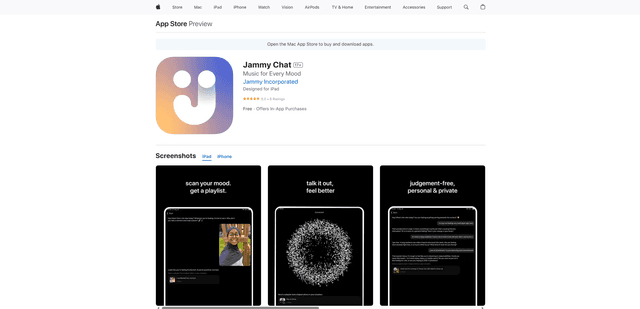
Jammy Chat
Jammy Chat is an AI-powered mental health app that scans users' facial expressions and provides personalized music playlists to help regulate emotions and improve mood.
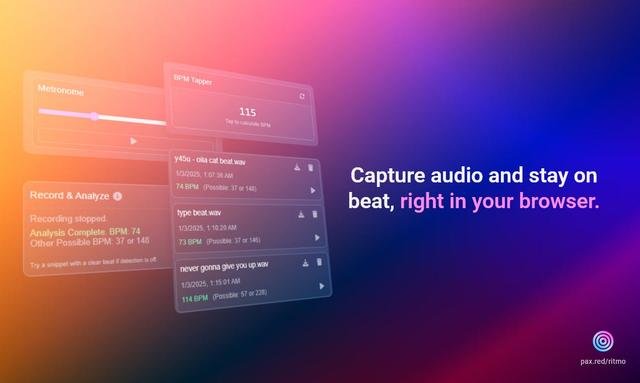
Ritmo
Ritmo is a smart audio toolkit Chrome extension that helps capture, analyze, and manage audio with features like BPM analysis, tap tempo, and metronome functionality.
Tempo-Pulse
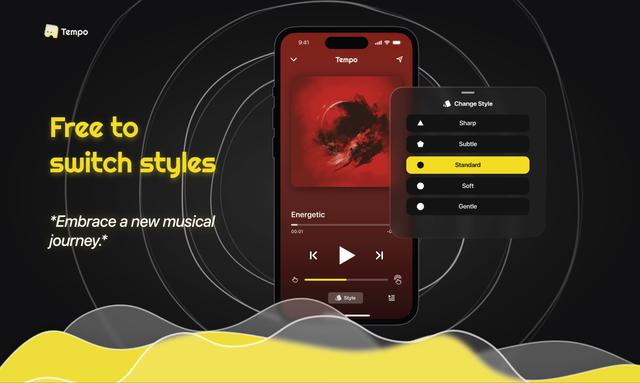
Tempo-Pulse is an AI-driven haptic music player that transforms any music into tactile sensations through innovative haptic technology, making music feelable for everyone including those who are hard of hearing.