
MOTHER
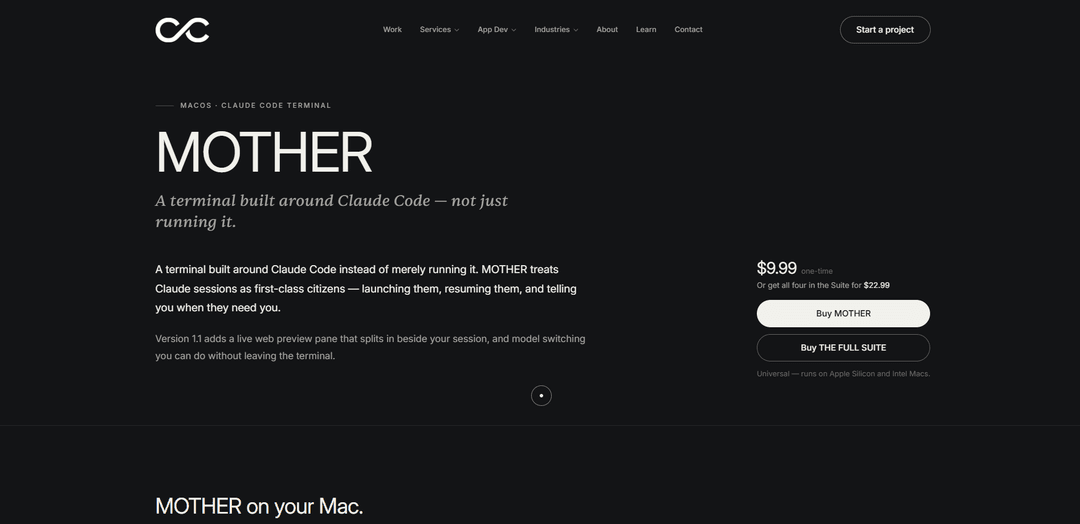
MOTHER là một thiết bị đầu cuối macOS được xây dựng xung quanh Claude Code, coi các phiên là ưu tiên hàng đầu, thêm cảnh báo chú ý và (trong v1.1) bao gồm bản xem trước web chia đôi trực tiếp cùng với việc chuyển đổi mô hình tại chỗ.
https://coastcreative.studio/apps/mother?ref=producthunt&utm_source=aipure
Thông tin Sản phẩm
Đã cập nhật:Aug 8, 2026
MOTHER là gì
MOTHER là một trải nghiệm thiết bị đầu cuối macOS chuyên dụng được thiết kế đặc biệt để làm việc với Claude Code—vượt xa việc chỉ chạy nó. Thay vì coi các cuộc trò chuyện AI như đầu ra thiết bị đầu cuối dùng một lần, MOTHER tập trung các phiên Claude của bạn với các công cụ để khởi chạy, tiếp tục và quản lý chúng như không gian làm việc thực sự. Đây là một ứng dụng Mac phổ biến (Apple Silicon và Intel) được bán với giá 9,99 đô la một lần mua, và nó cũng có sẵn như một phần của bộ sản phẩm lớn hơn từ Coast Creative.
Các Tính năng Chính của MOTHER
MOTHER là một thiết bị đầu cuối macOS được xây dựng đặc biệt xoay quanh Claude Code, coi các phiên Claude là các đối tượng hạng nhất mà bạn có thể khởi chạy, tiếp tục và giám sát. Nó kết hợp một thiết bị đầu cuối thực sự đầy đủ (các tab/chia PTY) với các tính năng quy trình làm việc như khởi chạy dự án, chọn/chuyển đổi mô hình, cảnh báo chú ý khi Claude cần nhập liệu, nhập đường dẫn kéo và thả, và một tài liệu tham khảo lệnh tích hợp. Phiên bản 1.1 bổ sung một ngăn xem trước web trực tiếp chia đôi màn hình cho các máy chủ localhost/dev (với các điều khiển tải lại nóng), cộng với liên kết sâu để Claude có thể mở các bản xem trước thông qua lược đồ URL mother:// và một biến môi trường $MOTHER_PREVIEW được xuất.
Thiết bị đầu cuối ưu tiên phiên Claude: Khởi chạy và tiếp tục các phiên Claude Code dễ dàng, và giữ các phiên được tổ chức như các đối tượng chính thay vì chỉ là các lệnh chạy bên trong một thiết bị đầu cuối chung.
Trình khởi chạy dự án + tiếp tục phiên: Cung cấp quyền truy cập nhanh vào các dự án gần đây với lựa chọn mô hình và tiếp tục các phiên trước đó chỉ bằng một cú nhấp chuột để giảm ma sát thiết lập.
Thiết bị đầu cuối thực sự bên dưới (các tab/chia PTY): Hoạt động như một trình giả lập thiết bị đầu cuối hoàn chỉnh với các tab và chia, có thể sử dụng ngay cả khi không có Claude—hữu ích cho việc chạy các bản dựng, git, tập lệnh và SSH cùng với công việc AI.
Cảnh báo chú ý khi cần nhập liệu: Một chỉ báo trên thanh menu sẽ sáng lên (với các thông báo/chuông tùy chọn) khi Claude đang chờ phản hồi của bạn, giúp bạn đa nhiệm mà không bỏ lỡ các lời nhắc.
Ngăn xem trước web trực tiếp (v1.1): Nhúng một trình duyệt bên cạnh phiên của bạn để xem trước các ứng dụng localhost (Vite/Next/etc.) với các điều khiển GO/RELOAD/BROWSER; các trang web chặn nhúng sẽ mở bên ngoài.
Chuyển đổi mô hình tại chỗ + hiển thị mô hình đã giải quyết: Hiển thị mô hình đã giải quyết thực tế (Opus/Sonnet/Haiku) và cho phép bạn chuyển đổi mô hình giữa phiên; MOTHER gửi /model và xác nhận thay đổi trong UI.
Các Trường hợp Sử dụng của MOTHER
Phát triển web Frontend với tải lại nóng: Chạy một máy chủ dev cục bộ và giữ một bản xem trước trực tiếp bên cạnh mã hóa được hỗ trợ bởi Claude, cho phép các chu kỳ lặp lại-kiểm tra nhanh chóng mà không cần rời khỏi thiết bị đầu cuối.
Đa nhiệm kỹ thuật sản phẩm: Để Claude làm việc trong khi bạn xử lý các tác vụ khác; cảnh báo trên thanh menu sẽ thông báo cho bạn khi phiên cần nhập liệu, giảm thời gian chờ trong các quy trình làm việc dài hạn.
Các hoạt động CLI được hỗ trợ bởi AI cho DevOps/SRE: Sử dụng thiết bị đầu cuối đầy đủ cho các tập lệnh triển khai, nhật ký và các phiên SSH trong khi Claude giúp tạo lệnh, phân tích đầu ra hoặc soạn thảo các runbook—mà không cần chuyển đổi ứng dụng.
Tài liệu và khám phá lệnh: Mở tài liệu tham khảo lệnh tích hợp bên cạnh một phiên trực tiếp để nhanh chóng tìm hiểu các phím tắt/cờ và áp dụng chúng ngay lập tức trong quá trình sử dụng Claude Code.
Đánh giá thiết kế/QA các bản dựng cục bộ: Các nhà thiết kế hoặc QA có thể mở bản xem trước của một bản dựng localhost bên cạnh phiên và phối hợp các thay đổi với Claude, tăng tốc vòng phản hồi cho các chỉnh sửa UI.
Các bản xem trước được liên kết sâu do Claude kích hoạt: Claude có thể mở một URL xem trước cụ thể thông qua mother://preview?url=… (hoặc $MOTHER_PREVIEW), cho phép các bước “mở kết quả” tự động trong quá trình xây dựng tương tác.
Ưu điểm
Được xây dựng có mục đích cho các quy trình làm việc của Claude Code (quản lý phiên, cảnh báo, chuyển đổi mô hình) thay vì một trình bao bọc thiết bị đầu cuối chung.
Xem trước web chia đôi tích hợp cho các ứng dụng localhost hỗ trợ các lần lặp xây dựng-xem trước nhanh hơn mà không cần chuyển đổi ngữ cảnh.
Vẫn là một trình giả lập thiết bị đầu cuối đầy đủ (các tab/chia PTY), vì vậy nó vẫn hữu ích ngay cả bên ngoài các phiên AI.
Nhược điểm
Chỉ dành cho macOS, giới hạn các nhóm trên Windows/Linux.
Việc nhúng xem trước web phụ thuộc vào chính sách của trang web; một số URL có thể từ chối nhúng và sẽ mở bên ngoài.
Giá trị tốt nhất chủ yếu dành cho những người dùng đầu tư nhiều vào Claude Code; có thể ít hấp dẫn hơn nếu bạn thích các môi trường AI/dev khác.
Cách Sử dụng MOTHER
1) Khởi chạy MOTHER: Mở ứng dụng MOTHER macOS. Bạn sẽ đến trình khởi chạy dự án/phiên của nó, nơi bạn có thể truy cập các dự án gần đây, chọn một mô hình và tiếp tục các phiên Claude Code trước đây.
2) Bắt đầu hoặc tiếp tục một phiên Claude Code: Từ trình khởi chạy, bạn có thể bắt đầu một phiên mới cho một dự án hoặc sử dụng tùy chọn một cú nhấp chuột để tiếp tục một phiên trước đó. MOTHER coi các phiên là ưu tiên hàng đầu: nó có thể khởi chạy chúng, tiếp tục chúng và cho biết khi nào chúng cần bạn nhập liệu.
3) Chọn mô hình của bạn trước khi bắt đầu (tùy chọn): Trong trình khởi chạy, chọn mô hình bạn muốn sử dụng (Opus, Sonnet hoặc Haiku). MOTHER cũng hỗ trợ chuyển đổi mô hình sau này mà không cần rời khỏi thiết bị đầu cuối.
4) Sử dụng thiết bị đầu cuối như một thiết bị đầu cuối thực sự (tab/chia PTY): Làm việc bên trong phiên với hỗ trợ thiết bị đầu cuối PTY đầy đủ. Bạn có thể sử dụng các tab và chia để có trải nghiệm thiết bị đầu cuối hoàn chỉnh ngay cả khi bạn không tích cực sử dụng Claude.
5) Kéo và thả tệp để chèn đường dẫn: Kéo bất kỳ tệp hoặc thư mục nào vào một phiên. MOTHER sẽ chèn đường dẫn được trích dẫn shell của nó trực tiếp vào dòng lệnh để tham chiếu nhanh.
6) Mở Tham chiếu Lệnh tích hợp: Mở Tham chiếu Lệnh dưới dạng một tab bên cạnh phiên trực tiếp của bạn để xem các phím tắt và cờ Claude Code mà không cần rời khỏi quy trình làm việc của bạn.
7) Theo dõi Cảnh báo Chú ý khi Claude cần bạn: Nếu bạn chuyển sang các ứng dụng khác, MOTHER có thể thông báo cho bạn khi Claude cần nhập liệu: chữ “M” trên thanh menu sẽ sáng lên, gửi thông báo và có thể tùy chọn phát ra âm thanh.
8) Mở ngăn Xem trước Web trong một phiên (v1.1+): Nhấp vào PREVIEW trong dải tab để mở một ngăn trình duyệt được chia đôi bên cạnh phiên của bạn. Phiên của bạn vẫn được tập trung trong khi bản xem trước hiển thị.
9) Điều khiển bố cục chia đôi (bỏ chia/hoán đổi): Sử dụng ⌘D để bỏ chia bản xem trước. Sử dụng SWAP để lật bản xem trước sang trái hoặc phải, giống như bất kỳ cách sắp xếp tab nào khác.
10) Xem trước các máy chủ phát triển cục bộ với tải lại nóng: Sử dụng ngăn xem trước để nhúng các máy chủ phát triển localhost (ví dụ: Vite, Next) với cập nhật trực tiếp. Sử dụng các điều khiển GO / RELOAD / BROWSER; nếu một trang web từ chối nhúng, MOTHER sẽ mở nó trong trình duyệt mặc định của bạn thay thế.
11) Bắt đầu xem trước chỉ khi bạn chọn: Khi bạn mở ngăn xem trước, nó sẽ bắt đầu trên một màn hình giới thiệu theo chủ đề với URL cuối cùng của bạn được điền sẵn. Không có gì tải cho đến khi bạn rõ ràng yêu cầu nó.
12) Mở bản xem trước từ bên trong một phiên thông qua lược đồ URL: Từ bên trong một phiên, mở: mother://preview?url=… để bật bản xem trước tại URL đó, chia đôi bên cạnh phiên.
13) Sử dụng biến môi trường xem trước đã xuất: Các phiên xuất $MOTHER_PREVIEW. Bạn có thể tham chiếu nó trong quy trình làm việc của mình; nó cũng được ghi lại trong Tham chiếu Lệnh.
14) Xác nhận mô hình bạn thực sự đang sử dụng: Kiểm tra trường MODEL của thanh trạng thái. Nó giải quyết mô hình hoạt động thực sự (Opus/Sonnet/Haiku) thay vì chỉ hiển thị DEFAULT.
15) Chuyển đổi mô hình giữa phiên (v1.1+): Nhấp vào MODEL trong thanh trạng thái trong một phiên trực tiếp và chọn Opus, Sonnet hoặc Haiku. MOTHER gửi /model, Claude Code xác nhận việc chuyển đổi và nhãn MODEL cập nhật.
Câu hỏi Thường gặp về MOTHER
MOTHER là một terminal macOS được xây dựng xung quanh Claude Code (không chỉ chạy nó). Nó coi các phiên Claude là công dân hạng nhất bằng cách khởi chạy, tiếp tục và cảnh báo bạn khi chúng cần nhập liệu.
Video MOTHER
Bài viết phổ biến

Vosko AI: Bản địa hóa và Lồng tiếng Video cho Khán giả Toàn cầu
Oct 15, 2026

Atoms: Nền tảng AI đa tác nhân biến ý tưởng thành sản phẩm sẵn sàng ra mắt
May 22, 2026

Nano Banana SBTI: Nó là gì, Cách thức hoạt động và Cách sử dụng nó vào năm 2026
Apr 15, 2026

Đánh giá Atoms — Trình tạo sản phẩm AI định nghĩa lại việc tạo nội dung số vào năm 2026
Apr 10, 2026
Công cụ AI Mới nhất Tương tự MOTHER

Gait
Gait là một công cụ hợp tác tích hợp việc tạo mã hỗ trợ AI với kiểm soát phiên bản, cho phép các nhóm theo dõi, hiểu và chia sẻ bối cảnh mã do AI tạo ra một cách hiệu quả.

invoices.dev
invoices.dev là một nền tảng lập hóa đơn tự động tạo hóa đơn trực tiếp từ các cam kết Git của các nhà phát triển, với khả năng tích hợp cho các dịch vụ GitHub, Slack, Linear và Google.

EasyRFP
EasyRFP là một bộ công cụ tính toán biên được hỗ trợ bởi AI giúp đơn giản hóa các phản hồi RFP (Yêu cầu đề xuất) và cho phép phân loại hình thái thực địa theo thời gian thực thông qua công nghệ học sâu.

Cart.ai
Cart.ai là một nền tảng dịch vụ dựa trên AI cung cấp các giải pháp tự động hóa doanh nghiệp toàn diện bao gồm lập trình, quản lý quan hệ khách hàng, chỉnh sửa video, thiết lập thương mại điện tử và phát triển AI tùy chỉnh với hỗ trợ 24/7.
Công cụ AI Phổ biến Giống MOTHER

GitHub Copilot Chat
GitHub Copilot Chat là một trợ lý lập trình được hỗ trợ bởi AI cung cấp các tương tác bằng ngôn ngữ tự nhiên, các gợi ý mã theo thời gian thực, và hỗ trợ theo ngữ cảnh trực tiếp trong các IDE được hỗ trợ và GitHub.com.

CopilotForXcode
CopilotForXcode là một Tiện ích mở rộng Trình chỉnh sửa mã nguồn Xcode tích hợp GitHub Copilot, Codeium và ChatGPT để cung cấp các gợi ý mã được hỗ trợ bởi AI, hỗ trợ trò chuyện và chức năng từ prompt đến mã trong Xcode.

BrowserAI
BrowserAI là một thư viện mã nguồn mở cho phép chạy các Mô hình Ngôn ngữ Lớn (LLM) cục bộ trực tiếp trong trình duyệt web với khả năng tăng tốc WebGPU, cung cấp các khả năng AI tập trung vào quyền riêng tư mà không cần cơ sở hạ tầng máy chủ.

OpenAI Codex CLI
OpenAI Codex CLI là một coding agent mã nguồn mở, nhẹ, chạy trong terminal của bạn, cho phép các nhà phát triển dịch ngôn ngữ tự nhiên thành thực thi mã trong khi cung cấp khả năng suy luận ở cấp độ ChatGPT với khả năng chạy mã, thao tác tệp và lặp lại dưới sự kiểm soát phiên bản.