moCODE
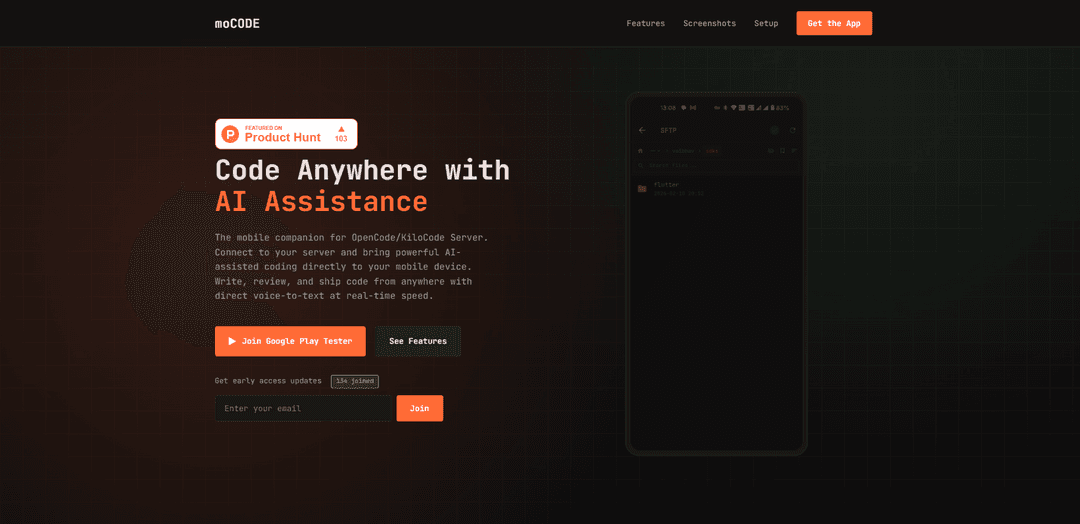
moCODE is a mobile-first AI-assisted coding platform that connects to OpenCode/KiloCode Server, enabling developers to write, review, and manage code directly from their mobile devices with powerful AI assistance.
https://mocode.ordinity.com/?ref=producthunt
Product Information
Updated:Mar 8, 2026
What is moCODE
moCODE is a sophisticated mobile development platform designed specifically for developers who need to code on the go. It serves as a mobile companion for OpenCode/KiloCode Server, bringing a complete integrated development environment (IDE) to mobile devices. The platform features a beautiful dark interface and combines AI assistance with traditional development tools, making it possible for developers to maintain their workflow even when away from their desktop computers.
Key Features of moCODE
moCODE is a mobile-first AI-assisted development platform that provides a complete IDE experience on mobile devices. It features an AI chat interface with file integration, secure session management, multiple model selection capabilities, built-in developer tools, and SFTP-enabled file browsing. The platform connects to OpenCode/KiloCode Server and allows developers to write, review, and deploy code from anywhere using their mobile devices.
AI Chat Interface: Intelligent chat system with @file mentions, slash commands, markdown rendering, and syntax-highlighted code blocks with real-time streaming responses
Comprehensive Developer Tools: Rich diff viewer with syntax highlighting, file changes sidebar, built-in terminal with SSH support, and clear error messaging system
Secure File Management: SFTP integration for remote file navigation, file downloading capabilities, and bookmark system for frequently accessed files
Flexible Session Management: Ability to create, fork, archive, and share chat sessions, with organization by Git branch status and searchable history
Use Cases of moCODE
Mobile Development On-the-Go: Developers can continue their work from anywhere using their mobile devices, perfect for remote work scenarios
Code Review and Collaboration: Team members can review code changes and collaborate through the AI chat interface while away from their desks
Quick Bug Fixes: Developers can address urgent issues or make quick fixes to production code without needing access to their main workstation
Pros
True mobile-first design optimized for touch interfaces
Comprehensive IDE features in a mobile format
Secure and modern infrastructure with regular updates
Cons
Requires OpenCode/KiloCode Server setup
Product has been discontinued with no future updates planned
How to Use moCODE
Install OpenCode Server: First, ensure you have an OpenCode Server running either locally or on a remote machine that is network accessible
Download moCODE App: Join the Google Play Tester program and download the moCODE mobile app from the Google Play Store
Configure Server Connection: Open moCODE app, go to Settings, and enter your OpenCode server address
Sign In: Sign in to the app using your Google account credentials
Select AI Model: Browse and select your preferred AI model from the available providers, or set default models for your sessions
Start Coding: Begin using the app's features including AI chat interface, file browser, and developer tools to write and review code
Manage Sessions: Create and organize coding sessions, use Git branch status for organization, and utilize the search/filter functionality to manage your work
Use Developer Tools: Access the built-in terminal with SSH support, use the diff viewer for code review, and leverage file management features through SFTP integration
moCODE FAQs
moCODE is an AI-assisted coding mobile application that serves as a companion for OpenCode/KiloCode Server, allowing developers to write, review, and ship code from their mobile devices.
moCODE Video
Popular Articles

Atoms: A Multi-Agent AI Platform That Transforms Ideas into Launch-Ready Products
May 22, 2026

Nano Banana SBTI: What It Is, How It Works, and How to Use It in 2026
Apr 15, 2026

Atoms Review — The AI Product Builder Redefining Digital Creation in 2026
Apr 10, 2026

Kilo Claw: How to Deploy and Use a True "Do‑It‑For‑You" AI Agent(2026 Update)
Apr 3, 2026
Latest AI Tools Similar to moCODE

Gait
Gait is a collaboration tool that integrates AI-assisted code generation with version control, enabling teams to track, understand, and share AI-generated code context efficiently.

invoices.dev
invoices.dev is an automated invoicing platform that generates invoices directly from developers' Git commits, with integration capabilities for GitHub, Slack, Linear, and Google services.

EasyRFP
EasyRFP is an AI-powered edge computing toolkit that streamlines RFP (Request for Proposal) responses and enables real-time field phenotyping through deep learning technology.

Cart.ai
Cart.ai is an AI-powered service platform that provides comprehensive business automation solutions including coding, customer relations management, video editing, e-commerce setup, and custom AI development with 24/7 support.
Popular AI Tools Like moCODE

GitHub Copilot Chat
GitHub Copilot Chat is an AI-powered coding assistant that provides natural language interactions, real-time code suggestions, and contextual support directly within supported IDEs and GitHub.com.

CopilotForXcode
CopilotForXcode is an Xcode Source Editor Extension that integrates GitHub Copilot, Codeium, and ChatGPT to provide AI-powered code suggestions, chat assistance, and prompt-to-code functionality within Xcode.

BrowserAI
BrowserAI is an open-source library that enables running local Large Language Models (LLMs) directly in web browsers with WebGPU acceleration, offering privacy-focused AI capabilities without requiring server infrastructure.

OpenAI Codex CLI
OpenAI Codex CLI is a lightweight, open-source coding agent that runs in your terminal, enabling developers to translate natural language into code execution while providing ChatGPT-level reasoning with the ability to run code, manipulate files, and iterate under version control.