
Mindstone Rebel
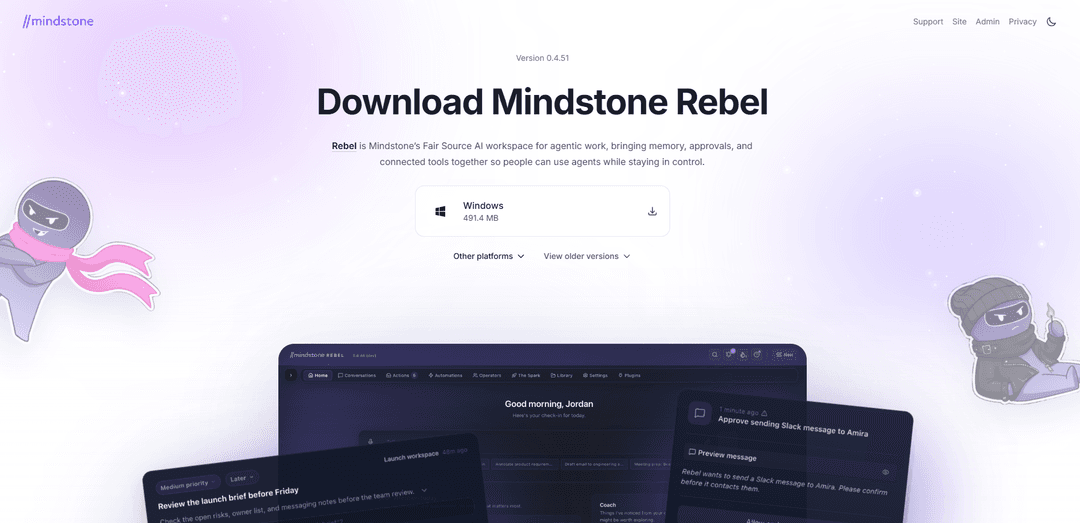
Mindstone Rebel is a Fair Source, local-first AI workspace for agentic work that combines memory, approvals, and connected tools (via connectors/MCPs) so teams can use AI agents while staying in control.
https://rebel.mindstone.com/?ref=producthunt
Product Information
Updated:Jul 8, 2026
What is Mindstone Rebel
Mindstone Rebel is Mindstone’s desktop AI workspace designed to make AI useful in day-to-day business work from day one by connecting your tools, context, and processes. Positioned as an “agentic work” environment rather than a standalone chatbot, Rebel brings together persistent memory, workflow controls, and integrations so you can draft, execute, and manage real work (e.g., communication, follow-ups, outreach, and internal tasks) with AI assistance. It is built with a strong emphasis on user control, including a local-first architecture that can keep your workspace content on your device and your chosen cloud storage, with optional cloud features available for continuity and meeting workflows.
Key Features of Mindstone Rebel
Mindstone Rebel is a Fair Source, local-first AI workspace designed to make AI useful in business from day one by combining agentic workflows with connected tools, approvals, and memory. It integrates with common enterprise systems via connectors (e.g., files, email, calendar) to ground AI responses in your real context, while letting teams control what data is used and when. Rebel can also run optional cloud features (including a meeting notetaker) and routes prompts plus relevant context to configurable AI providers (defaulting to Anthropic for text and OpenAI for voice).
Local-first workspace control: In desktop-only mode, your files, memory, and workspace stay on your local device and chosen storage (e.g., Google Drive/OneDrive), rather than being hosted on Mindstone servers.
Connected tools via connectors (MCP-style): Connects to business tools and content sources (files, email, calendar, etc.) so the AI can work with real organizational context instead of generic prompts.
Agentic workflows with approvals: Designed for “agentic work,” combining automation with human-in-the-loop approvals so teams can delegate tasks while staying in control.
Memory for reusable context: Stores user- or team-specific context (“memory entries”) that can be recalled across tasks to improve consistency in drafting, follow-ups, and repeated workflows.
Optional meeting notetaker: Can join video meetings (e.g., Zoom/Google Meet/Microsoft Teams) to capture audio, generate transcripts, and produce AI summaries; this is an optional cloud-processed feature.
Configurable AI provider routing: When you message Rebel, your prompt and relevant context are sent to your configured AI provider (defaults: Anthropic for text; OpenAI Whisper/GPT for voice features).
Use Cases of Mindstone Rebel
Sales & SDR productivity: Draft outreach, follow-ups, and account-specific emails using CRM-adjacent context (emails, calendar, documents) and reuse best-performing messaging via memory.
Meeting operations for teams: Automatically produce meeting transcripts and summaries, then turn them into action items, follow-up emails, or project updates (especially useful for distributed teams).
Consulting & client delivery: Pull from project folders, notes, and prior deliverables to create proposals, status reports, and executive summaries with consistent tone and reusable client context.
Knowledge work in legal/finance teams: Summarize internal documents and communications, generate first drafts, and standardize outputs while keeping a tighter control model via approvals and local-first mode.
Product & engineering coordination: Turn meeting notes and scattered docs into structured specs, decision logs, and stakeholder updates by grounding outputs in connected files and calendars.
HR & internal communications: Create policy drafts, onboarding materials, and internal announcements using org-specific context and templates stored as memory, with review/approval before sending.
Pros
Local-first architecture in desktop-only mode helps keep content under user control rather than on Mindstone servers.
Connectors + memory enable more context-aware, repeatable workflows than standalone chat tools.
Human-in-the-loop approvals support safer deployment of agentic automation in business settings.
Optional meeting notetaker adds high-leverage capture (audio/transcripts/summaries) for knowledge management.
Cons
Some capabilities (e.g., meeting notetaker) involve cloud processing of audio/transcripts, which may raise privacy/compliance concerns for sensitive meetings.
Outputs depend on third-party AI providers because prompts and relevant context are sent to the configured model backend.
Linux support is not yet available (noted as “coming soon”).
How to Use Mindstone Rebel
1) Install Mindstone Rebel: Go to the Rebel download page and install the desktop app for your OS (macOS Apple Silicon, macOS Intel, or Windows). Linux support is listed as “coming soon.”
2) Sign in and create your Rebel workspace: Open the Rebel desktop application and sign in with the account you used to create/access Rebel. This creates your workspace where conversations, files, and agent work will live.
3) Choose your operating mode (desktop-only vs cloud continuity): Decide whether to run in desktop-only mode (data and OAuth tokens stored locally on your device) or enable cloud continuity mode (tokens stored on your dedicated cloud instance).
4) Connect your tools via MCP connectors: Add connectors (MCPs) to link Rebel to the tools you use (e.g., Gmail, Slack, Notion, etc.). MCP is described as the standard way Rebel links to various tools so it can act across your workflow.
5) Add your context and processes (so it’s useful from Day 1): Provide the business context Rebel needs—your preferred ways of working, recurring processes, and any relevant documents—so the agent can operate with the right constraints and expectations.
6) Use “memories” to store reusable context: When you share important background (preferences, ongoing projects, recurring instructions), ask Rebel to “store this as a memory” so it can reuse that context later in other tasks.
7) Use Skills to run repeatable playbooks: Use Rebel’s “skills” (previously referred to as playbooks) to execute repeatable workflows. Skills are described as the place where different capabilities come together (e.g., meeting prep, phone automation).
8) Run a meeting-prep workflow: Ask Rebel to prepare you for an upcoming meeting by using a meeting-prep skill. In the source example, the presenter mentions listing available tools, searching for a meeting prep skill, and then pulling the calendar for tomorrow to prepare efficiently.
9) Draft communications (emails, follow-ups, outreach): Ask Rebel to draft emails and follow-ups. In the demo transcript, Rebel is described as helping with “emailing communication drafting follow-ups outreach emails sales,” and can write items in parallel (e.g., a LinkedIn post plus a follow-up email).
10) Use approvals to stay in control before actions are taken: When Rebel proposes actions (sending messages, updating tools), use the approvals flow to review and confirm. Rebel is positioned as enabling agentic work while ensuring people “stay in control.”
11) Handle sensitive work with the Chief-of-Staff Space: For sensitive tasks, use the “Chief-of-Staff Space.” The privacy guidance also suggests tagging sensitive files with frontmatter like “GDPR-PII-sensitive: true” to mark them appropriately.
12) Understand data/privacy defaults before connecting more systems: Review Rebel’s privacy posture: Mindstone/Rebel state they do not train AI models on your prompts/outputs/files/workspace content; default providers (Anthropic and OpenAI via API) contractually commit not to use API data for training; third-party MCP providers you connect have their own policies.
13) Iterate: refine skills, add more connectors, and reuse memories: As you use Rebel, keep adding connectors for the tools you rely on, store new memories when you discover repeatable preferences, and expand your skills/playbooks so more work can be delegated with limited back-and-forth.
Mindstone Rebel FAQs
Rebel is Mindstone’s Fair Source AI workspace for agentic work that brings memory, approvals, and connected tools together so people can use AI agents while staying in control.
Mindstone Rebel Video
Popular Articles

Atoms: A Multi-Agent AI Platform That Transforms Ideas into Launch-Ready Products
May 22, 2026

Nano Banana SBTI: What It Is, How It Works, and How to Use It in 2026
Apr 15, 2026

Atoms Review — The AI Product Builder Redefining Digital Creation in 2026
Apr 10, 2026

Kilo Claw: How to Deploy and Use a True "Do‑It‑For‑You" AI Agent(2026 Update)
Apr 3, 2026
Latest AI Tools Similar to Mindstone Rebel

MultipleWords
MultipleWords is a comprehensive AI platform offering 16 powerful tools for content creation and manipulation across audio, video, and image editing with cross-platform accessibility.

Athena AI
Athena AI is a versatile AI-powered platform offering personalized study assistance, business solutions, and life coaching through features like document analysis, quiz generation, flashcards, and interactive chat capabilities.

Taidai.io
Taidai.io is an AI-powered tool that automatically converts notes, emails, and text content into actionable todo lists.
Repliio
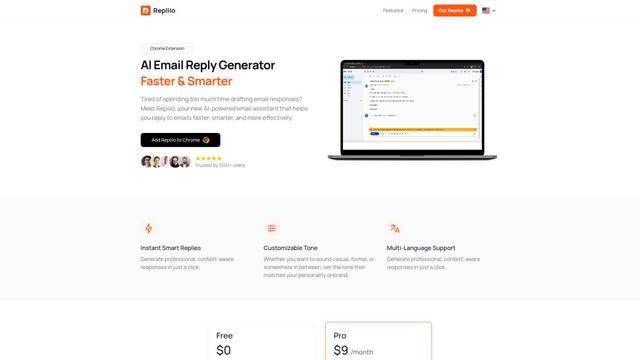
Repliio is an AI-powered email assistant Chrome extension that helps users generate professional, context-aware email responses quickly with customizable tones and multi-language support.
Popular AI Tools Like Mindstone Rebel

Microsoft Excel: Spreadsheets
Microsoft Excel is the industry-leading spreadsheet software that allows users to organize, analyze, and visualize data through powerful features like formulas, charts, and AI-powered insights.

Standboy
Standboy is a VS Code/Cursor extension that auto-expands a Game Boy (GB/GBC/GBA) emulator in the sidebar during AI agent activity, then auto-hides and pauses—resuming mid-frame next time—while keeping a persistent ROM library, saves, and cover art.
Omniaxe
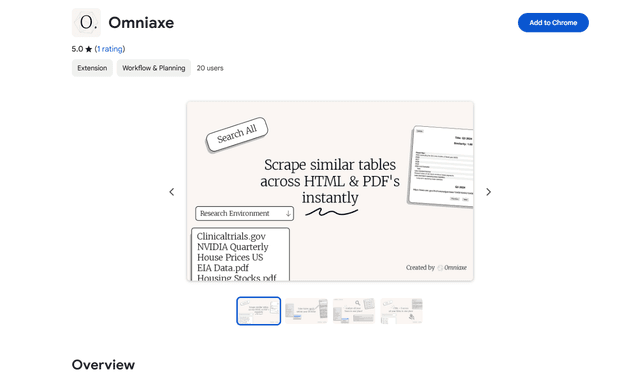
Omniaxe is an all-in-one Chrome extension research tool that combines seamless data extraction, AI-powered analysis, and centralized note-taking capabilities designed specifically for analysts, researchers and students.

Finesse by Skippr AI
Finesse by Skippr AI is a browser extension that provides instant, expert-level product feedback and critiques across design, content strategy, accessibility, and product direction through specialized AI reviewers.