
MeshPilot
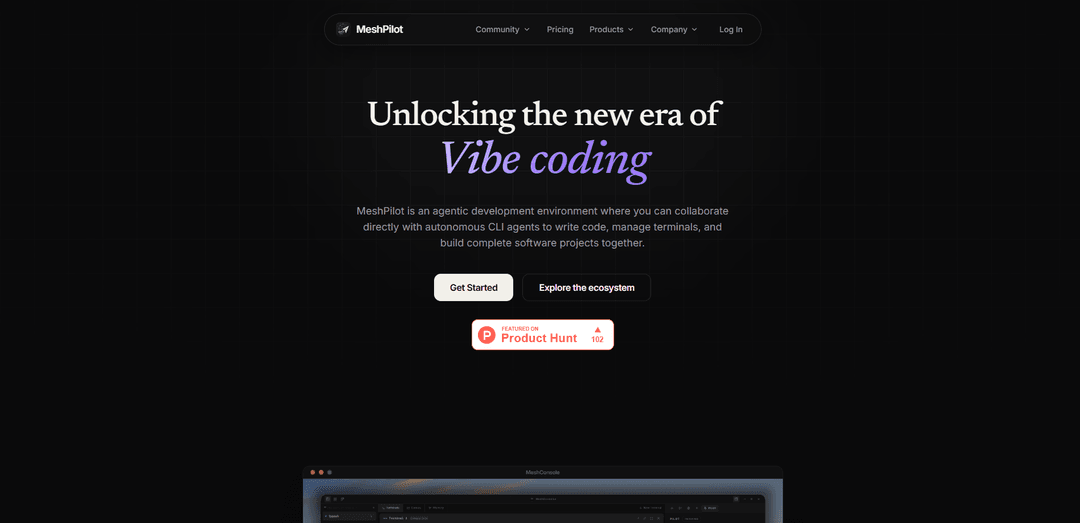
MeshPilot is an AI developer productivity platform that unifies autonomous CLI agents, project workspaces (terminals/files/previews), and persistent semantic memory to plan, build, and manage software with human oversight.
https://meshpilot.in/?ref=producthunt
Product Information
Updated:Jul 8, 2026
What is MeshPilot
MeshPilot is an agentic development environment designed to help software teams and individual developers collaborate with AI while keeping work reviewable and controlled. It provides a unified workspace for building and managing projects—pairing AI-assisted execution with practical developer tools like terminals, file access, and browser previews. The ecosystem includes MeshConsole (a developer workspace for agents and project operations) and MeshUtility (an open-source desktop widget for voice dictation and AI prompt rewriting), with support for Windows, macOS, and Linux and a local-first approach when desired.
Key Features of MeshPilot
MeshPilot is an AI developer productivity platform built around an agentic development environment where teams and solo developers can collaborate with autonomous CLI agents to plan and ship software. Its ecosystem includes MeshConsole (a workspace that combines terminals, files, live browser previews, and a Kanban tied to real task state with persistent terminal sessions) and MeshUtility (an open-source desktop widget for voice dictation and global AI prompt rewriting in any text field). MeshPilot also introduces MeshMemory, a semantic memory layer (with an advanced Cortex tier) to persist context, notes, and task progress, with local-first options plus hosted sync in higher plans.
Agentic development environment: Collaborate directly with autonomous CLI agents to write code, run commands, and manage project work with human oversight.
MeshConsole project workspaces: Operate projects in one place with terminals, files, and live browser previews, designed to keep AI-assisted work reviewable and organized.
Task-state Kanban: A visual Kanban board wired to real task state, helping track what agents are doing and what needs review or intervention.
Persistent terminal sessions: Terminal sessions remain available across time, backed by a desktop runtime so long-running workflows and context aren’t lost.
MeshUtility (open-source voice + prompt rewriting): A free, open-source desktop widget that adds voice dictation and MeshPrompt rewriting to any text field, with configurable hotkeys and user-controlled local/cloud transcription.
MeshMemory (local + Cortex): An AI-curated semantic memory layer that saves context, notes, and task progress; Plus adds Cortex features plus hosted context sync and API key management.
Use Cases of MeshPilot
Solo indie development acceleration: Use MeshConsole and agents to implement features, run tests, and manage tasks end-to-end, while MeshMemory preserves project context between sessions.
Team software delivery coordination: Share structured task workflows via the task-state Kanban and review agent output in terminals/files to keep multi-developer execution aligned.
Rapid prototyping for startups: Spin up prototypes with live previews and persistent terminals, using agents for scaffolding and iteration while keeping changes auditable.
Support/operations scripting and automation: Leverage CLI agents and persistent terminal sessions to create, run, and refine scripts (e.g., build, deployment, diagnostics) with repeatable task tracking.
Cross-app writing and prompt standardization: Use MeshUtility to dictate and rewrite prompts/messages consistently across tools (IDEs, browsers, docs, ticketing) without switching contexts.
Pros
Includes an open-source utility (MeshUtility) for voice dictation and prompt rewriting, usable across any text field.
Combines core dev workflow elements (terminals, files, previews, Kanban) with agent collaboration in a single workspace concept.
Local-first options plus an upgrade path to hosted context sync and AI-curated memory (MeshMemory Cortex).
Free trials and clear tiering (Starter vs Plus) for exploring features before committing.
Cons
Key workspace product (MeshConsole) and several plan features are marked “coming soon,” so availability may be limited or in early access.
Some advanced capabilities (Cortex memory, hosted sync, priority support, early access) require the higher-priced Plus plan.
The platform’s value depends on adopting an agent-driven workflow, which may require process changes and oversight to fit existing teams.
How to Use MeshPilot
1) Create your MeshPilot account: Go to https://meshpilot.in/signup and create an account. MeshPilot offers Starter and Plus plans with a 7-day free trial, so you can explore before paying.
2) Explore the MeshPilot ecosystem (choose a product): From https://meshpilot.in/products, pick what you want to use first: MeshConsole (agentic dev environment; early access/coming soon) or MeshUtility (open-source desktop widget for dictation + prompt rewriting).
3) Join MeshConsole early access (if you want the agent workspace): Open https://meshpilot.in/products/meshconsole and use the “Get early access” flow (email waitlist) to be notified when MeshConsole ships.
4) Understand what MeshConsole is for: MeshConsole is designed to run and supervise autonomous CLI agents in one place, with project workspaces that include terminals, files, and a live browser preview, plus a visual Kanban wired to real task state and persistent terminal sessions backed by a desktop runtime.
5) Start with MeshUtility (available now; open source): Open https://meshpilot.in/products/meshvoice and click through to GitHub (https://github.com/MeshPilot-in/MeshUtility) to download/build MeshUtility. It’s a desktop widget that works with any text field on your machine.
6) Use voice dictation in MeshUtility: Launch MeshUtility and use its voice dictation feature to transcribe speech into text. The product supports local and cloud transcription options that are user-controlled.
7) Configure push-to-talk or toggle dictation mode: In MeshUtility settings, choose whether dictation runs as push-to-talk or toggle mode, and set your preferred hotkeys for starting/stopping dictation.
8) Rewrite text with MeshPrompt: Use MeshUtility’s “MeshPrompt rewriting” to transform or refine text (e.g., prompts, messages, specs) directly from the widget, then paste the rewritten output into any app.
9) Pick a plan when you’re ready (optional): Visit https://meshpilot.in/pricing to choose Starter ($5/month) or Plus ($20/month; promo code FOREVER for 50% off). Both include a 7-day free trial; Plus adds MeshMemory Cortex, hosted context sync & API keys, and priority support (noted as coming soon).
10) Learn about MeshMemory (as it becomes available): MeshMemory is described as an AI-curated semantic memory layer that saves context, notes, and task progress in the background to give the assistant persistent understanding of your codebase. Track availability and changes via the site’s Changelog.
11) Use support resources when needed: For help with accounts, billing, or setup, use https://meshpilot.in/support and review common questions at https://meshpilot.in/faq.
12) Review security and policies (recommended for teams): Before adopting in a team setting, review https://meshpilot.in/security plus the Privacy/Terms pages linked in the site footer (Privacy & Terms, Terms of Service, Refund Policy, Data Privacy).
MeshPilot FAQs
MeshPilot is an AI developer productivity platform (an agentic development environment) where you collaborate with autonomous CLI agents to write code, manage terminals, and build software projects with user oversight.
Popular Articles

Vosko AI: Localize and Dub Videos for Global Audiences
Oct 15, 2026

Atoms: A Multi-Agent AI Platform That Transforms Ideas into Launch-Ready Products
Oct 13, 2026

Nano Banana SBTI: What It Is, How It Works, and How to Use It in 2026
Apr 15, 2026

Atoms Review — The AI Product Builder Redefining Digital Creation in 2026
Apr 10, 2026
Latest AI Tools Similar to MeshPilot

Gait
Gait is a collaboration tool that integrates AI-assisted code generation with version control, enabling teams to track, understand, and share AI-generated code context efficiently.

invoices.dev
invoices.dev is an automated invoicing platform that generates invoices directly from developers' Git commits, with integration capabilities for GitHub, Slack, Linear, and Google services.

EasyRFP
EasyRFP is an AI-powered edge computing toolkit that streamlines RFP (Request for Proposal) responses and enables real-time field phenotyping through deep learning technology.

Cart.ai
Cart.ai is an AI-powered service platform that provides comprehensive business automation solutions including coding, customer relations management, video editing, e-commerce setup, and custom AI development with 24/7 support.
Popular AI Tools Like MeshPilot

GitHub Copilot Chat
GitHub Copilot Chat is an AI-powered coding assistant that provides natural language interactions, real-time code suggestions, and contextual support directly within supported IDEs and GitHub.com.

CopilotForXcode
CopilotForXcode is an Xcode Source Editor Extension that integrates GitHub Copilot, Codeium, and ChatGPT to provide AI-powered code suggestions, chat assistance, and prompt-to-code functionality within Xcode.

BrowserAI
BrowserAI is an open-source library that enables running local Large Language Models (LLMs) directly in web browsers with WebGPU acceleration, offering privacy-focused AI capabilities without requiring server infrastructure.

OpenAI Codex CLI
OpenAI Codex CLI is a lightweight, open-source coding agent that runs in your terminal, enabling developers to translate natural language into code execution while providing ChatGPT-level reasoning with the ability to run code, manipulate files, and iterate under version control.