MD+HTML Reader
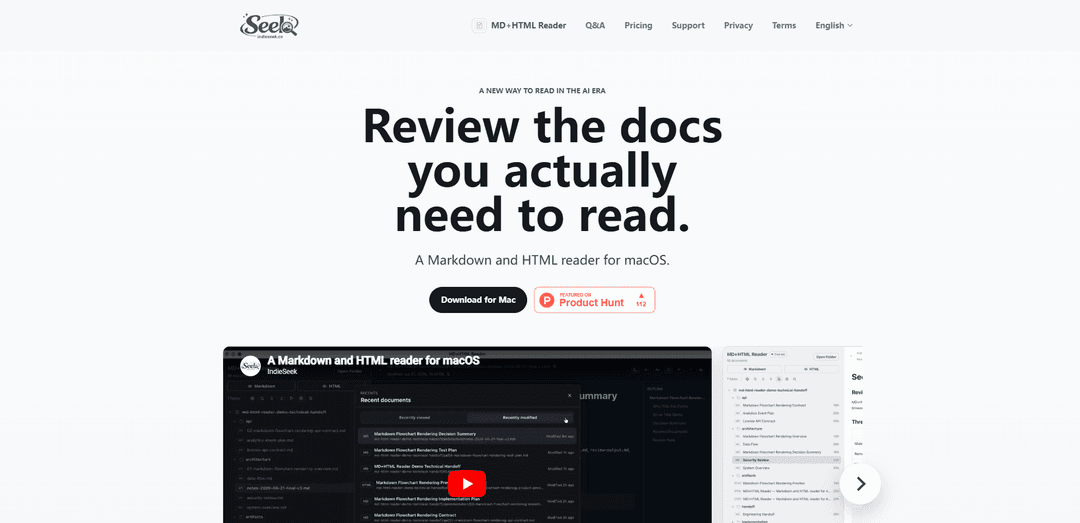
MD+HTML Reader is a lightweight, read-only macOS app that filters projects down to Markdown and HTML docs and renders them in a calm review workspace with outline, Mermaid support, recent documents, search, and live refresh—built for AI-generated documentation workflows.
https://indieseek.co/apps/md-html-reader?ref=producthunt
Product Information
Updated:Jul 8, 2026
What is MD+HTML Reader
MD+HTML Reader is a Markdown and HTML reader for macOS designed for reviewing the documents you actually need to read—plans, specs, reports, handoff notes, release notes, and other artifacts that modern AI-assisted workflows produce across a repo. Instead of treating a project like an editor does (showing every file type), it creates a focused document layer that surfaces only readable Markdown and HTML and displays them in a clean, distraction-reduced, read-only interface. The app emphasizes fast rendering, low overhead, quick navigation, and a “recent work docs” view so you can return to the right context without digging through a project tree.
Key Features of MD+HTML Reader
MD+HTML Reader is a lightweight, read-only macOS app designed for focused review of project documentation—especially the Markdown and HTML artifacts produced in AI-assisted workflows. It filters a project folder down to readable docs, renders Markdown with an outline and Mermaid support, previews HTML in a sandboxed reader with local CSS support, and keeps you oriented with recent documents, search, history, and keyboard shortcuts. All document content stays local on your Mac and is never uploaded.
Doc-only project filtering: Shows the docs that matter (Markdown + HTML) instead of every repo file, reducing noise from source code, dependencies, and build artifacts during review.
Read-only, safe review mode: Intentionally prevents editing, moving, or rewriting files so you can inspect generated plans, reports, and specs without accidental changes.
Markdown rendering with outline + Mermaid: Renders local Markdown into a calm reading surface with an outline for navigation and Mermaid diagram support for flowcharts and system diagrams.
Sandboxed HTML preview with local CSS: Previews local HTML artifacts in a sandboxed reader while supporting local CSS, useful for reviewing generated product pages, reports, or prototypes.
Recent docs, search, and reading history: Helps you quickly return to the right document via recent viewed/modified lists, search, and reading history—ideal for multi-doc review loops.
Keyboard shortcuts and fast navigation: Configurable shortcuts for recent documents, search, navigation, and font sizing to speed up review and reduce context switching.
Use Cases of MD+HTML Reader
AI coding workflow review: Review agent-generated plans, specs, release notes, and flowcharts (Markdown/Mermaid) plus HTML artifacts in one focused place before the next prompt, commit, or handoff.
Engineering handoffs and incident writeups: Open and rapidly navigate handoff notes, postmortems, and runbooks stored as Markdown/HTML, using outline and recents to track ongoing work.
Product and project documentation sign-off: Product managers and leads can validate requirements, summaries, and status reports produced by AI tools without opening full IDEs or editing files.
Technical writing and documentation QA: Technical writers can review Markdown drafts and HTML outputs in a read-only environment, using search/history to compare and verify updates.
Design/dev prototype review (HTML artifacts): Quickly inspect generated HTML pages (e.g., product pages or internal reports) with local CSS rendering, without needing a full browser dev setup.
Pros
Privacy-preserving: documents are read locally and not uploaded; paths and filenames are not sent to a server.
Focused and low-noise: filters to Markdown/HTML for calmer document review than IDEs or general-purpose editors.
Safety by design: read-only workflow reduces risk of accidental edits to project files.
Productivity-oriented navigation: recents, search, history, and shortcuts speed up multi-document review.
Cons
Platform-limited: currently macOS only (no Windows/Linux version yet).
Format scope is narrow: primarily focused on local Markdown and HTML; other doc types may require different tools.
Mermaid rendering may depend on being online (per stated Mermaid support patterns in similar readers).
Not a full editor: read-only design may be limiting if you want to edit and preview in the same app.
How to Use MD+HTML Reader
1. Download and install MD+HTML Reader (macOS): Open the MD+HTML Reader download page and install the macOS app. Launch it to start the free trial.
2. Open a project folder that contains docs: In the app, choose a local folder (e.g., a repo or work directory). The reader focuses on readable documents by filtering the folder down to Markdown and HTML files.
3. Browse only the supported doc types (MD + HTML): Use the project navigation to locate files ending in .md/.markdown (Markdown) and .html (HTML). The app is designed to reduce noise from non-doc project files.
4. Open a Markdown document for read-only review: Click a .md/.markdown file to render it in the reader. Review it safely—MD+HTML Reader is intentionally read-only and will not edit, move, or rewrite your source files.
5. Use the outline to navigate Markdown quickly: When viewing Markdown, use the outline to jump between headings/sections for faster review of long plans, specs, reports, or release notes.
6. View Mermaid diagrams inside Markdown: If the Markdown includes Mermaid diagrams, the reader renders them so you can validate flows and architecture diagrams without opening an editor.
7. Open an HTML artifact in the sandboxed HTML reader: Click an .html file to preview it in the built-in HTML viewer. HTML is displayed in a sandboxed reader for safer inspection.
8. Verify styling with local CSS support (HTML): If the HTML references local CSS, preview the page to confirm the layout and styling render as expected with local CSS support.
9. Jump back to what you were reviewing via Recent documents: Use the Recent documents area to quickly return to recently viewed or modified docs (e.g., handoff notes, agent summaries, release reports) without digging through the folder tree.
10. Search to find the right doc or section faster: Use search to locate relevant documents or content when reviewing multiple AI-generated outputs across a repo.
11. Turn on live refresh when iterating with AI tools: Enable live refresh so the reader updates when your Markdown/HTML files change (useful when an AI agent regenerates plans, reports, or artifacts while you review).
12. Use keyboard shortcuts to speed up review: Configure and use keyboard shortcuts for recent documents, search, navigation, and font size adjustments to keep review fast and focused.
13. Adjust reading comfort settings: Increase/decrease font size (via shortcuts) to make long review sessions easier, especially for dense specs and reports.
14. Review with privacy expectations in mind: Open documents from local folders on your Mac. Document content is read locally only and is not uploaded; document content, local paths, and file names are not uploaded or read by a server.
15. Extend or end the trial as needed: Continue using the free trial, optionally invite others to extend it (up to 42 days total), and switch to paid access after the trial if you want to keep using the app.
MD+HTML Reader FAQs
MD+HTML Reader is a macOS app for reading local Markdown and HTML documents in a focused, read-only review workspace.
MD+HTML Reader Video
Popular Articles

Vosko AI: Localize and Dub Videos for Global Audiences
Oct 15, 2026

Atoms: A Multi-Agent AI Platform That Transforms Ideas into Launch-Ready Products
Oct 13, 2026

Nano Banana SBTI: What It Is, How It Works, and How to Use It in 2026
Apr 15, 2026

Atoms Review — The AI Product Builder Redefining Digital Creation in 2026
Apr 10, 2026
Latest AI Tools Similar to MD+HTML Reader

Folderr
Folderr is a comprehensive AI platform that enables users to create custom AI assistants by uploading unlimited files, integrating with multiple language models, and automating workflows through a user-friendly interface.
InDesign Translator
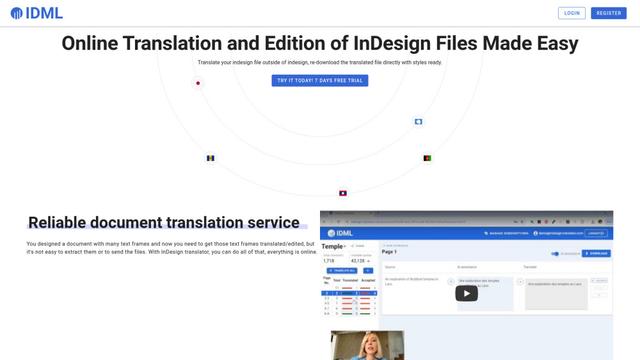
InDesign Translator is an online translation service that enables users to translate InDesign files while maintaining formatting and styles, offering AI-assisted translation and easy collaboration features without requiring translators to have InDesign installed.

Specgen.ai
Specgen.ai is an AI-powered platform that helps businesses optimize their bid responses by automatically analyzing tender requirements and generating personalized responses while ensuring 100% data confidentiality through proprietary AI models.

TurboDoc
TurboDoc is an AI-powered invoice processing software that automatically extracts and transforms unstructured invoice data into organized, easy-to-read structured data through Gmail integration and intelligent document processing.
Popular AI Tools Like MD+HTML Reader

R2R
R2R (Reason to Retrieve) is an advanced AI retrieval system that provides production-ready Retrieval-Augmented Generation (RAG) capabilities with multimodal content ingestion, hybrid search, knowledge graphs, and comprehensive document management through a RESTful API.

Claude Folder Upload
A Chrome extension that enables users to upload entire folders to Claude AI while intelligently preserving directory structures and file relationships, with smart filtering capabilities for irrelevant files.

Web Clipper for NotebookLM
Web Clipper for NotebookLM is a Chrome extension that saves web pages, PDFs, YouTube content, social posts/threads, and even AI chat conversations directly into Google NotebookLM in one click, plus adds powerful export, sync, and notebook-management tools.

ReadHero
ReadHero is a comprehensive book tracking and note-taking app that helps readers remember and retain more of what they read by enabling progress tracking, note-taking, and book management all in one place.